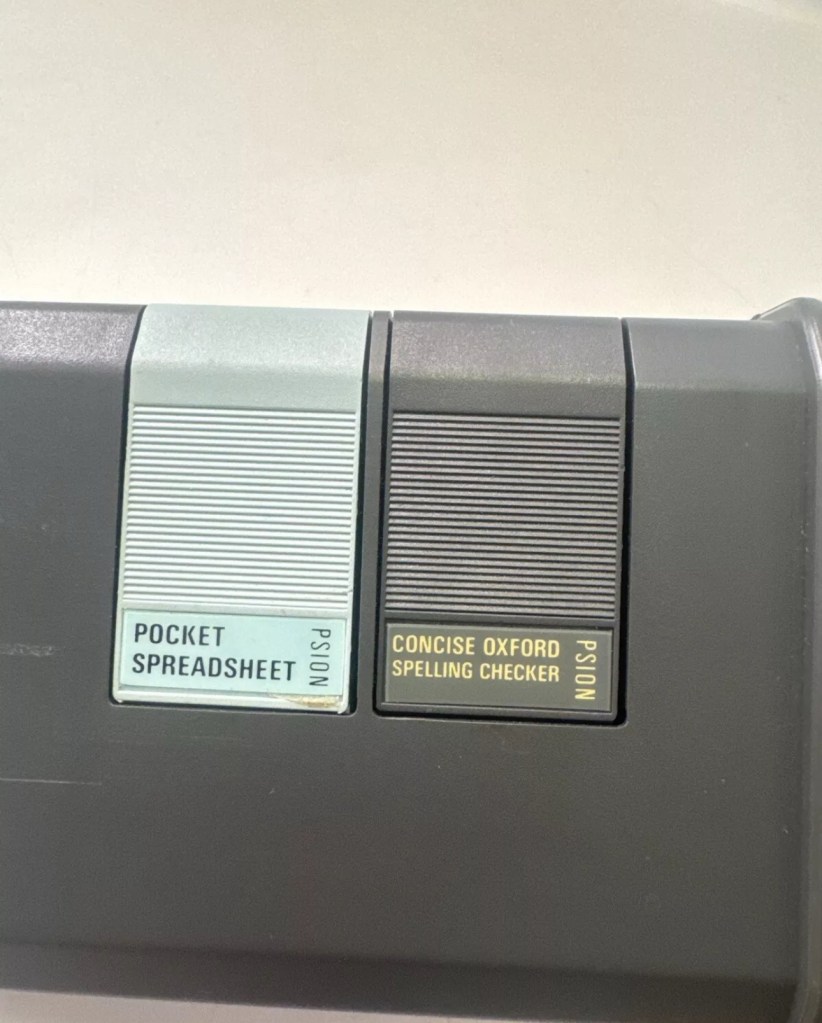
Psion organiser II XP

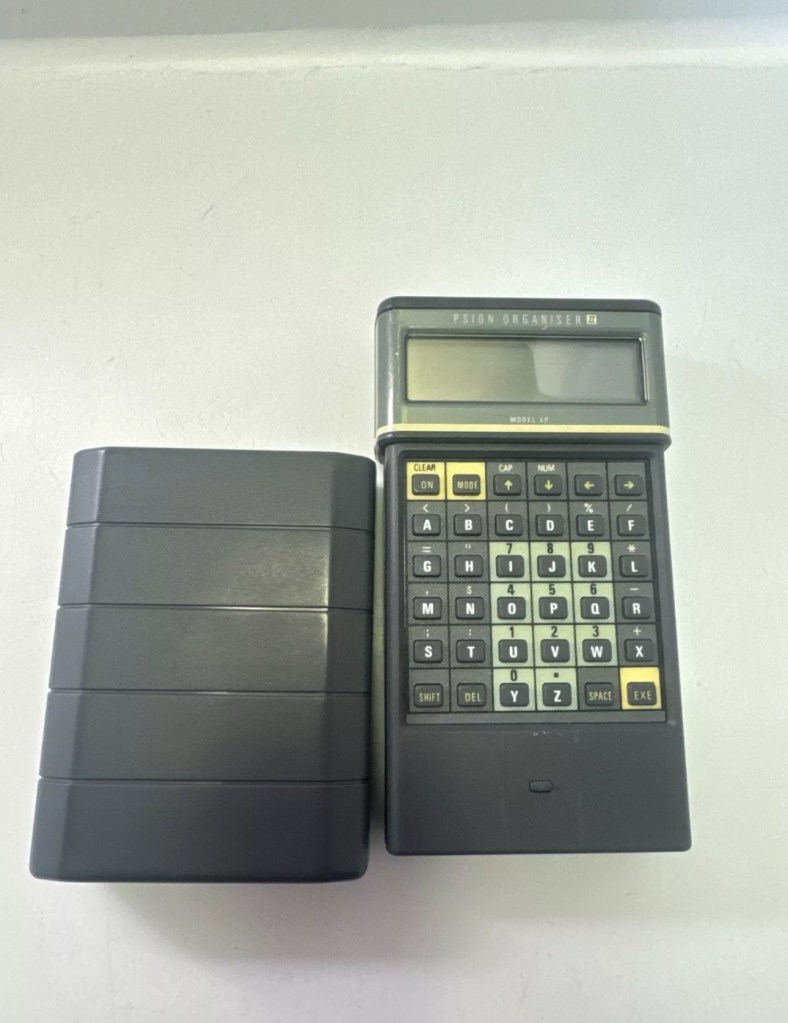
I’m so impressed with these Psion organisers from the 80s that I’ve now decided to go ahead and try to obtain some good examples of all the MkII models. I’ve recently posted about my CM version here: Psion organiser II CM but today I have obtained the next model from 1986 the XP version. You can find out more about the Psions I own on the main menu in the margin of this site.

80’s tech in 2021

Above is a good video, using the XP in 2021

I’ve paid less than £20Gbp all in for this item and I think it’s a bargain personally. I’ve also obtained two programs that I’ll either keep or move on. There are some slight marks on the bezel but nothing too bad. I may be able to replace these parts with donations from some damaged sets I’m looking at. That’s a medium term plan, so there really is no urgency here. Let’s just make sure it’s running as well as it should do first.

I will be using these units to further learn the OPL programming language that they use.

As with the earlier CM model this unit also had the Y2K issue so I will have to run the TIMEINST program to ensure it updates the calendar accordingly.

The differences between these two units are very slight and it is basically around the available memory. Comparisons below.

  • The Cm – year 1986- Ram 8Kb- Rom 32Kb- Max datapack 64Kb
  • The XP – year 1986- Ram 16Kb- Rom 32Kb- Max datapack 2048Kb

CPU speed, clock speed and display are both exactly the same. It really is just an improvement in memory availability. Hence Spreadsheet programs could run with less of an issue on the XP units but not so on the CM units.

The Psion Organiser II XP model has a 6303 microprocessor with two-line LCD, two slots for memory cartridges and a connector for expansion. The keyboard is calculator-like with the keys arranged alphabetically, not in the Qwerty keyboard style. There is no off key the so the machine was switched off by a menu command. The case is also styled like a calculator, but it has a handy slide-on cover to keep the keyboard safe when the machine is not in use. 

Morse code on a Psion organiser

I did my Morse test back in 2003 just after I passed my City and Guilds 765 RAE exam in Amateur radio. It wasn’t a compulsory requirement as it was in the States at that time, but I chose to go with it. I wasn’t the fastest in the world but I enjoyed using it to be able to partake in my favourite part of the hobby, low power QRP operations.

As morse uses such a small bandwidth, distant operations using very low power below 5 watts are very achievable. Wspr transmissions operate in even smaller power ranges, however that’s a whole different story.

So what’s the Psion organiser got to do with Morse?

When you set out trying to master Morse you look at loads of techniques and ways to make your journey that much easier. There are Morse trainers, there are even Morse decoders and encoders that basically allow you to “Cheat”, but what’s the point of that as you’re not going to learn anything that way.

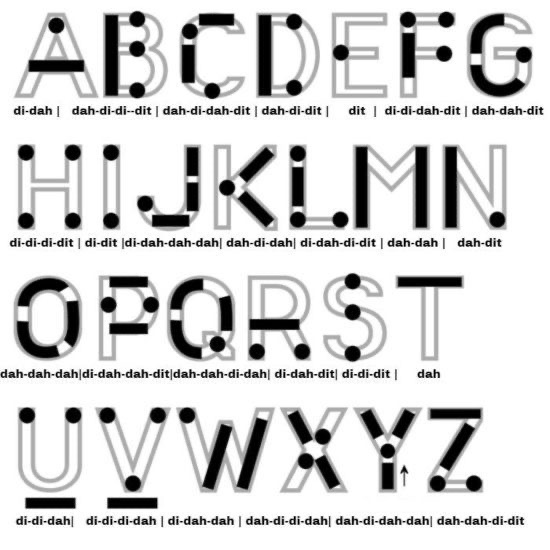
I used a technique called the visual mode technique that allows you to learn Morse by associating the dots and dashes with the actual shape of the letter and number. It works well when translating to paper, however Morse is a sound mode and it is better to use sound association, that will always work the best. I have this on a book mark to this day, as well as having it as screensaver at work. It worked for me. That’s where the Psion also had a part to play in my education.

Visual mode technique

I have a pre loaded data pack that runs perfectly on this old 1980’s machine. I used a very similar program back in the day, but not this actual one (See pictures above). The program and files are extracted and copied from the Interair Airnav pack and i have uploaded a small video below to show it whilst working.

“Peace”

With this program every digit you press on the keyboard is repeated back to you in Morse code. It’s a fantastic way to keep yourself on the ball. There are a few minor errors but the numbers and letters are pretty much spot on. It’s a great way to learn the shape of a word by sounds, and that’s a big part of Morse code, where you use phonics or the sound and shape of a string of dots and dashes to learn particular words or formations of groups of words. I’m probably making it sound more difficult than it actually is, and I apologise for that as it really doesn’t have to be. Each person finds their favourite way to learn, and this worked just fine for me all the way back in the early 2000’s about 22 years ago.

Have a great day and peace to you all or should that be :

.- -././.-/-.-./. (Check above) 👆