Passionate hobbyist, restoring the past, one old camera at a time. iPhone14 Max Pro - Sony A7II and about 80 others from the days of silver halide 📸 Main aim in life - Retirement
You get some great, amazingly fantastic news. What’s the first thing you do?
That’s depends on who breaks the news. Being naturally very cautious, I’d always seek clarification first before sharing it with my nearest and dearest. There is nothing worse than building someone’s hopes up and then knocking them back down like a lane of bowling skittles.
Fact checking always comes first.
Did your parents ever say, “ If it seems too good to be true, then it probably is?”
That ties in with what is written in the first paragraph.
Just like you protect yourself from all that’s bad, and always try to avoid trouble, it’s as plain as night and day that trouble will find you and affect you at some point in your life. And sometimes those occasions come in the shape of good news as misinformation.
You are not now protecting yourself, but all that you love in your life, your family, your friends. Well, it is in my case.
So to cut a long story short.
Fact check, get it confirmed. Check that the news is for you to give. Tell your loved ones. Spread the news far and wide.
And then bloody celebrate like it’s your last day on this earth.
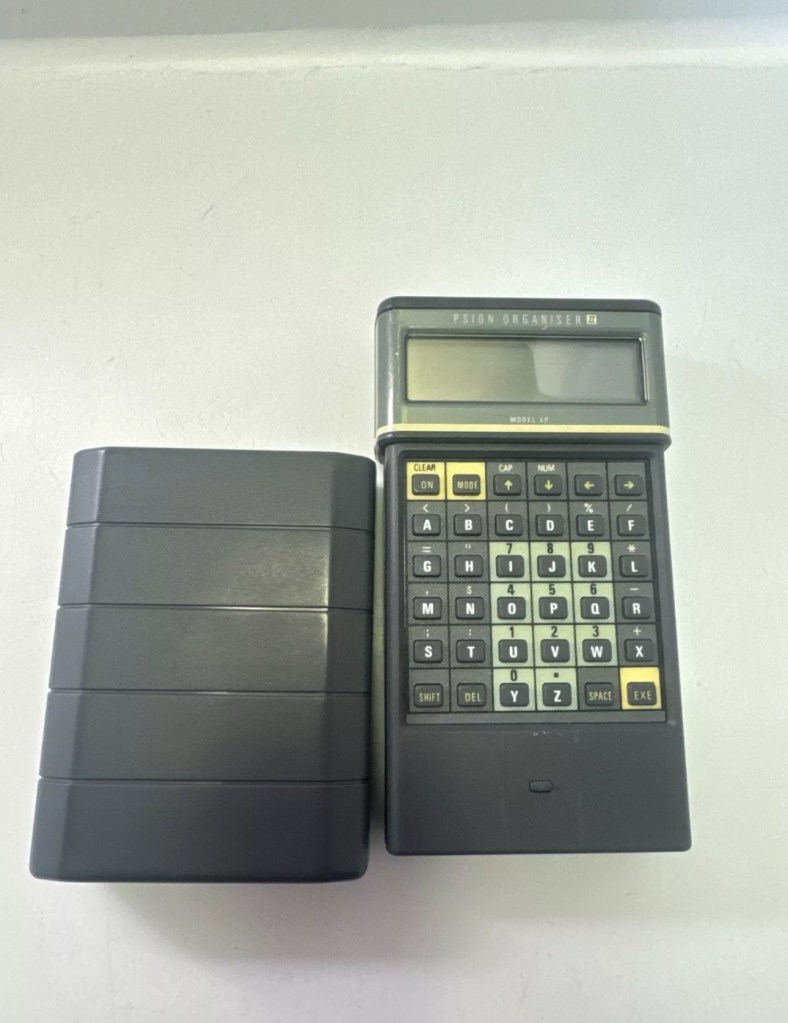
I’m so impressed with these Psion organisers from the 80s that I’ve now decided to go ahead and try to obtain some good examples of all the MkII models. I’ve recently posted about my CM version here: Psion organiser II CM but today I have obtained the next model from 1986 the XP version. You can find out more about the Psions I own on the main menu in the margin of this site.
With plastic caddy Out of caddy A couple of programs thrown inGood condition
80’s tech in 2021
Above is a good video, using the XP in 2021
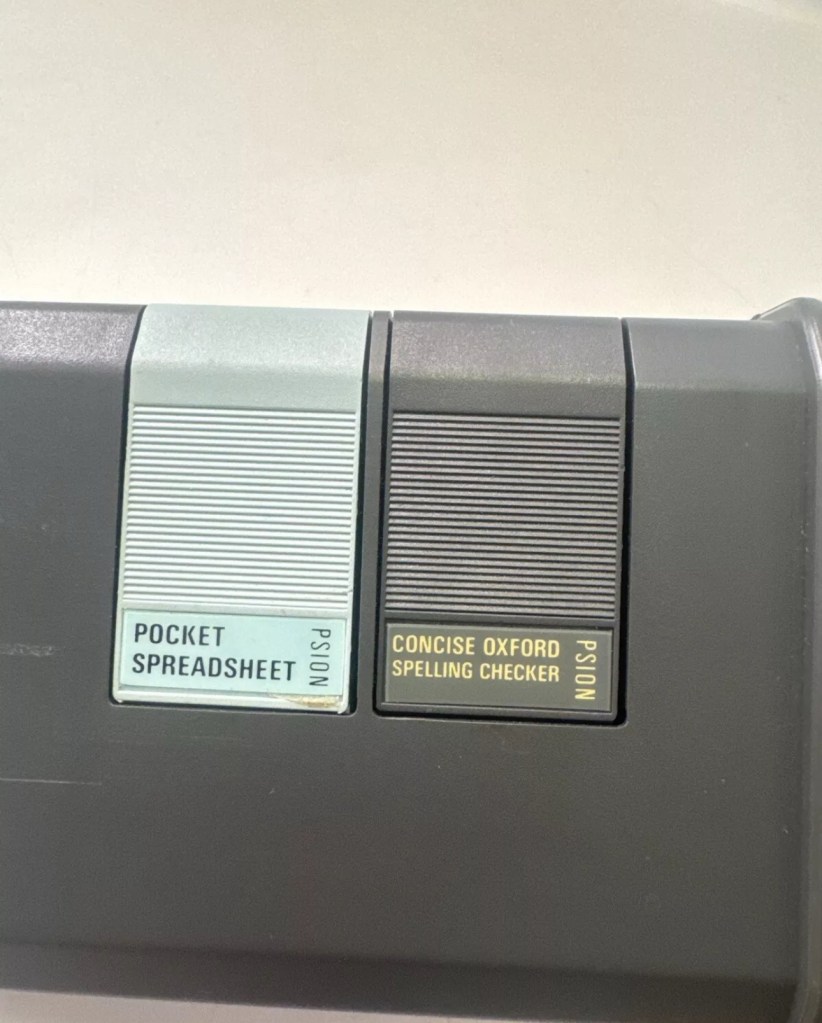
I’ve paid less than £20Gbp all in for this item and I think it’s a bargain personally. I’ve also obtained two programs that I’ll either keep or move on. There are some slight marks on the bezel but nothing too bad. I may be able to replace these parts with donations from some damaged sets I’m looking at. That’s a medium term plan, so there really is no urgency here. Let’s just make sure it’s running as well as it should do first.
I will be using these units to further learn the OPL programming language that they use.
As with the earlier CM model this unit also had the Y2K issue so I will have to run the TIMEINST program to ensure it updates the calendar accordingly.
The differences between these two units are very slight and it is basically around the available memory. Comparisons below.
The Cm – year 1986- Ram 8Kb- Rom 32Kb- Max datapack 64Kb
The XP – year 1986- Ram 16Kb- Rom 32Kb- Max datapack 2048Kb
CPU speed, clock speed and display are both exactly the same. It really is just an improvement in memory availability. Hence Spreadsheet programs could run with less of an issue on the XP units but not so on the CM units.
The Psion Organiser II XP model has a 6303 microprocessor with two-line LCD, two slots for memory cartridges and a connector for expansion. The keyboard is calculator-like with the keys arranged alphabetically, not in the Qwerty keyboard style. There is no off key the so the machine was switched off by a menu command. The case is also styled like a calculator, but it has a handy slide-on cover to keep the keyboard safe when the machine is not in use.
This is just one of those quick posts, i had to post as it made me giggle.
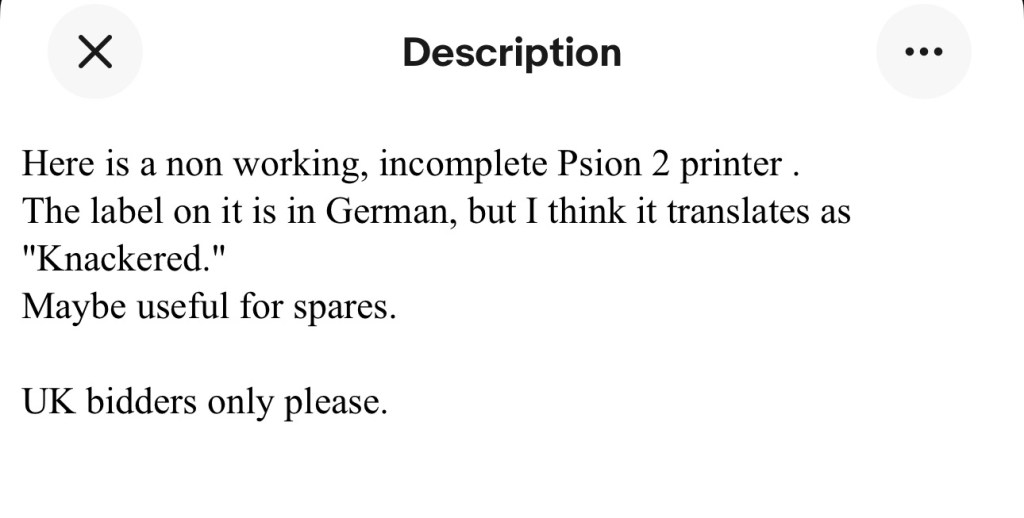
Store fronts such as EBay and others, are sometimes places where descriptions of items are at times questionable to say the least. However every once in a while a listing has a description that makes you smile. Today is one of those days.
A post on EBay today, the description is the seller for me 😂
This caught my eye and I thought I’d dig in a little deeper to read the description.
In a nut shell
I just love the part where it states the label translates for “Knackered” in German .
Made me giggle.
I think the label says something like “ Defect, Tailor in Oststeinbek. A region of Germany, however I may be wrong as my translation is basic at best.
However I know it dosen’t say Knackered as I believe that is “ Beschadigt” or “Geschlaucht” and that only translates as damaged! Which doesn’t quite fit the scenario does it?. Or maybe it does!
I’ve been totally bitten by this coding bug for these Psion organisers. They use a code called OPL, Open Programming Language that is loosely related to the BASIC programming Language. This allows the consumer to write programs or to make amendments to the way their personal organisers can operate and carry out commands. It’s an amazing bit of kit, but as usual I am about 40 years late for the party, however there is still a big community out there who have created some amazing programs and routines, and fortunately they are all willing to share their skills. The language seemed to phase out into retirement sometime around 2010.
One of those people is the guy in the video below called Huw. He has a channel on YouTube called Handheld computing and he has made a series of six episodes teaching those who want to know, how to program in OPL. He also has a lot of retro based videos on his channel.
Huw – he’s very good 👍
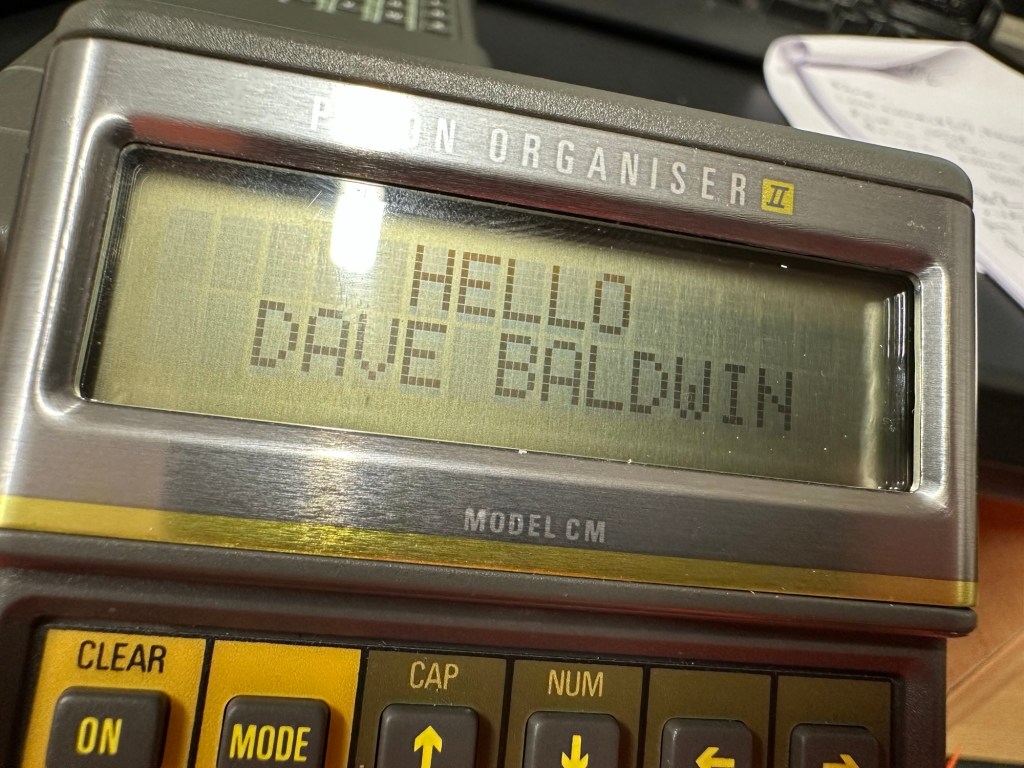
This is only episode one, and using Huw’s teaching I have already produced my first thirteen line routine to carry out a simple command that asks you to input your first name, and then second name and then it presents that to you, in the centre of the organisers screen. A simple and basic operation that gets you to appreciate the requirements and individual inputs that are needed, to get such a string of information to present itself on a screen in a structured way.
My rough scribblings in a scruffy shorthand
In my notes above I’ve added a couple of new lines to reposition the presentation of the text on my screen. And as I used the 4 line LZ model, this required a different set of coordinates from the two line CM model that I have also used.
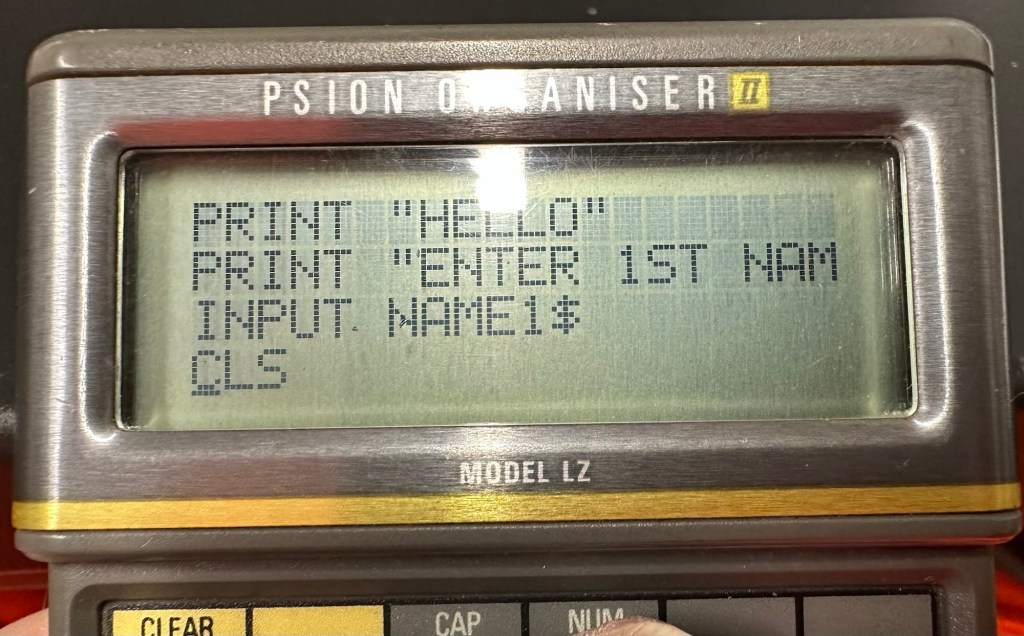
When using the techniques in the video I did notice that there were mistakes, as when I entered the information into the organiser it was coming back with a “Bad declaration” error. So I knew something was wrong. After a while of searching through the program I realised two of the string routines were presented wrong with the “$” dollar sign positioned wrong in the text. A quick change of position and the program translated fine and now runs well on both machines. Below is a tidy version of the code:
NAME:
LOCAL NAME1$(10),NAME2$(10)
PRINT “HELLO”
PRINT “ENTER 1ST NAME”
CLS
PRINT “ENTER 2ND NAME”
INPUT NAME2$
CLS
AT 8,2
PRINT “HELLO”
AT 5,3
PRINT NAME1$;” “;
PRINT NAME2$;” “;
GET
I apologise if there are any glaring mistakes or mis types that the more trained eye may witness, however it’s only day one for me so I’m quite pleased.
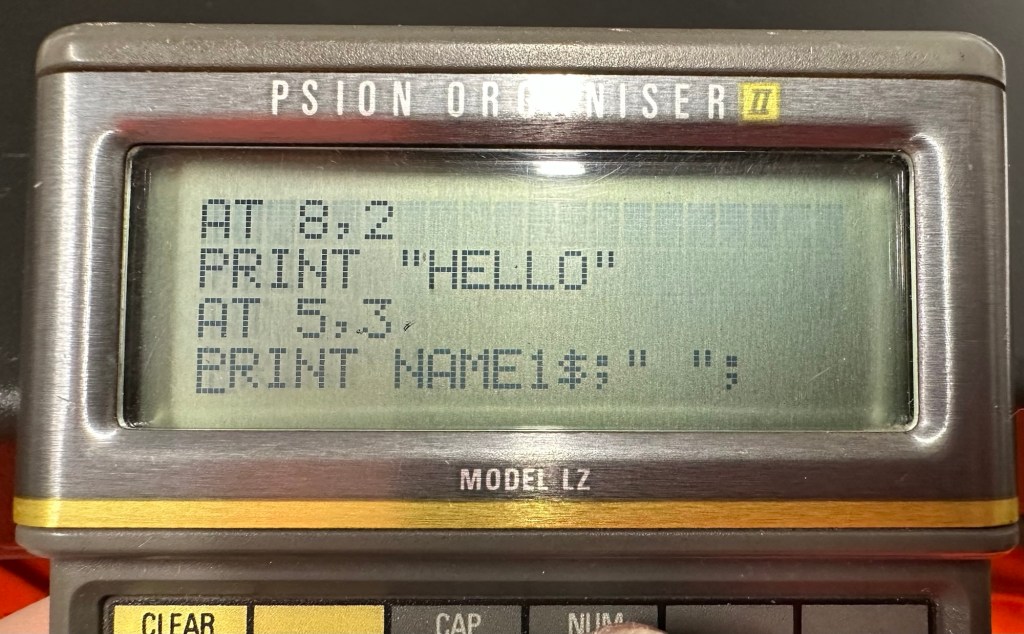
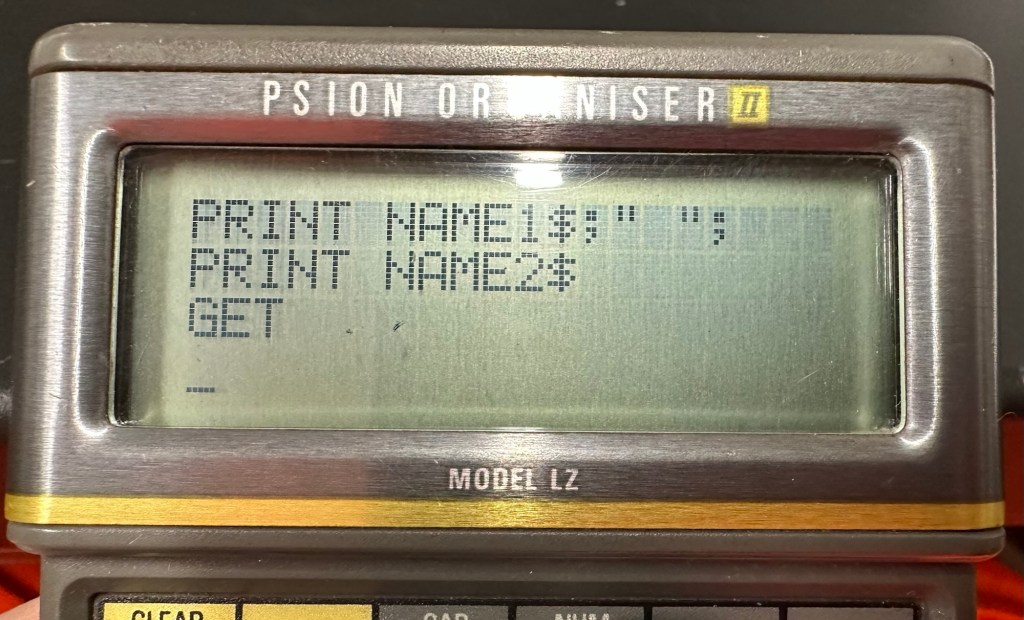
Below are a load of pictures of the code being input into the organisers
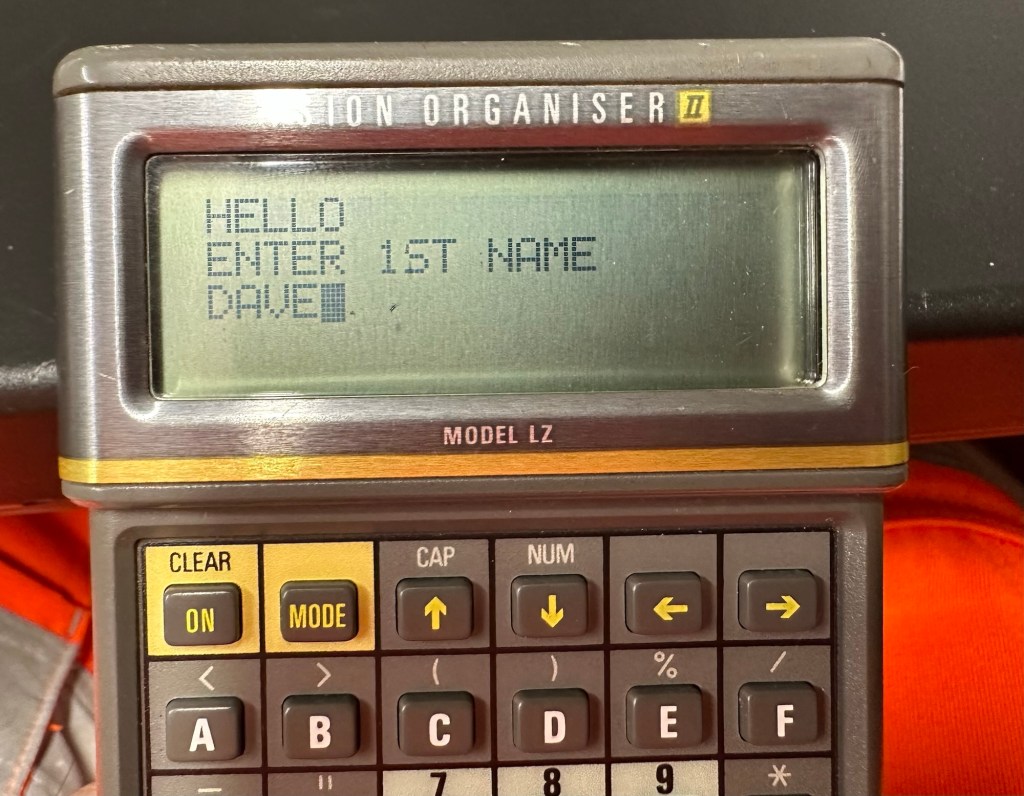
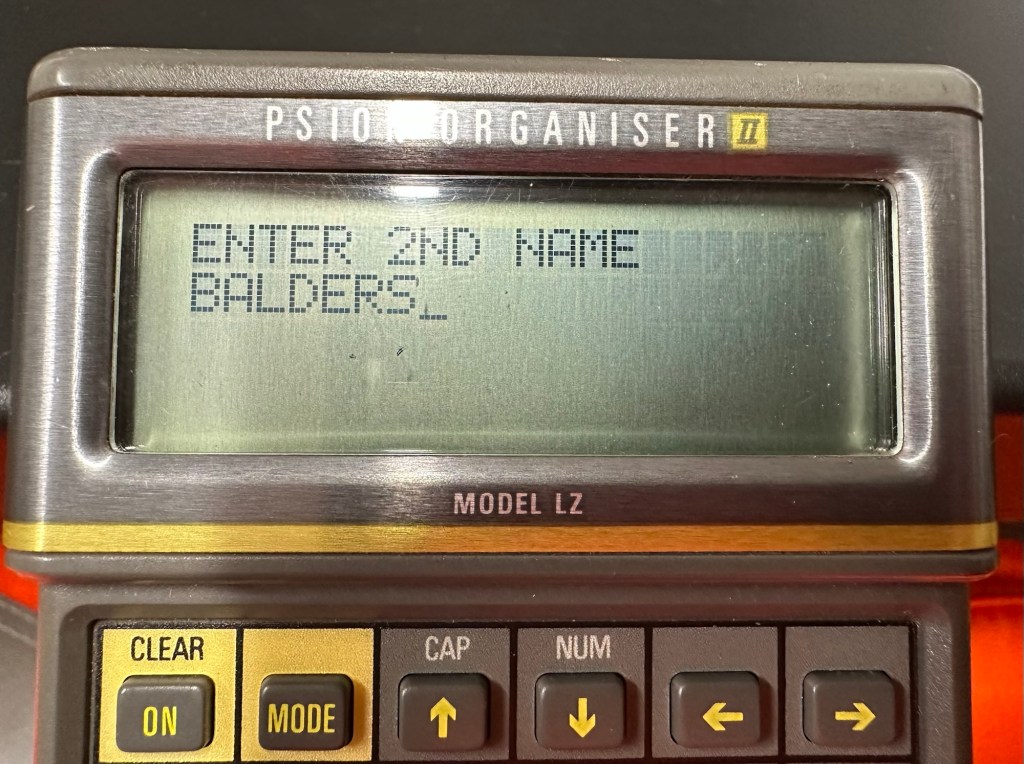
Screen shots of different stages of the input into the OPL system. You can see these routines in the code presented either on my rough sheet or the typed version above.
And below is the results as they appear on either the 4 line screen or the two line screen, dependent on what unit you are programming.
Enter 1st nameEnter second nameHello Dave – 4 line version Hello Dave – 2 line version
And that’s it for my first session really, seems a lot of work for such a simple routine. However I have learned a lot in just one session and I have thoroughly enjoyed it. Im quite looking forward to Huw’s next five lessons, hence I will report back further as my learning and abilities hopefully improve.
I have already thanked everyone on 26th January this year for your kind support on getting me up to 100 subscribers on this site. It really is appreciated and today I need to thank you again on getting me to a 10k views notification.
Thank you 🙏
I’m not a consistent blogger as my posts vary greatly, I know there is quite a range in quality but I make no apologies for that. I’ve always suffered with quite severe mood swings due to a number of factors that I won’t dwell on here, and this site was created as an extension of the journal I used to write at home. That journal had some extremely worrying matter in it and I always encouraged my wife to read it, (As I’m a bloke who doesn’t openly talk) and as a result she pulled me out of some deep ravines and I am eternally grateful to her for that. That said I decided to take the Journal one step further and it is now online for all my family as well as you good souls to see. As a result you will see the good and the not so good, but believe me I am in a much better place for having you all around me.
Thanks for just being there, you will never understand just how much it helps.
And yes, I do talk more and I suggest everyone who is suffering in silence breaks that mould, and talks to someone. Do not please suffer in silence. And I’m always here to lend a listening ear.
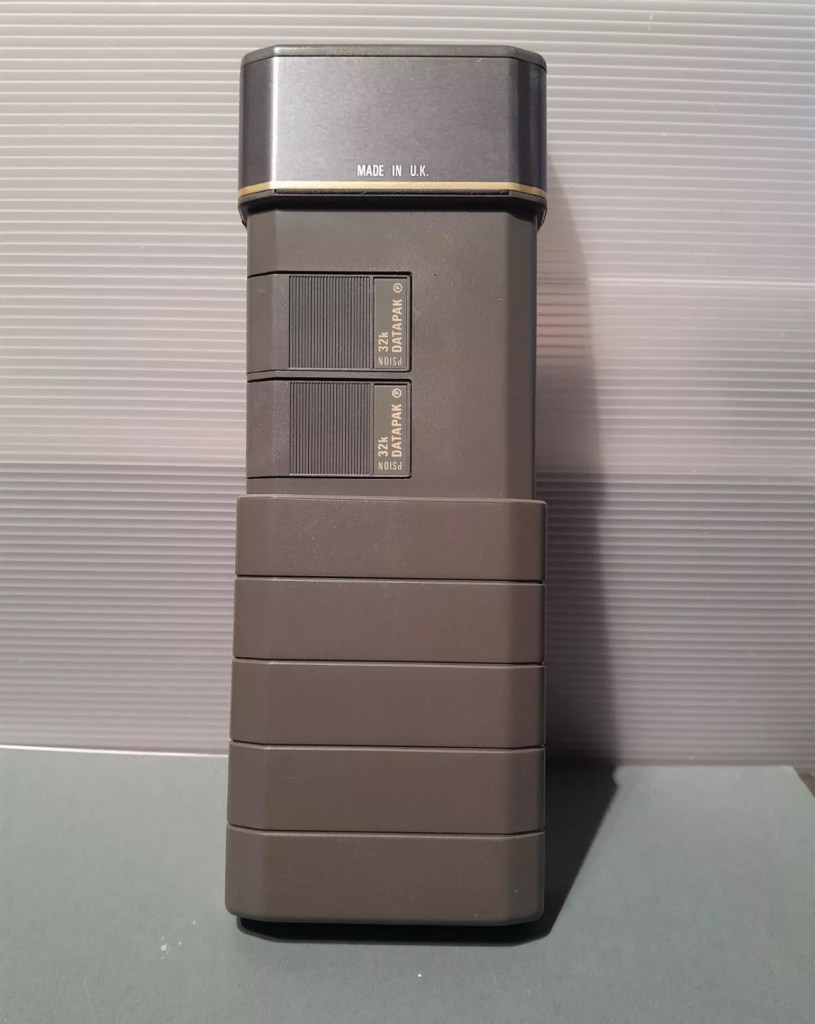
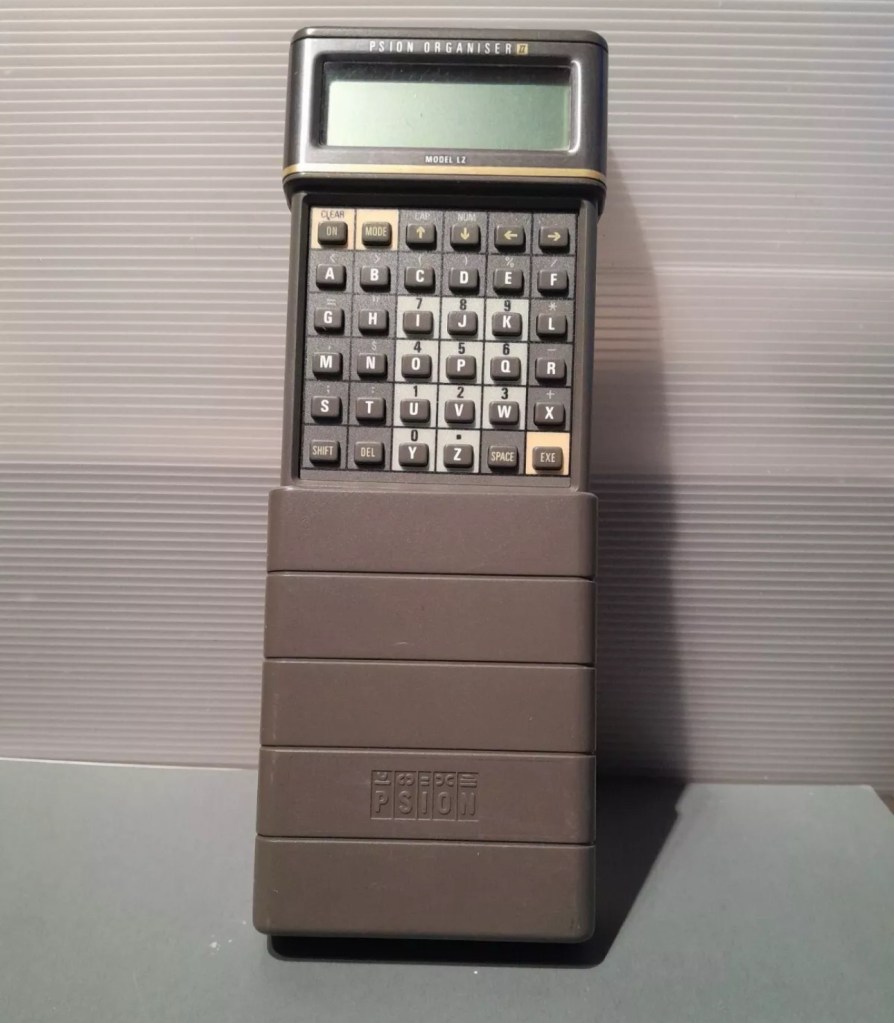
I am now in possession of my third Psion organiser II. You can view any of my posts on them by viewing the menus listings of this site. This one is the LZ version and is a great clean example. This one cost me a little more than the other two £30Gbp all in. However we have progressed in technology and it is now 1989, this unit has grown up considerably since its siblings were produced three years earlier.
4 line Screen2x 32Kb DatapaksNow has a 4 line display compared to the earlier 2 line ones.
These units have a four line display compared to the earlier two line displays of the older versions. The screen size is larger on the LZ, it is 4 lines of 20 characters compared to the earlier two line screens that were 2 lines of 16 characters. 
My current organisers marked with an asterisk to the left this one has a “Massive” 32Kb of ram and 64Kb of rom. Oh how times have progressed
Here is a great review of the capabilities of this unit.
Psion LZ review
Unlike the previous versions I have, this particular unit does not suffer with the Y2K issue.
Below I have included a section from the operating manual for this unit.
The Psion Organiser II Models LZ and LZ64 come with a powerful set of utilities including:
A database which allows you to store items of information and retrieve them again instantly.
A diary to keep track of personal appointments.
Alarms to remind you of your diary entries, or to use as an alarm clock.
A sophisticated calculator, for simple or complex calculations involving mathematical functions.
A clock, with a stopwatch and timer.
Notepads with calculation, for information such as things- to-do or expenses lists.
International time and dialling codes.
A month-at-a-view calendar.
Password protection.
A multi-file database.
A choice of European languages.
The Organiser also has its own built-in programming language called OPL. The language is designed to exploit all the machine’s facilities to the full and to let you tailor the Organiser to your own specific needs.
The Organiser has an internal memory and two external devices which are the equivalent of disc drives on a desk-top computer. Each one can hold a Datapak for you to store information on, or a program pack containing a program such as the Pocket Spreadsheet.
The internal memory of the Model LZ holds around 32000 characters and that of the LZ64 around 64000 characters. In addition, one or more Datapaks can boost the storage capacity considerably – by up to 128000 characters per Datapak.
Courtesy of Psion PLC1989
I’m going to use all the organisers I currently own to look into learning the OPL operating language that all these units use. I have already programmed in a couple of basic routines that just perform actions such as a clock routine that shows up when you turn the unit on – see picture below.
Simple clock routine.
This simple routine consists of no more than about six lines of code, it really is simple but allows you to adapt it to just how you want it, there are a number of options you can use to incorporate it into other routines or have it just running on its own as I have here.The routine above stops whenever you press any button. Simple.
That was the appeal of PDA units such as these in the 80’s in that you could develop and write programs that you wanted that suited you and your requirements. I like this as it takes me back to the days when I purchased my first computer the ZX81 back in the early 80’s when you had to learn BASIC programming just to get it working.
I know I’m probably 40 years behind everyone else and the whole programming scene has moved on in leaps and bounds to a point where it is super technical and advanced, however I love the slow pace and infancy of it all. And I’m not doing anyone any harm, so I’ll just plod on at my pace. It keeps me occupied, and I’m constantly learning. And at my time of life that is no bad thing.
I did my Morse test back in 2003 just after I passed my City and Guilds 765 RAE exam in Amateur radio. It wasn’t a compulsory requirement as it was in the States at that time, but I chose to go with it. I wasn’t the fastest in the world but I enjoyed using it to be able to partake in my favourite part of the hobby, low power QRP operations.
As morse uses such a small bandwidth, distant operations using very low power below 5 watts are very achievable. Wspr transmissions operate in even smaller power ranges, however that’s a whole different story.
So what’s the Psion organiser got to do with Morse?
When you set out trying to master Morse you look at loads of techniques and ways to make your journey that much easier. There are Morse trainers, there are even Morse decoders and encoders that basically allow you to “Cheat”, but what’s the point of that as you’re not going to learn anything that way.
The Morse Datapak Psion Organiser II LZ
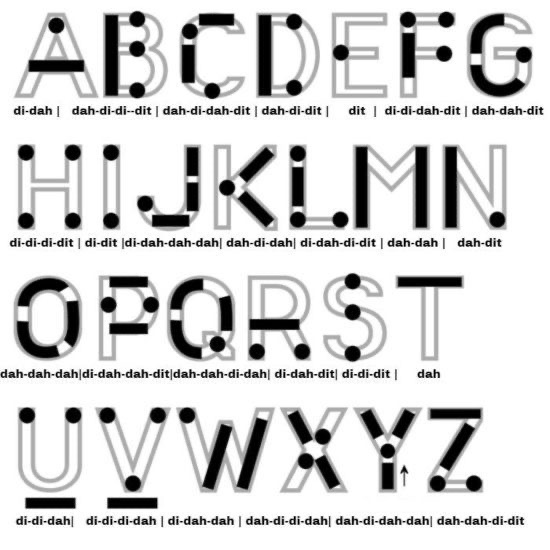
I used a technique called the visual mode technique that allows you to learn Morse by associating the dots and dashes with the actual shape of the letter and number. It works well when translating to paper, however Morse is a sound mode and it is better to use sound association, that will always work the best. I have this on a book mark to this day, as well as having it as screensaver at work. It worked for me. That’s where the Psion also had a part to play in my education.
Visual mode technique
I have a pre loaded data pack that runs perfectly on this old 1980’s machine. I used a very similar program back in the day, but not this actual one (See pictures above). The program and files are extracted and copied from the Interair Airnav pack and i have uploaded a small video below to show it whilst working.
“Peace”
With this program every digit you press on the keyboard is repeated back to you in Morse code. It’s a fantastic way to keep yourself on the ball. There are a few minor errors but the numbers and letters are pretty much spot on. It’s a great way to learn the shape of a word by sounds, and that’s a big part of Morse code, where you use phonics or the sound and shape of a string of dots and dashes to learn particular words or formations of groups of words. I’m probably making it sound more difficult than it actually is, and I apologise for that as it really doesn’t have to be. Each person finds their favourite way to learn, and this worked just fine for me all the way back in the early 2000’s about 22 years ago.
Have a great day and peace to you all or should that be :
I think I wrote a good time back about creating a good work life balance. I actually stick to that and I’m now enjoying a good separation from my workload much to the displeasure of my bosses who seem to think you are contracted to work for them 24hrs a day, 7 days a week.
Now I don’t like to disappoint people, however excessive hours were affecting both my family life and my health and ultimately that combination would have probably finished me off, and that’s no good to anyone. Now they have me working at my best, and most productive and a recent yearly review was very complimentary to me and my work ethic. So that’s a good thing👍
The real answer to the question that I’ve been skirting around is that I need a break from Work. I’m probably a couple of years away from retirement now, and I’m so looking forward to that. We already have plans in place and I’m looking forward to that final day I leave work and close the door for the last time.
I’ve done my time, it’s now time to give the youngsters a go. Let’s be honest we are only ever numbers at work, and the minute you leave someone else will be doing your role, without there ever being a second thought for you.
You’ve done your time, paid your dues it’s now time to go and enjoy your autumn years.














 Foxes Den
You must be logged in to post a comment.