Psion datapak formatter

What the listing stated:

old computer bit , powers up ( red light shines on ) but otherwise untested  , please note my other similar computer items      

EBay

My previous post Formatting the Psion II Datapack explains my thinking and reasoning behind making this purchase.

Most EPROMS made around this time in the 1980s had memory that could be formatted by using a method of exposing them to high levels of Ultraviolet light for between 10-30 minutes. The Psion Datapaks required about 30 minutes of “exposure” in one of these units to format the drive.
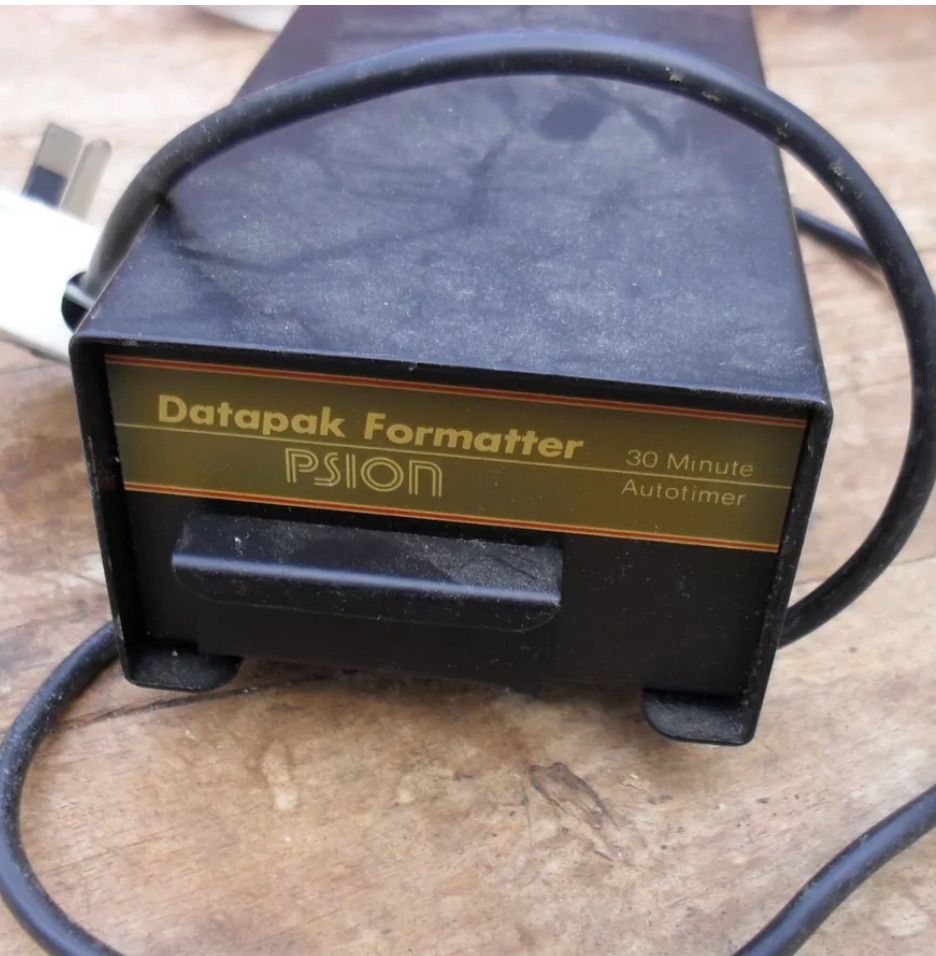
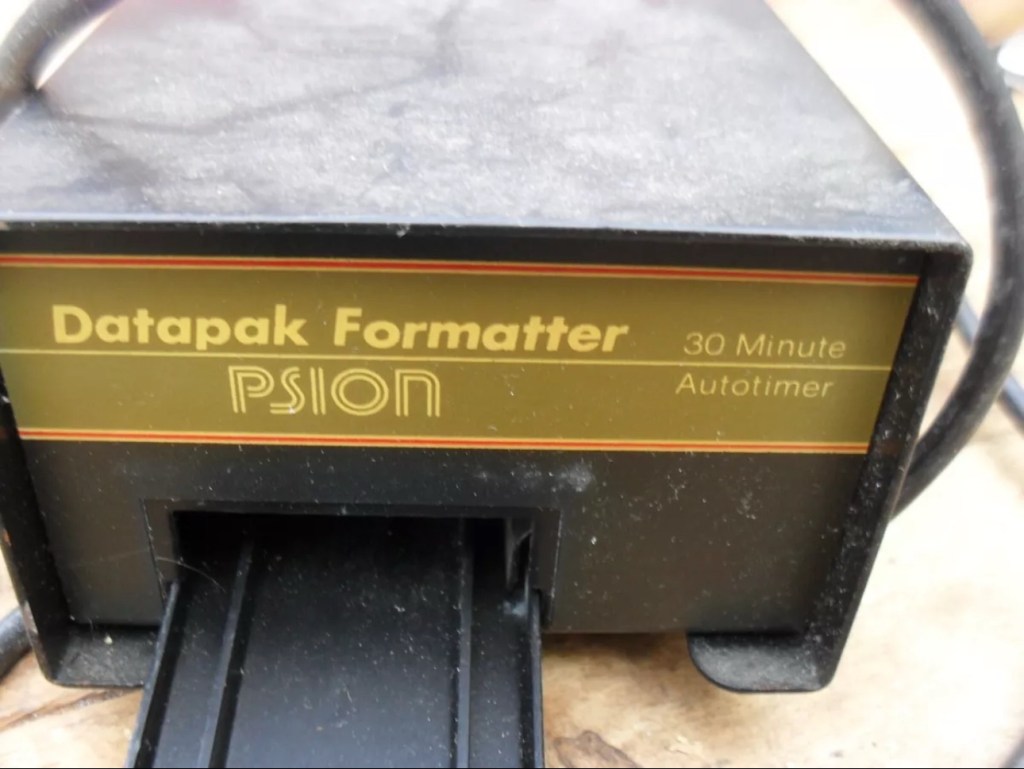
By high levels of light, i mean UV light around the wavelength at or close to 253.7nm. A UV light you may have in your home or in the form of a torch operates at somewhere around 395nm, a considerably safer wavelength of operation than what is needed to format these EPROMS.
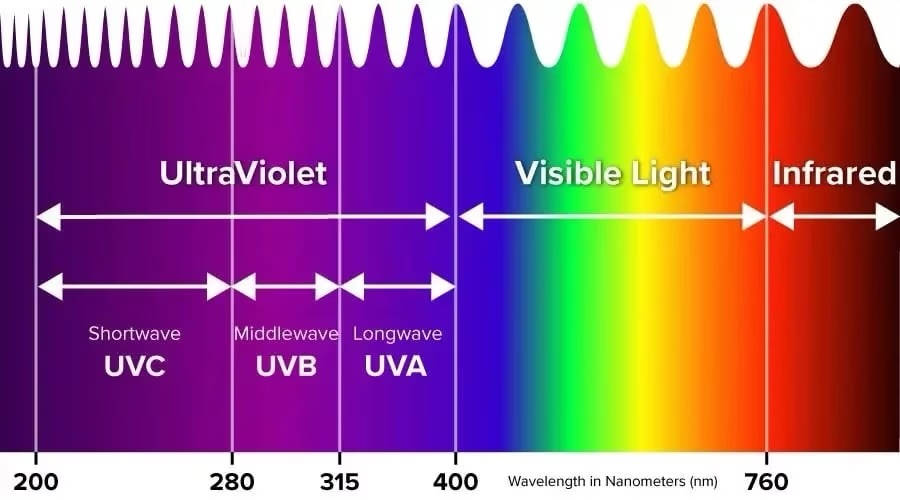
The UV light spectrum. As you can see the wavelength we need to format the Datapak at 253nm falls into the dangerous UVC Shortwave spectrum. The standard house hold UV light or torch falls into the much safer UVA Longwave category at around 395nm. Picture courtesy of The Hepacart blog.

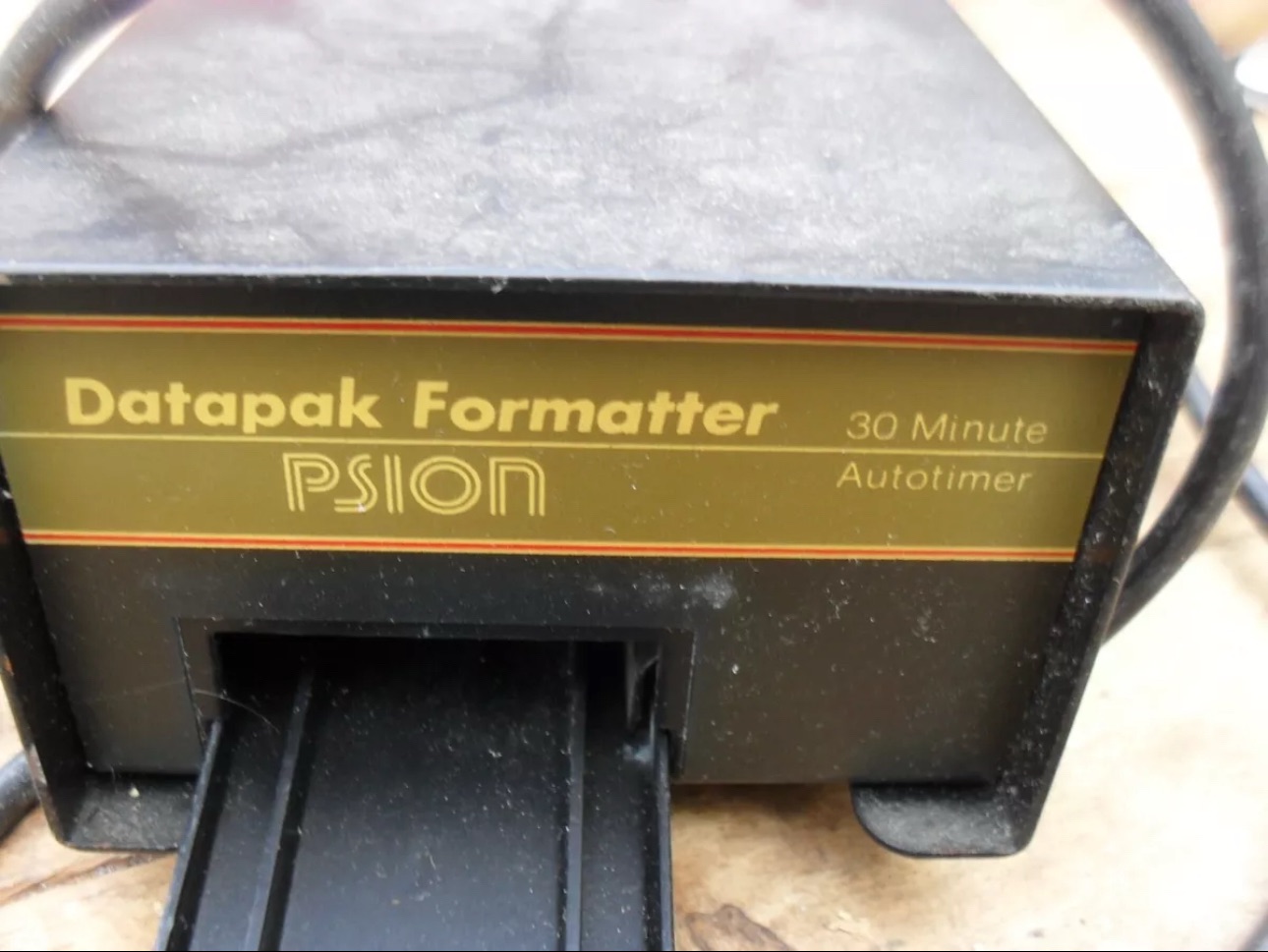
This unit was purchased after I had spoken to the seller, a nice chap that specialised in old diy tools and computer peripherals, but wasn’t quite sure what this unit did or how it operated. He had stated that the red light was working, but nothing else. My concern here was that the UV light inside was broken, and these tubes i believe are known as low pressure mercury discharge tubes, and finding them in this size is pretty difficult to say the least. The UV tube in this unit could potentially be 40yrs old as this is a Mk1 unit circa 1984. I just don’t know if its tube has ever been replaced at all in its lifetime. Have a read of this post by Dave Curran who had similar issues sourcing a light supply for one of these units, it resulted in him having to make a hybrid concoction combining one of these units and a cheap Chinese import – Eprom eraser/upgrade

I asked the seller, John, if the Ultraviolet light inside was operational and I have supplied a screen shot of his reply:
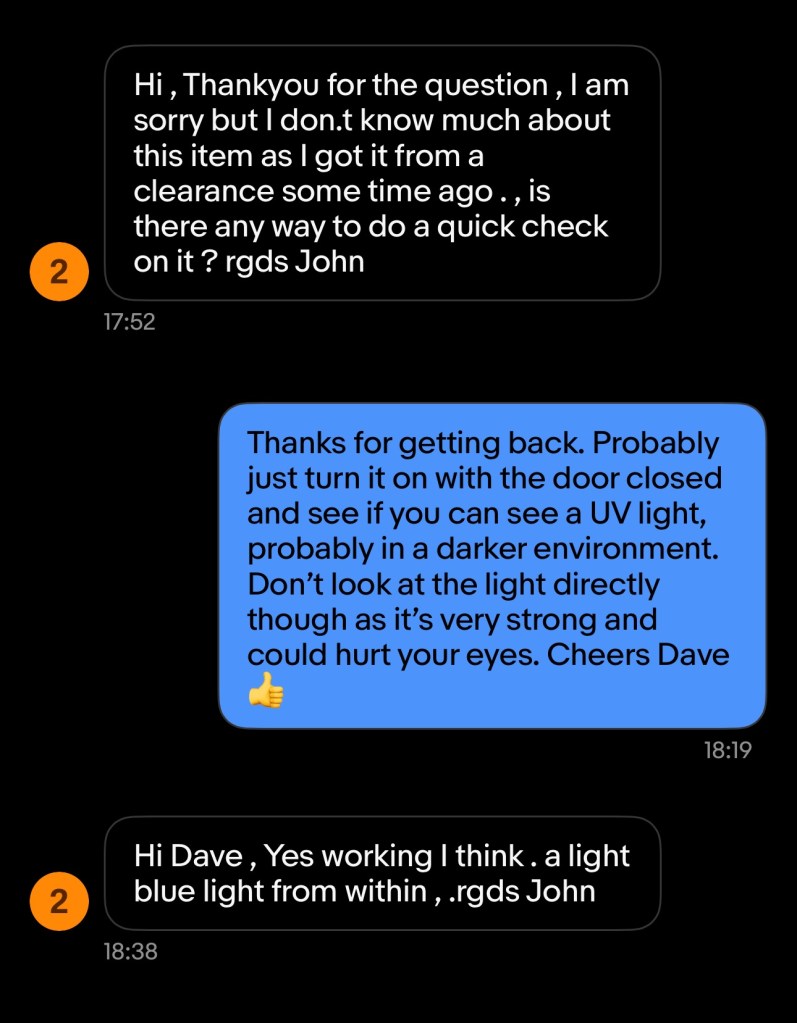
The reply to my question

When I received John’s reply I jumped in with an offer and this was accepted. He had been so helpful. I’m now awaiting the unit, but I’m now a lot more confident that the unit, and most importantly the UV light is currently operational. However it’s probably going to be subjected to some pretty rough conditions on its delivery journey, so I’ll keep my fingers crossed for now.

This formatter is a series one version that came out around the same time as Psions Mk1 organiser first appeared on the scene, circa 1984. It was used right through to when the MK2 organisers were released sometime between the years 1986/89.
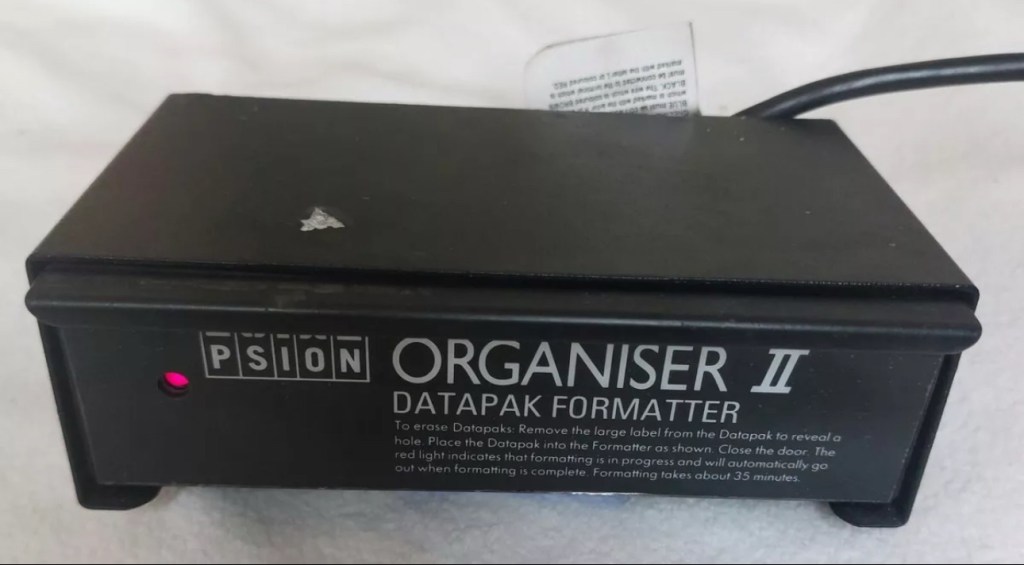
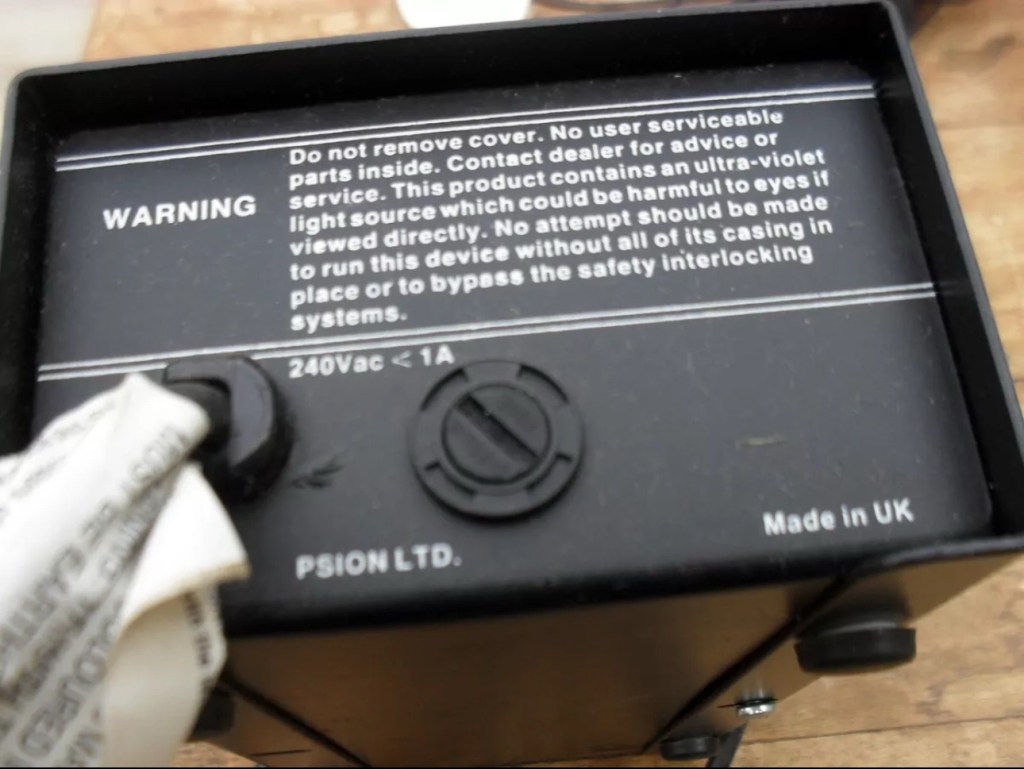
This unit will be cleaned, opened up, checked for electrical and mechanical stability, its safety features will be confirmed and it will then be reassembled and PAT tested prior to use. Once this is done i will attempt my first format of a Psion Datapak whilst the unit is in my possession. However we have a little way to go just yet, before we can consider carrying out that task.
The seller was very prompt at getting the unit out to me as it has arrived less than 24hrs later.
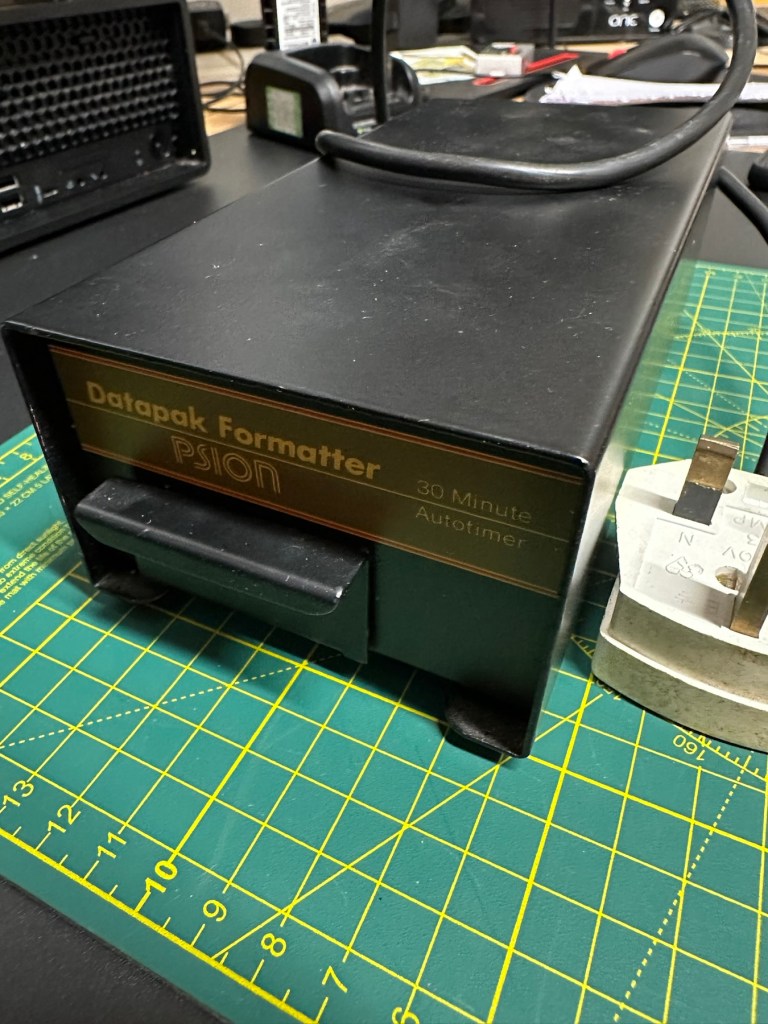
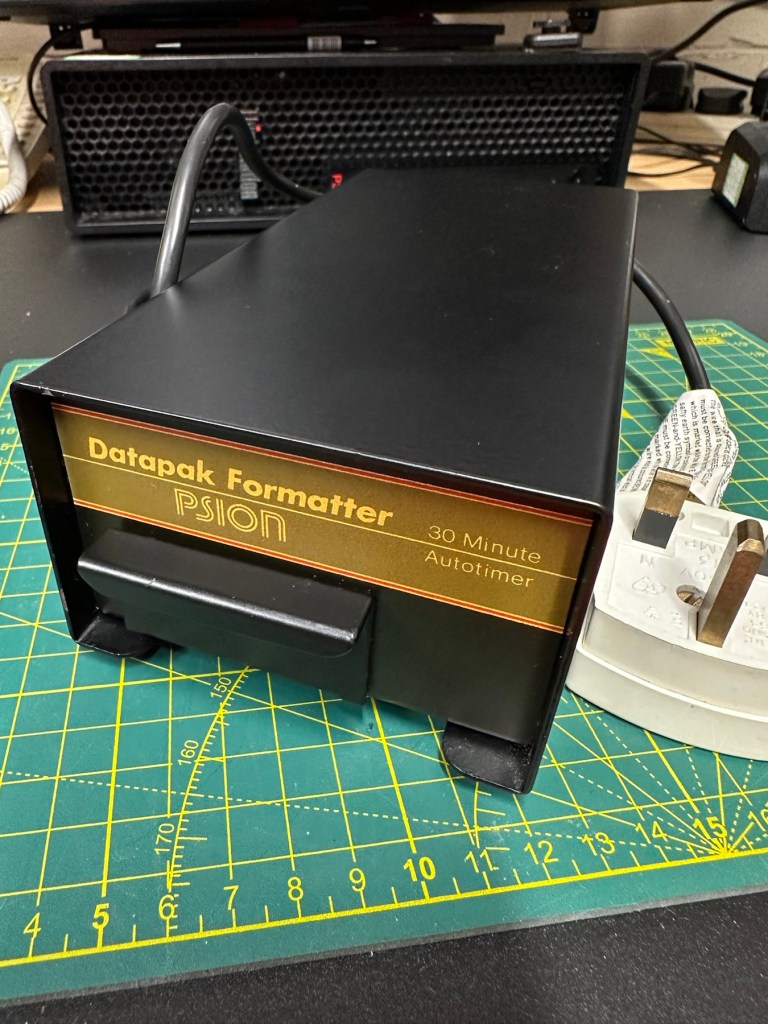
The general condition on first inspection is that it looks good, but it’s very dirty and has a slight musky dampness to it. I have given the plug and the cable and case a good clean with a bit of degreaser and this has cleaned well. I’ve done this just so getting inside is a slightly more pleasant experience without my hands getting covered in gunk. The unit looks a lot bigger in the pictures. It only measures 19cm L, 10cm W and 7cm H, so in theory it’s relatively small.

Before I do go inside I have first checked the plug, it currently is carrying a 13amp fuse that is way to large for this unit. It only requires a 3amp fuse so I have replaced this. I haven’t used the Pat tester yet I’m just using the multimeter, and I’m a bit concerned as there is no continuity between the earth pin and the unit case. Time to get inside.

Inside looks tidy but I then become aware of a problem immediately. The earth wire from the mains cable is just sitting there in mid air connected to nothing. No wonder there was no continuity. I have now connected this back in place where it should be and I now get a good earth continuity throughput the casing. All other connections checked and tightened accordingly. This proves that the Pat test would have failed miserably. This was a potentially dangerous situation, that’s why it’s best to carry out these checks on any old powered units you get from a third party. Trust no one.

Next I need to check that the safety switch that turns off the UV light when the drawer is opened is operating. Again I use the multimeter to probe the switch and this seems to be ok. A good listen to the action confirms that it is clicking in and out. A quick clean inside and then the internal checks are complete.

The safety switch clicking in and out

There is no real way to test for actual operation until the safety case is back in place, that’s the safest way. Case on and another quick clean and the unit is looking good .
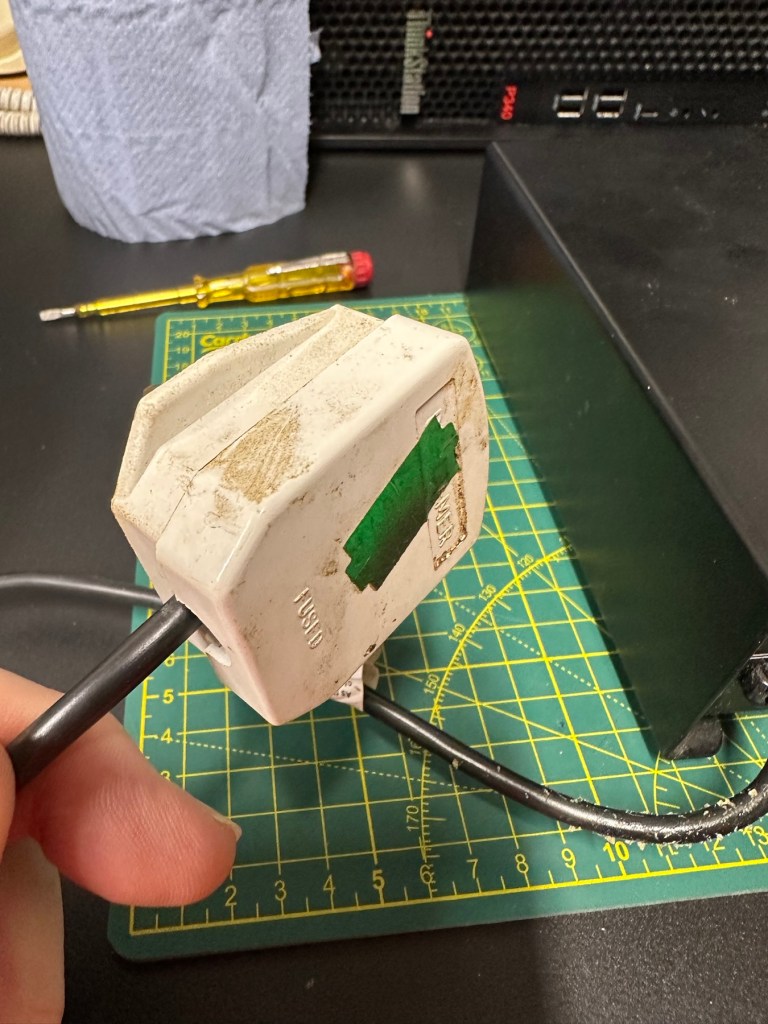
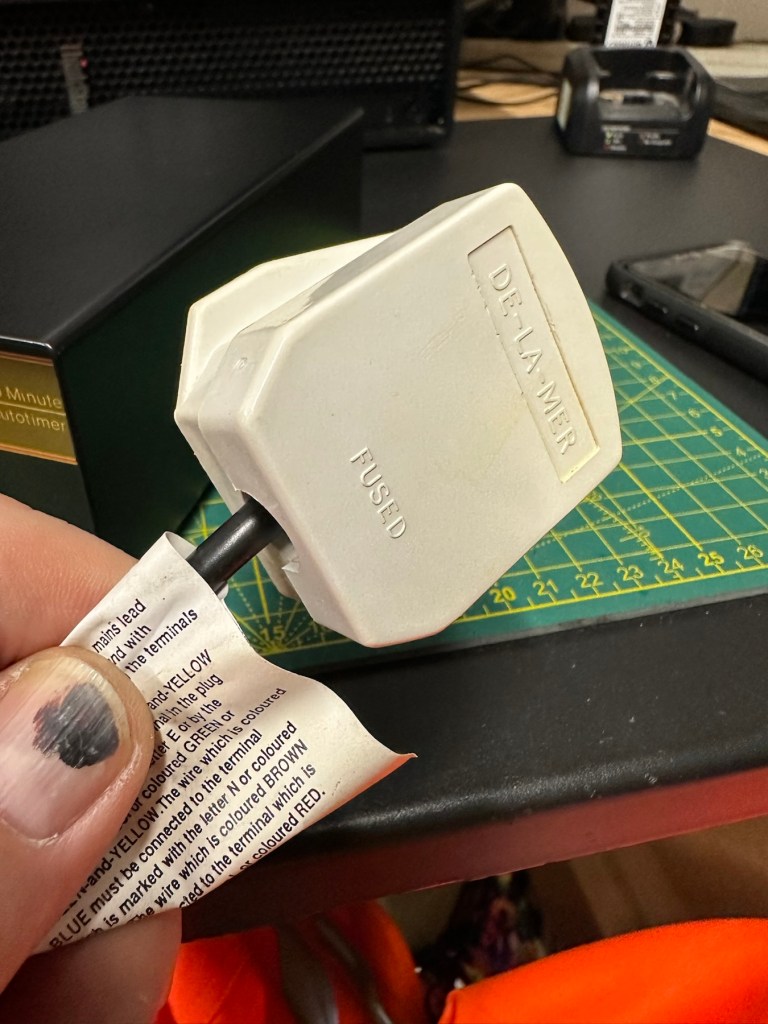
At this point I’ve carried out the Pat test before plugging it into the mains and the results have come back good and it’s a pass, the earth is good. I’m now confident about plugging the unit into the mains.

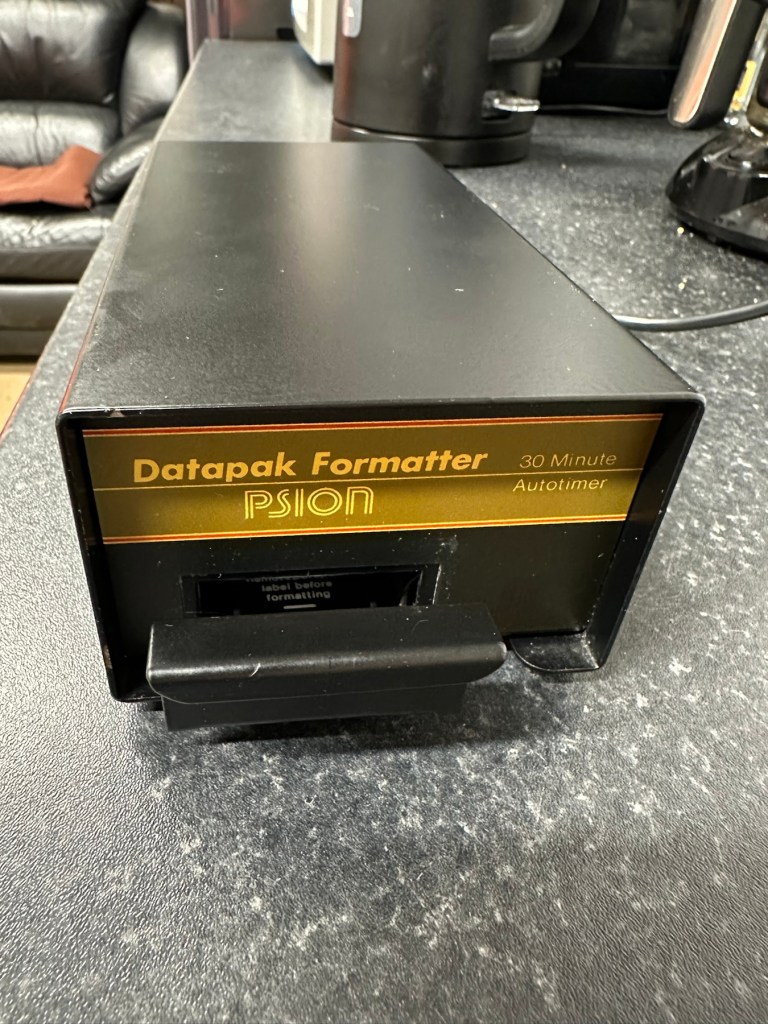
Everything seems fine I now just need to place a Datapak inside to see if the format process works. Also it’s a good time to check if the 30 minute timer is working. No time like the present, so I’ve found a suitable candidate and what better way to do the 30 minute countdown than with a Psion organiser I just happen to have hanging around. Here goes 🤞

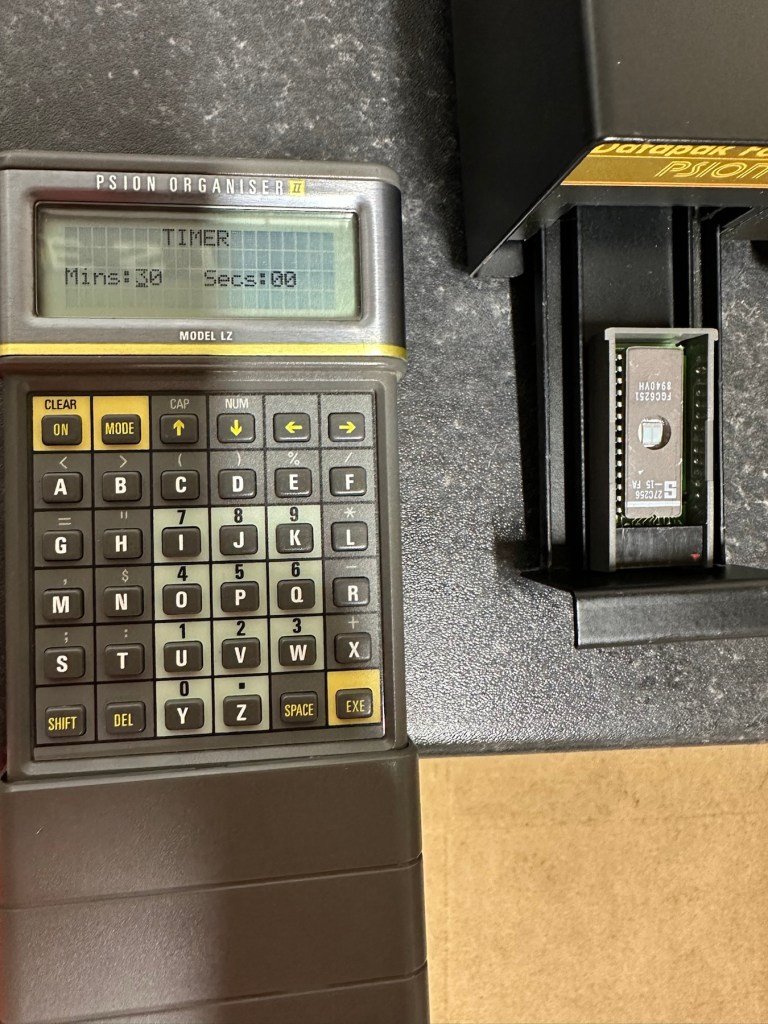
The unit has been on about 15 minutes and all seems fine, the unit is not overheating and there is nothing occurring that shouldn’t be occurring. Fingers still tightly crossed. 🤞 The Psion timer duly sounded at the 30 minute mark, the unit turned itself off about 2 minutes later.

It continued about another 2 minutes after the timer finished

So 32 minutes seems to be the actual time under the lamp. Not too bad considering its age. The unit was only slightly warm to the touch after this time. I’ve left the Datapak to allow it to get to room temperature before testing it .

Success the system is sizing

Here we go, and it’s fantastic news as the format has worked. When plugged in it has informed me it is going through the sizing process that occurs on these organisers when you put in a newly formatted pack.
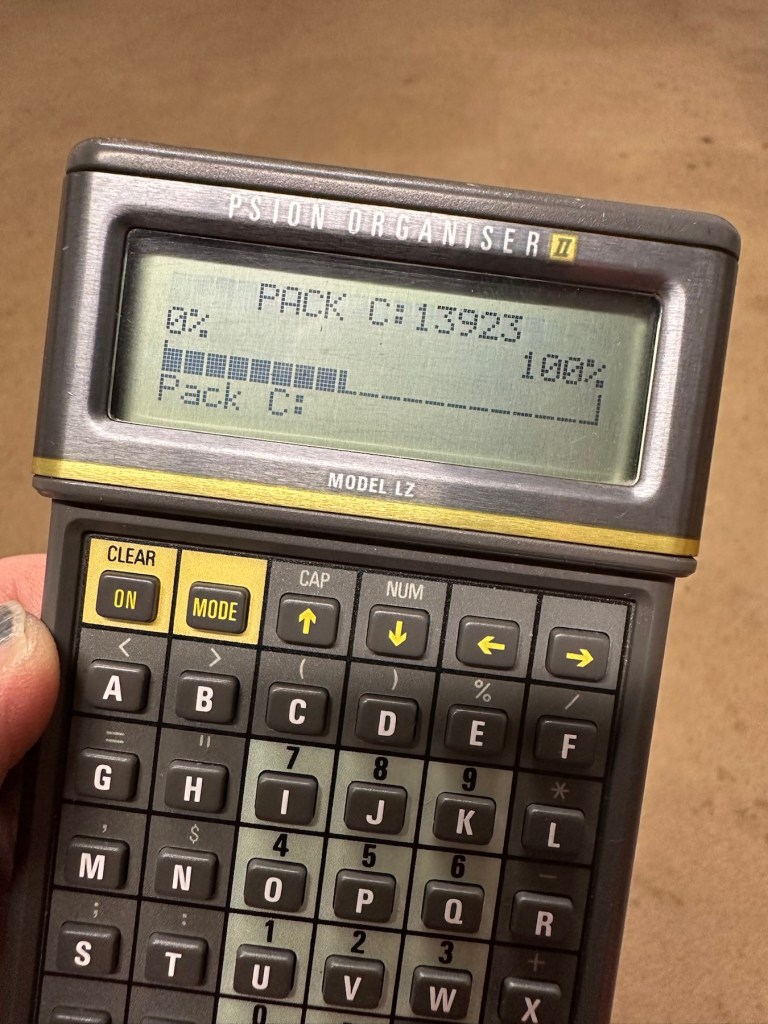
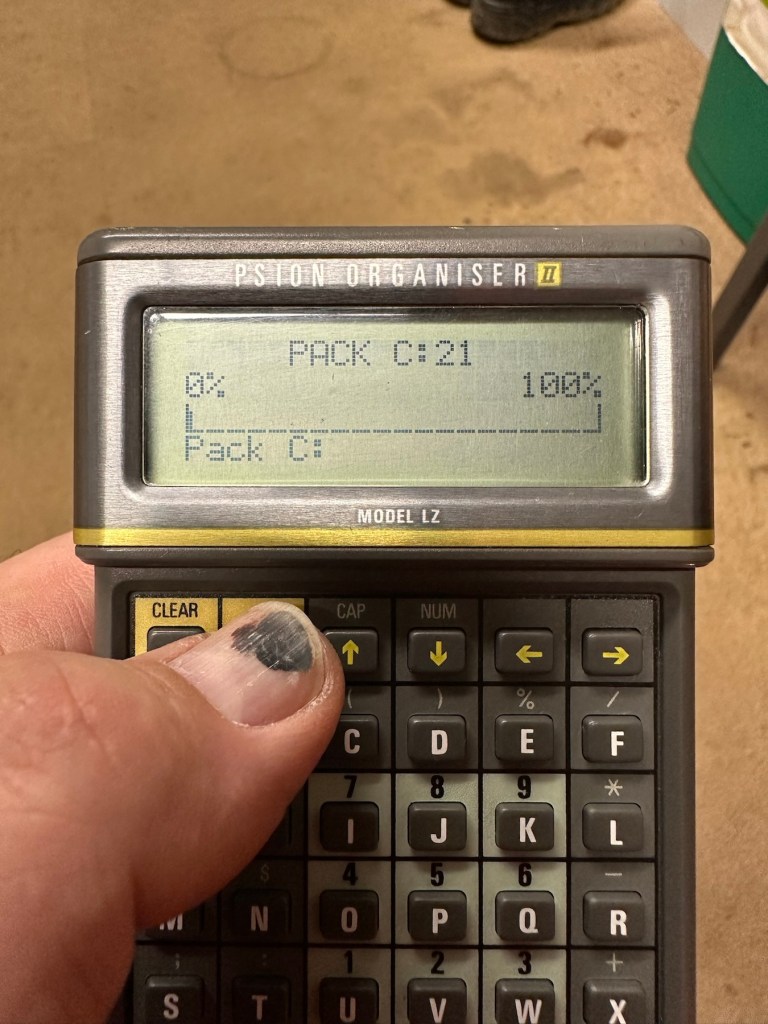
And when you go to check the info you can see the previously stored old data has now been deleted.

I now have a very useful, safe and working item of equipment. A very slight mustiness remains but that is only to be expected with an item that is 40 years old that you have had no input into how it is stored. I’ll probably store this in a sealable bag with some silica gel sachets to try and draw that mustiness out. I’m really pleased with this project and now have a very handy piece of kit to boot.

As I said earlier, make sure you always check thoroughly any items electrical such as this, coming from a third party. It’s your life, preserve it, safety first and trust no one. It’s a good mantra in this aspect or restoration.

Another item saved from landfill 👍

Thanks for taking the time to follow this project.
Formatting the Psion II Datapack

The Psion II range was well ahead of its time when it came to saving data on its machines, however there was an element of strangeness in its design and usability.

You have to realise we are talking early eighties technology and to be totally honest it was the infancy of computing, or hand held computing to be precise. There are three drives on this range of handhelds, they are A:, B: and C:

A: is the internal memory of the unit and it is RAM memory and ranges from 8KB in the CM model, to 16KB in the XP model right through to 32 or 64KB in the LZ/LZ64 models.

Datapaks on a Psion II unit

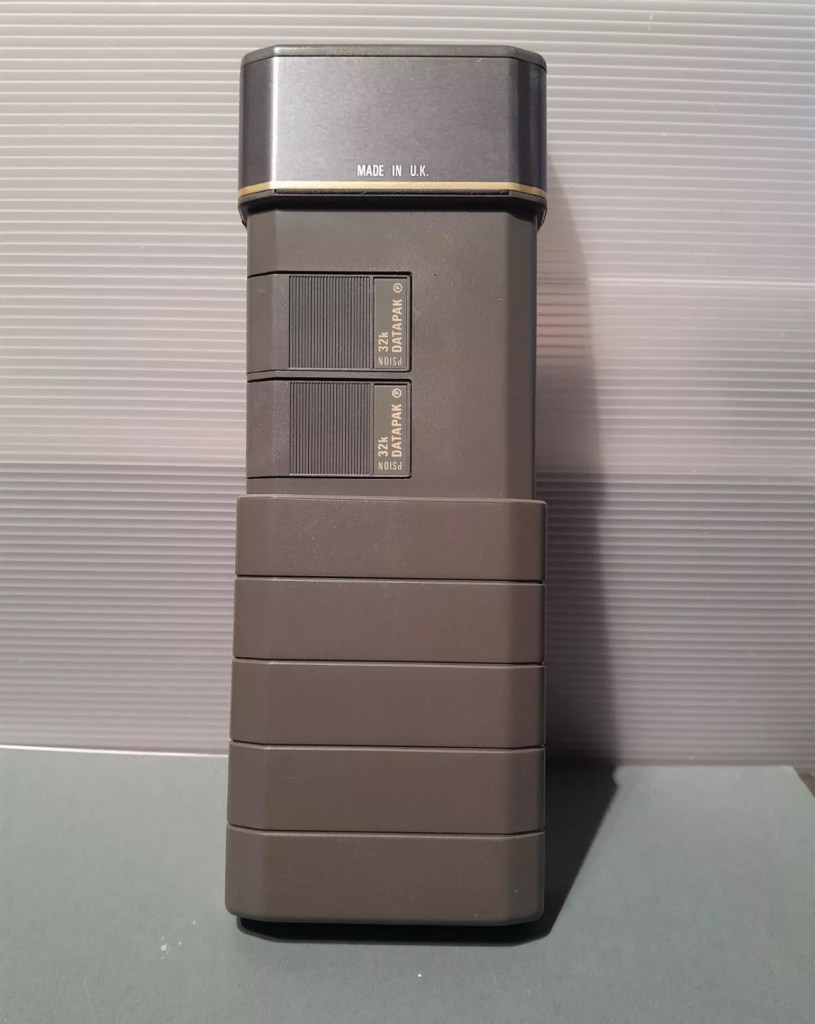
B: and C: drives are found on the rear of the unit. Into these slots you can place memory modules that are the equivalent of disk drives you’d find on a computer, however they are pretty much early solid state in design as they have no moving parts. These modules can come in sizes between 8-128Kb in size. B: is always the top slot closer to the screen, C: is the bottom slot closer to the battery compartment.

Types of memory

Rampaks are as it says on the label – Ram based plug in memory modules. When you store something in the units internal memory or on a Rampak, and then you later erase it, it really is erased in its entirety and space on the unit or Rampak is freed up, ready to be used again. Rampaks will have their own small “Coin” type battery as part of the module, this allows the unit to allow the constant input and deletion cycles. They use very little power and are probably the best medium for writing programs.

Datapaks are a different beast. They are known as EPROM (Erasable Programmable read only memory) Erasing a record is comparable to crossing out a piece of work written on paper, it has now been deleted but will always remain on the paper, just crossed out. It’s exactly the same on the Datapak. Hence in time the memory space will dwindle due to the deleted files that remain still occupying dead space. The benefit of the Datapak is that they are more secure and are not affected at all when battery power runs low.

With a Datapak there will come a time when the available memory space remaining is insufficient for what you are trying to achieve. At this point you need to format the drive and this is a particular problem if you don’t have the access to equipment to carry out this task. Here’s why…. They need exposure to Ultraviolet light to erase the memory.

Mk2 version of a Datapak formatter

You need one of these, a Datapak, Ultraviolet formatter. Quite a rare beast to be honest, there’s not many on sale at the moment, specific to the Psion. However there are other systems available for EPROMs used in other branches of electronics. The Datapak has to have its label removed to expose the crystal glass below on the EPROM in preparation for being placed inside the formatter. In theory it is just like an oven that exposes the EPROM for around 30 Minutes, the door is closed prior to formatting to keep the light source from damaging the users vision, as the light is in the UV wavelength spectrum likely to cause some quite serious damage or long term conditions.

Here you can see a Datapak that i have taken the lid off of. On the circuit board you can see a piece of crystal glass with a silicon die below, this is the component that will need approx 30 mins of Ultraviolet exposure to format its contents.

The crystal that the UV light needs focusing on

The formatting process

Erasure of the EPROM begins to occur with wavelengths shorter than 400nm. Exposure to sunlight for one week or to Fluorescent indoor lighting for three years could cause erasure, this is why the Datapak has a label covering the crystal portion of the EPROM. The recommended procedure is to expose the EPROM to a UV light source at a wavelength at or close to 253.7nm that usually achieves the format process within 20-30 minutes, with the lamp at a distance from the glass lens of around 2.5cm.

Then how do I achieve a format of a Datapak without this equipment?

There was always the option of trying a standard UV bulb or torch. However the UV wavelength on these items for public safety is usually in the 395nm wavelength spectrum. There really is very little available to the general public that is as strong as the bulbs required in the 253nm range to complete this task, as they are a serious danger to health if you are exposed to it for any length of time. This then was not an option i was able to pursue.

I now have a few options available to me if i wish to get these Datapaks formatted.

Purchase a cheap Chinese manufactured unit with a European plug. They seem to work and do the job, however you will be lucky if you get a couple of uses from it.

Trawl EBay. As i write there are two working ones including this MK2 version listed at a reasonable asking price that have a lot of people watching them, so I expect the price to rise accordingly as it gets towards the close of the auction.

EBay spares or repair. There is one unit, a Mk1 version that has a buy now price and it seems to have been hanging about in someone’s junk box for a few years and could possibly need repair. This is a tempting option however if the UV light inside is damaged then i have to look for a suitable replacement, and to be honest there are not a lot of compatible low pressure mercury discharge tubes of these sizes available now. You may have to look for suitable alternatives and I’m not sure i want all that messing around. Do i take the risk and go for one that may need repair? A guy called Dave Curran has combined this drive with one of the Chinese low cost options to create this hybrid eraser: Eprom eraser/upgrade

Get someone else to do it. There is this option and a service is available on line that allows you to send your Datapaks off for someone else to format for you. But do you want to entrust data to a third party? For me it’s not really a problem as none of my units have any of my data on them, but it is something to take into consideration. Whilst I’m searching for a suitable unit this may be a route i consider.

So these are my options. I’ve an idea what I’m going to explore, so im just going to take a little time to look into it all.

My decision

EBay spares and repair – seeing that this is a site where i like to purchase and repair items, i have gone for this option and purchased a used and typically untested Mk1 Psion Datapak formatter from EBay. I have had some good dialogue with the seller and i am confident that this unit can be made good with only a small amount of intervention. The UV tube inside is potentially 40yrs old now, i’ve secured it at a very reasonable price as i got in there and was able to complete the deal relatively quickly.

My plan is to get this unit opened, check its mechanical and electrical stability, get it cleaned, reassembled and then Pat tested. Only then can i look at attempting a full format on it for the first time. And for that i will put together another post incorporating the repair of the unit and the formatting of the Datapak.

Here is my restoration of this unit: Psion datapak formatter

Thanks for passing by.