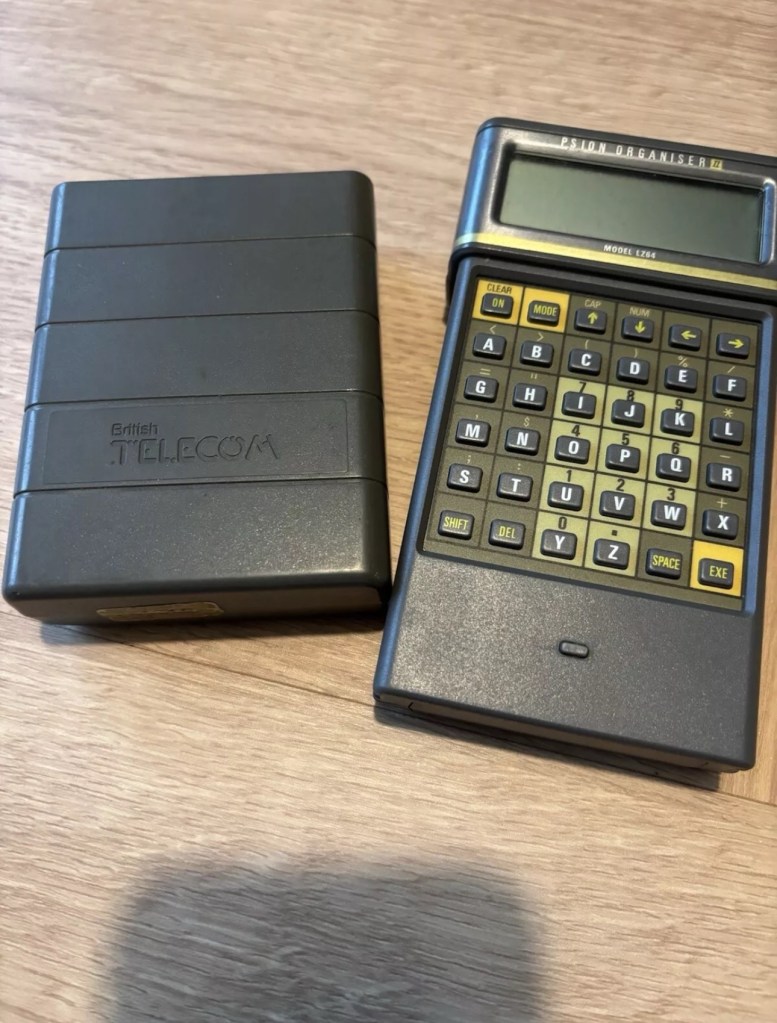
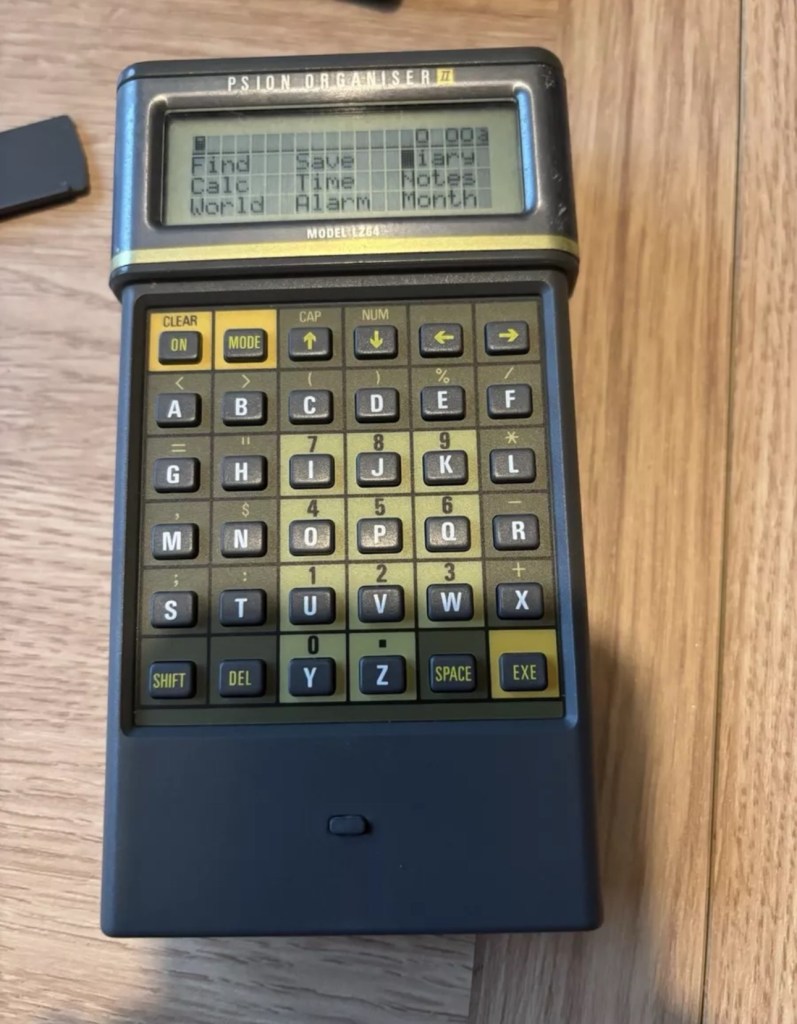
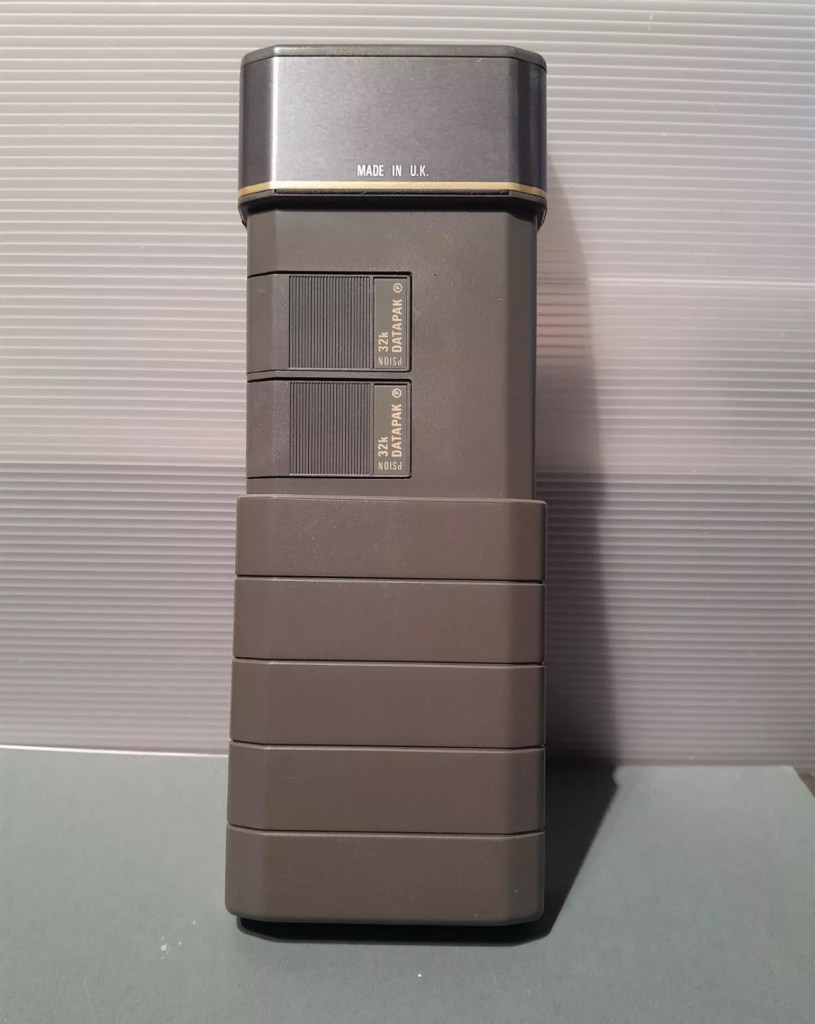
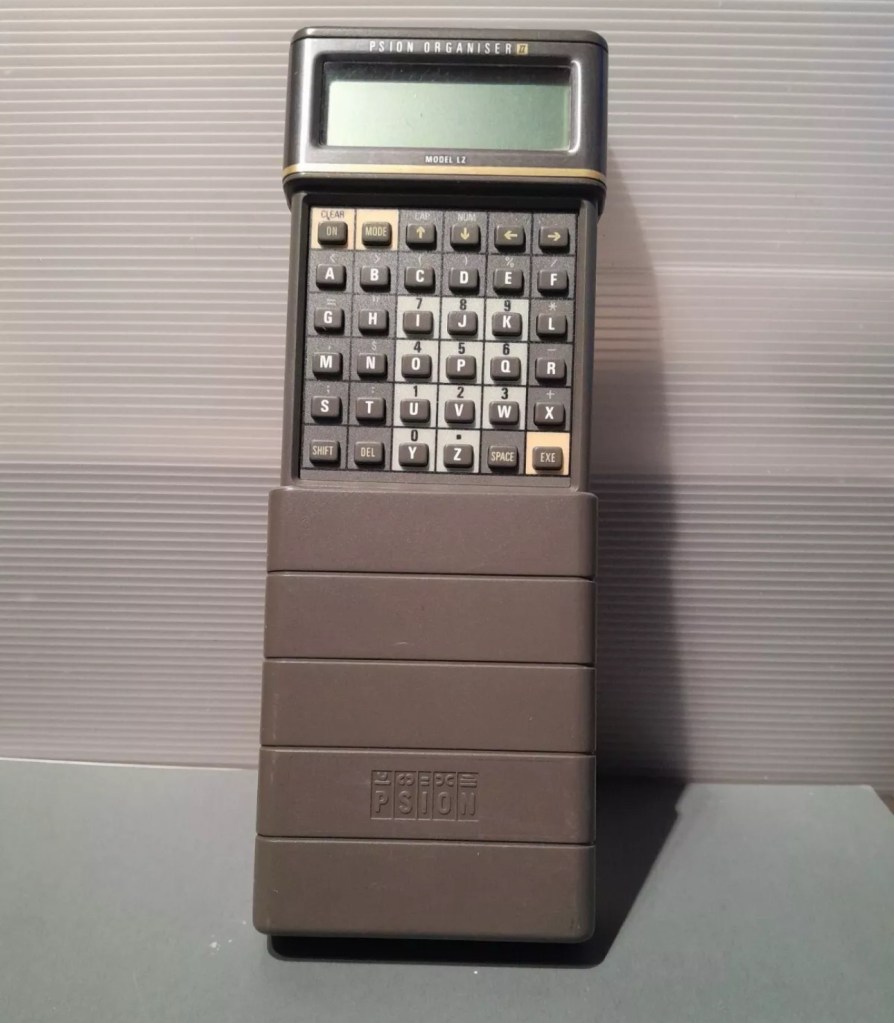
I am now in possession of my fourth Psion II organiser, in an attempt to complete my collection of these devices. This one is the LZ64 model from 1989. All my examples are of a good quality with only some slight markings on the device. They all work as they should do with no issues. This particular example comes with a British Telecom branded holder, as a number of different companies branded their own units like this back in the late 80s early 90’s. It has 64KB Ram and a 64KB Rom that is expandable.
BT branded pouch LZ64
My units marked with an asterisk
The LZ range
Here is some information from Psion regarding this model.
The Psion Organiser II Models LZ and LZ64 come with a powerful set of utilities including:
A database which allows you to store items of information and retrieve them again instantly.
A diary to keep track of personal appointments.
Alarms to remind you of your diary entries, or to use as an alarm clock.
A sophisticated calculator, for simple or complex calculations involving mathematical functions.
A clock, with a stopwatch and timer.
Notepads with calculation, for information such as things- to-do or expenses lists.
International time and dialling codes.
A month-at-a-view calendar.
Password protection.
A multi-file database.
A choice of European languages.
The Organiser also has its own built-in programming language called OPL. The language is designed to exploit all the machine’s facilities to the full and to let you tailor the Organiser to your own specific needs.
The Organiser has an internal memory and two external devices which are the equivalent of disc drives on a desk-top computer. Each one can hold a Datapak for you to store information on, or a program pack containing a program such as the Pocket Spreadsheet.
The internal memory of the Model LZ64 holds around 64,000 characters. In addition, one or more Datapaks can boost the storage capacity considerably – by up to 128,000 characters per DatapaK.
Courtesy of Psion PLC1989
As I’ve stated before I will be using these units to learn the OPL programming language and to try and get these units connected to other retro units that I have if this age group. I am also looking at getting these units to connect via usb to a computer. It can be done and that is a project for me at a later date.
I’ve been totally bitten by this coding bug for these Psion organisers. They use a code called OPL, Open Programming Language that is loosely related to the BASIC programming Language. This allows the consumer to write programs or to make amendments to the way their personal organisers can operate and carry out commands. It’s an amazing bit of kit, but as usual I am about 40 years late for the party, however there is still a big community out there who have created some amazing programs and routines, and fortunately they are all willing to share their skills. The language seemed to phase out into retirement sometime around 2010.
One of those people is the guy in the video below called Huw. He has a channel on YouTube called Handheld computing and he has made a series of six episodes teaching those who want to know, how to program in OPL. He also has a lot of retro based videos on his channel.
Huw – he’s very good 👍
This is only episode one, and using Huw’s teaching I have already produced my first thirteen line routine to carry out a simple command that asks you to input your first name, and then second name and then it presents that to you, in the centre of the organisers screen. A simple and basic operation that gets you to appreciate the requirements and individual inputs that are needed, to get such a string of information to present itself on a screen in a structured way.
My rough scribblings in a scruffy shorthand
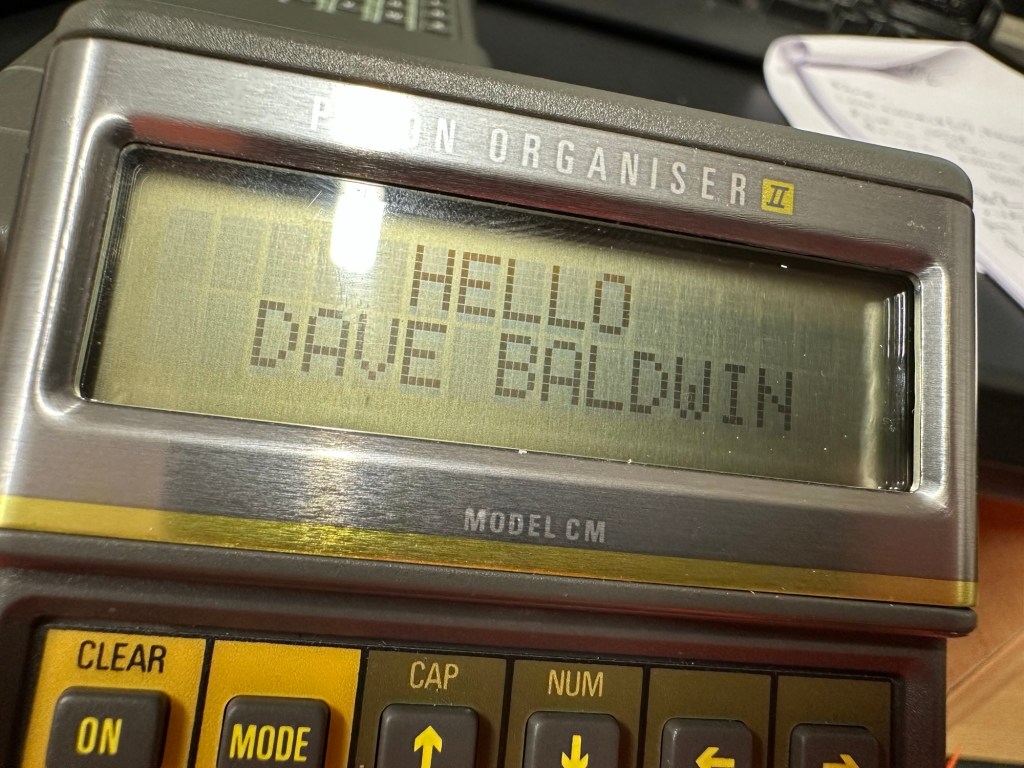
In my notes above I’ve added a couple of new lines to reposition the presentation of the text on my screen. And as I used the 4 line LZ model, this required a different set of coordinates from the two line CM model that I have also used.
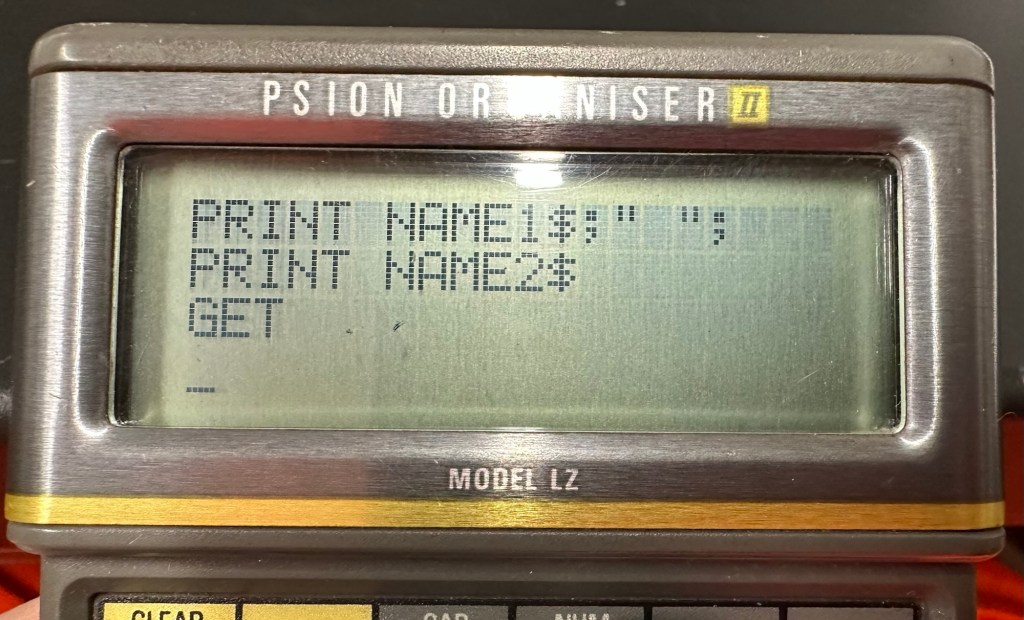
When using the techniques in the video I did notice that there were mistakes, as when I entered the information into the organiser it was coming back with a “Bad declaration” error. So I knew something was wrong. After a while of searching through the program I realised two of the string routines were presented wrong with the “$” dollar sign positioned wrong in the text. A quick change of position and the program translated fine and now runs well on both machines. Below is a tidy version of the code:
NAME:
LOCAL NAME1$(10),NAME2$(10)
PRINT “HELLO”
PRINT “ENTER 1ST NAME”
CLS
PRINT “ENTER 2ND NAME”
INPUT NAME2$
CLS
AT 8,2
PRINT “HELLO”
AT 5,3
PRINT NAME1$;” “;
PRINT NAME2$;” “;
GET
I apologise if there are any glaring mistakes or mis types that the more trained eye may witness, however it’s only day one for me so I’m quite pleased.
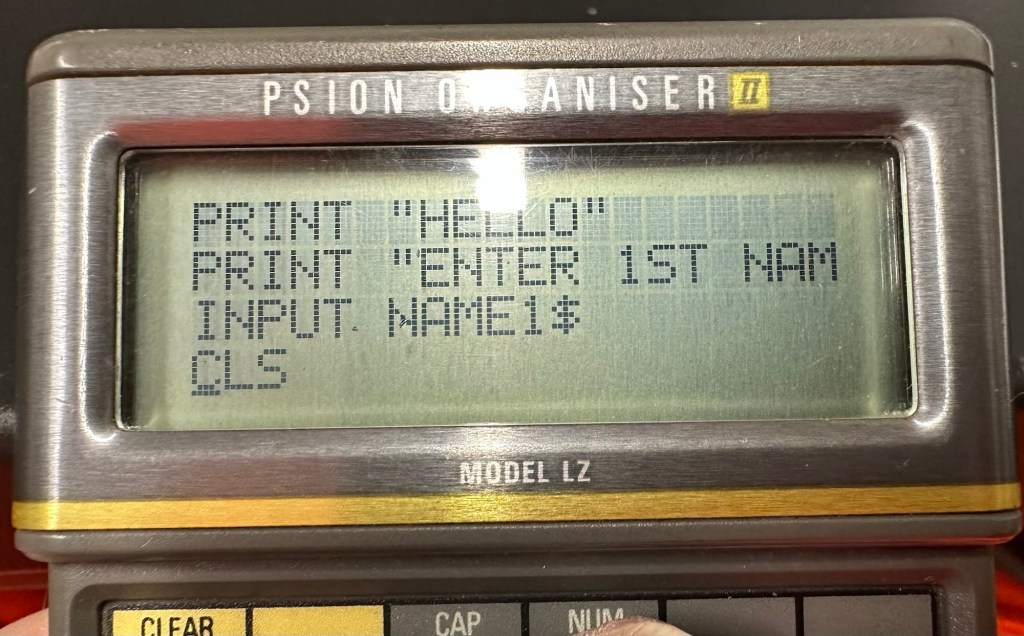
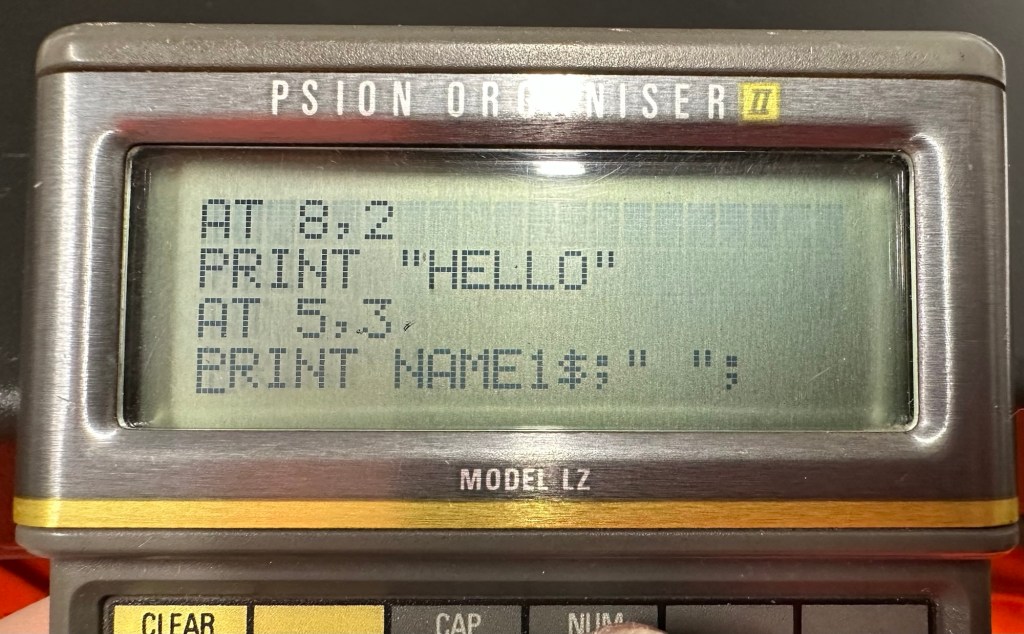
Below are a load of pictures of the code being input into the organisers
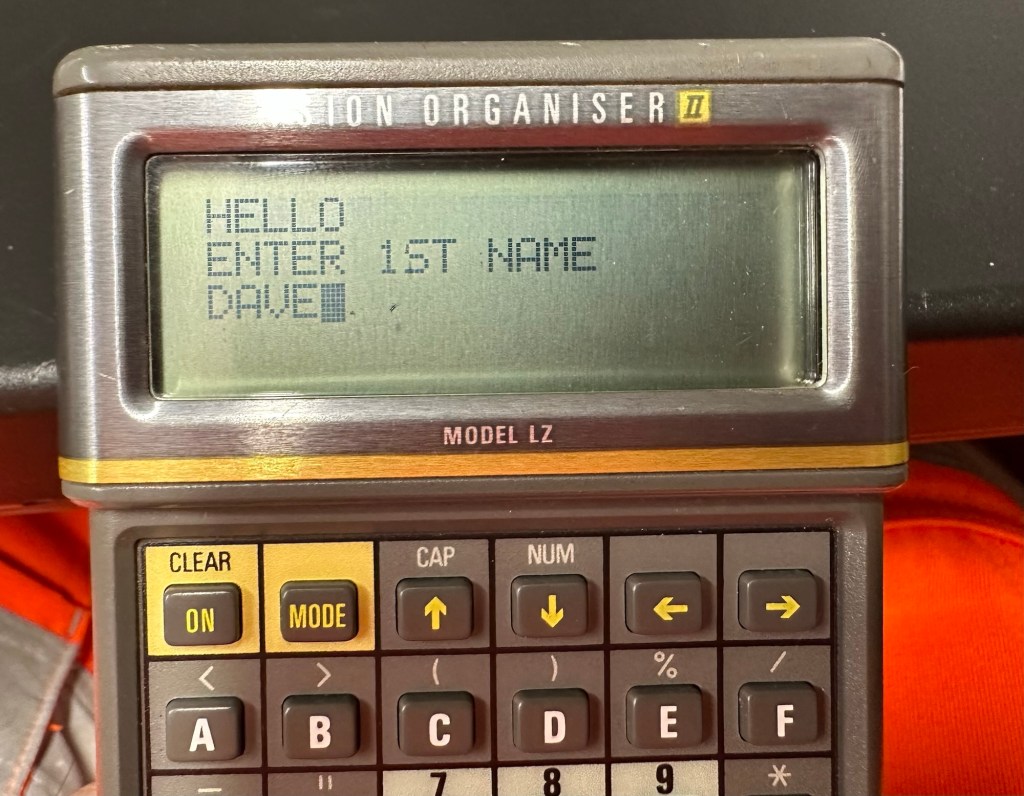
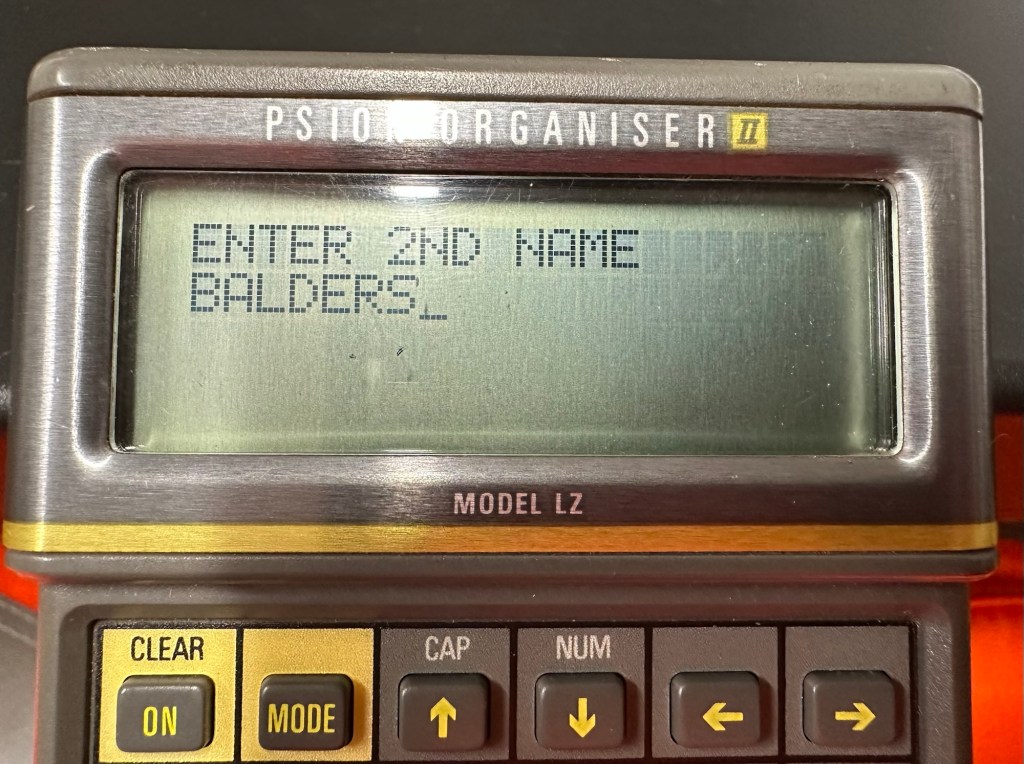
Screen shots of different stages of the input into the OPL system. You can see these routines in the code presented either on my rough sheet or the typed version above.
And below is the results as they appear on either the 4 line screen or the two line screen, dependent on what unit you are programming.
Enter 1st nameEnter second nameHello Dave – 4 line version Hello Dave – 2 line version
And that’s it for my first session really, seems a lot of work for such a simple routine. However I have learned a lot in just one session and I have thoroughly enjoyed it. Im quite looking forward to Huw’s next five lessons, hence I will report back further as my learning and abilities hopefully improve.
I am now in possession of my third Psion organiser II. You can view any of my posts on them by viewing the menus listings of this site. This one is the LZ version and is a great clean example. This one cost me a little more than the other two £30Gbp all in. However we have progressed in technology and it is now 1989, this unit has grown up considerably since its siblings were produced three years earlier.
4 line Screen2x 32Kb DatapaksNow has a 4 line display compared to the earlier 2 line ones.
These units have a four line display compared to the earlier two line displays of the older versions. The screen size is larger on the LZ, it is 4 lines of 20 characters compared to the earlier two line screens that were 2 lines of 16 characters. 
My current organisers marked with an asterisk to the left this one has a “Massive” 32Kb of ram and 64Kb of rom. Oh how times have progressed
Here is a great review of the capabilities of this unit.
Psion LZ review
Unlike the previous versions I have, this particular unit does not suffer with the Y2K issue.
Below I have included a section from the operating manual for this unit.
The Psion Organiser II Models LZ and LZ64 come with a powerful set of utilities including:
A database which allows you to store items of information and retrieve them again instantly.
A diary to keep track of personal appointments.
Alarms to remind you of your diary entries, or to use as an alarm clock.
A sophisticated calculator, for simple or complex calculations involving mathematical functions.
A clock, with a stopwatch and timer.
Notepads with calculation, for information such as things- to-do or expenses lists.
International time and dialling codes.
A month-at-a-view calendar.
Password protection.
A multi-file database.
A choice of European languages.
The Organiser also has its own built-in programming language called OPL. The language is designed to exploit all the machine’s facilities to the full and to let you tailor the Organiser to your own specific needs.
The Organiser has an internal memory and two external devices which are the equivalent of disc drives on a desk-top computer. Each one can hold a Datapak for you to store information on, or a program pack containing a program such as the Pocket Spreadsheet.
The internal memory of the Model LZ holds around 32000 characters and that of the LZ64 around 64000 characters. In addition, one or more Datapaks can boost the storage capacity considerably – by up to 128000 characters per Datapak.
Courtesy of Psion PLC1989
I’m going to use all the organisers I currently own to look into learning the OPL operating language that all these units use. I have already programmed in a couple of basic routines that just perform actions such as a clock routine that shows up when you turn the unit on – see picture below.
Simple clock routine.
This simple routine consists of no more than about six lines of code, it really is simple but allows you to adapt it to just how you want it, there are a number of options you can use to incorporate it into other routines or have it just running on its own as I have here.The routine above stops whenever you press any button. Simple.
That was the appeal of PDA units such as these in the 80’s in that you could develop and write programs that you wanted that suited you and your requirements. I like this as it takes me back to the days when I purchased my first computer the ZX81 back in the early 80’s when you had to learn BASIC programming just to get it working.
I know I’m probably 40 years behind everyone else and the whole programming scene has moved on in leaps and bounds to a point where it is super technical and advanced, however I love the slow pace and infancy of it all. And I’m not doing anyone any harm, so I’ll just plod on at my pace. It keeps me occupied, and I’m constantly learning. And at my time of life that is no bad thing.
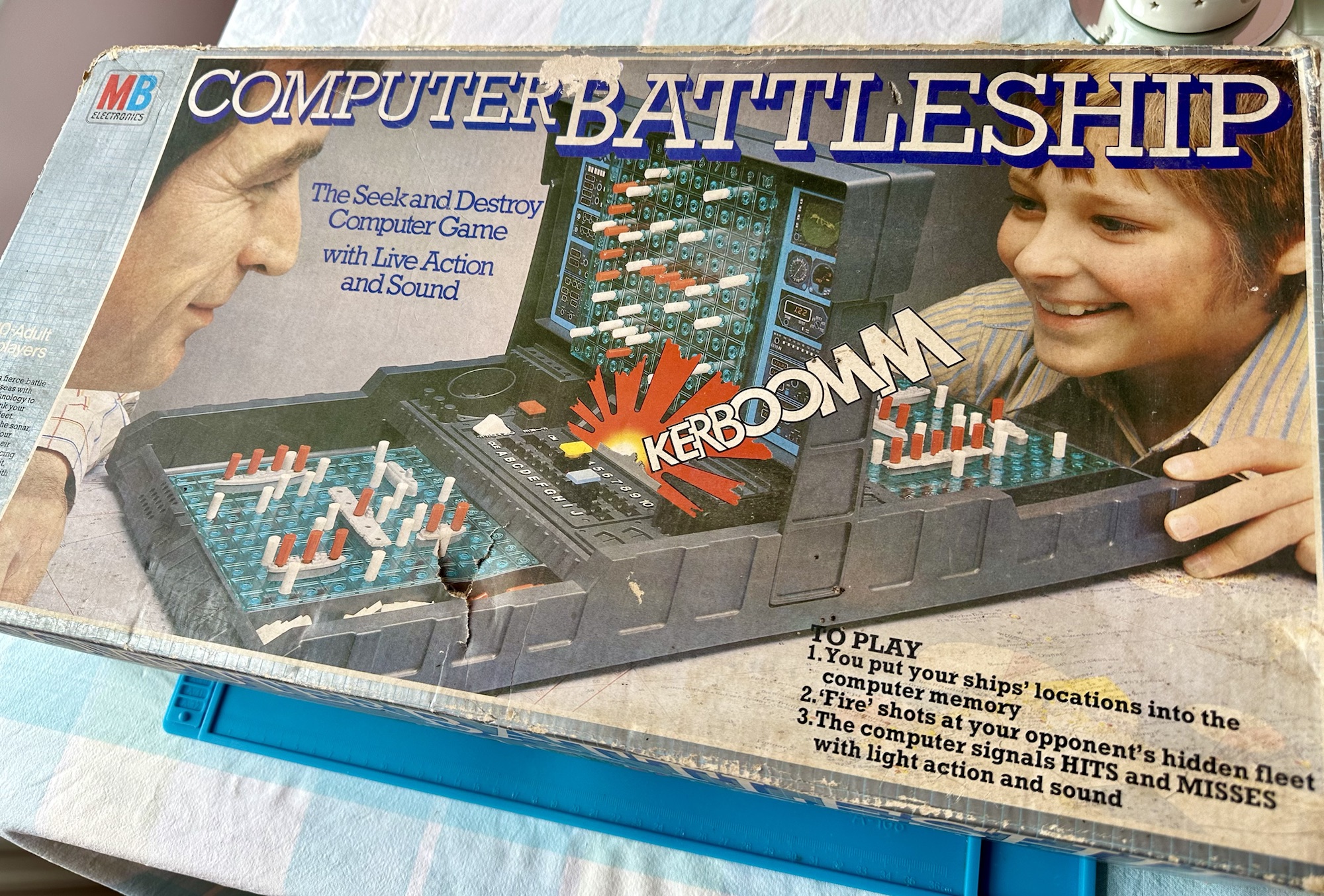
VINTAGE COMPUTER BATTLESHIP MB ELECTRONICS GAME FOR SPARES / REPAIRS APPEARS TO BE COMPLETE BUT THE GAME IS NOT WORKING WHEN TESTED WITH BATTERIES HENCE BEING SOLD FOR SPARES / REPAIRS
Ebay
And here’s some info around it:
In 1977, Milton Bradley released a computerized Electronic Battleship, a pioneering microprocessor-based toy, capable of generating various sounds. Electronic Battleship was designed by Dennis Wyman and Bing McCoy.
Wikipedia
Now this is another toy from my childhood that I had envy over. This game is the one that coined the phrase, “ You sank my Battleship” as seen on many TV ads towards the end of the 70s. This time my nephew was brought one of these games for his birthday back in the late 70s when I was about 12 years old. I’ll be able to give a more accurate date of the unit when I get to see the main board inside. I suspect I’m looking at something around the 1979 timeline. Man this toy was the bees knees, again early computer technology at its finest. Here I am approaching the sixth decade of my life and I’m having another menopausal moment just as I did in this post a few months back: Big Trak CE3962 restoration
Computer Battleship
This is going to go in the games box in our garden pub / Man cave. I’m confident I’m going to get it working. I’m not too bothered if there are any small parts missing as there seems to be plenty of spare parts available online.
Let’s have a look at what has turned up.
Original boxOriginal packaging
Well I’m impressed. This game is in its original box with original packaging and is in pristine condition. It comes with the original instruction manual and all parts listed in the contents section are there. In fact there are more of the red and white pegs than required so to be honest it looks as if I have bagged a bargain here.
I’ve paid a grand total of £19:96 GBP for this game and that includes the postage, by far the best price that was on offer for any similar advertised games that I could see at the moment of purchase. Considering this game is now somewhere between 45-47 years old, a bargain you might say, if I can get it working.
I’m thinking that all the capacitors on this board as a matter of good practice should be removed and replaced. Let’s face it they are almost the same age as me, could fail at anytime (if they haven’t already) and are as cheap as chips so what’s the point of just replacing a singular one when there are only two of them on the board. I think I will do this, test them all and report back.
I know that this unit is a 70s creation but it is interesting to get some facts on capacitors and problems that they have caused over the years, especially during the 90s and early 2000s. See this old post on capacitor plague: Capacitor plague
Board removed One side of board
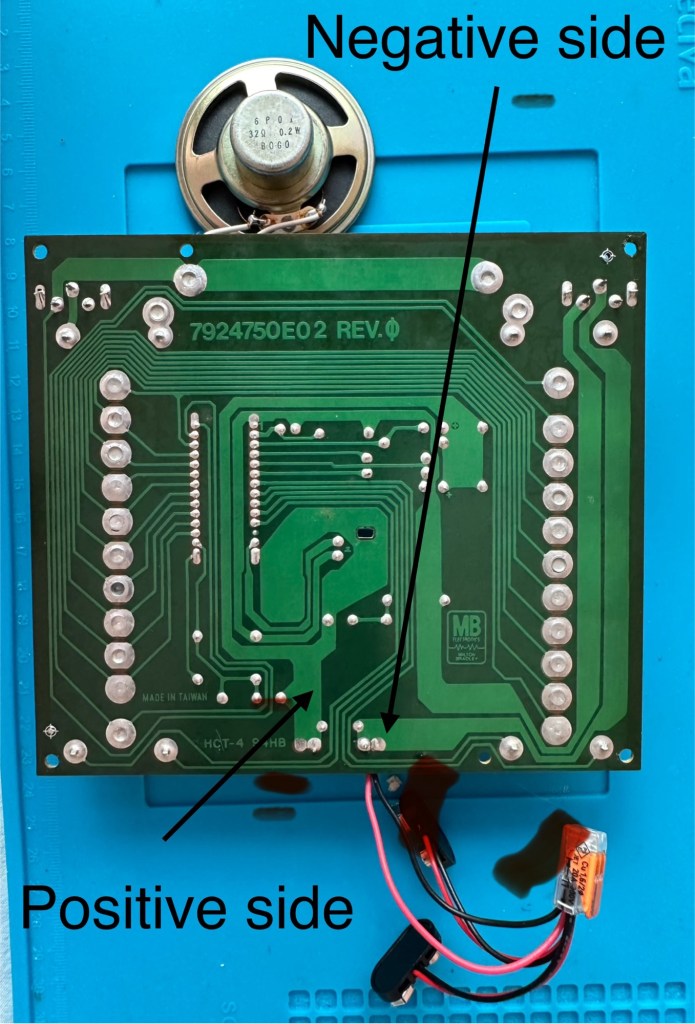
I have removed the board and there seems to have been some pre work done where all the wires are relayed through a connector block. This was a dangerous situation as the work that had been done diverted both negative and positive leads through this dodgy connector to the negative side of the board, causing a short that caused the batteries to heat up to a point where I thought they were going to explode as they were so hot. You may as well of just connected the two batteries together…childish mistake. I was testing for voltages and was suspicious that I was getting no readings, just as well I went straight to the battery when I did. Lesson learned for me.
Bad wiring
I have checked the speaker is working, this is a 32ohm speaker and it was indicating 31ohm so there were no issues there. I have removed the two capacitors and checked them and they are both within tolerance, hence I will leave these in place.
Speaker is fine
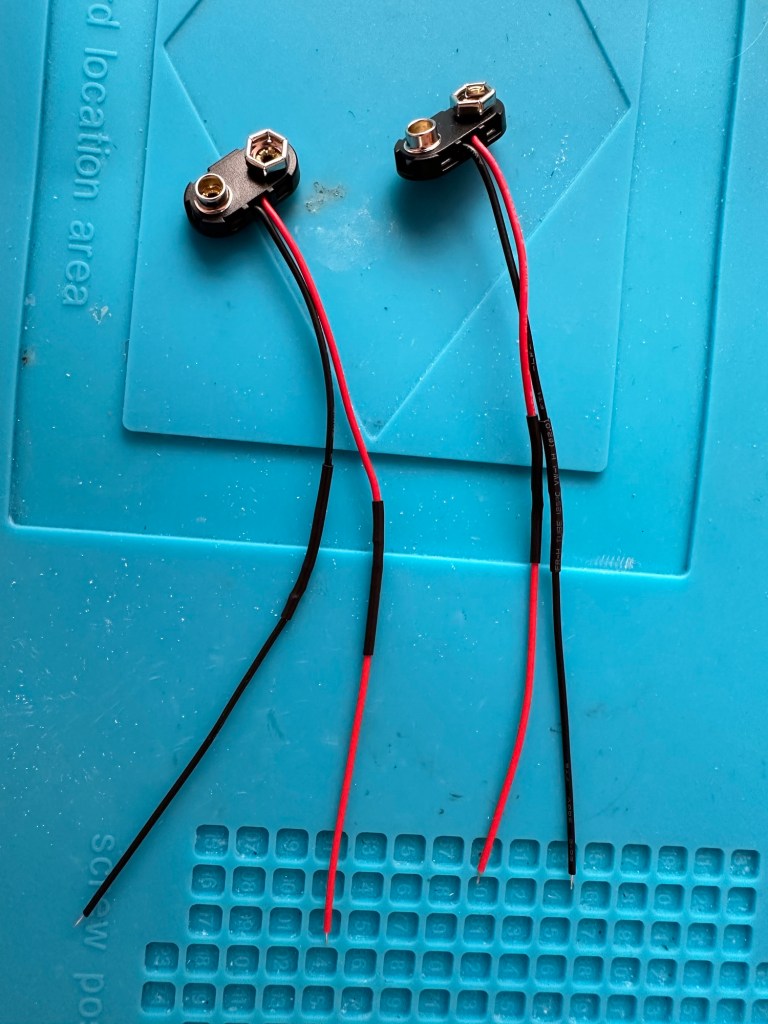
The batteries are separately wired on this board. The two negative wires go to the negative side and the positive wires go to the positive side, straight forward wiring, I don’t know why the previous clown wired it as he did. These four wires now soldered in place with new leads and connections allow me to attach the batteries and check voltages, all is good and reading as it should.
New leads made
I clean all the switches with contact cleaner, I clean the board with IPA and clean all the contacts. A good suction and polish of the frame and all is good.
I can confirm the board indicates that this unit is week 24 of 1979 as per the writing on the main board. That puts this particular unit at 45 years old. Will it work.
Hell yeah it does!
Main switch into the on position and the annoying sonar sound kicks in, my dog leaves the room as it’s annoying him, to me I have just been transported back to my childhood. It’s brilliant.
I collar the wife into a game, I have to teach her how to program it and it works perfectly. Every sound is there, it’s noisy repetitive and computer programming at its absolute most basic level. And it’s mine.
Computer Battleship – It works
It’s going down our garden pub to be used by the youngsters and adults alike. I think the kids will love it due to its primitive technology. They’ll learn from it.
Another piece of my past saved from landfill, and it will be put to good use. Just don’t trust any mods or fixes done by others, don’t inherit a fire risk. Check check check.












 Foxes Den
You must be logged in to post a comment.