The workspace is starting to take shape. Normal service to resume soon. Maybe I can catch up with this backlog now.
I’d pretty much closed down my workspace, when we sold our old house back in August last year. Everything I used the most was pretty much moved into storage as we prepared to make the move to our new home. All I was left with was a few screwdrivers, so needless to say, content on this site dwindled, whilst purchasing continued, hence I currently have 29 posts, in draft, awaiting completion as I don’t have a suitable workspace or the equipment available at the moment to complete any of them. I even purchased a 3D printer in November of last year for my birthday, it has been in storage all this time, I have now brought it home and have now made my first 3D print, that post can be found here: My First 3D print attempt
Things are about to change.
We pretty much have every room in the house now up and running. We are settled now and the final boxes have been attended to within the house, and we are finally getting to the point where regular recycling visits to the tip to get rid of the old cardboard boxes are finally coming to an end.
The next stage in my wife’s own words are, “ we can now get Dave’s room sorted.” The words I’d been waiting for.
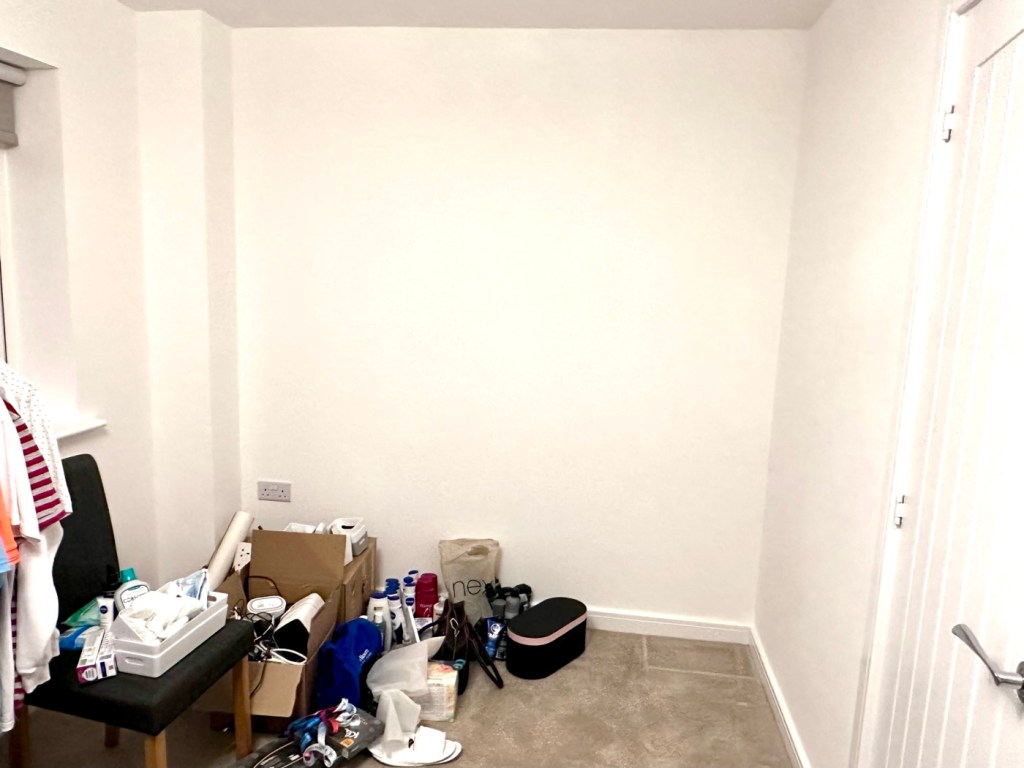
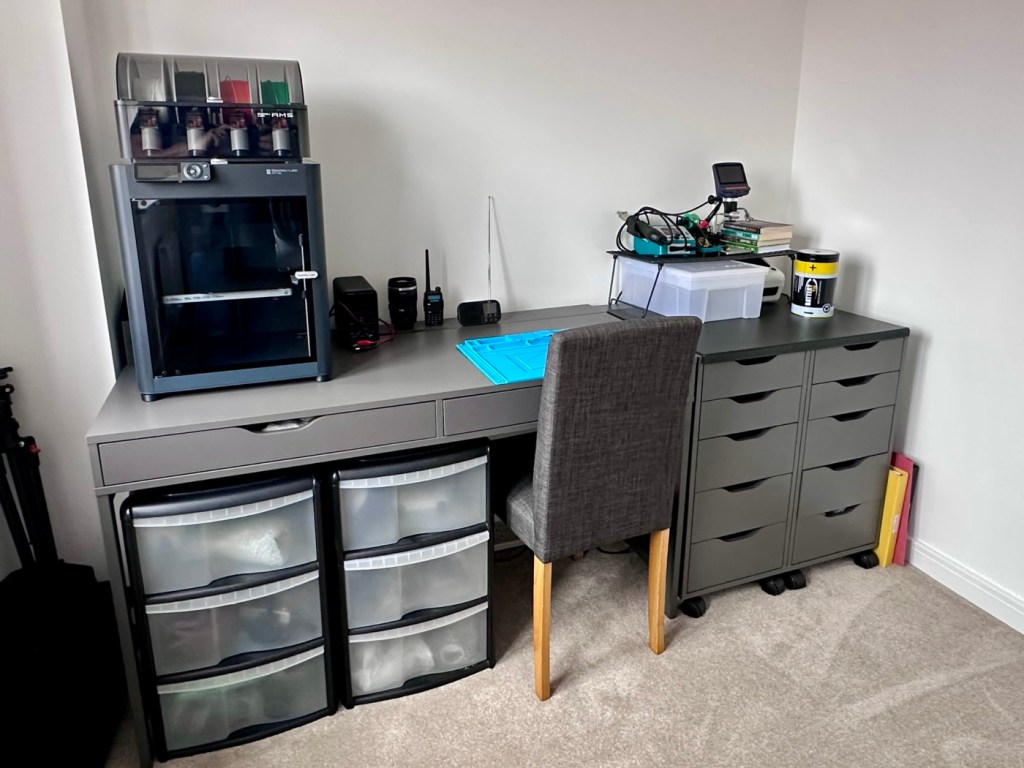
My workspace – a wall in a guest bedroom
I’m calling it my room but in theory it’s not a whole room. It’s part of the third bedroom where I am probably just occupying one wall at the end of a guest bedroom, it’s all I need, I have a Garage to do all the blokey stuff in, this space is purely to work upon all my cameras and other more delicate items of work.
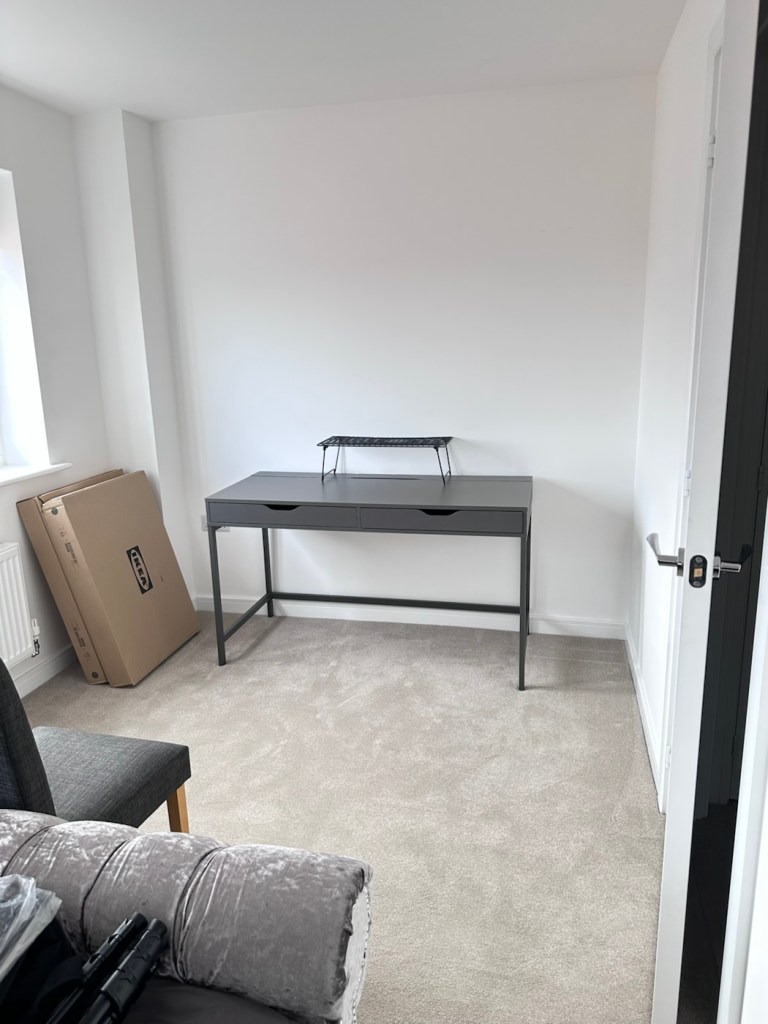
Whilst visiting a certain Scandinavian furniture store i have purchased a basic setup for me to begin working on. The good thing about these furniture systems is that you can start with a basic layout and just expand upon it, and that’s the plan.
I have a desk and drawer system arriving today, and quite a bit of construction to do, once this is in place then I can start getting my gear from storage and get it back into place. It will be nice to have all my equipment in a permanent placement, without having to take it all apart and storing everything back in boxes after I have used it. I’m looking forward to this as to be honest, I’ve really missed it. However I have been pre occupied around the house and there has been an awful lot to keep me busy, there’s been no rest really, I must be very wicked 😂
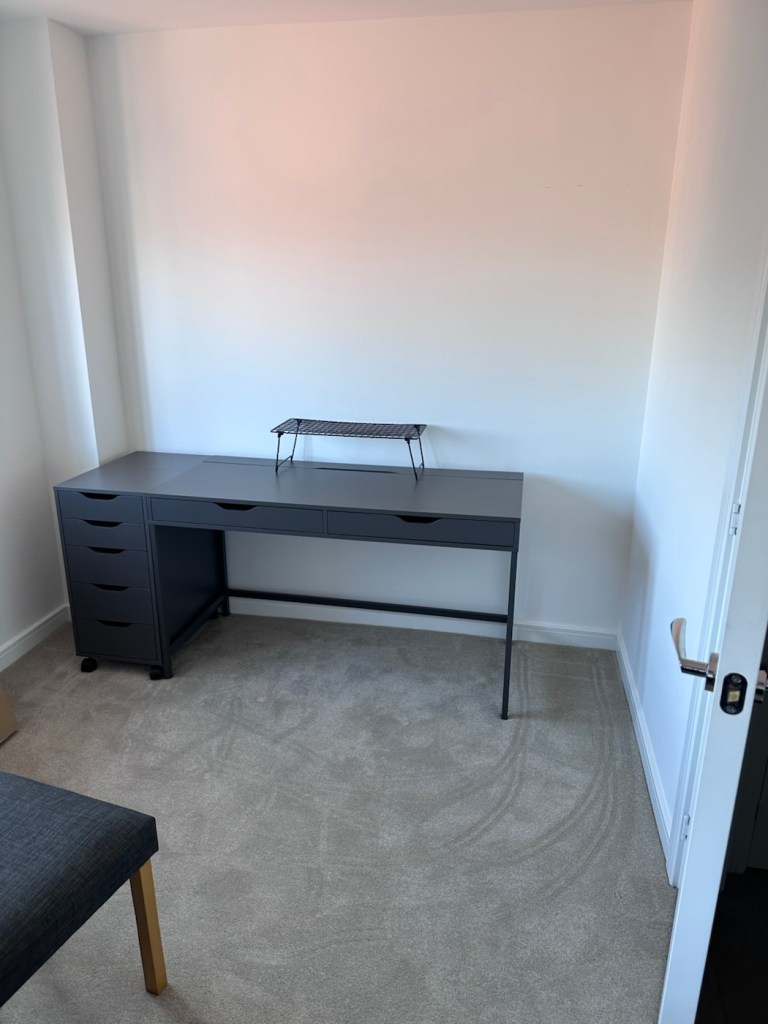
The workspace starting to come together
So as of 10th March, I’m quite pleased to say that my workspace is now ready to use. It’s still a way from being complete as I still have stock to bring from storage along with the last few tools and boxes of components. There are still shelves and storage to put in place, but at long last I can now sit down and finally start to play catch up with my ever expanding backlog.
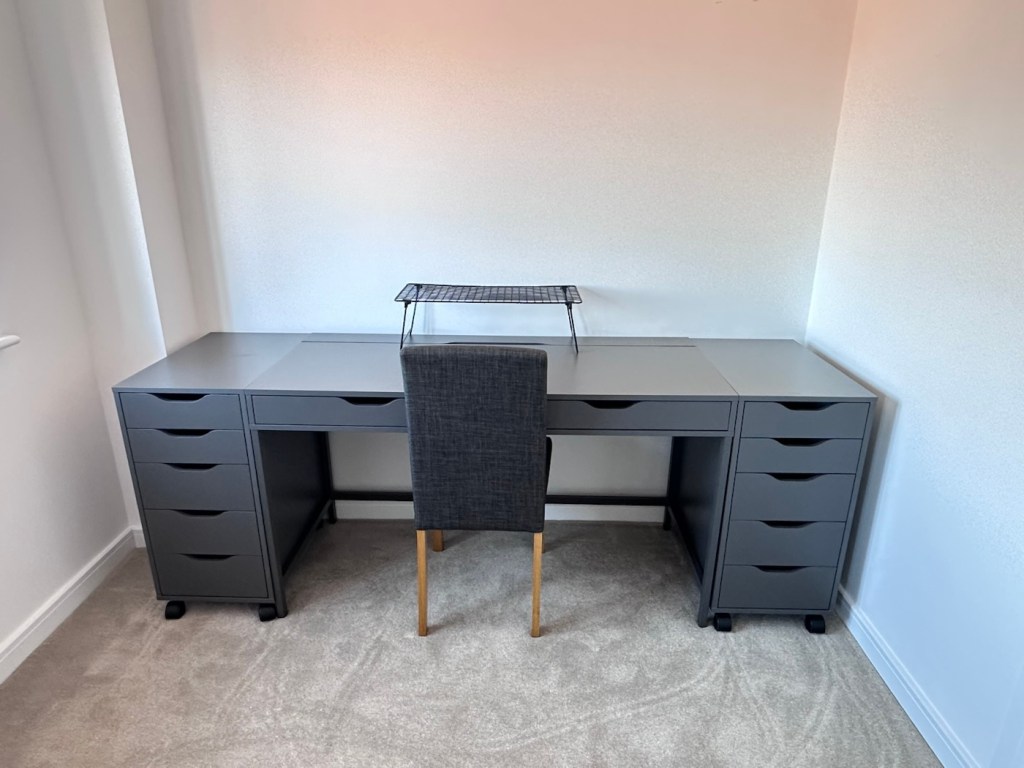
The workspace….liable to be moved about yet again
I must admit I’ve moved things about, and I’m probably liable to move things about again over the coming days and weeks, even months as I can’t quite decide how the setup should look. It’s probably going to be a few sessions of me not being able to find tools, parts and cameras that will help me decide just what, should be where. In the meantime, it’s good that a kind of normality has been restored, and I can now start to resume where I left off all those months ago.
Ever heard of the Meshtastic decentralised off grid communication network? You have now. Dive in and get involved.
What’s that? I hear you say. Well, I’ve been trawling t’internet recently and one of the chaps I follow on YouTube, Gabe, has got me very interested in this particular mode of radio communication. Here’s a video of him explaining Mesh communications in his own charming and extremely enthusiastic way.
Meshtastic – as Gabe sees it
The good thing about Mesh networks are that no licence is required for use, this means the system is truly open to everyone. As a registered radio amateur this system is of interest to me in the spirit of experimentation, and that’s what’s good about this particular mode. Everyone can do it at a very reasonable cost. In the UK it’s been present for a few years now and has an active core of participants. However, usage is very patchy and still developing, and due to the short range and lack of other users to repeat messages, its general take up is going to take a while yet, or in usual fashion it may even be a mode that just dies out due to lack of involvement. It’s not a mass-market tool yet, but a growing niche interest, especially among amateur radio, DIY tech, and preparedness communities. However, that said, in areas with little or no cell phone coverage this could well be a lifesaver. Below is a little bit about Meshtastic.
What is Meshatastic?
Meshtastic is a free, open-source project that lets you create your own decentralized, off-grid communication network using LoRa (Long Range) low power radios. It’s designed to let people send short messages and share data without relying on mobile networks, Wi-Fi, or the Internet.
Open-source & community-driven: Anyone can contribute, modify the software, or build devices with the firmware.
LoRa technology: Uses low-power, long-range radio waves in unlicensed frequency bands (like 868 MHz in the UK/EU).
Mesh networking: Devices form a mesh by rebroadcasting messages. Each device acts as a node that can relay messages to extend coverage.
Meshtastic’s goal is to provide reliable communications when other infrastructure is absent or unreliable and to offer a flexible platform for hobbyists and practical users alike.
How it works
Networking: LoRa radios transmit small data packets over long distances with very low power. Each device forwards messages it receives to nearby devices, forming a mesh network that extends reach beyond single-hop radio range. The network is decentralized — no central tower or internet access is needed.
User interaction: Devices can connect to your smartphone via Bluetooth and use the Meshtastic app to send messages or view locations. Messaging is typically text-based (no voice or high-bandwidth data).
Why use it?
People adopt Meshtastic for many reasons, often tied to availability, resilience, and independence from traditional networks:
Outdoor activities: Hiking, camping, biking: Stay in touch where cell signals are weak or absent. Location sharing: Useful for groups and safety.
Emergency situations: Natural disaster backup, communications can continue even if cellular networks fail. Communities and some groups experiment with using Meshtastic as an alternative communication layer during outages.
Technology and DIY: Education and hobbyists use it to learn about radio, mesh networking, and embedded systems. Integrations with IoT sensors and other projects are possible.
Community and social projects: Enthusiasts set up community networks, share nodes, and even run local meetup groups.
What do you need to get started?
Basically, Amazon, EBay, and the Chinese suppliers such as Ali express have all you need. Needless to say the Chinese options are far less expensive if you are willing to await delivery. Just type “Meshtastic kit” into your browser to view your options.
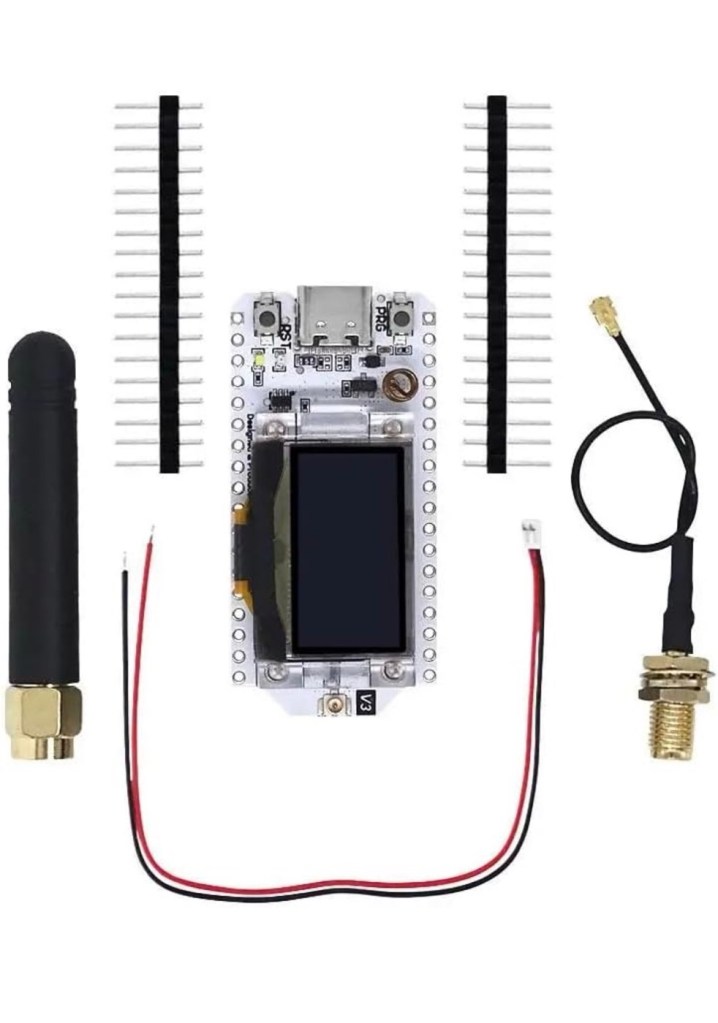
As I’m in the Uk I can give some prices for the most basic setups within my country. To be honest, all that is needed is a Meshtastic main board of which there are a few to choose from, a power source and a mobile phone to do the setup. Something like this below.
From Amazon in the uk I can get this board, for £18:99GBP and that’s all I need to get started.
Amazon uk
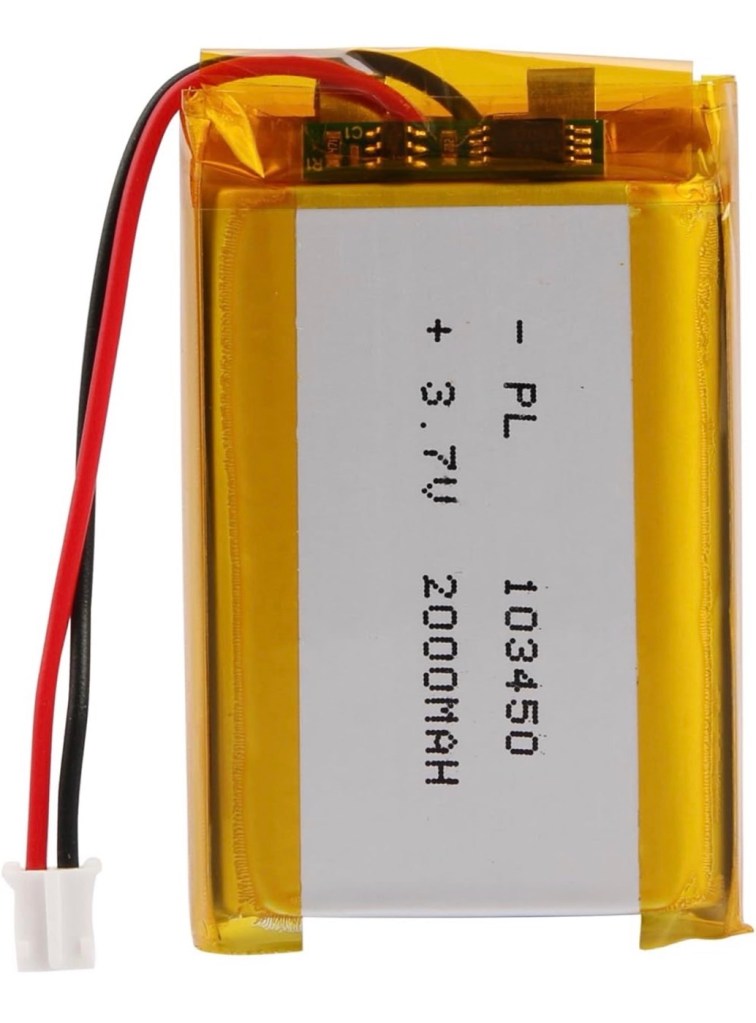
Add to that a small battery and you can probably power this unit for between 24hrs or even a week, dependant obviously on the battery capacity and how you have the system set up. A battery in the uk on Amazon would cost around £6-£10 GBP. You can buy enclosures to make the unit “pretty” or you can even 3D print your own. I think I will print mine when I finally have my printer up and working.
A suitable battery
On the Chinese platforms these items can be purchased at a greatly reduced price, the main board can be purchased for around £3:00GBP, you can even purchase two entire units for less than the one that you get from Amazon. It really pays to shop around.
I’m shortly going to dive into setting up a Meshtastic node, I’m even going to set up an APRS one under my radio licence conditions, but that will be another post.
So hopefully this post may introduce others to an off grid communication mode that may well assist those in remote areas or with extremely limited cell phone coverage. As soon as I’m ready to build and place my node I will write a post regarding its build, programming and eventual usage. It is all very simple technology and worth having a read about on the Meshtastic website : Meshtastic introduction
No, I’m not talking about secret Russian radio stations, that seems to be all the information you can find, regarding ghost stations on the internet. This Ghost service station has popped up on DAB radio in the Uk, in Leicester, and there is no info that I can find about it online, and all that it seems to be broadcasting is someone making spooky ghost sounds. Have a look at this little video I made of it, only about 30 seconds long.
Spooky
I’m wondering if someone is having a laugh on this channel, maybe it’s on hold, just awaiting a new residency, who knows? I believe this is based somewhere in Leicester city as I’m unable to tune it, anywhere outside of the city limits. I’m surprised that our radio regulators at OFCOM are allowing it, however radio standards aren’t what they used to be nowadays.
Yes. 30 years ago today on the 30th July 1995 I was at Milton Keynes Bowl in Buckinghamshire Uk with one of my buddies. We had taken the train from Watford on a lovely sunny day to watch what was our new favourite band at the time, never knowing that very soon they would occupy a place in my heart as my favourite band of all time. And 30 yrs later my wife will attest to me randomly putting on the music, only to tell me to turn that noise down, she really is a heathen 😂
We were fortunate that day to have three superb support bands who would go on to carve their own little parts of music history The Cranberries, Sleeper and Radiohead.
Back in the early days of the bowl they had a strange system in place where they didn’t accept money to purchase beer, you had this weird system where you had to go and purchase “tokens” before the gates opened, to use as your currency within the stadium. If you didn’t purchase enough or any tokens at all, then it was tough – you would be having a dry old day. I remember purchasing plenty, I was paying the price for days after – no pity for me it was all self imposed.
Here’s the set list for the day. It was also broadcast live on the BBC’s Radio one.
Set list
It was a cracking day out and a day that would stick with me throughout my life, as I became a fan that would now follow them,whenever they came back to the Uk. The last time I saw them was in Hyde Park London just after the London bombings, on 16th July 2005.
Man I really miss them. I’ve always said if they were to reform just for one concert anywhere in the world, then I would be there. The wife has always been on standby should that date ever be announced.
But I doubt it ever will, but we can only live in a constant state of hope. We all need that bit of hope in our lives.
In the meantime, I’ll just go and crank that stereo up to eleven, just so I can hear the wife shout at me one more time 😂.
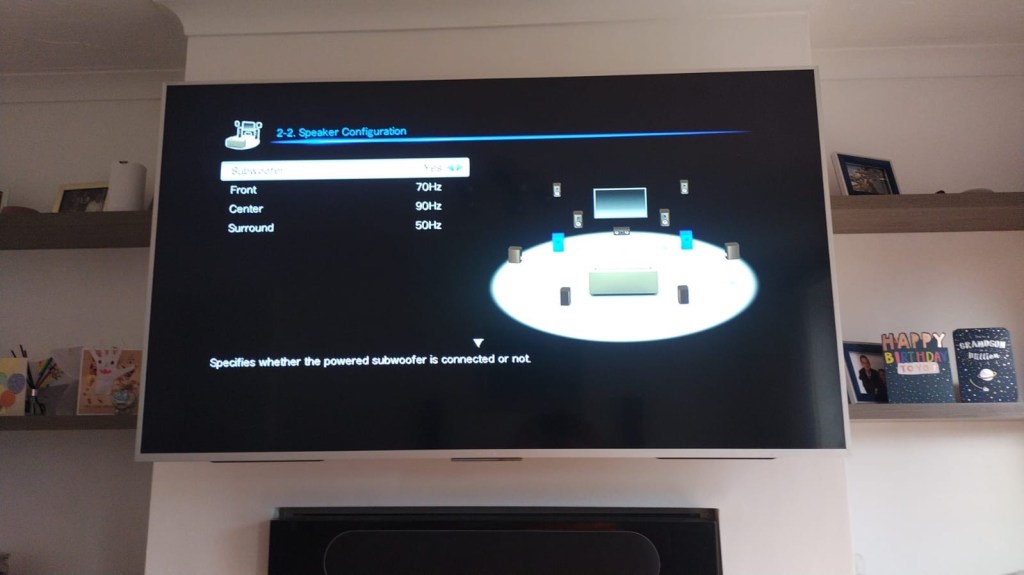
A bit of a different one here, i get into work one day earlier this week, to be told that one of my colleagues in a different area (Nottingham) will be calling with something to discuss. That call occurred today and the discussion was about his home theatre surround sound system that had packed up on him, and would I be willing to look at it for him to see if I could manage a repair. Though it’s something I don’t usually do repairs on, I said why not? I need to look into other areas of repair and as long as it wasn’t urgent and there was no urgency, then I’d certainly look into it for him. It turns out there is no hurry and he will get the item down to me in the next few days.
So I now have a task, that I am really quite excited about. And for obvious reasons I want to do a good job.
Here’s a little bit about this item
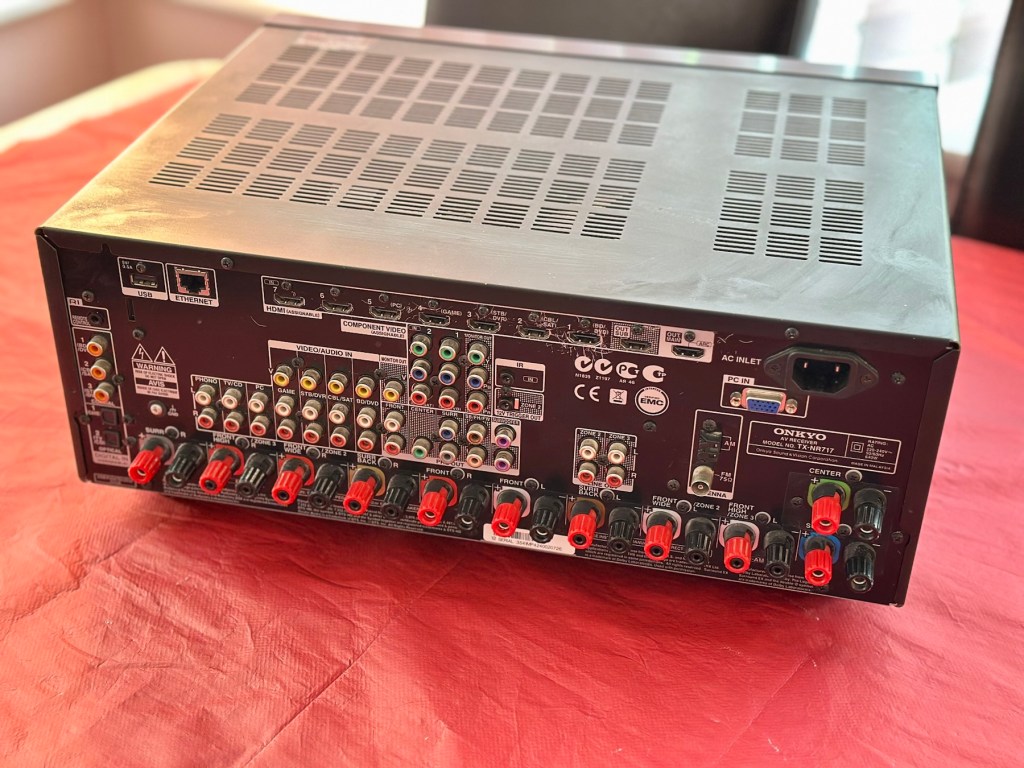
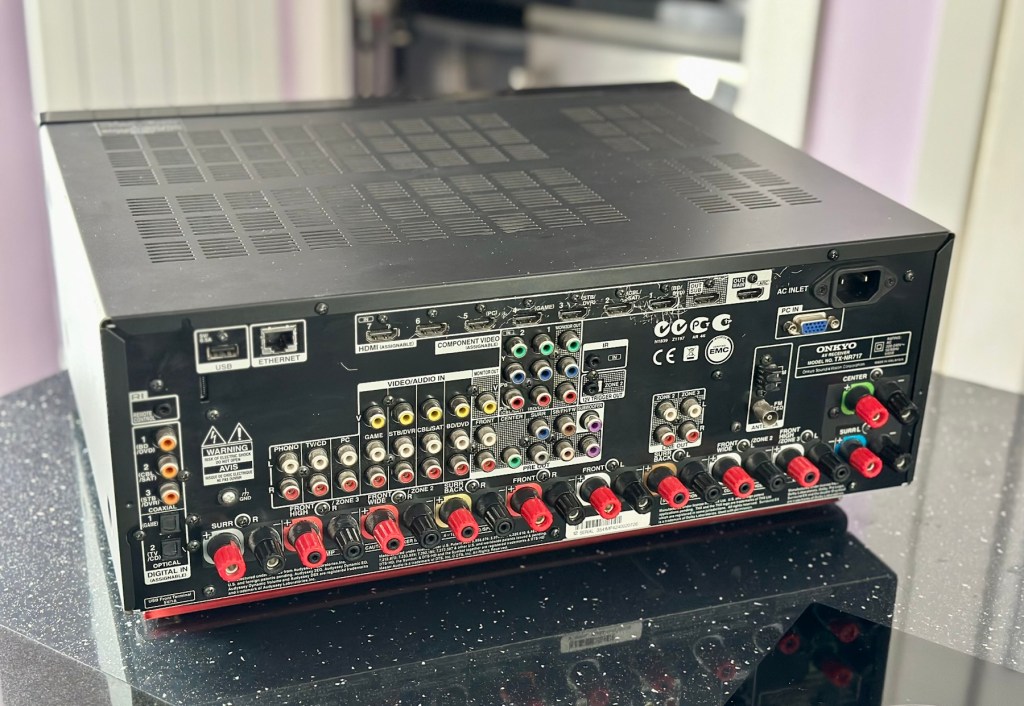
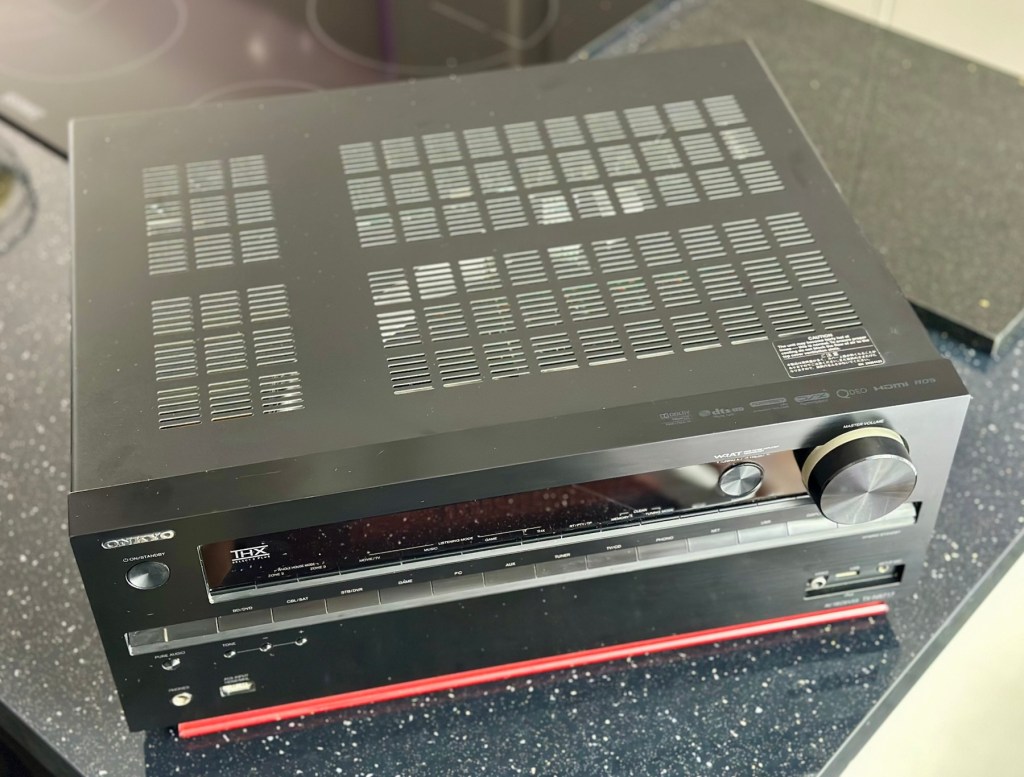
With the power to fill large rooms with THX certified sound, this cutting-edge receiver is ready to integrate and distribute entertainment throughout your home. More than a home cinema processor, the TX-NR717 allows you to access music on PC, stream from MP3 tunes, explore online radio, or connect your iPod/iPhone to one of two USB ports. You can distribute any of these various stereo sources to other rooms for house-wide entertainment. With a total of 10 HDMI connections, this receiver converges HD content from all your components – even your smart phone media via a front side MHL/HDMI – and provides easy input selection with InstaPrevue technology. HDMI also enables intuitive GUI with overlaid quick set-up menu. Video upscaling to 4K, Audyssey DSX seven-channel sound expansion, and Audyssey 2EQ room correction are all included. Sound quality is quite simply the best in class, with powerful WRAT amplifier, three-stage inverted Darlington circuitry, and discrete output stage components delivering an otherworldly entertainment experience.
Onkyo TX-NR717 – AV network receiver – 7.2 channel – black
Release date: April 2012
Onkyo
I’m looking forward to this project, a little out of my comfort zone, but it’s the best way to learn about how these things work. And I need some exposure to these types of systems and the issues that can occur within them.
Assessment:
This unit has just about reached its teenage years, and if this can’t be repaired then the owner will be looking at his alternatives. However replacement units have also grown in both features and price now, so if this current box of tricks can be given an extended lease of life then everyone is a winner, and one less item gets to go to landfill.
I have downloaded both the instruction manual and the service manual, so I am equipped with a full list of components as well as the official schematic diagrams of the circuitry layout. I’m suitably prepared for this one.
The report from my work colleague is that it was working fine up until a week ago when it would just not switch on. He has replaced the two quick blow fuses that he saw when he opened the unit, however the issue still remains. He hears clicking when he turns the system on, this could be an issue in the standby circuit, however I will have to wait to have the unit in my possession to investigate this any further.
Straight to the point…just how I like it
Just got a message from one of my colleagues at work to say the parcel from Nottingham has been collected. Just love the straight to the point way these guys inform me of any safety issues and concerns they may have 😂
More surprises
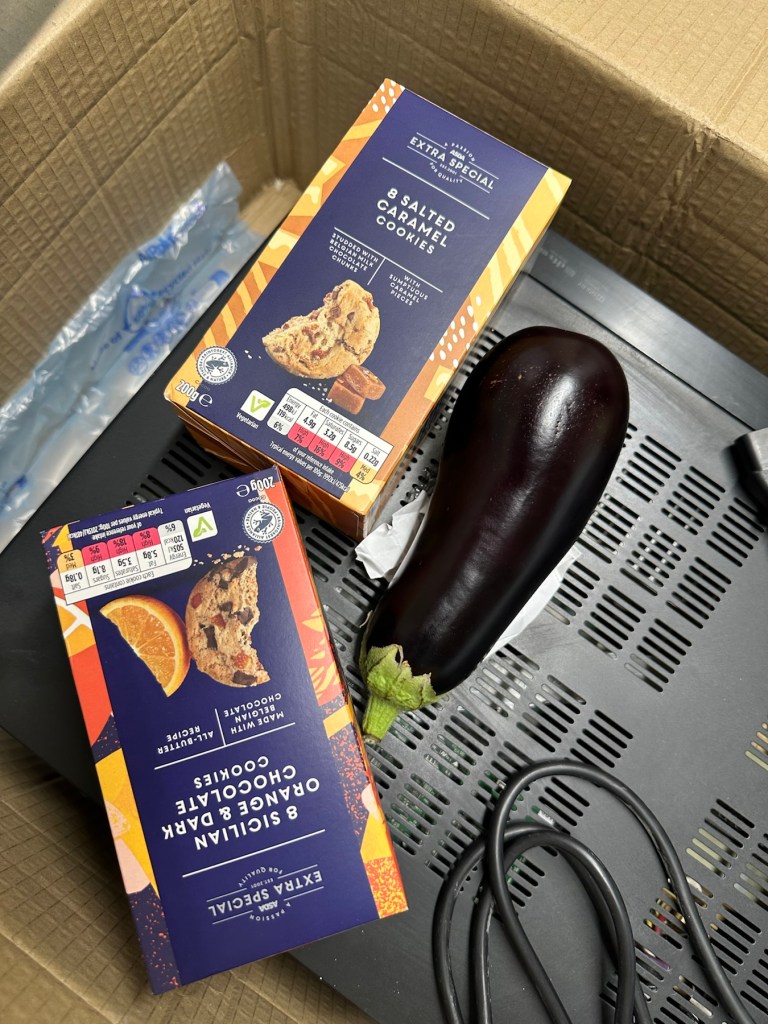
And on opening the box, more surprises. Biscuits, they are my downfall, and don’t ask about the Aubergine, we won’t go there, that’s a private joke 🤦♂️
A bit dusty
Right, serious head on now and I’ve plugged the unit into the mains and without touching anything at all, all I can hear is a metronomic clicking that appears to be emanating from the power board circuit area. This will be my first port of call.
Repair:
There are two well known issues regarding these units and I am going to look at both of these before getting in any deeper. The first issue is around the relay and its associated 150 Ohm resistor on the main power board, the second issue is around a defective capacitor on the standby board, and eliminating one issue will either highlight, or clear the other. If both issues are addressed with no change to operation, I will have to look in to the issue a little deeper.
Issue one relates to a problem with the relay on the main power board. Most people don’t realise this but pressing the power button on an Onkyo receiver does NOT turn off the power. The power button merely sends a signal to the MAIN CPU telling it to close a relay (to turn the system on) or open a relay (to turn it off). When you press the power button on an Onkyo and nothing happens (no clicks, no brief lighting up of the front panel) the root cause is often a blown coil in the main power relay.
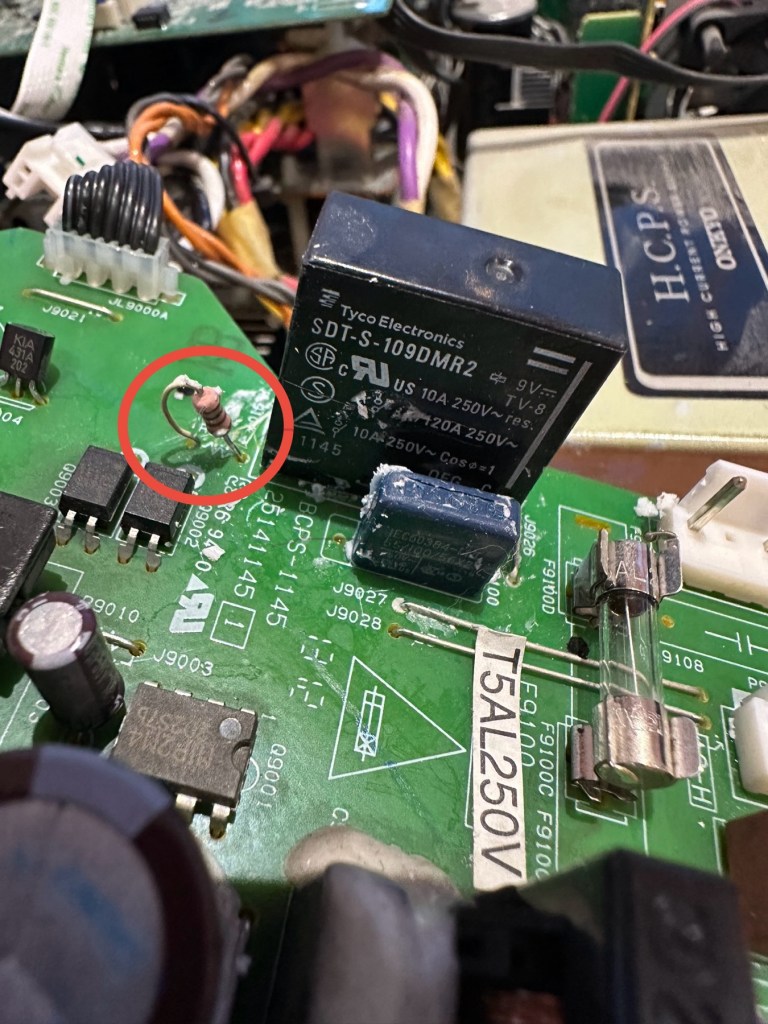
Main relay is the item under the thick coating of white silicone at the top of the picture
Beside the relay to the left is a resistor that should be reading 150 Ohms. This particular one is reading 144 Ohms so is reading a bit lower than expected. This could be sufficiently low enough to allow the relay to fail. So at this point this looks like a possible point of failure. Either way they need to be replaced before we can advance any further.
Silicone removed. The faulty resistor is within the red circle
I need to obtain these parts, the relay will need to be shipped from China, and I need to check my resistor stock to see if I have a suitable replacement resistor. The relay also should have a similar resistance to the resistor beside it, the healthy range for the relay is between 80-200 Ohms.
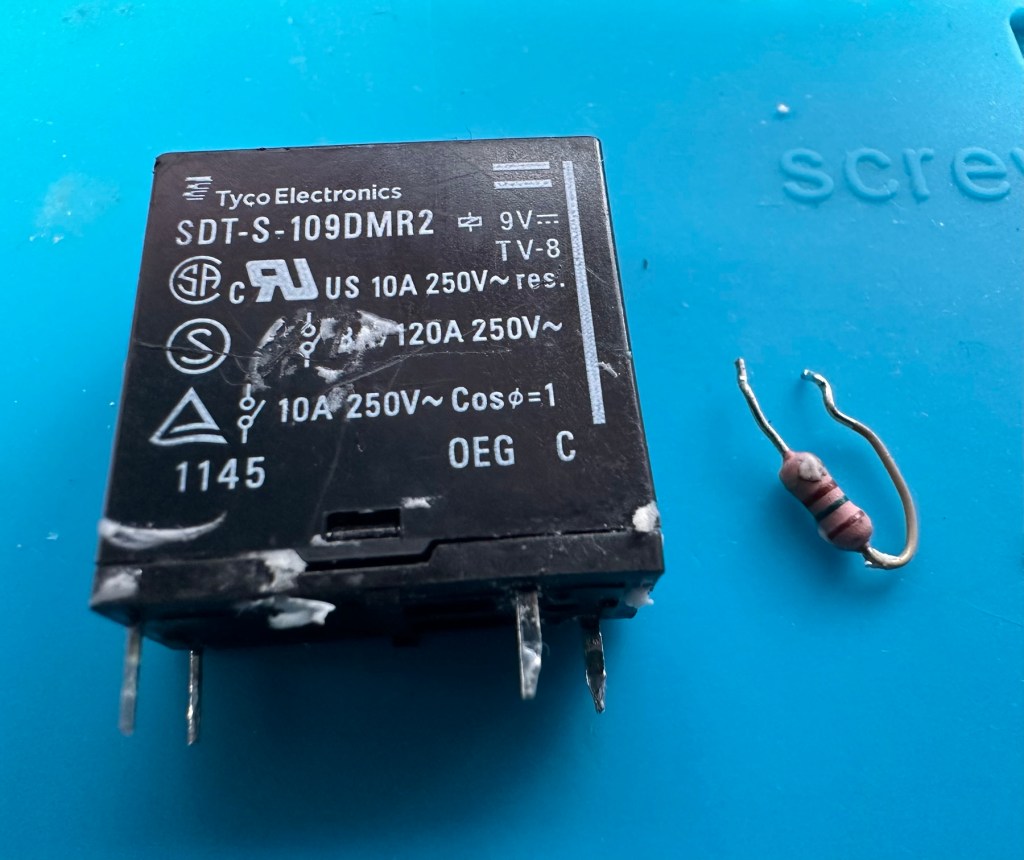
Both components removedThe components
I have removed both components from the board to test them out of circuit.
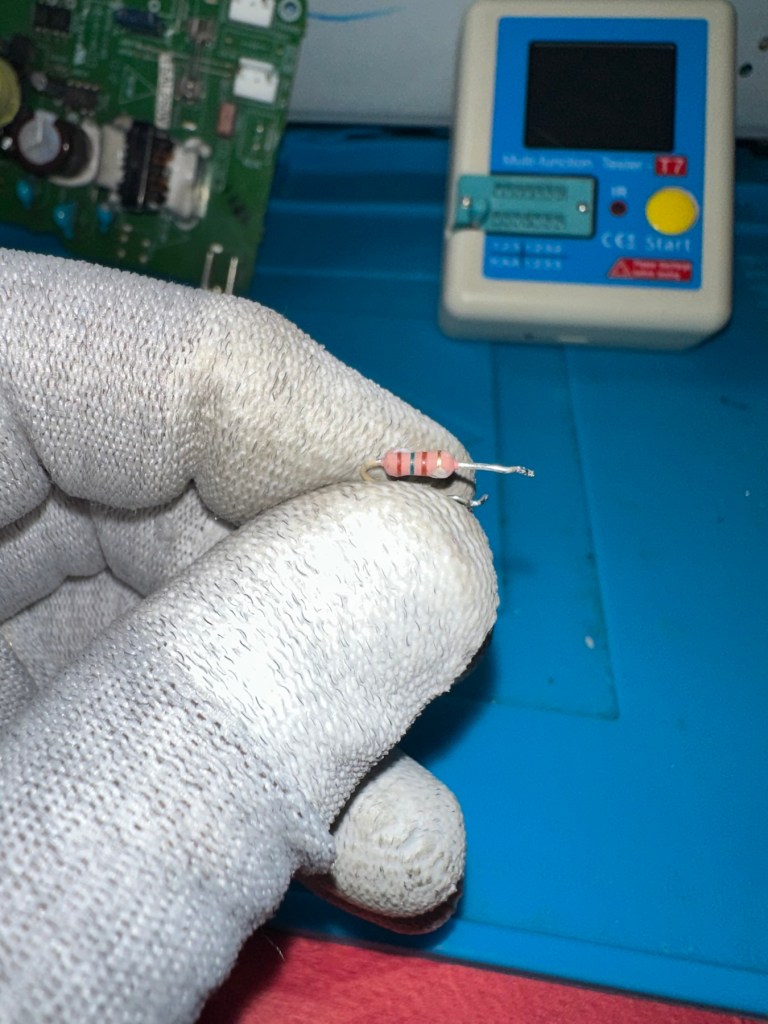
The resistor beside the 9v relay is a 150 Ohm rated resistor. This one reads at 144 Ohms and is to the lower end of the rating of +/- 5%, it would probably suffice, but i’m going to replace this one just in case. The only other resistor in this circuit is a 47 Ohm resistor and that reads exactly as it is rated, so there is no issue there. I believe the bone of contention here is that the relay is 9v sitting upon a 12v power rail. This is probably the reason issues have occurred with these units in the past, and looking at a number of forum posts, it is quite acceptable, even recommended to use the higher voltage 12V versions. I’m sticking to the original design on this repair though, I can only presume the 150 Ohm resistor placed just before the relay has something to contribute in controlling the operation of this relay. Maybe that’s a design fault within this model, I just don’t know!
144 OhmsThe resistor I will replace
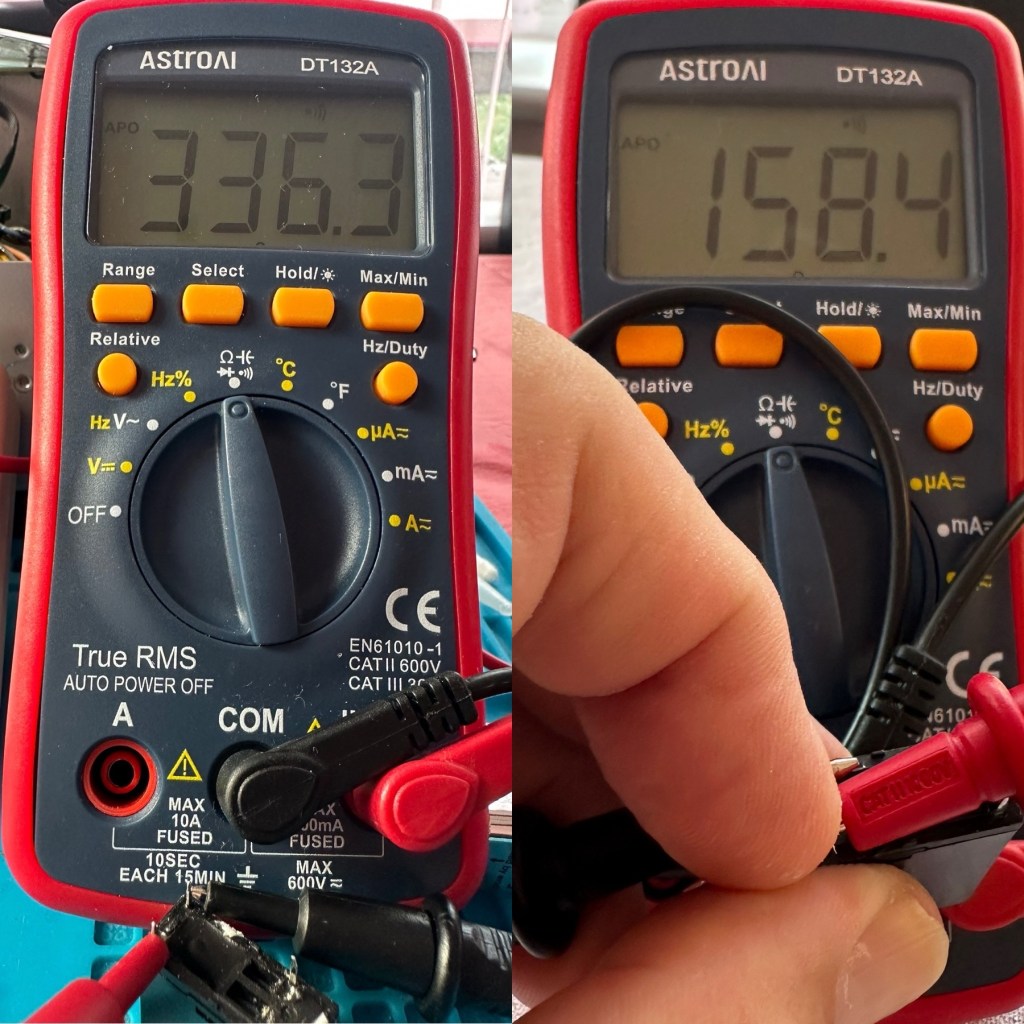
I have tested the relay using a multimeter and a 9v battery. I have used the battery to short across the power poles where I can hear the relay clicking, but when the relay is on there is no continuity across the other two pins when there should be, this isn’t happening so I suspect this relay is stuck in the open position. The Ohms rating across the pins shows 336 Ohms, so i am lead to believe this could be a problem with the coil inside it, as it shouldn’t really be that high. I understand from what I have read, that a rating between 80-200 Ohms is classed as acceptable, and outside this range could indicate that there is an issue. I’ll just have to wait until the new relay arrives and carry out some tests to see the comparison between the old and the new relays.
336 Ohms is that an issue?
I’ve dismantled the cover from the relay to get a look at the coil. In the little video below you will see the coil switching, however you will also see the contacts meeting but there is no continuity. The contacts have a coating of contamination on them probably from age or arcing, it looks like a carbon deposit, as when they adjoin there is no contact made, no flow or continuity, unless you put light pressure on the contact and then you get the continuity. It is at fault, it shouldn’t be doing this. A clean of the contacts might breathe some life into it, however give it a couple of months and you’d probably have to remove it again, and the contamination isn’t the only issue, don’t forget the relay reading that appears too high. A new relay costs less than £4:50GBP delivered from the other side of the world, so I might just as well go for a new relay. It makes sense.
Inside that failed relay
I’m not going to venture any deeper into this unit yet, not until these components arrive and I can get them back into place. I want to move through this fix confidently and slowly, have a better understanding of what is going on and not leave myself confused with bits and pieces everywhere, clueless to what is occurring. I wouldn’t achieve anything by working like that. Knowledge is king here and I’m here to learn. And I do now have the schematics available to follow.
I’ll have to wait about 2 weeks for the relay to arrive so I’ll just have to put this repair to one side and on hold until then.
Ok the new relay has arrived and the first test I did on it was to take an Ohms reading of the coil side. Now if you have paid attention, you will have seen that the old relay was reading 336 Ohms when it should be somewhere between 80-200 ohms. This new relay is reading 158 Ohms and I feel a lot better about that, it falls right in between the expected spec.
Old relay reading on the left versus new relay on the right
And if you want to see the relay actually working and displaying continuity then have a browse at this video below, the polar opposite to the first video I posted above 👆
The new relay with good continuity
The resistors I ordered have now come through and have been tested, I have a couple of candidates displaying better test results, so we can now look at getting these two components back in place to see what occurs.
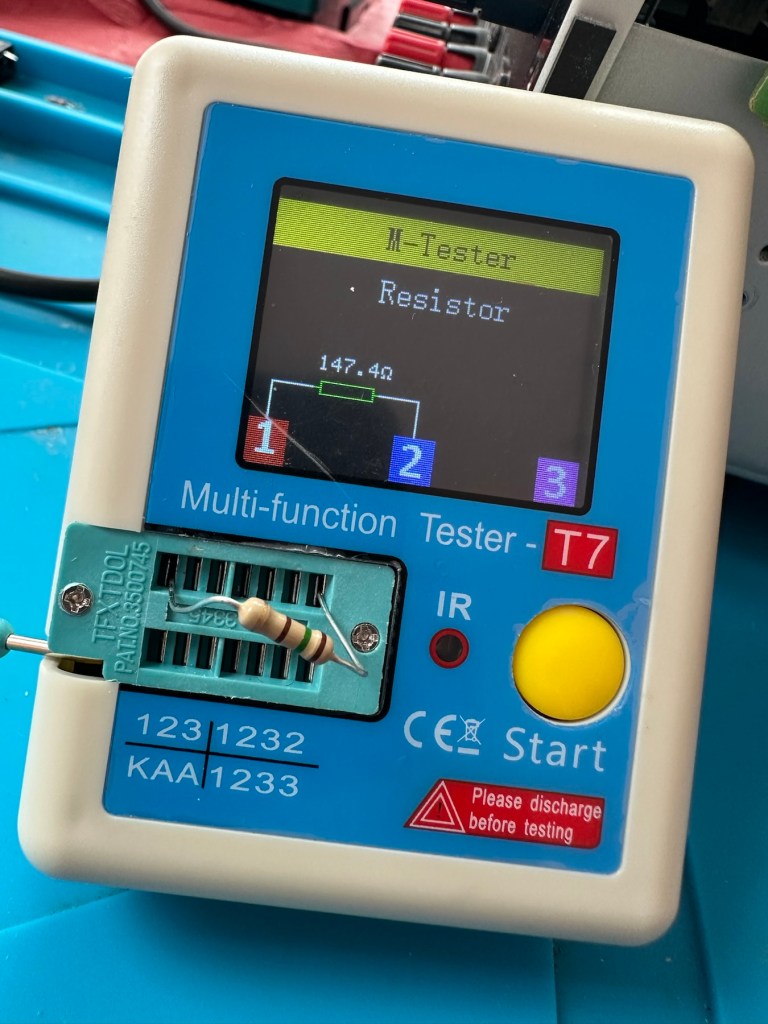
I’ve put in place a new resistor, slightly higher value than the previous one coming in at 147.4 Ohms. It falls within the 5% tolerance so should be fine.
147.4 Ohms
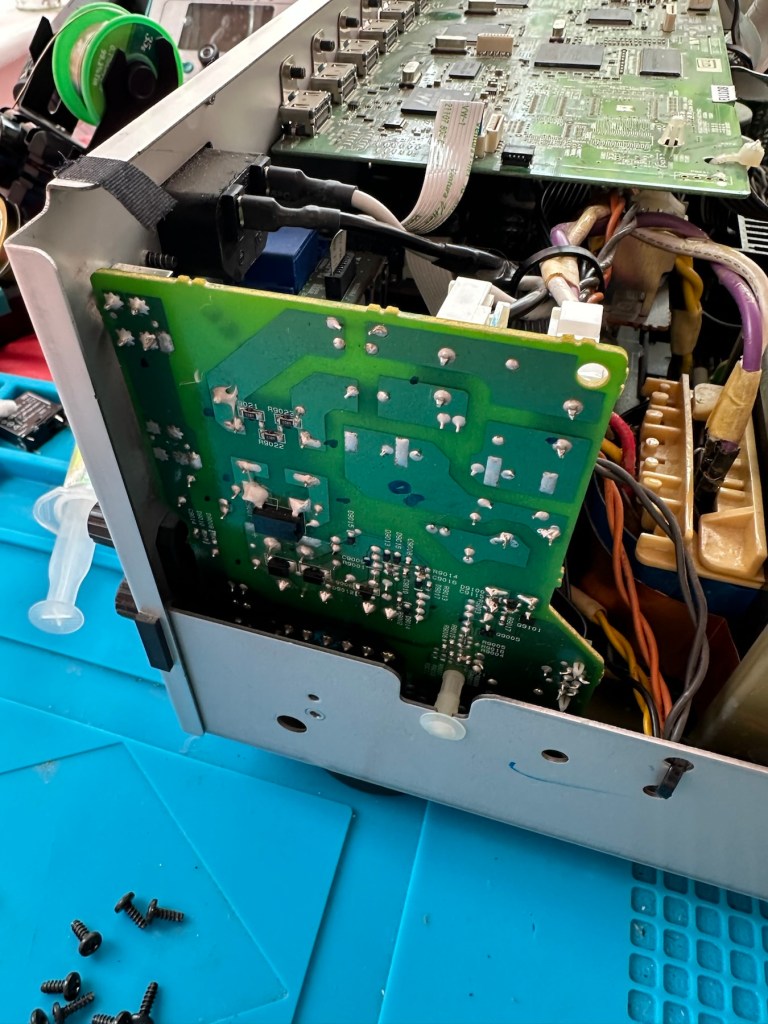
The relay has been soldered back in place, really simple just four points to solder and we can now reassemble the power board back into the chassis.
Attach transformer and ac jumpers Board secured back into chassis
I’ve taken the unit into the garden at my wife’s request, as I have to use some high pressure air to give it a good blast to get rid of some dust and furballs. This has worked well and quite a dust cloud was witnessed across the garden, it’s fair to say it’s a lot cleaner inside than it was.
I’ve now put the case back on and the unit is now sealed from prying eyes and inquisitive fingers. I’ve given the entire case a good polish and I must admit it is looking nice and shiny and very presentable. I just have to hope and pray that it turns on. I see no reason as to why it shouldn’t but you just never know. You can always fix one problem only to be chasing it around the system as it develops into another fault, repairs can sometimes go like that.
Let’s plug it in and see what happens 🤞
Result:
I’ve plugged it in and turned the power on. No bang, only silence, just a single click when the power went on, this is good. When the power is turned off you hear the standby relay do the same, all is as it should be.
Front RearFrom above
The standby relay has clicked in when turned on at the power socket, and is not repeating that metronomic sound that was there originally. Superb. Now to turn the power button on, on the front panel.
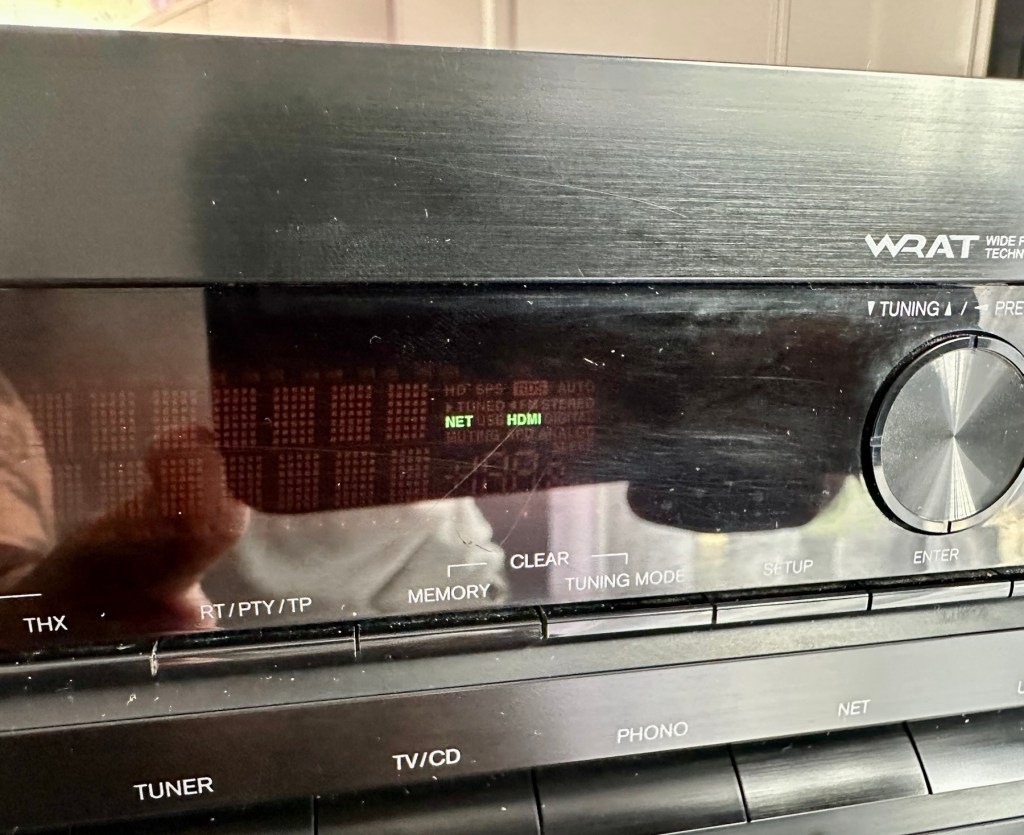
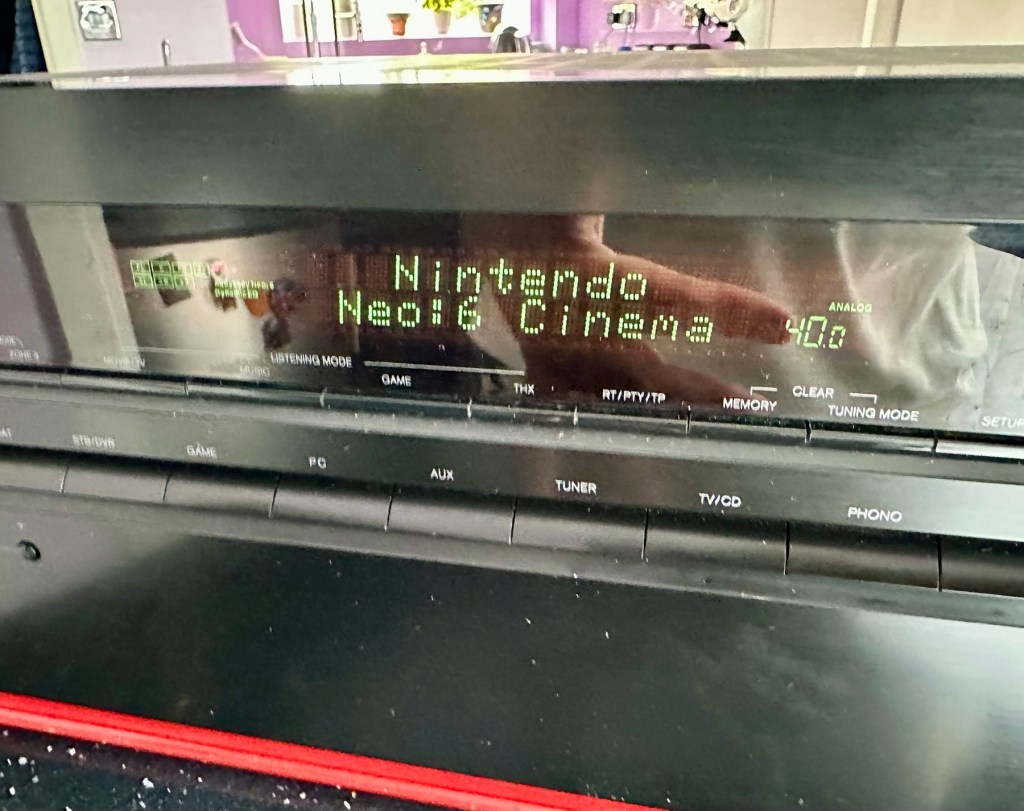
We have a display. Excellent it is working.
StandbyDisplayAll buttons operational
All buttons are operational, I don’t have the surround sound speakers as they are at the owners house in Nottingham, i also don’t have the remote here that also allows me to do other tasks, however that is not important as the unit is now operational and displaying what it should, and once it goes back into his media wall with all his speakers and other related sound and Av equipment, i am confident beyond doubt that it will be operating just as it did prior to this issue developing.
I will be handing it back with the advice that should the issue occur again we look at updating the relays with new 12v versions to replace the current 9v ones. But I doubt the problem will re occur, and this repair should see out the next few years at least and by then this unit will probably be sold, or passed on to someone else when he decides to upgrade his system.
Below is the little video I sent my colleague showing him the unit now working
It’s now working
But for now, it works. I am pleased as punch with this repair as I have stepped out of my normal comfort zone here. I have been extra vigilant, studied many a schematic diagram and learned a lot from this project. I didn’t rush ahead of myself and took this repair one little bit at a time, testing all along the way and addressing each issue in the order that it has arisen. And I’m damned happy with that.
It’s been a learning project for me, and I’m glad I’ve undertaken it. Life is for learning, and I’m living that life.
Many thanks for passing by, as you well know it is always very much appreciated.
Edit:
Today the 29th July I have had a message back from my colleague to say that he now has the unit back in his media wall. And I’m pleased to say it’s working perfectly. He’s very pleased and so am I.
Back in place and working fine
He’s pestering me to bill him, but I’ve told him that I’m only taking one currency and that’s not money or crypto. No, my method of payment will be in Biscuits. I told you I’m a Cookie Monster and this entire repair only cost just £4:17GBP. That’s not a lot of Cookies, but it’s credit in the bank if these guys need any further repairs carrying out. Word of mouth, works wonders.
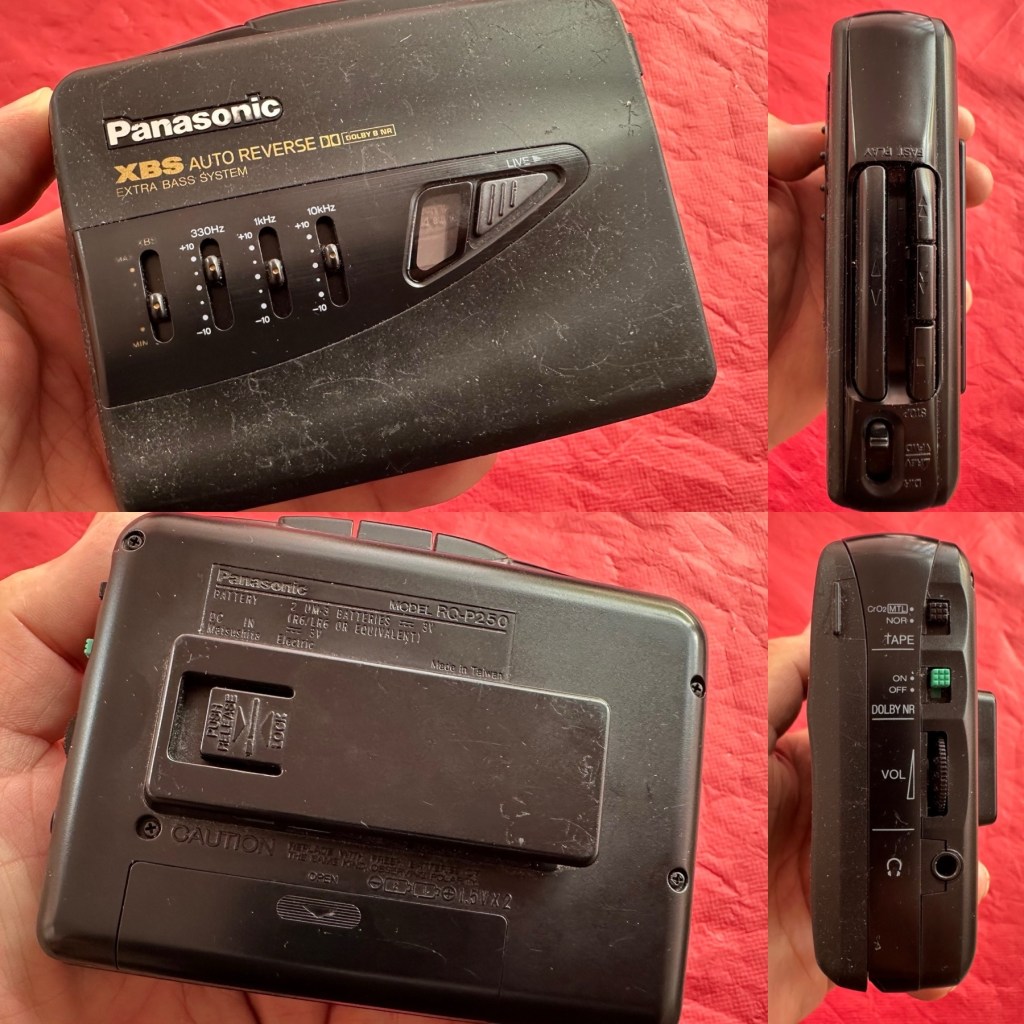
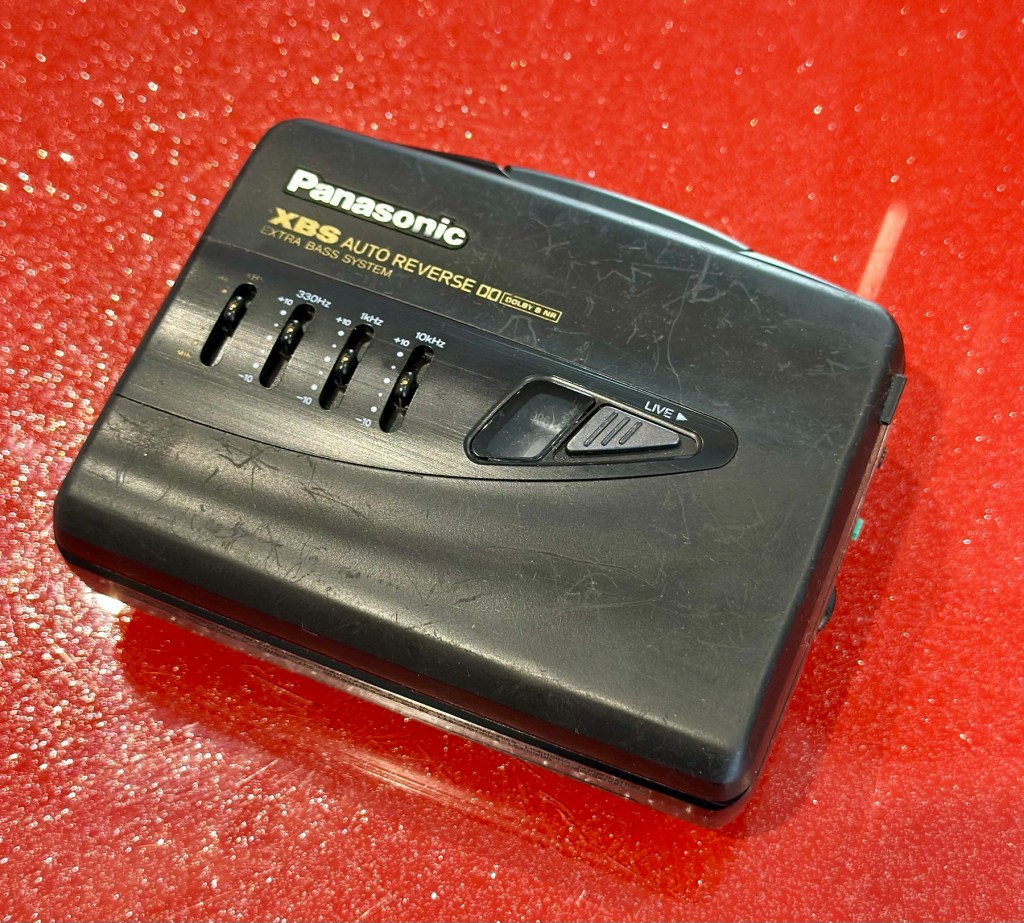
At a family gathering this weekend, an elderly family member approached me and asked if I could take a look at his Panasonic personal tape player, and maybe get it back up and working.
Who am I, to turn down such an invitation, so I took it on and promised him I’d have a look into it. There is, “No rush“ I was told. Just as well, as it’s busy in every aspect of my life at the moment.
Here’s the spec:
Type: Auto Reverse Cassette Player
Tape Type: type I, CrO2, Metal
Output: 20mW
Battery: 2 x AA
Power Supply: RP-AC33 (3V DC)
Dimensions: 114.2 x 84.4 x 33.1mm
Weight: 156g
Finish: black
Year: 1993
Hifiengine
Panasonic RQ-P250
Assessment:
It’s well used, and has always been and if I can get it working, will continue to be so. At the grand old age of 79 my brother in law is not about to change his ways and is quite comfortable listening to his old Cassette collection whilst out and about, on trains quite a bit of the time, as he travels up and down the country. He’s a lovely old fashioned set in his ways guy and we wouldn’t have him any other way. It would be blooming lovely to get this back to him working again.
It’s scarred, been well used but looked after, apparently it’s gone from playing quite well, to slowing down and dying completely. I think I know what the issue is but I’m not going to curse myself by saying I know what is wrong, when it actually turns out to be something totally different.
On the Beach – Chris Rea
And I love his choice of music. Let’s get this repair underway so we can listen to Mr. Rea in a lovely crisp sounding manner befitting of an 80s rock star.
Repair:
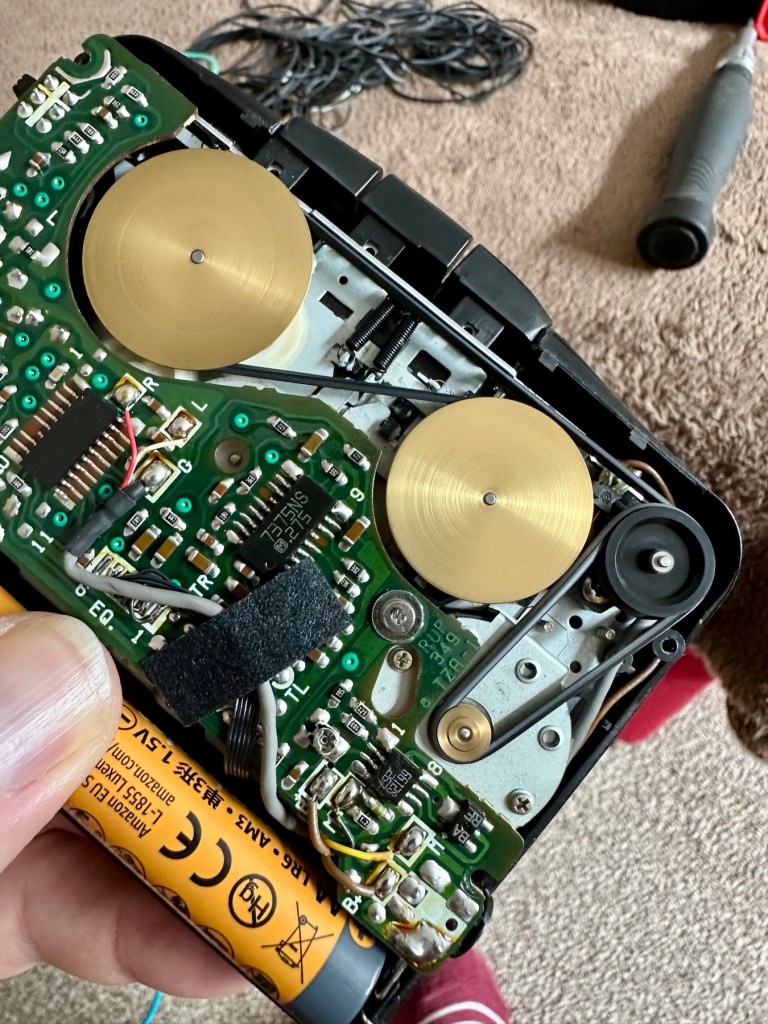
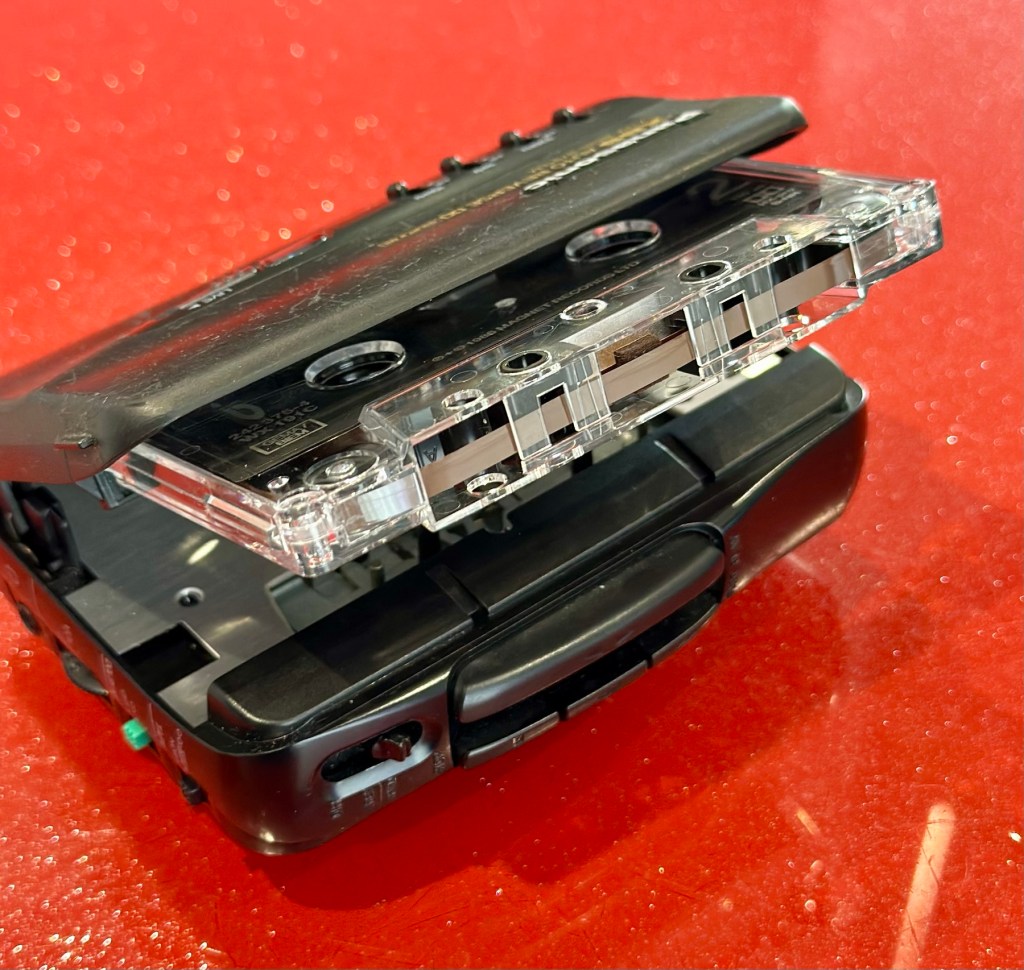
Batteries in place, earphones connected, push play. No movement from the capstans, and even when put in forward and reverse there is no movement from either capstan. I can hear all the electrical noises such as the tape head picking, and I suspect at the grand old age of 32 years old that the drive belts have probably given in. Let’s open it up and have a look.
And just as I thought. Two drive belts in here, they are both loose, one though is so loose that it has wrapped itself around the two capstans, no wonder it wouldn’t start up.
Two drive belts visible, both so stretched that they have ceased working
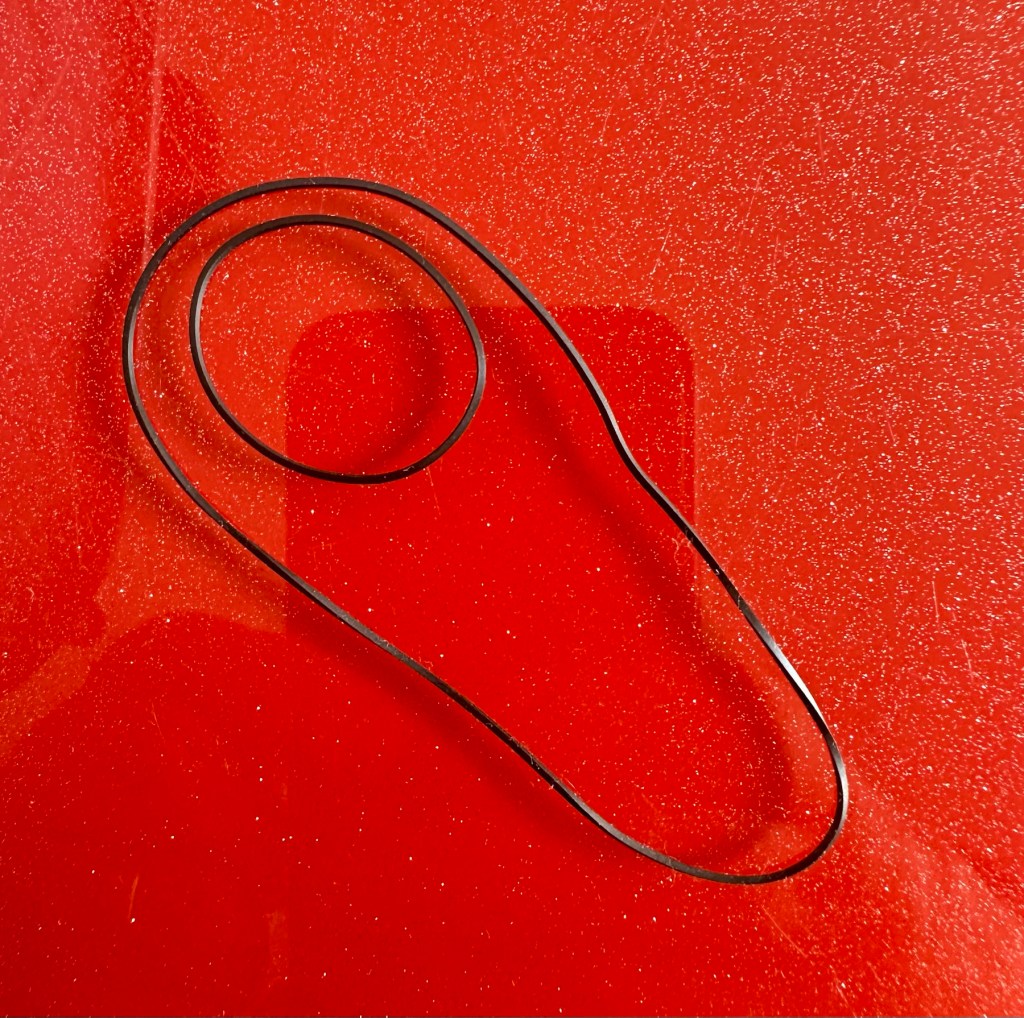
I have plenty of these belts spare, I just had to sort out the two closest matching in size. Too slack and you introduce warble, too tight and it will be off speed, you need to get it just right. Adjustments can be made to the motor speed but this will only come back to bite you once the belts wear in.
New belts in placeOld slackened belts
I’ve put two new belts in place, and at some frequencies there is a little wobble, but with Dolby switched in place this can be removed digitally, this will settle over the coming weeks after more use.
I have used some silicon grease on the cogs, I have put contact spray in the motor and the volume controls, and used IPA to clean all the tape contacts and capstan wheels and posts, it’s basically been given a little service to see it forward for a while longer.
Body now reassembled, new batteries put in place, it’s time to test it.
Result:
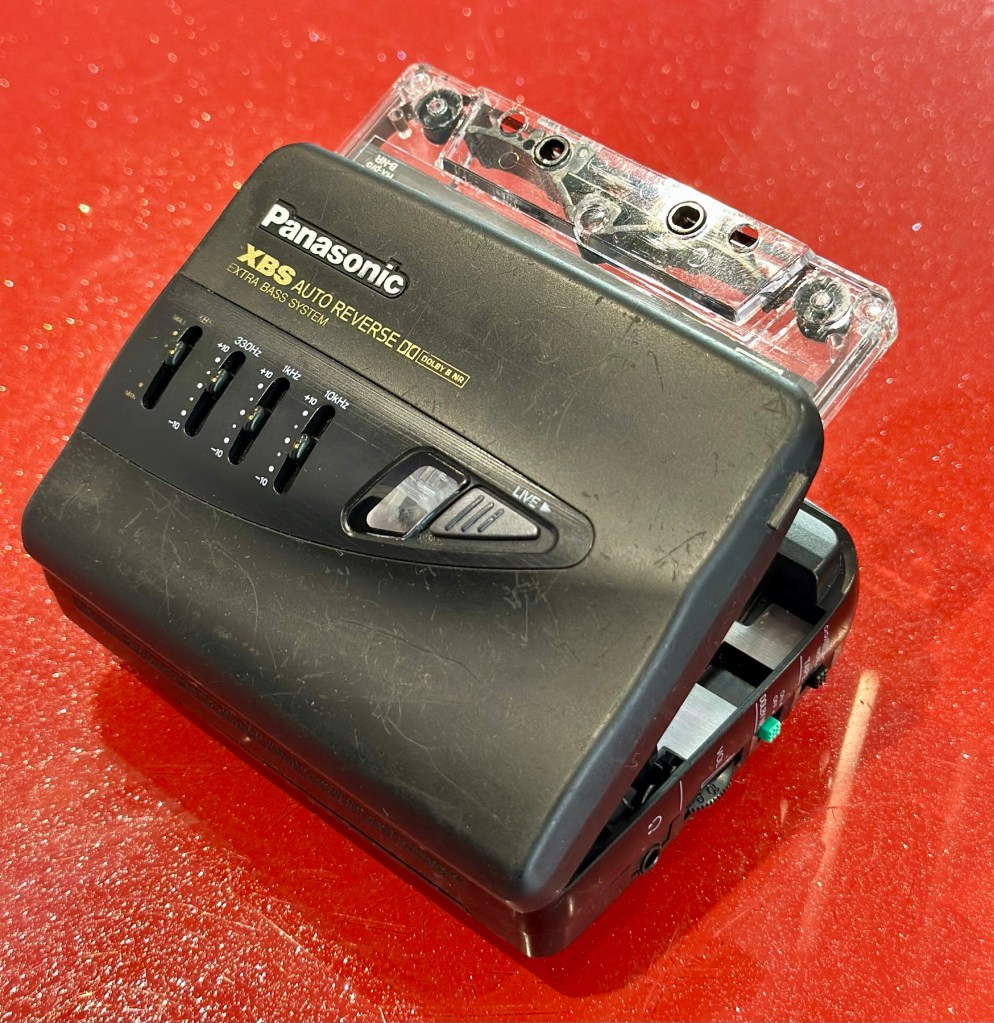
A quick polish, to tidy up, won’t get rid of the deep scuffs, just makes it a little more presentable. Cassette inserted, headphones plugged in and as expected it’s working just fine, we can hear Mr.Rea in all his gravel voiced glory. So can you, in this video snippet below, that hopefully won’t get a copyright strike 🤞
🎶 On the beach 🎵
So there we have it. Another item brought back to life with about 30 minutes work. It’s going to make someone’s day, and I’m as pleased as punch that I could play a part in contributing to that.
Working well, looking ok after a quick service and some TLC
There you go. Hope you enjoyed this quick fix.
Many thanks for passing by. Always most appreciated.
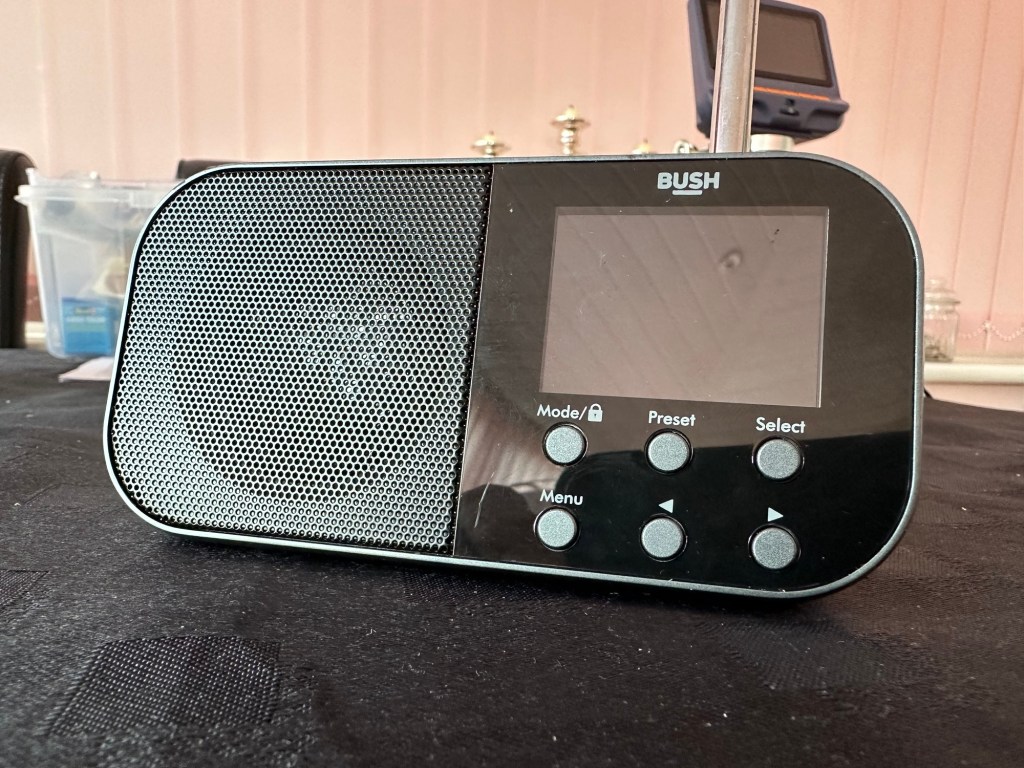
Simple as that. And yes it’s a tiny radio but in excellent condition cosmetically.
Bush handheld
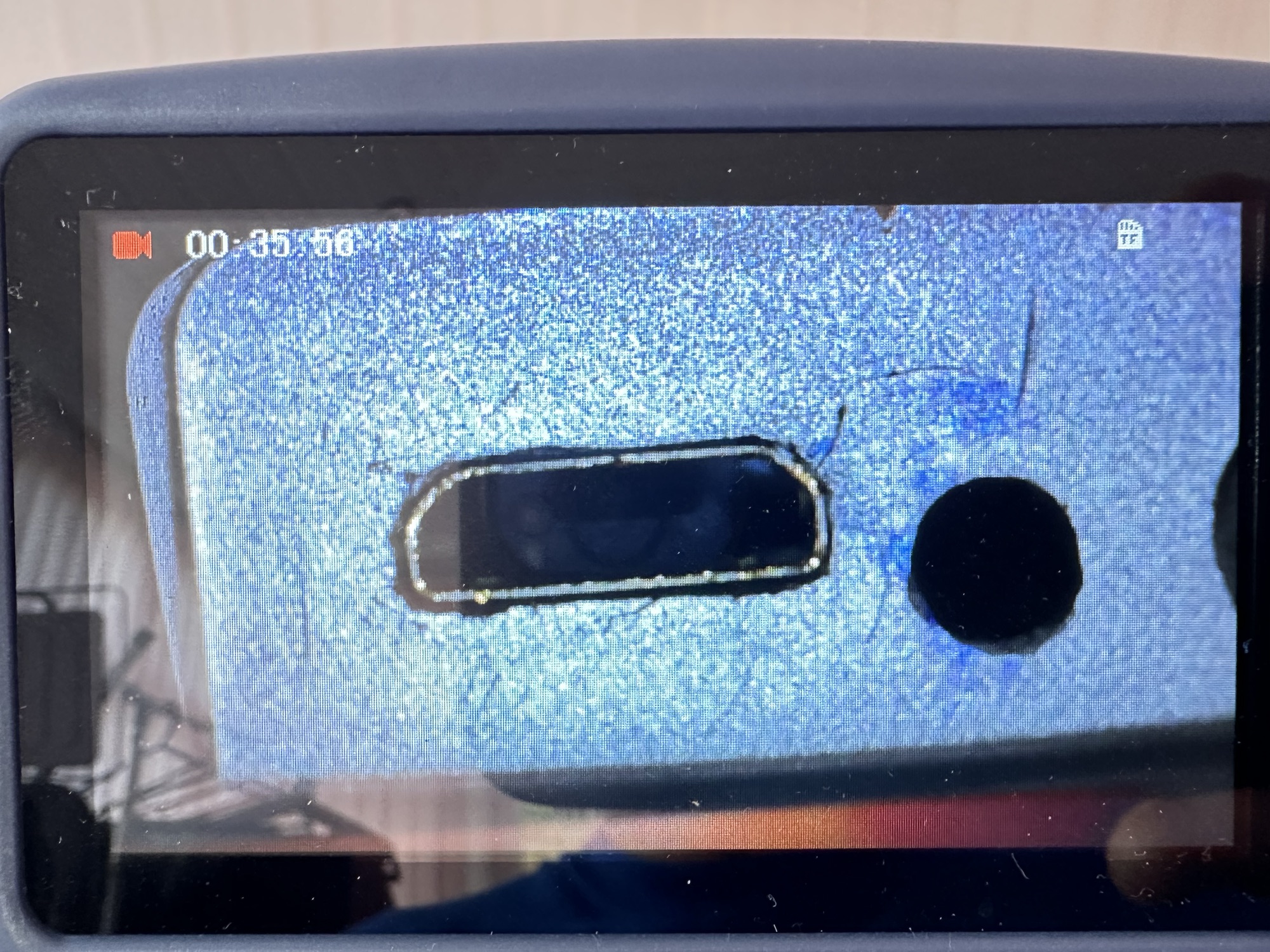
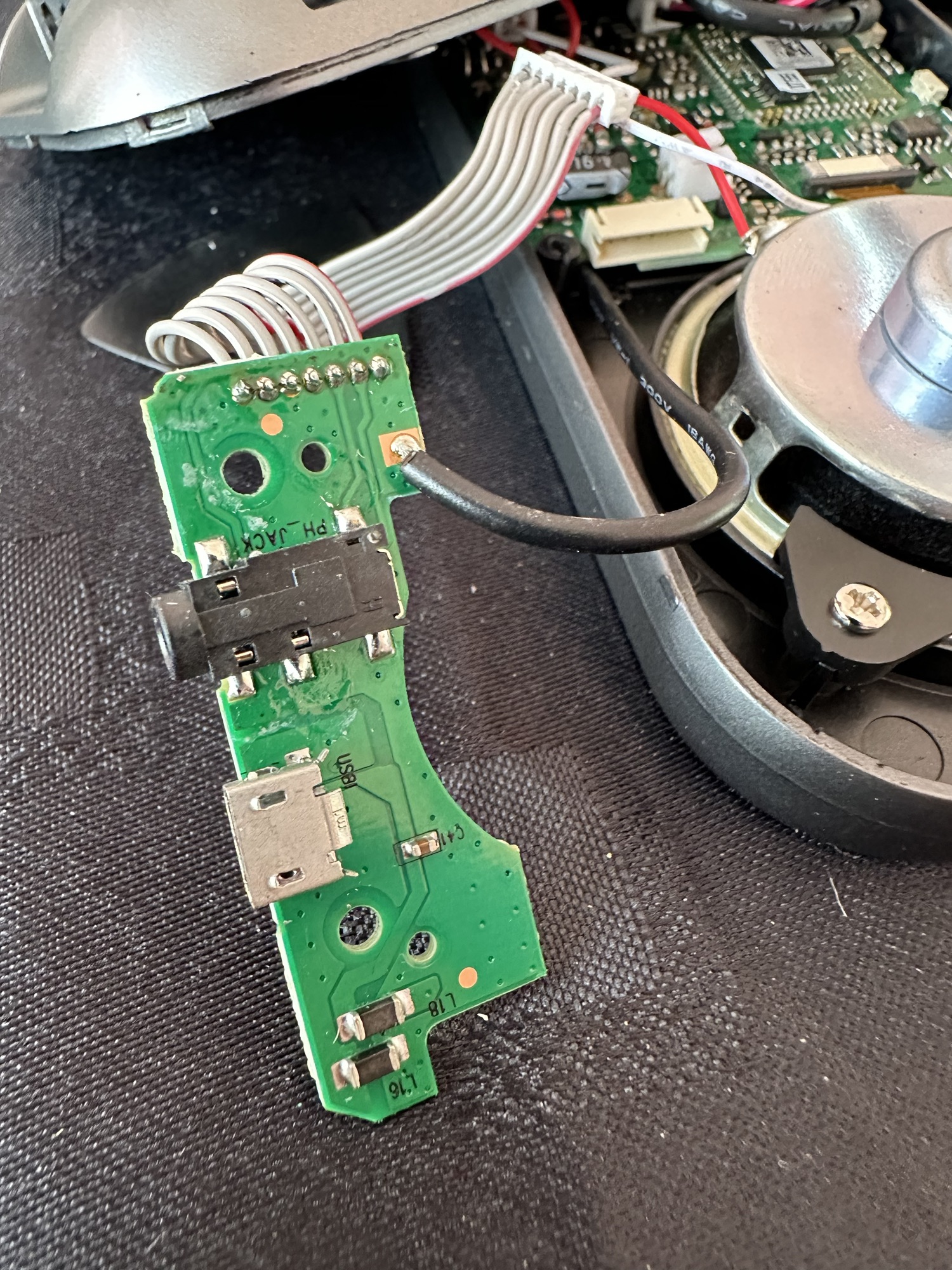
On inspection it’s obvious that the micro USB port is damaged and will need replacing.
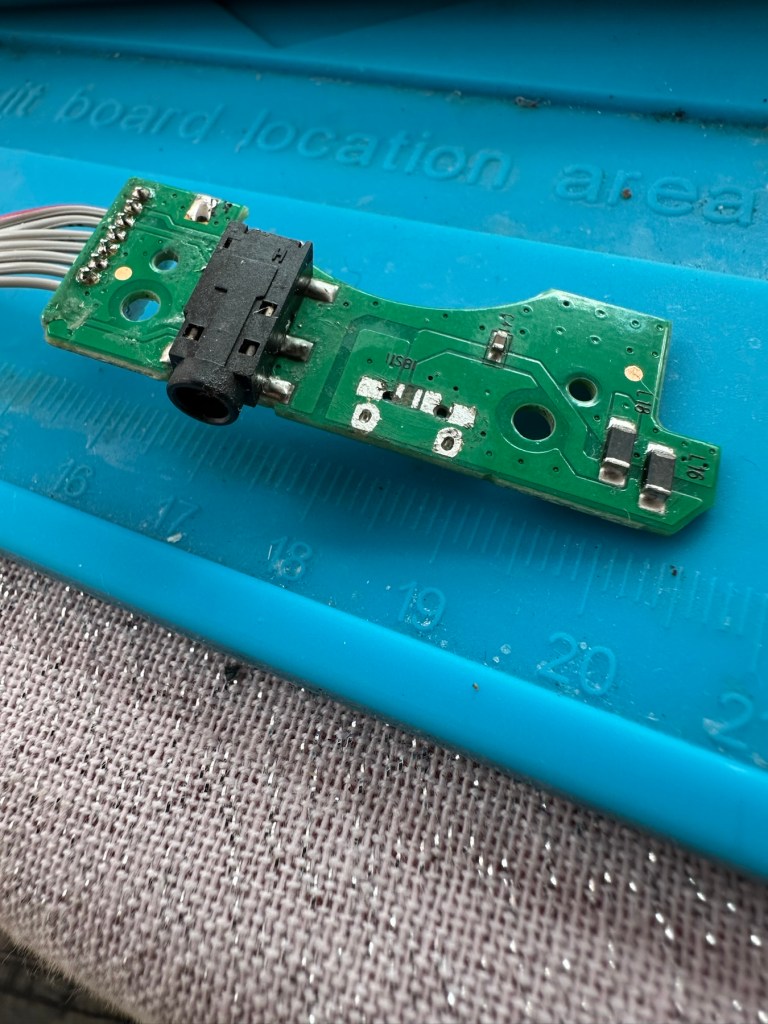
Broken micro USBWhat’s wrong?Power board
I’ve ordered some replacements USB ports from our friends in China so I’ll have to wait a few weeks before I can progress this project any further.
Micro usb ports
The ports have arrived from China, so let’s look to see if we can repair this unit.
*This project has been on the back burner since May 2024. 13 months later and I’m now on it*
Hello all, time to clear that backlog and what better place to start than here. I do in fact have two of these with the same problem so this is a two for the price of one project.
This should be a simple case of replacing the faulty charging ports that are both micro usb ports. They are small believe me.
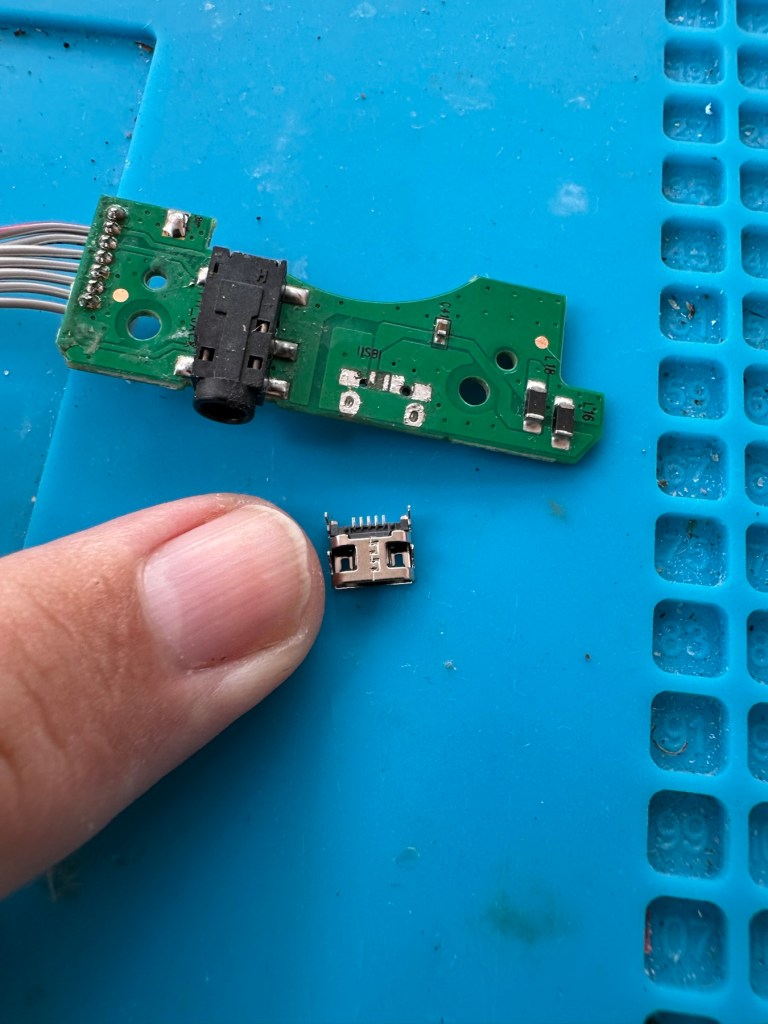
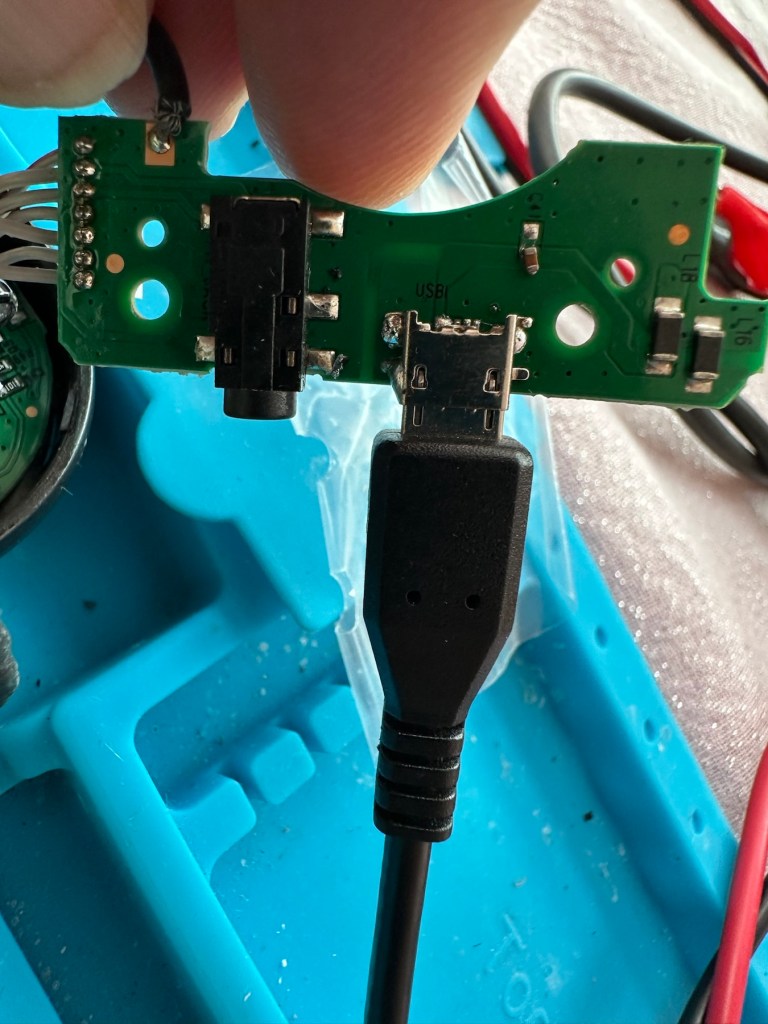
Old port removedNew port that has to be fitted
There has to be some preparation before we can get the new port on. Using a soldering iron and flux and a little solder wick, I clean the old board remove the old solder and give a good clean with IPA. I then prime the small connections on the rear of the charge port with a little solder. Now I put the port to the board and tack on the earth points. Then using a rework hot air gun I blast the port at about 350 degrees Celsius and hold the port in place with some tweezers until I see the solder glisten and melt around the port. I take the heat off and let the solder set before moving the tweezers and when it’s cooled a bit I check that it’s setting straight, all connections are good and solid. I then just add a tiny bit more solder to the anchor points for strength.
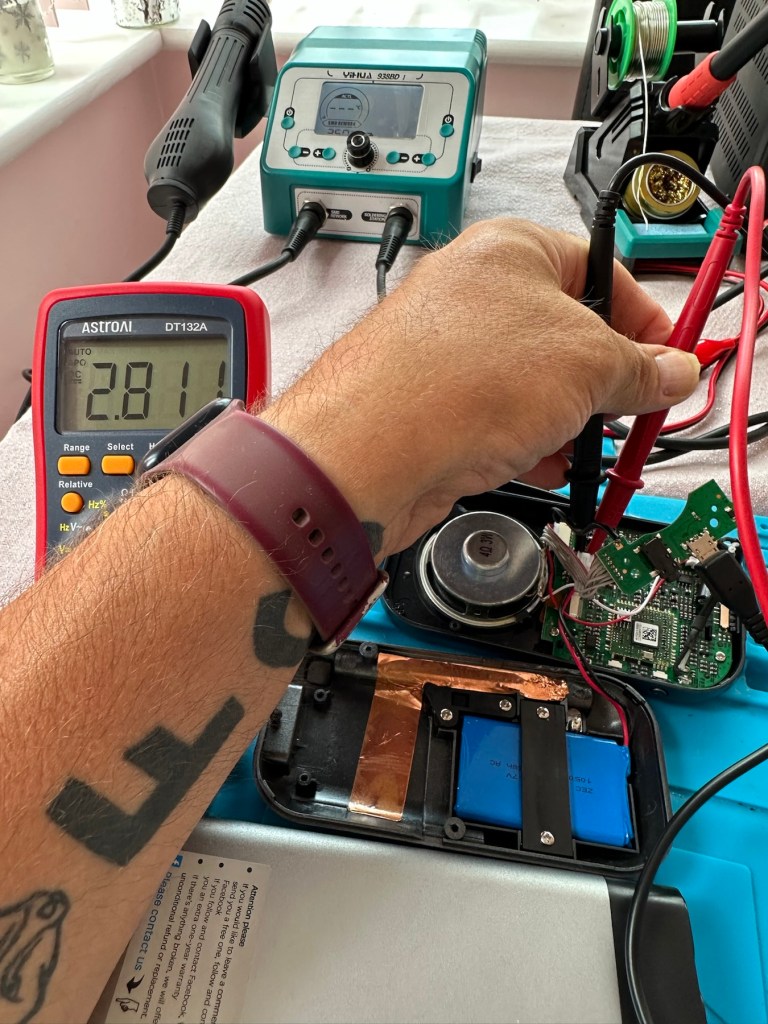
Whilst this is cooling down I check the status of the battery. It is a 3.7v rated battery and is currently holding a charge of 2.8v. It’s a little low but far from being dead. The second battery shows a similar charge.
Battery level
After the solder work has cooled I use my battery pack connected to a small ammeter to see if the radio and more importantly the battery is demanding any power.
Power cable connectedWe have a power demand from the battery.
Well that’s good news, 5v in and the demand from the battery is 0.96 of an amp. The battery is charging. And the fix is as simple as that.
Two perfectly good radios
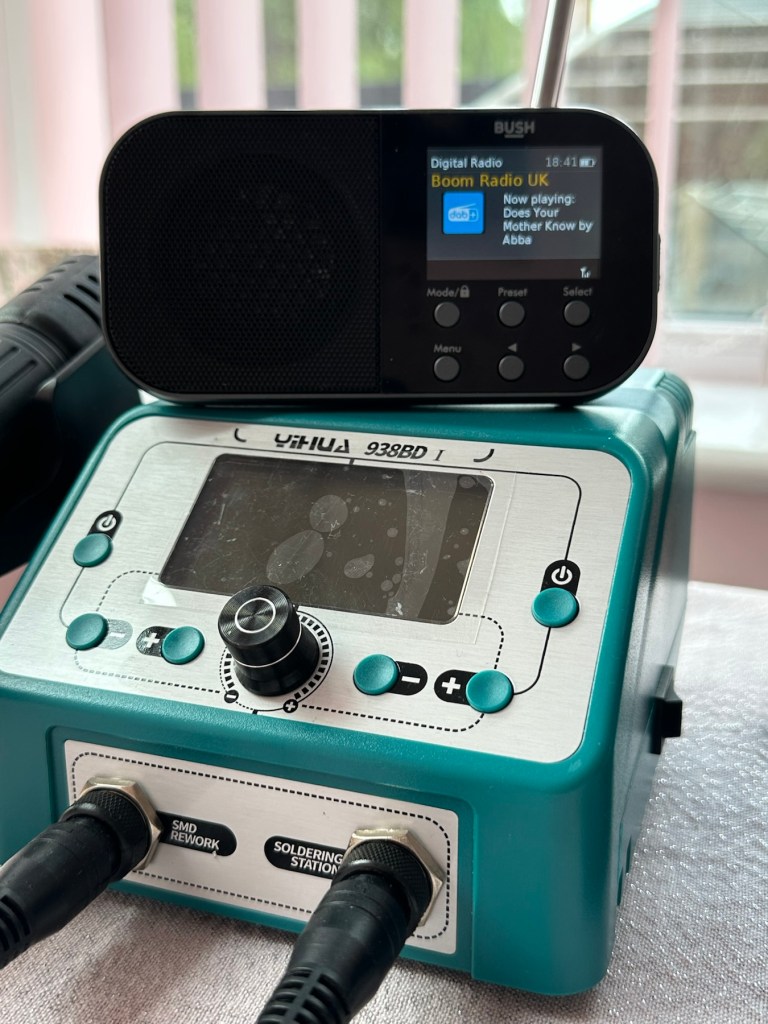
A little bit of soldering aerial contacts and a couple of other wires back into place and the whole unit clicks back together. Two screws inserted in the rear and time to switch on. Both radios tune in perfectly and the sound is surprisingly good for these little units. I’m keeping one in my work space at home, as I love having some music around me, I’d sooner listen to the radio any day as I hardly watch TV. The other radio will go into my work locker for when I’m working nights or in the workshop.
In my work space, but it won’t be staying here…
Im very happy with this little project, it only took about an hour and I don’t know why I left it so long. Another couple of items saved from the tip, it amazes me that these units probably all suffered with the same problem of inferior parts that failed early on in the radios existence. Kind of scares me just how many did go to landfill.
Two cracking little radios
Well at least these two are going to carry on for a few more years yet. And that’s a positive in my eyes.
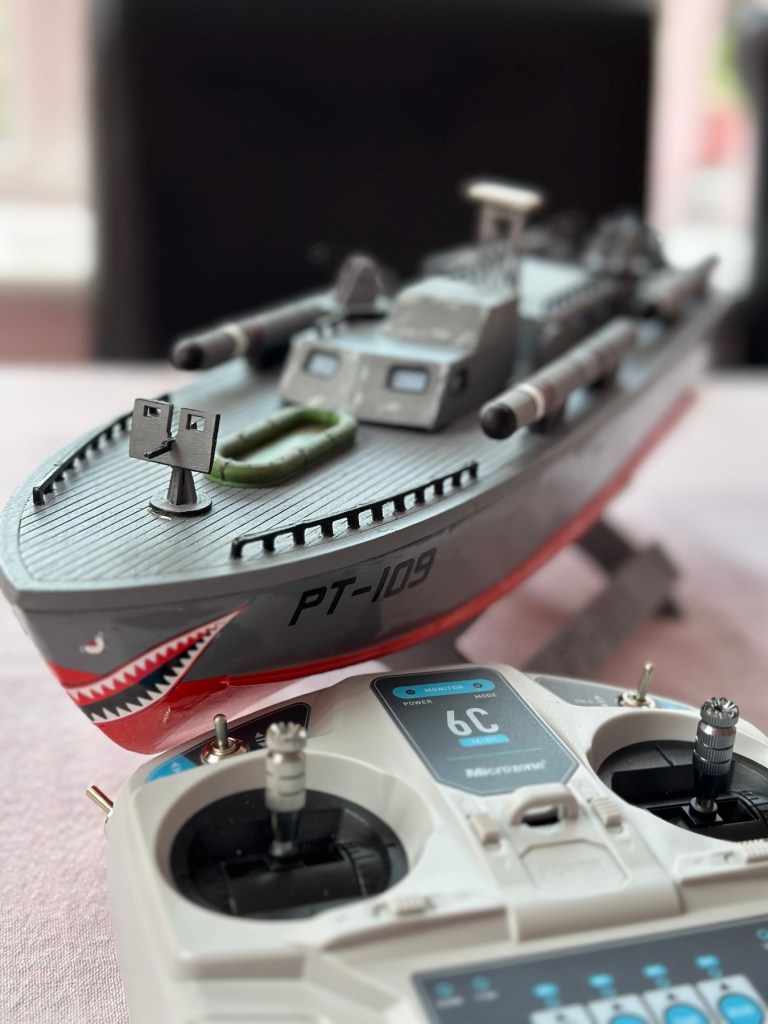
Today 16th June 2025 and this boat that I was gifted for my last Birthday back in Nov 2024, finally underwent proper trials on water, and thankfully after all the issues experienced during the building process it came through them with flying colours. There are a few little tweaks to do as a result of the maiden voyage, but this will only go towards making it a far better and less stressful task on future excursions. Boy was i nervy about today, what with all my family watching.
A nervous owner placing his boat on the lake…
And off we go…slowly
I only have the one battery for the boat so time was limited, and I probably managed about 15 minutes with it nutting about, before it stopped and had to be rescued by my Brother in laws boat that just happens to be a tug, a seaborne version of the RAC.
Luckily the seaborne version of the RAC were on hand
Anyway prior to that minor mishap the boat performed quite well, the motor is hellishly powerful and I thought it would go either of two ways. Either it would launch itself out of the water like a missile or it would go nose first into a deep dive towards the bottom of the lake. Luckily it did neither, however I did learn that turning at speed is liable to capsize the boat, so care needed to be taken when performing turns under power.
And she works…..
As usual I have learned a lot. It needs some minor tweaks such as a better centralisation of the radio gear in the hull, it needs some Baffles to be put in around the front deck where the hull and the superstructure join, to prevent water ingress at speed. The front does sit low in the water but at speed the contours on the hull do create lift, and this does work very well, so I am particularly happy with this.
A great day out, at the start of the holiday, and the fact I didn’t have to go wading to rescue a failed boat is also an added bonus. Really looking forward to showing the videos and pictures to the elderly friend who purchased this fantastic gift for me. They will be as pleased as punch, as they know about all the hard work and care that has gone into getting this project finished.
Thanks for following the journey with this project. As always it is very much appreciated.
How it looked in the last blog post prior to finishing
This post covers the finishing, that is the priming, painting and installation of the radio gear to complete the build of this wooden model boat.
I have to give a couple of coats of high build primer to the hull and deck sections, and for this task I will be using Guild lane high build primer.
This will seal the already sand sealed wood and give it a good foundation for the final paint application. I will give a good initial coat, lightly sand and fill any imperfections and then give a final second coat prior to choosing the colour scheme I’d like for this boat.
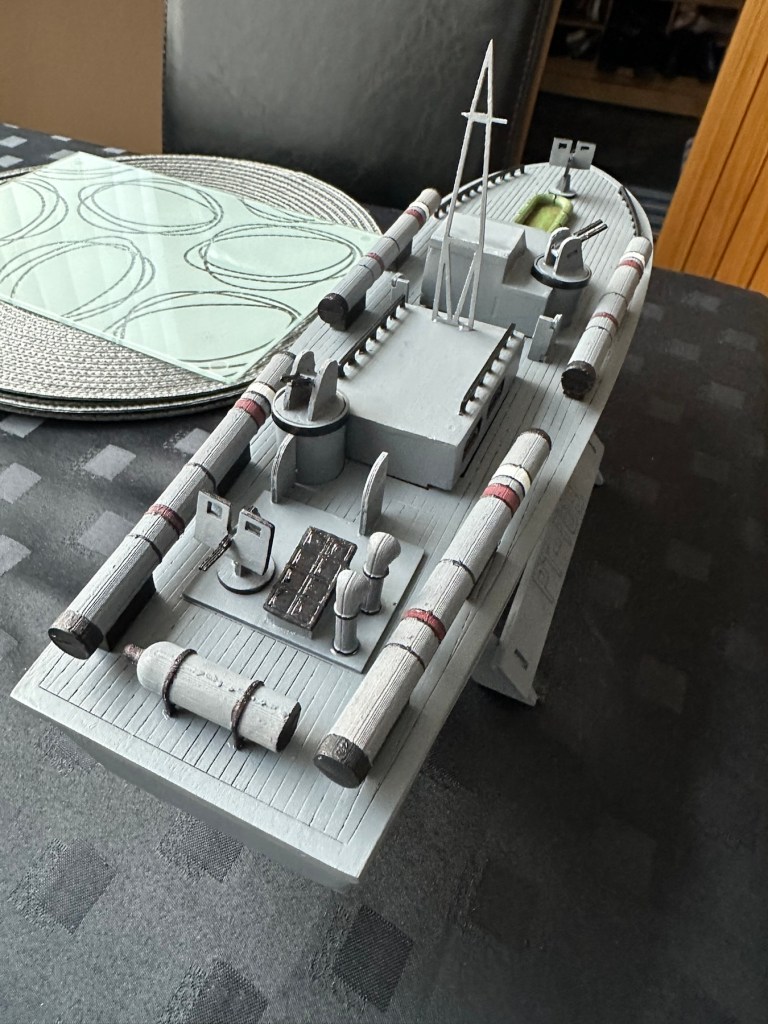
Today I have given the first two coats of primer to the hull and deck, and I’ve primed all of the cabins and guns and torpedos in preparation of individually painting them. I need to do a light sand on the hull and I believe a third coat will then suffice.
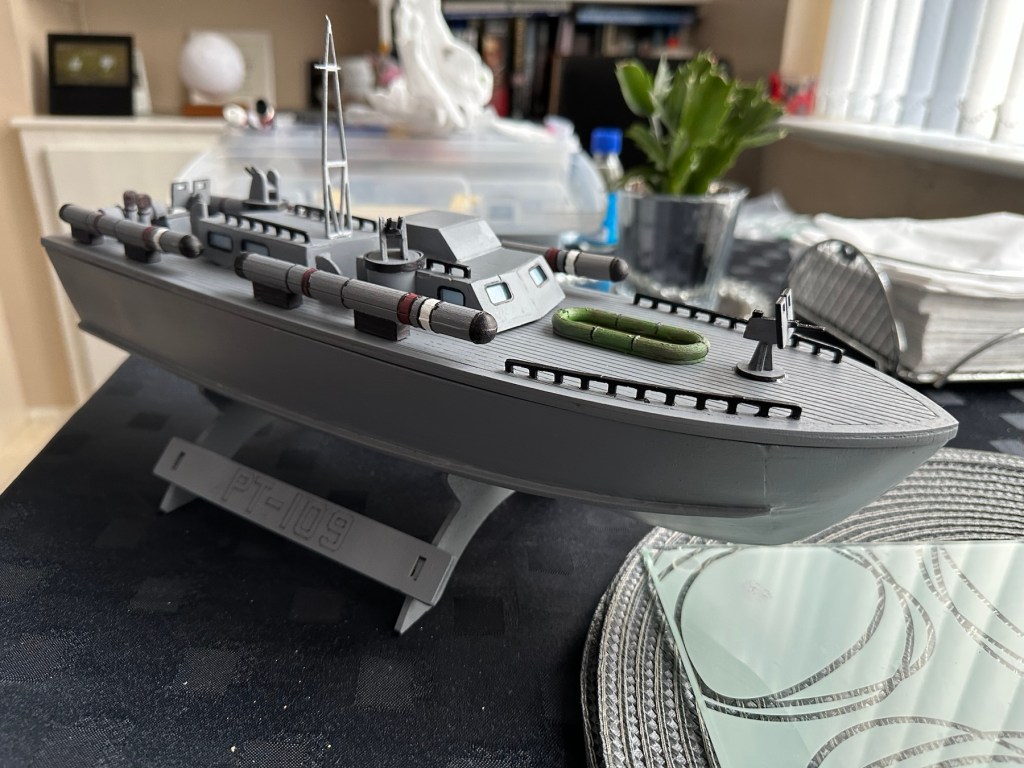
All deck weapons primed and painted
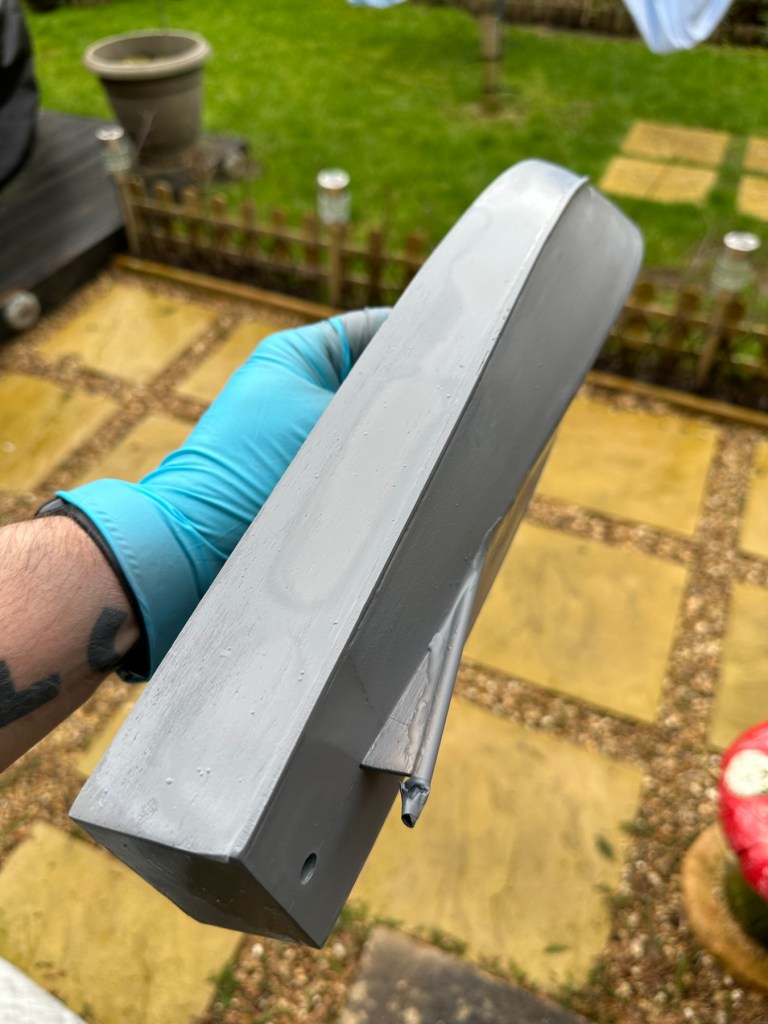
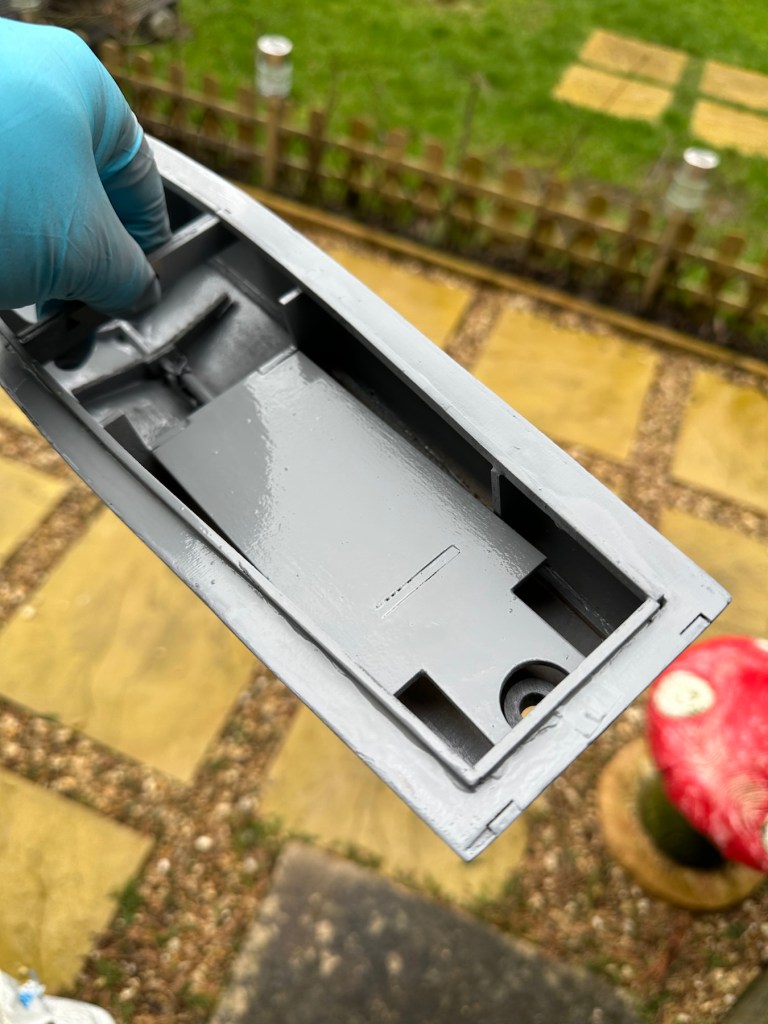
HullInner battery plateInside hull
I’ve given a light sanding to a couple of spots on the hull, I’ve filled a couple of tiny holes, sanded again then re sprayed the hull. I’m happy with how it looks at present. I’m not following a traditional paint scheme, so there will be no comparison to its original appearance. I’ve hand painted some of the deck fittings, put in the cabin windows and started to fix these items into place.
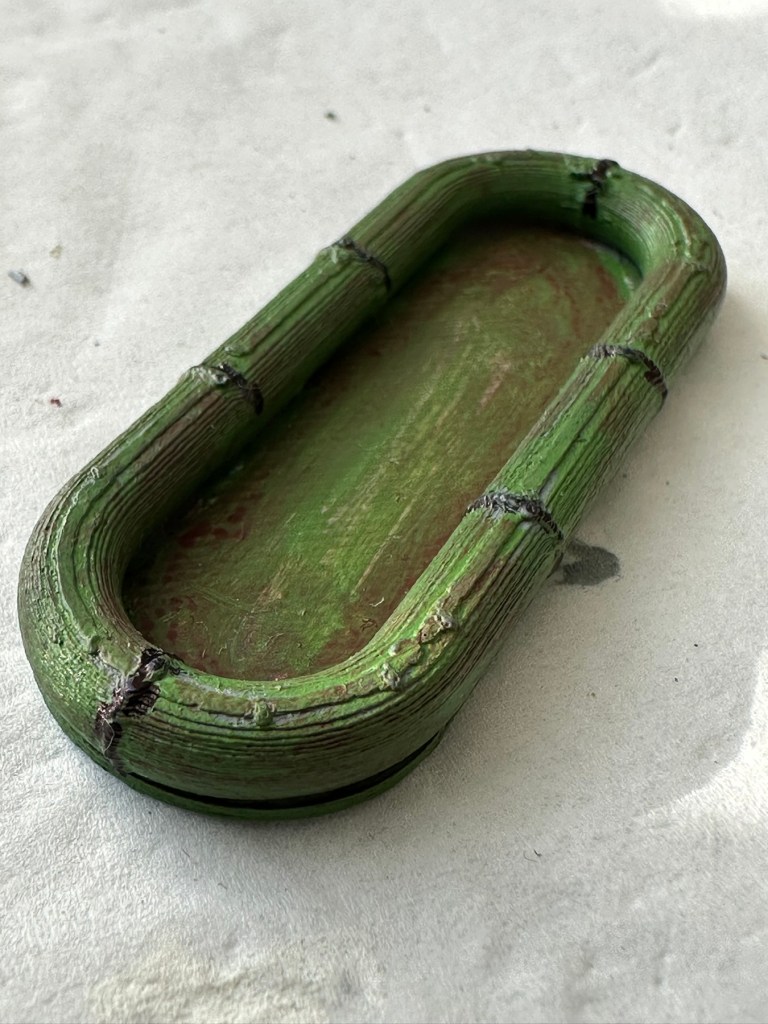
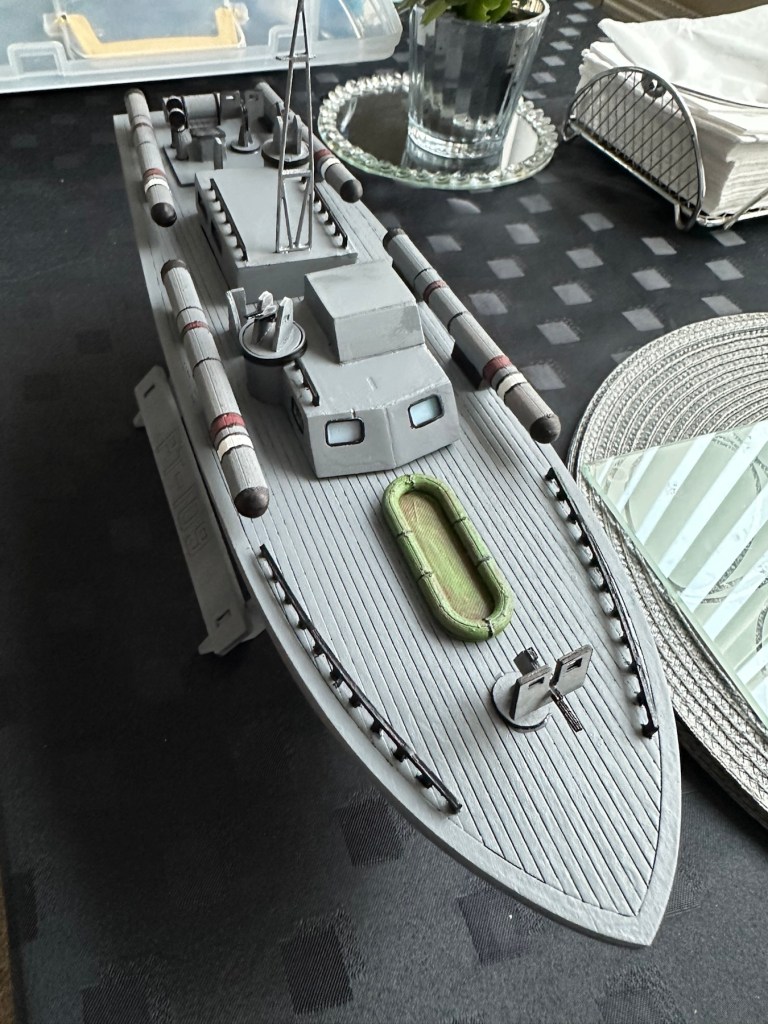
Hull painted deck fittings to be put in place. Deck dinghy painted and weathered Super structure addedDinghy placed Weaponry attached
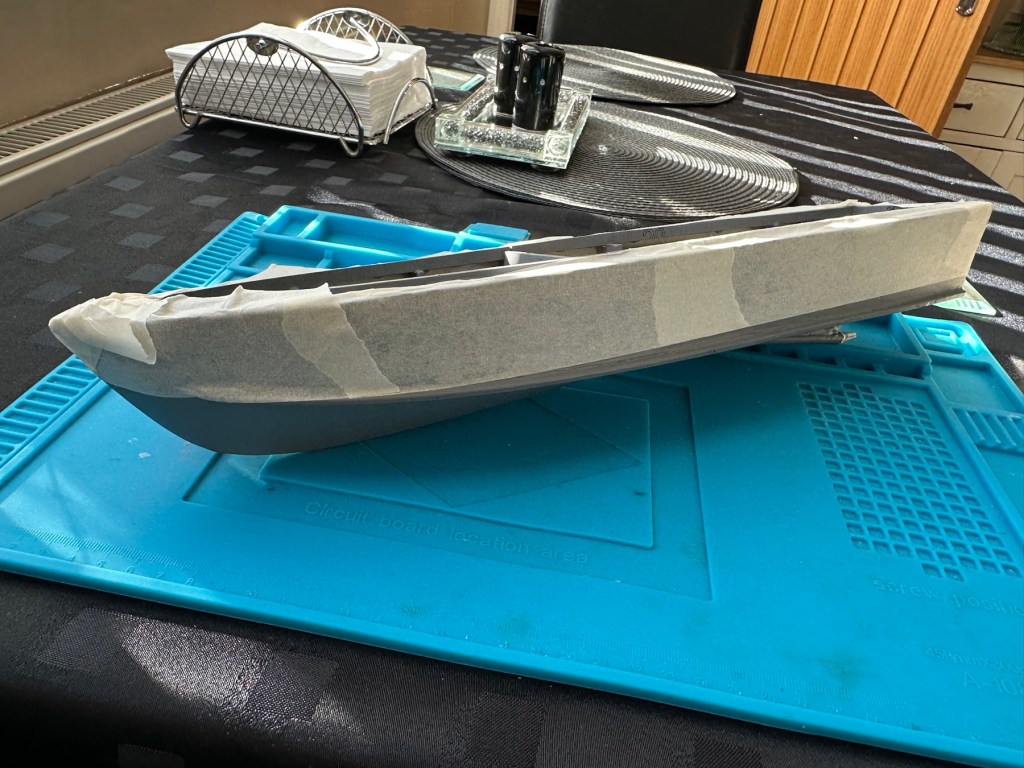
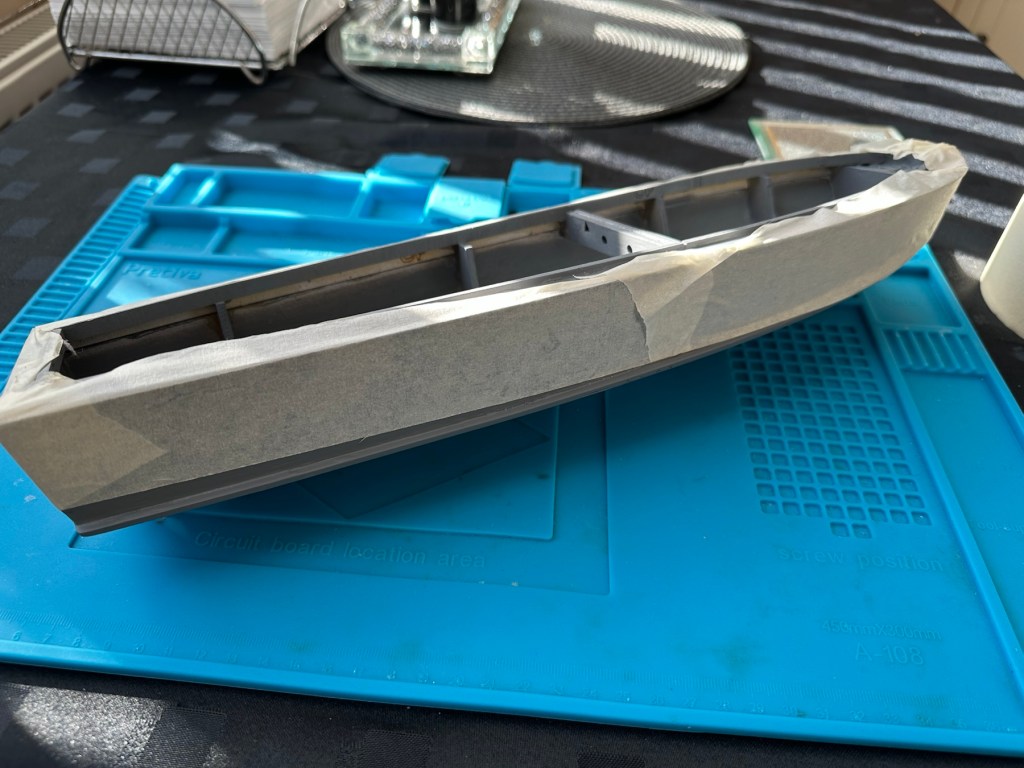
I’m just awaiting some red paint to finish the hull, then I can get some decals in place. Then I can seal it all to finish the exterior of the model and then I can concentrate on setting the motor and the internal electrical elements up. Next I have to mask the area of the hull that I will paint red, I’ll do this now before the paint arrives as it just has to be right first time. I don’t want to be touching up too much if I can help it.
Masking of the upper deck in preparation for a red belly
I’ve made a pair of support struts out of balsa that sit behind the aerial, I’ve changed this area completely as it was too delicate and would have been a nightmare to transport. I’ve built a modern style array for a radar, I know it’s not going with tradition but again it makes for easier transport and reduces the need for repairs on the go.
First coat with mask in place
I’ve done the first three coats of red paint for the waterline, I’m going to leave this 24hrs now before I peel back the masking to reveal what mess I have underneath. Fingers crossed on this 🤞
Masking tape all removed
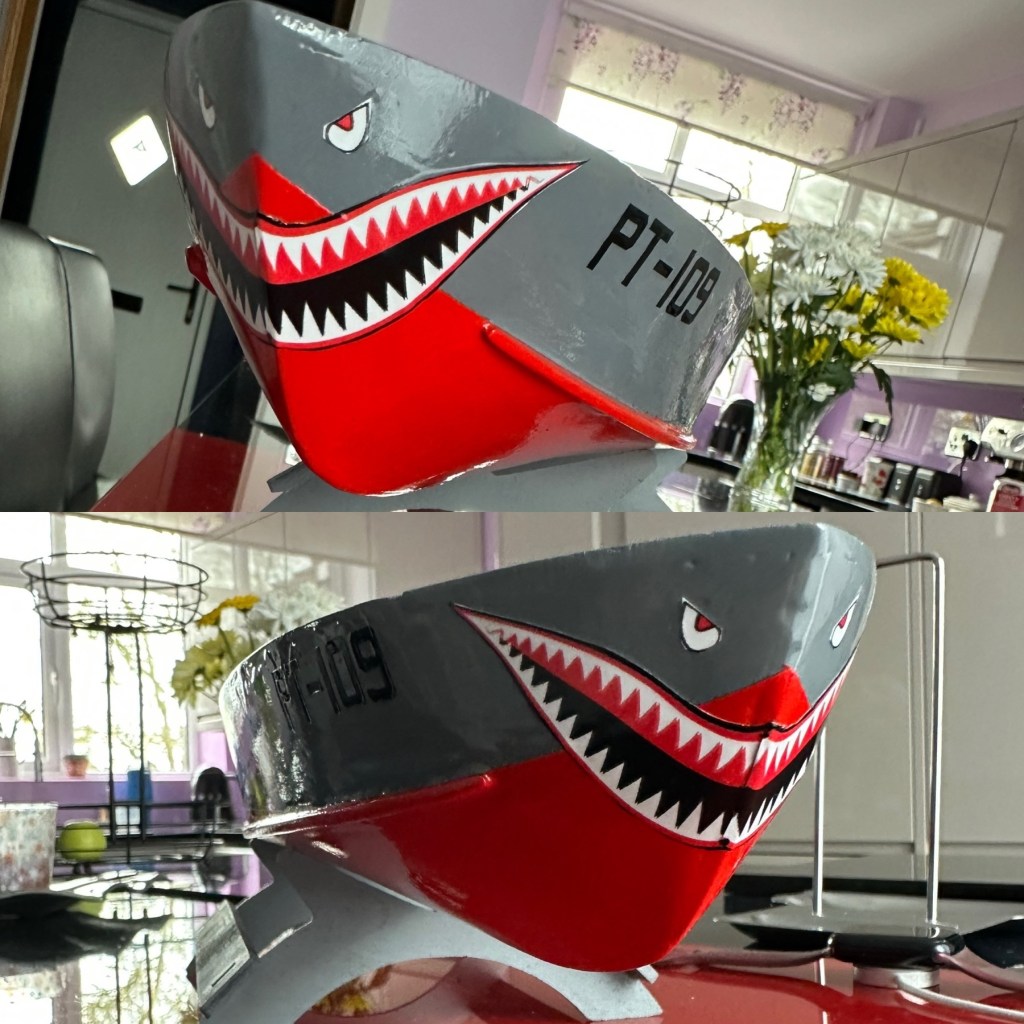
Fingers now uncrossed I’m really pleased with the outcome. The masking tape has been all removed and we now have a nice crisp line around where the red joins the grey. There’s some like marking up by the front end that believe it or not are finger nail marks when I was applying the mask. I’m not worried about this though as I have some sharks teeth decals coming that should cover this area. One of the little additions I wanted to make, to put my own mark on the build. Once all the decals are placed I will then give a final coat of a yacht varnish to seal all this work. I’m going to test a small area first as the last thing I want is for all this hard work to run into a gooey mess.
I have done the tests and commenced with coat one of the varnish. It looks gorgeous. Im probably going to do a further two light coats and that will be the hull complete. I haven’t put the decals on yet, I will probably do that prior to putting on the finishing coat.
All decals placedVarnished
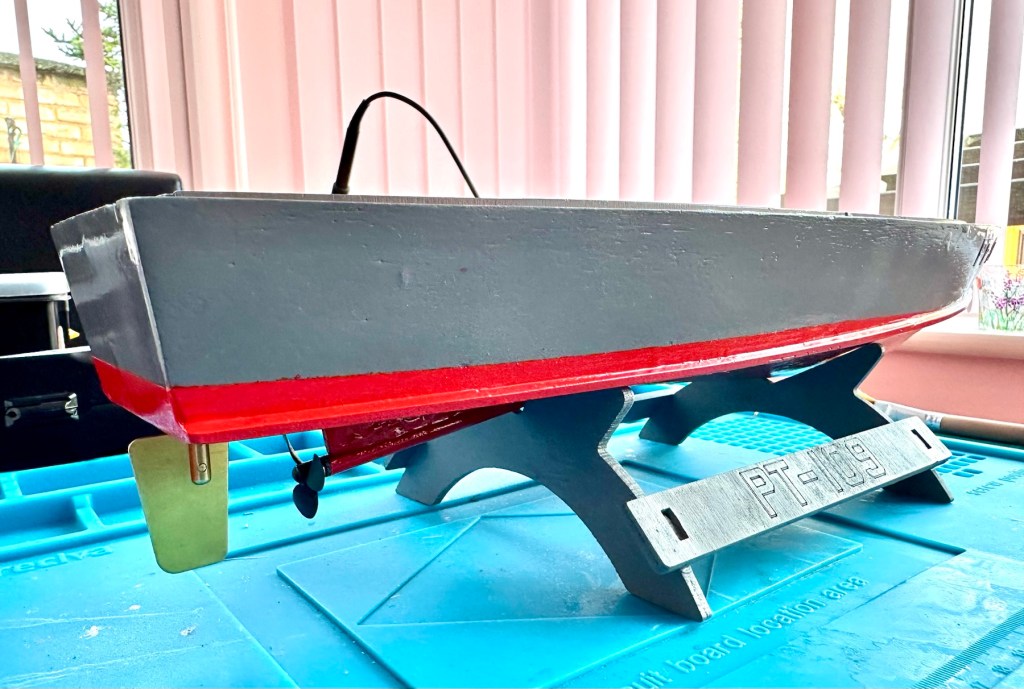
All decals applied and final varnish completed. I can now look at getting the rudder and electronics installed. I’m happy with how the whole hull area looks.
Motor, prop shaft and rudder now in placeLooking good on her stand with prop and rudder in place
All that is needed now is to place the battery, receiver and ESC in place. I have quite a strict time on this build and I must have it ready for “Lake” trials when we go to Norfolk in June.
I will also be borrowing my brother in laws pond for 30 mins or so to do a balance and water tightness test.
Let’s get the electrics installed.
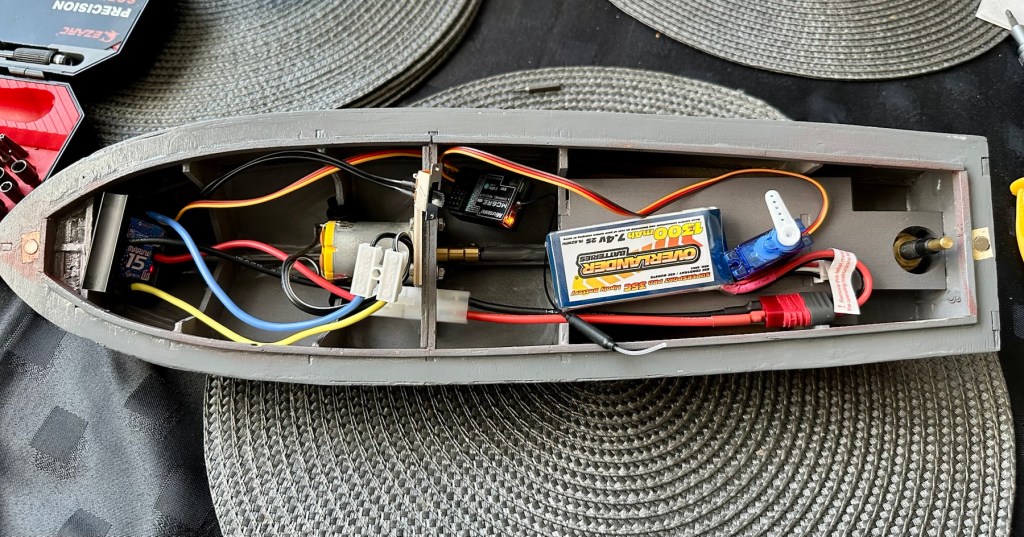
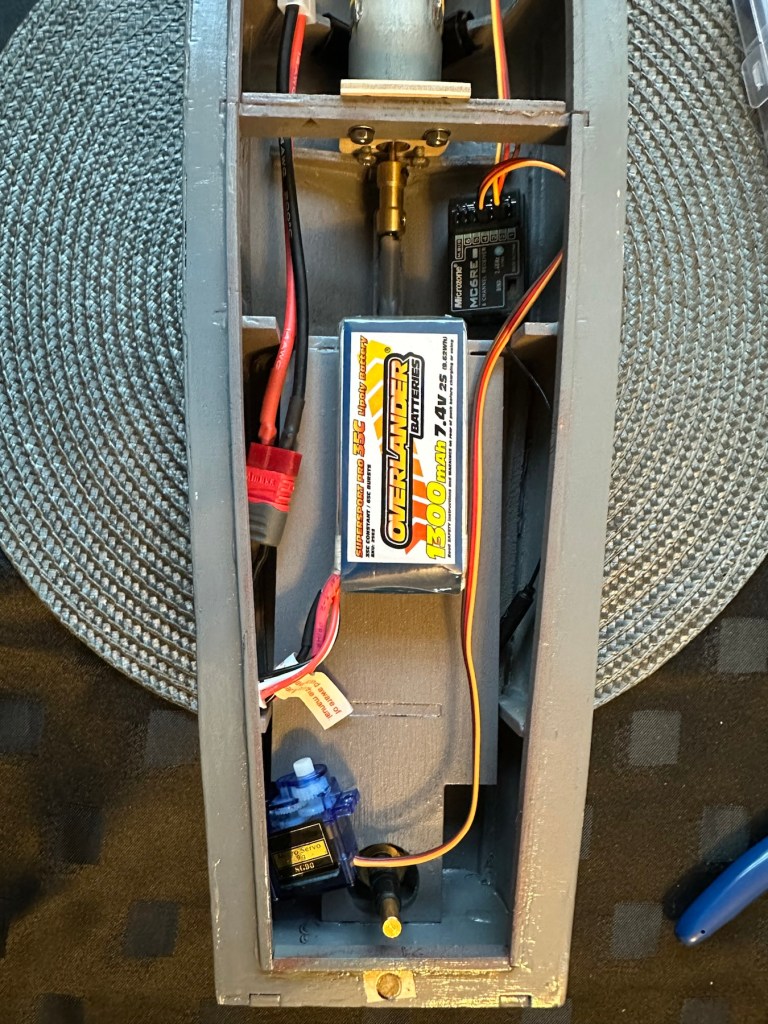
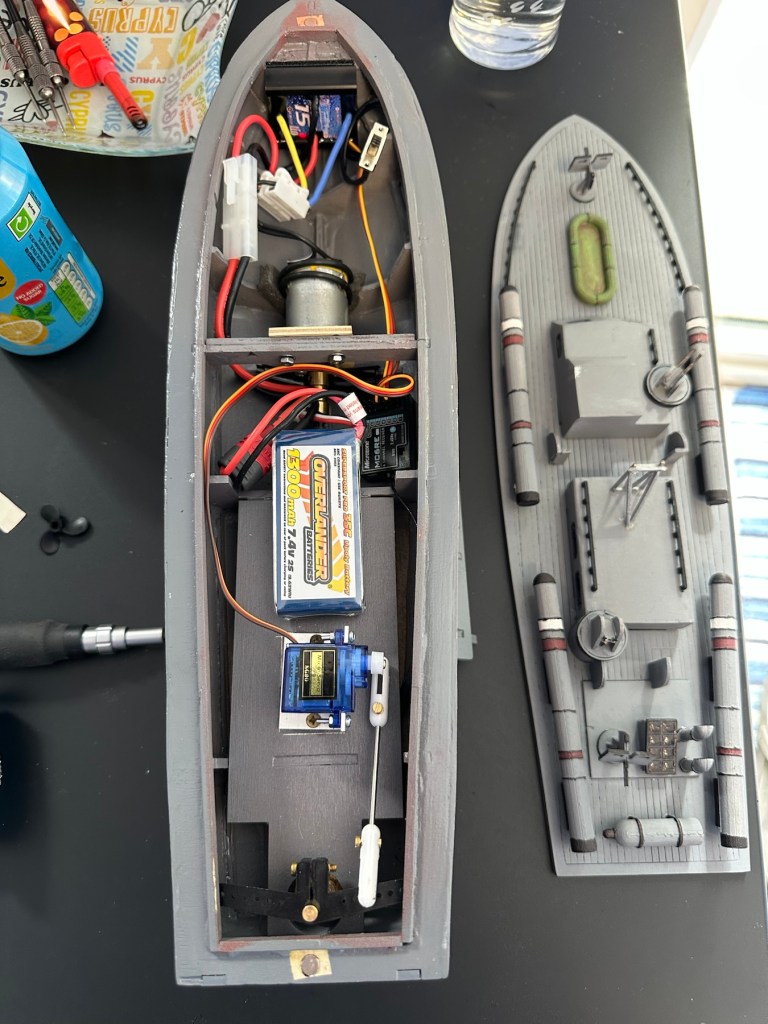
Having never really done this before, I’m quite amazed by the amount of gear I have to fit into such a small area.
All this has to go in there….i need a bigger boat
It’s in – just needs sorting
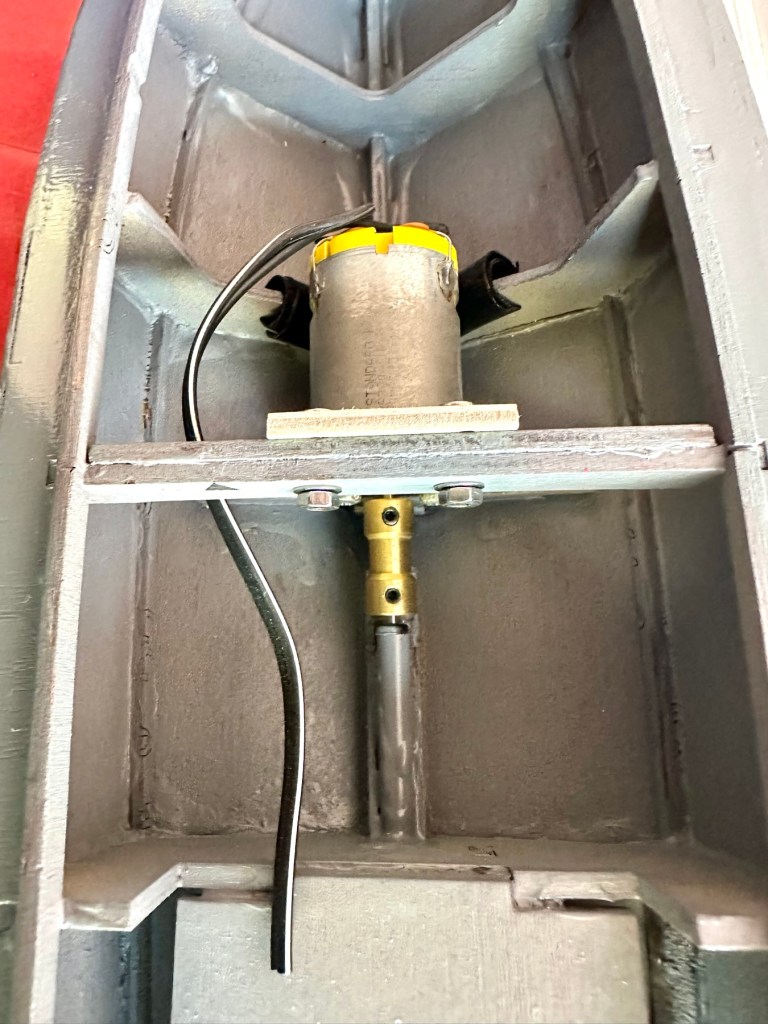
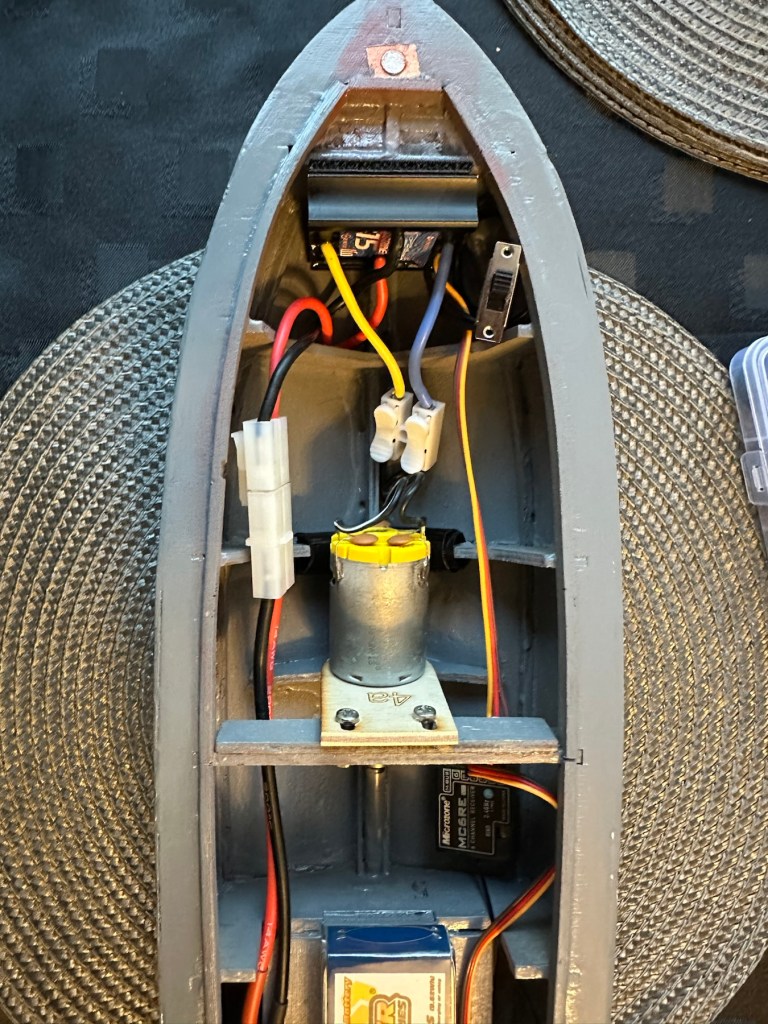
I’ve managed to put these items in-situ, in a rough position inside the hull. I need to shorten some cables, I need to somehow position the rudder servo, but I’m sure that will not be an issue. I’ve already tested the centre of balance and I’m happy with that. Later today I shall start to really tidy the layout by working from the front to the rear of the hull.
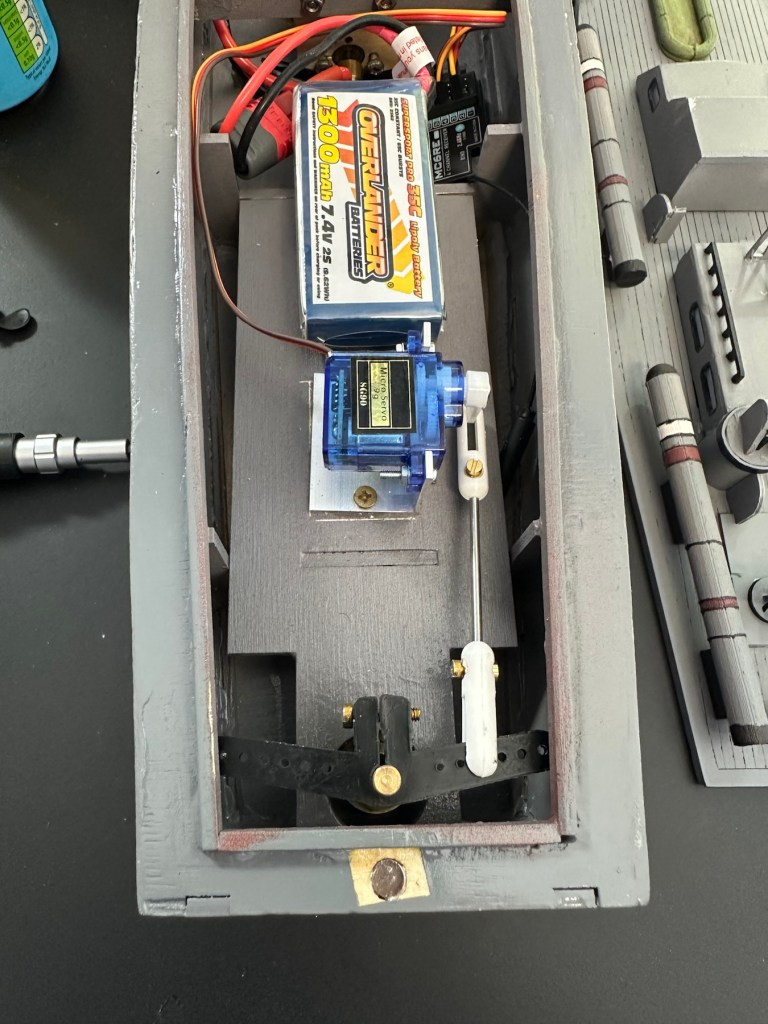
Front RearThank the Lord for Velcro tape. All complete apart from the rudder connection. I’m still working on that.
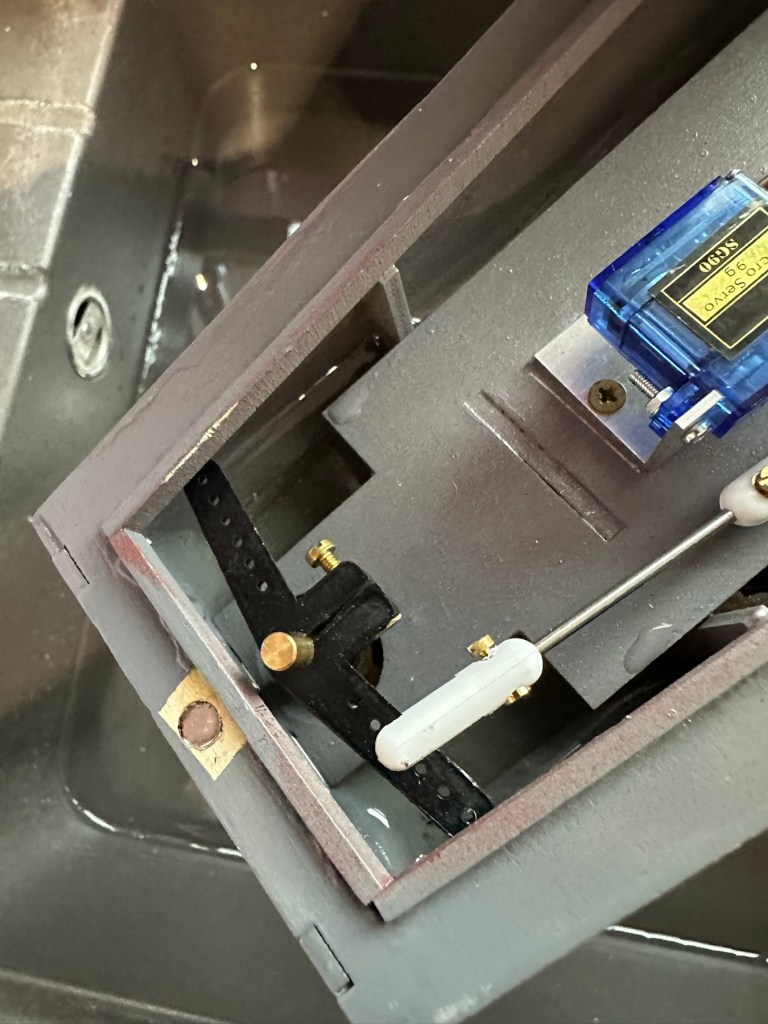
I’ve had to purchase a small bracket for the rudder servo along with a couple of connecting rods. Hopefully we can now complete the electrical connections within the hull and get the rudder operational, then I can get it water tested to check for leaks and balance.
Rudder linkage in place, just needs shortening
Rudder linkage now adjusted and in place
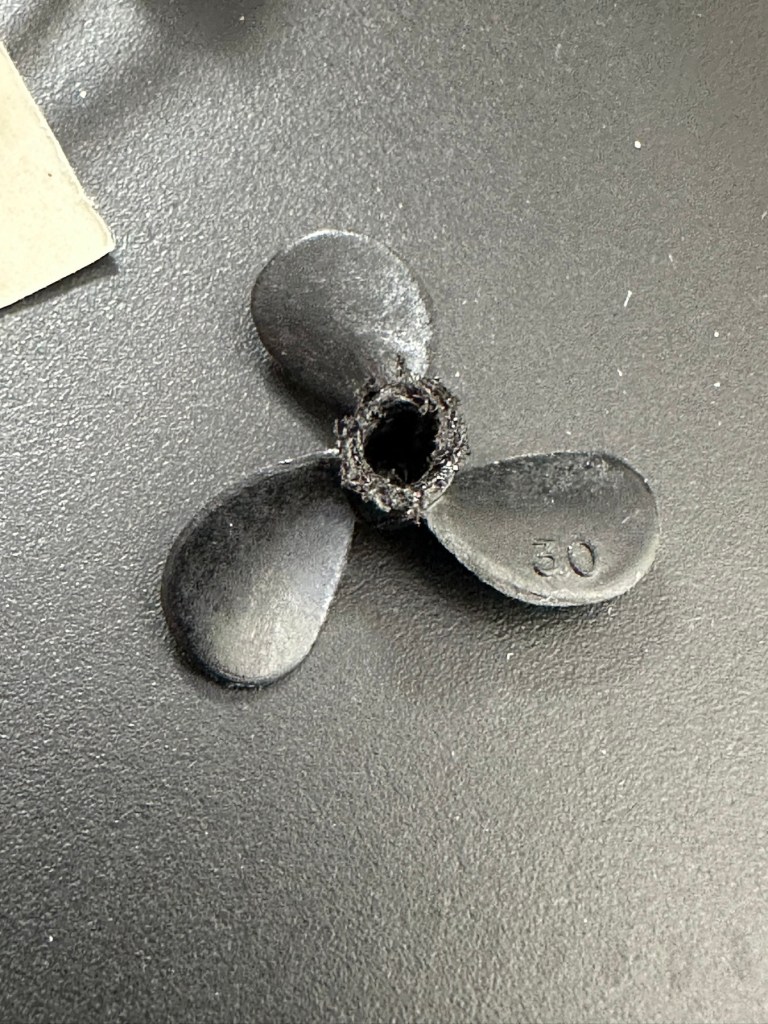
I’ve just had quite an annoying and inconvenient moment. The rudder linkage is all now in place and working fine, however the issue lies with the propeller shaft. I’ve rather foolishly connected it all up but left the propellor flush with the shaft end so when I put on full power to test, there was a burning smell as the propeller wizzed past my ear across the room and the shaft seized up. There was such a build up of friction between the propellor and shaft that the propeller melted and bent the 2mm prop shaft out of place. A stupid mistake, caused by my rushing to get this completed.
A melted propeller with the screw mechanism missing
A small video that shows the rudder mechanism working
I’ve now had to order a new prop shaft and propeller, hopefully these will arrive in the next few days and I can then get the build finished.
New prop shaft in place, and all electrics and functions are now operational with the motor purring away nicely. I’ve adjusted the distance from the prop to the shaft to reduce Friction and this appears to be working fine.
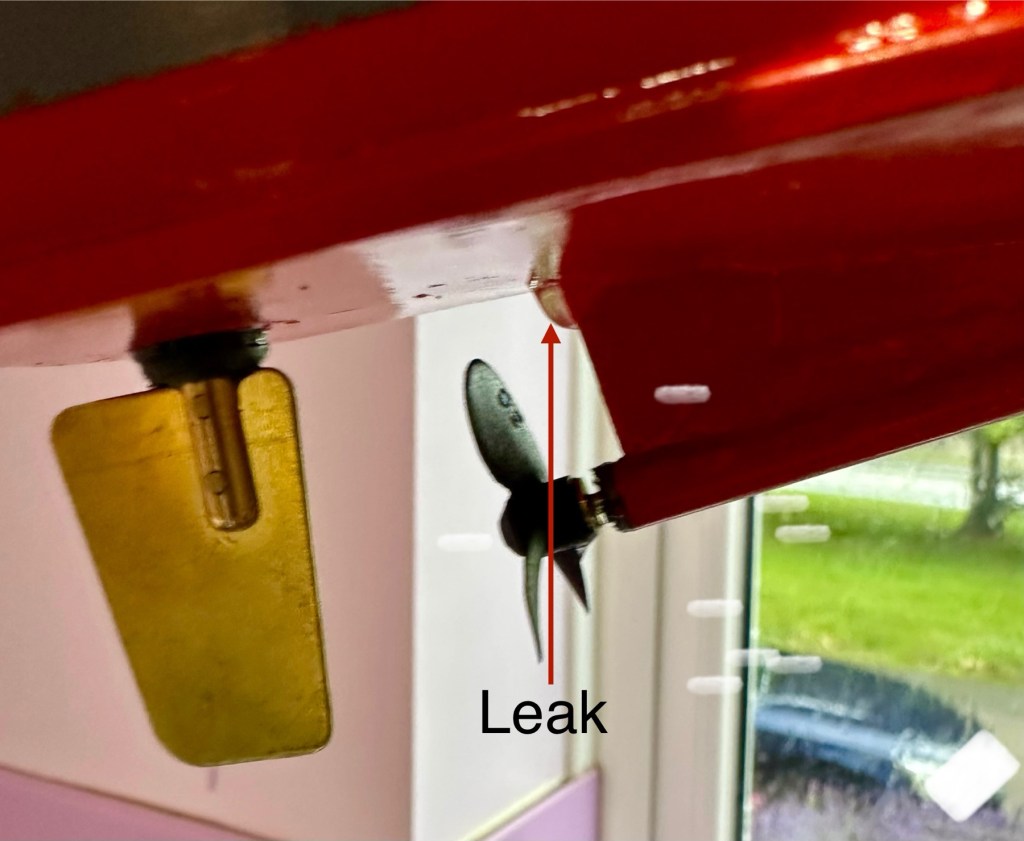
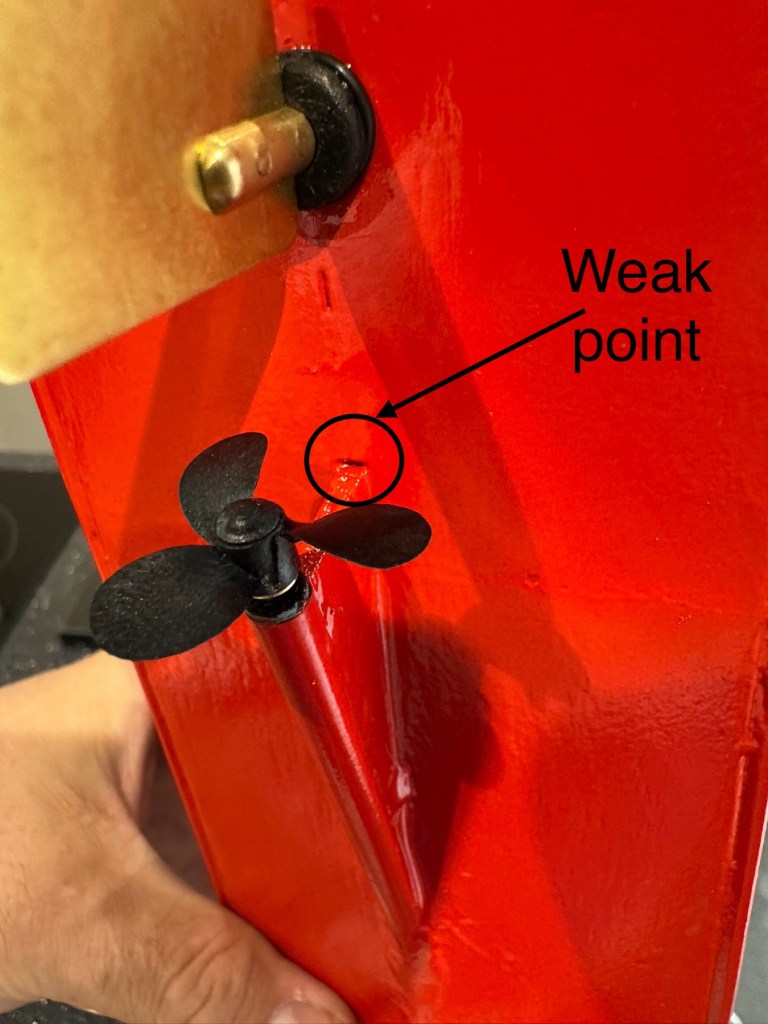
All functions working nicelyLeak can be seenWeak point found
Now to sit her in some water for leak test.
Floating nicely After 30 minutes we have water ingress
The leak test was going so well, all functions worked well and she was sitting nicely in the water.
Water test
The positive here, is that there is no leak in the front end there was no water present here. All the water was in the rear, however it was not entering via the rudder mechanism or the drive shaft.
I removed the hull from the water, tilted it in such a way for the water to gather at the rear, and dried the underside of the hull. After a few seconds you could see a drip starting to gather at the top of the mount that holds the drive shaft in place. I knew it must have been a slow leak as this took almost 30 minutes to build up, I’ve caught it just before it impeded on any of the electronics.
I’ve now emptied the hull of remaining water, it’s now drying off naturally and I have a plan in place to repair the issue once the hull has fully dried. I’m probably going to use some epoxy resin to seal around the whole drive shaft fin, and then I’ll paint and seal this part again. We will then repeat the trial.
Back in the water the following morning at 07:50 after being sealed with epoxy resin on the hull, let’s leave her alone bobbing around for 30 minutes to see what occurs. It’s not good news….again.
Timelapse over 15 minutes
As I’m impatient, I set up my camera in time lapse mode to see if I could pinpoint where the water was accessing. My suspicions were that the water was coming up the drive shaft however I’m quite pleased that the timelapse shows this is not the case. the water appears to be accessing again from the very base of the hull. This area was sanded to quite a thin tolerance so i suspect, that even with all the sealing, two coats of paint and a coat of varnish there must be tiny holes along the hull. The previous sealing I did cured the issue at the rear, it now appears that I will have to carry on with the resin coating or something similar, along the length of the hull. To make things entirely water tight I’m going to remove what I can internally and also seal inside the hull as well.
One good soaking of polyurethane varnish later…
Three days after all this varnish has dried, I have done another float test and this one was with all equipment on board for an hour…and it was successful. We seem to be dry. I’m now putting the whole boat back together now ready for its maiden voyage at Gorleston boating lake in a weeks time.
Ready to go…
I will do a separate post regarding the maiden voyage and its outcome whether positive or negative shortly after.
Thanks for passing by, as always it’s very much appreciated.
I did my Morse test back in 2003 just after I passed my City and Guilds 765 RAE exam in Amateur radio. It wasn’t a compulsory requirement as it was in the States at that time, but I chose to go with it. I wasn’t the fastest in the world but I enjoyed using it to be able to partake in my favourite part of the hobby, low power QRP operations.
As morse uses such a small bandwidth, distant operations using very low power below 5 watts are very achievable. Wspr transmissions operate in even smaller power ranges, however that’s a whole different story.
So what’s the Psion organiser got to do with Morse?
When you set out trying to master Morse you look at loads of techniques and ways to make your journey that much easier. There are Morse trainers, there are even Morse decoders and encoders that basically allow you to “Cheat”, but what’s the point of that as you’re not going to learn anything that way.
The Morse Datapak Psion Organiser II LZ
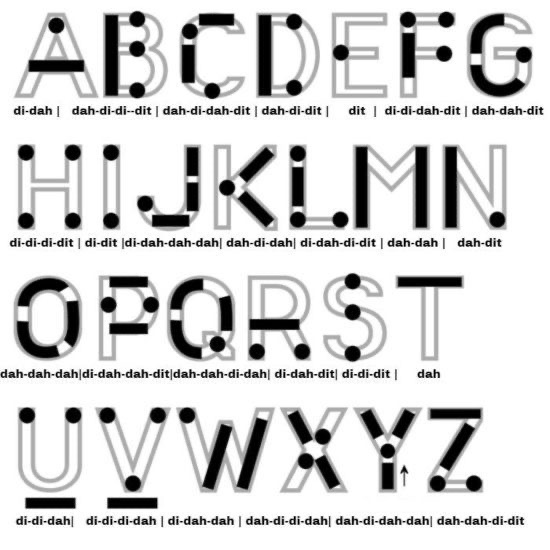
I used a technique called the visual mode technique that allows you to learn Morse by associating the dots and dashes with the actual shape of the letter and number. It works well when translating to paper, however Morse is a sound mode and it is better to use sound association, that will always work the best. I have this on a book mark to this day, as well as having it as screensaver at work. It worked for me. That’s where the Psion also had a part to play in my education.
Visual mode technique
I have a pre loaded data pack that runs perfectly on this old 1980’s machine. I used a very similar program back in the day, but not this actual one (See pictures above). The program and files are extracted and copied from the Interair Airnav pack and i have uploaded a small video below to show it whilst working.
“Peace”
With this program every digit you press on the keyboard is repeated back to you in Morse code. It’s a fantastic way to keep yourself on the ball. There are a few minor errors but the numbers and letters are pretty much spot on. It’s a great way to learn the shape of a word by sounds, and that’s a big part of Morse code, where you use phonics or the sound and shape of a string of dots and dashes to learn particular words or formations of groups of words. I’m probably making it sound more difficult than it actually is, and I apologise for that as it really doesn’t have to be. Each person finds their favourite way to learn, and this worked just fine for me all the way back in the early 2000’s about 22 years ago.
Have a great day and peace to you all or should that be :

































 Foxes Den
You must be logged in to post a comment.