
My First Meshtastic build

I recently wrote about a decentralised radio network called Meshtastic. Here I attempt to build my first Mesh node using a kit, and by also printing a 3d case.

I recently posted an article regarding a low power decentralised radio network that you can read about here: Meshtastic

That post was an introduction to the mode, this post is my first attempt to assemble and program the equipment, and to try to create a presence on the Meshtastic network.

I’ve dived in and purchased a basic starter kit, the Heltec V3, and a separate GPS module, it’s my intention to install the GPS module once i get this up and working. The whole kit you see in the picture below is available in the UK and cost me a total of £34:19GBP. Other kits are available for a lower cost if you are prepared to await the delivery from China, however with my impatience on overdrive at the moment I just had to go ahead and buy it. That said i don’t think it’s too bad a price to pay for its combined parts.
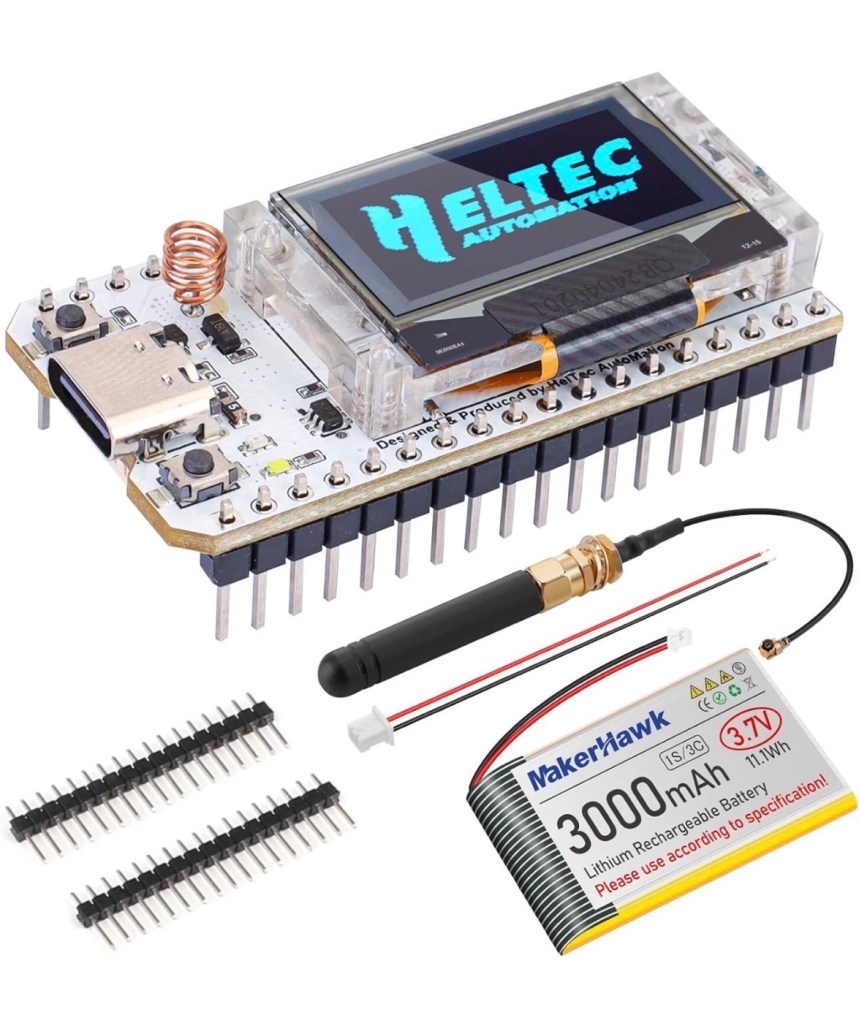
The purchased kit

Preempting the kits arrival, I’ve downloaded a case from Makerworld by a designer called: @gux2K3 that I’ve uploaded to my 3D printer, it’s a basic case, but this purchased kit should fit it perfectly. It might not be sufficient for when I get the GPS module, but I’ll cross that bridge when I get to it.
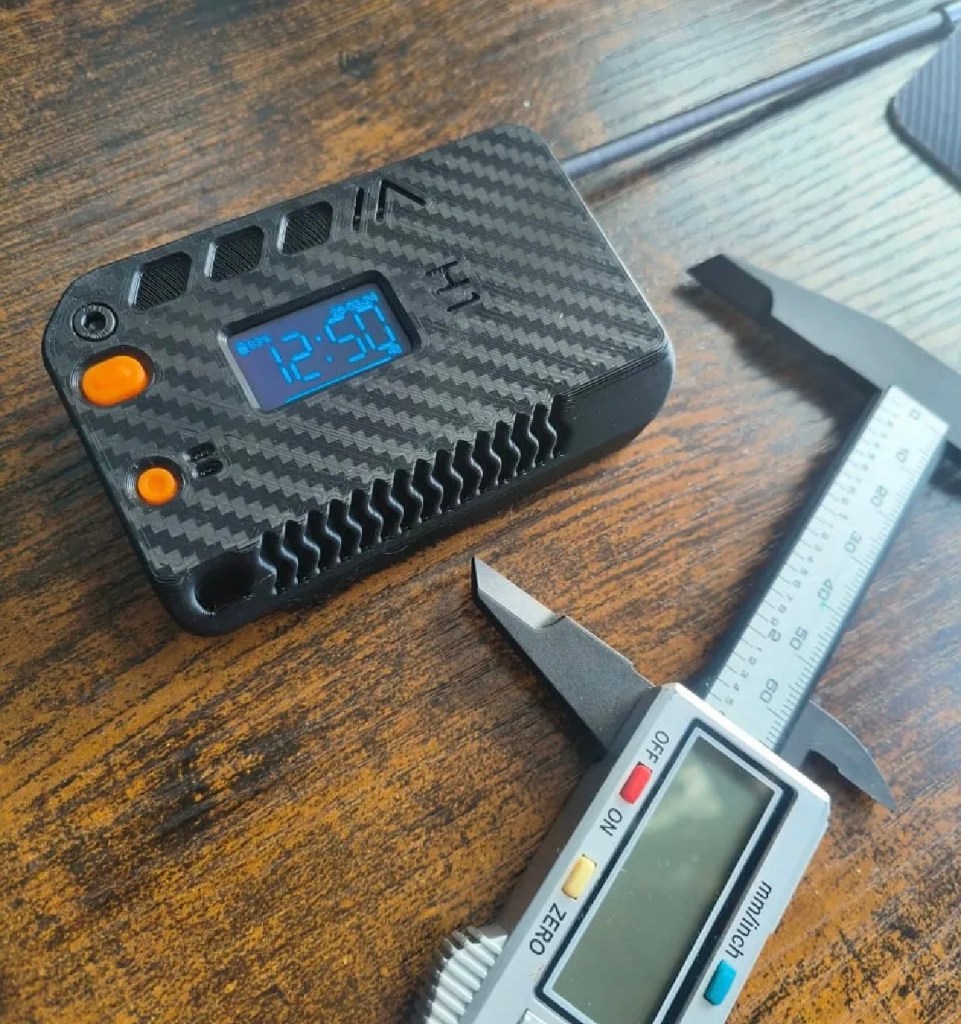
The original case design courtesy of @gux2K3
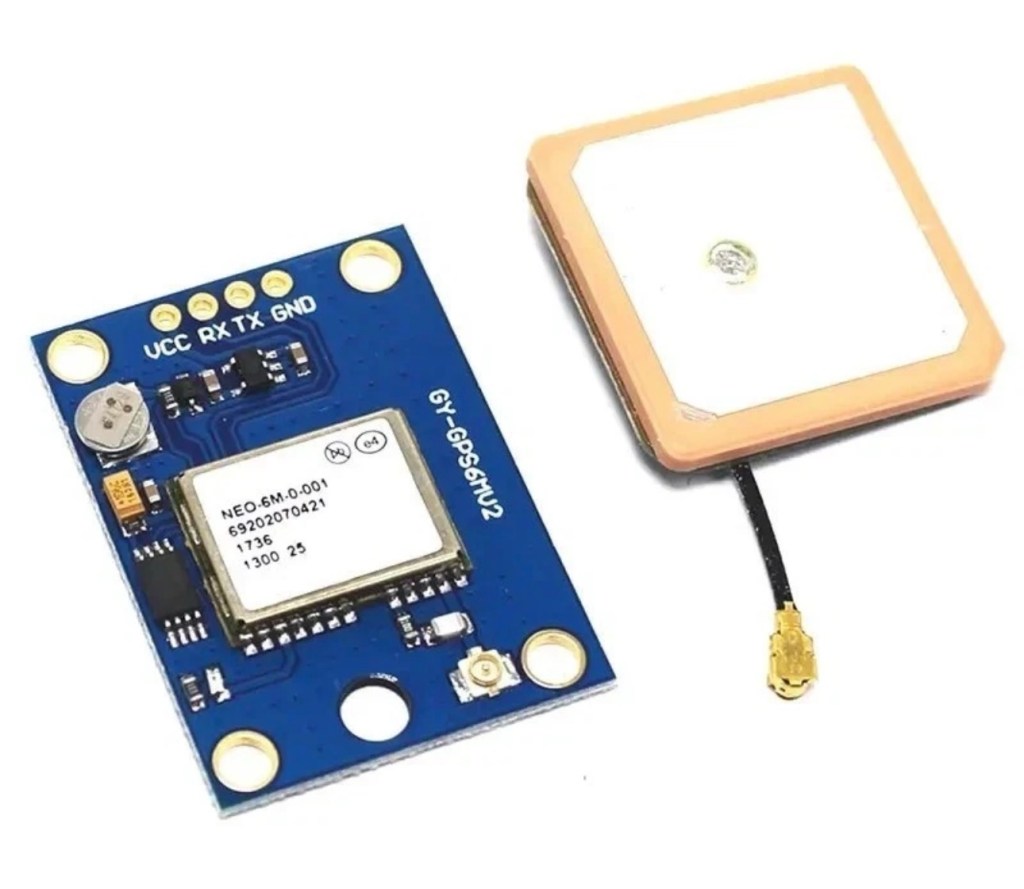
The GPS kit I’ve purchased

I have purchased the separate GPS module, and I will have to do some soldering to get this working. It will not fit in this case as I have already stated, so that upgrade will be saved for a later post.

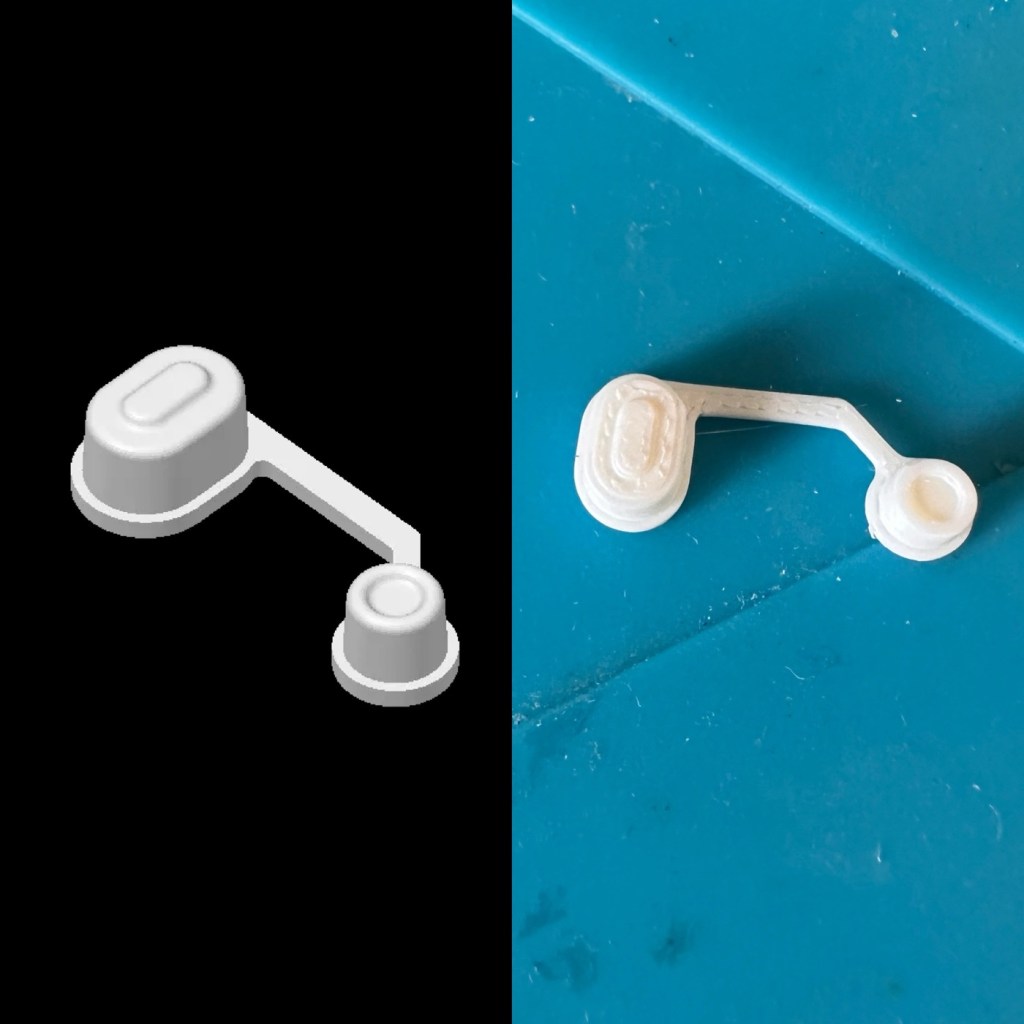
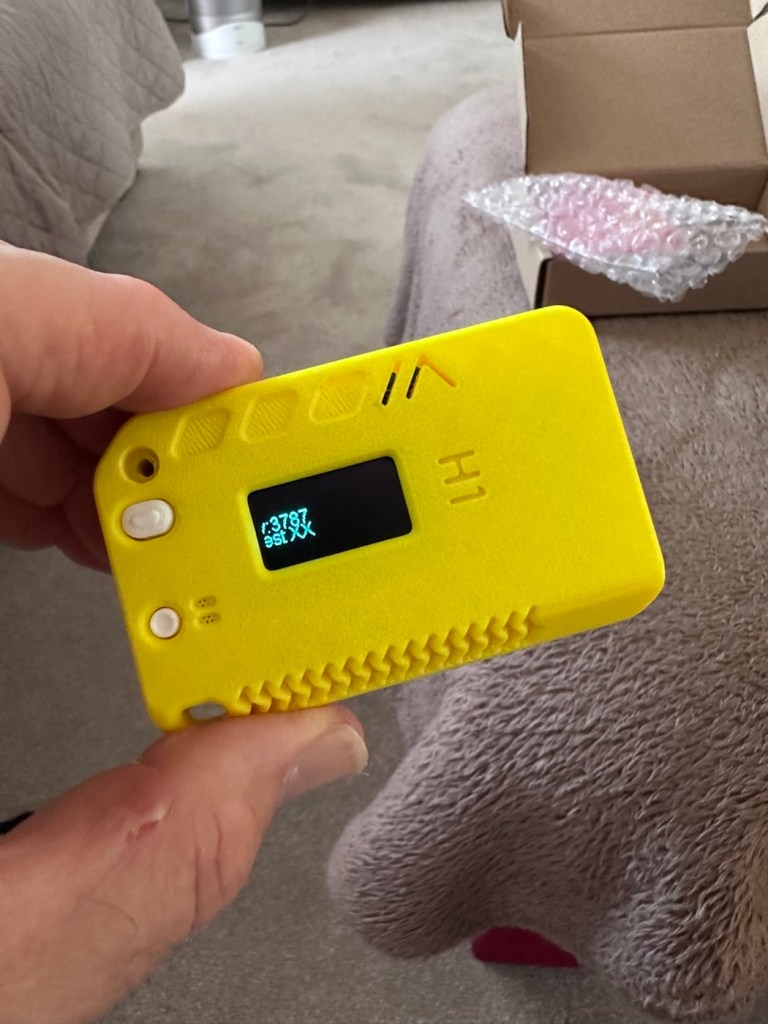
I want a basic slightly different colour scheme for my case, and below you can see a combination of pictures showing the original print plans and what the final piece looked like. It’s a three piece case, and I had to print this case on three different runs to get the different colours.
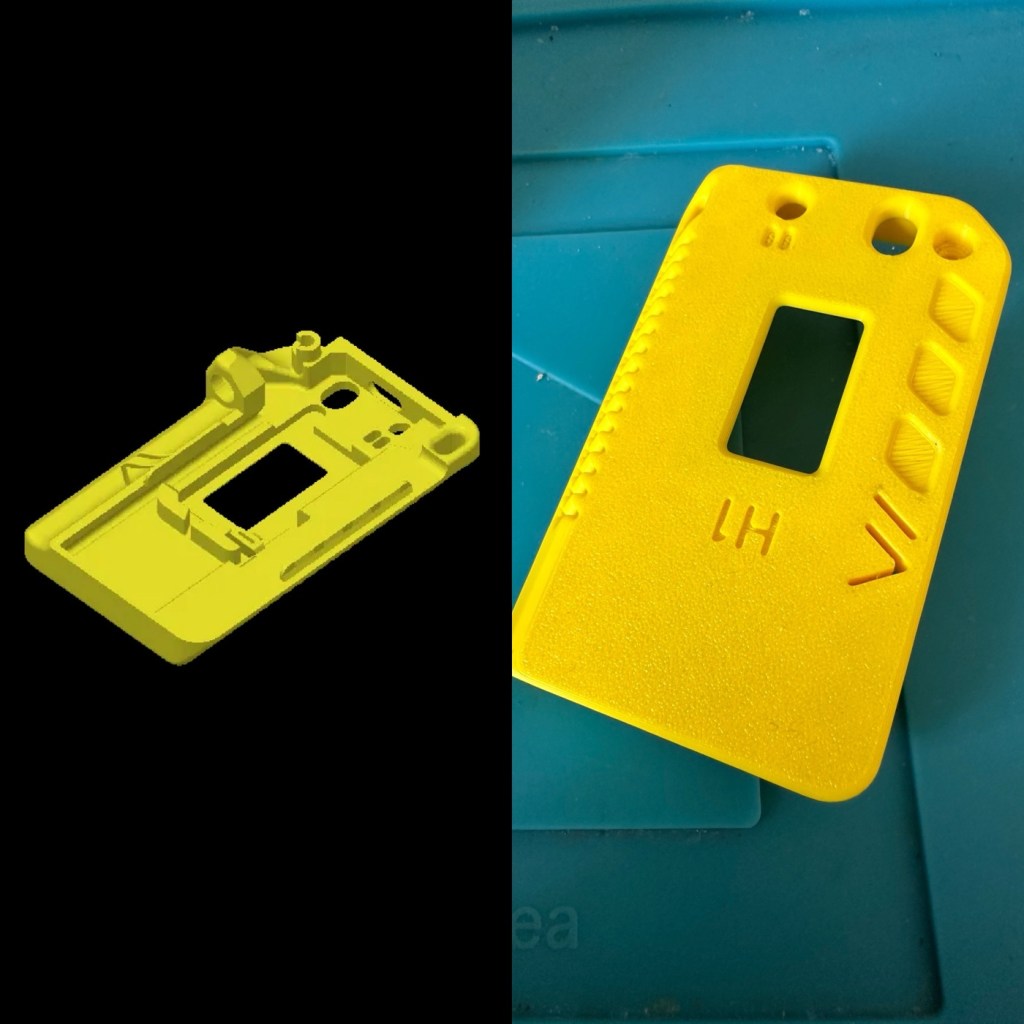
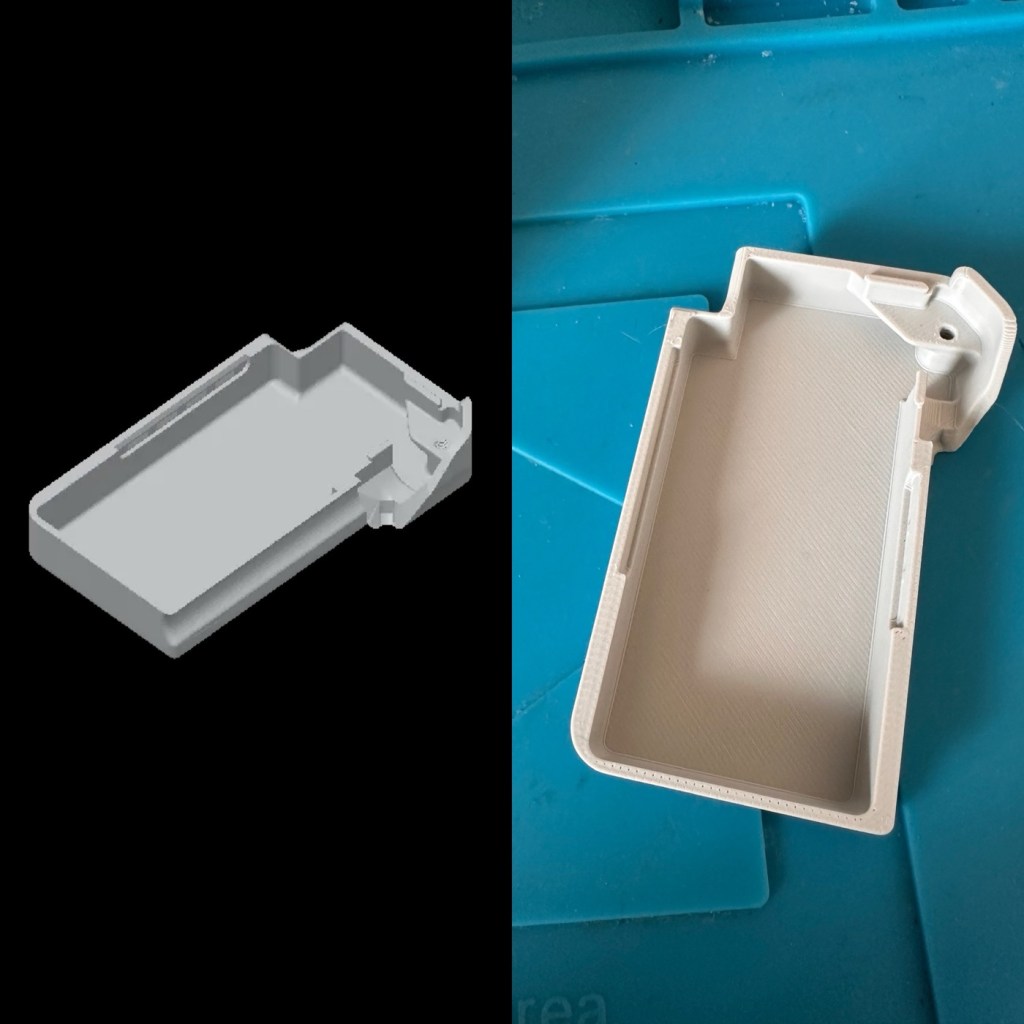
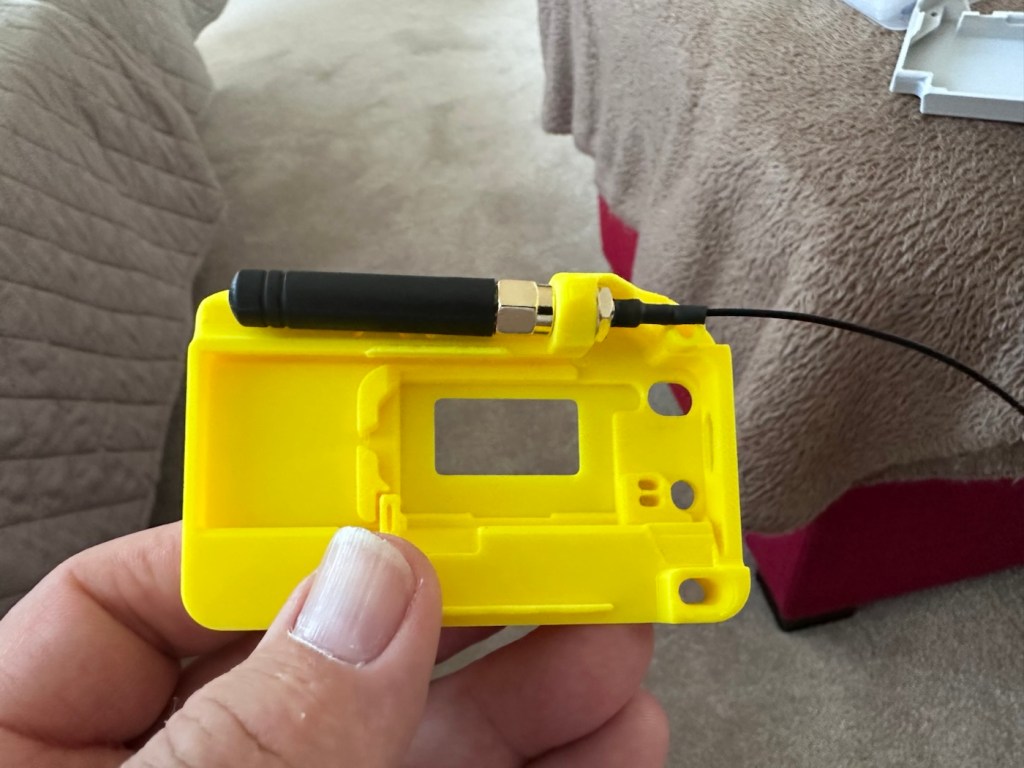
The finished case has been assembled I now just need to await the arrival of the kit for its installation.
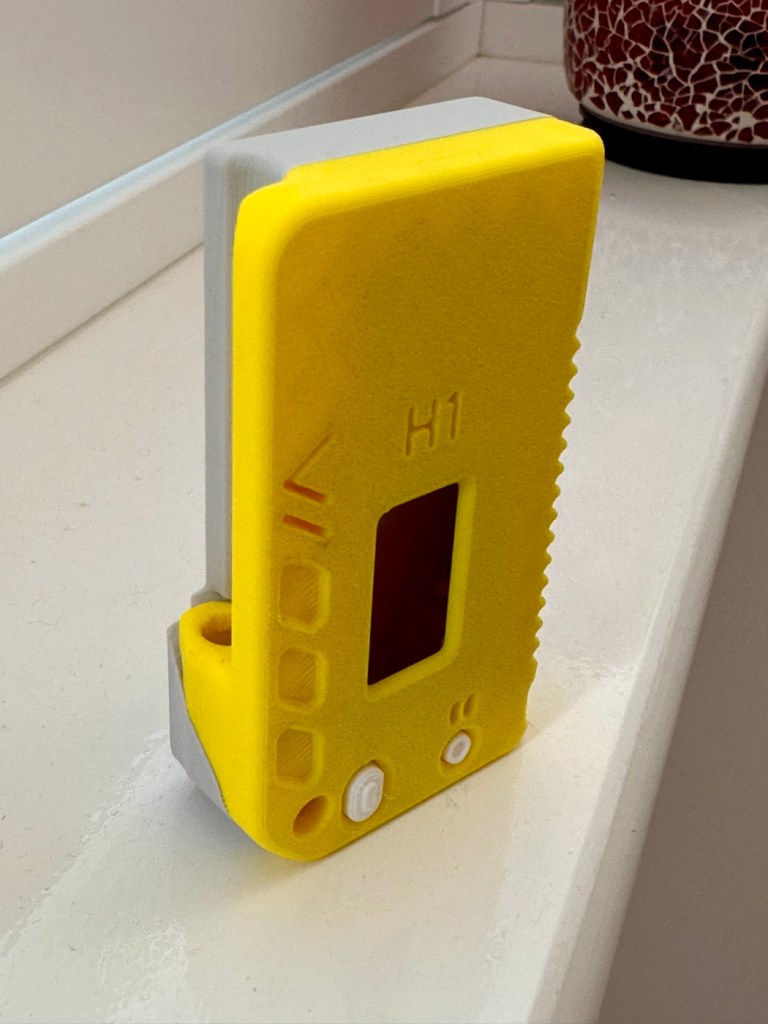
The finished case, just awaiting the electronics for inside

For those of you who haven’t referred back to my original post, here’s a very brief description of what Meshtastic is all about, there are also other choices and platforms to operate with using Meshcore and Reticulum as examples, so here goes….

Meshtastic is an open-source project that allows you to build decentralized, off-grid text messaging and GPS tracking networks using small, inexpensive LoRa radios. Operating on license-free frequencies, devices link together as a “mesh,” automatically passing messages from node to node without relying on cell towers or the internet. In the Uk Meshtastic operates on the 868Mhz band.

Because they are walkie-talkie style text networks, they don’t support voice or video, but they are fantastic for hiking, emergency preparedness, or team coordination. 

Other Off-Grid Mesh Options:

If Meshtastic doesn’t quite fit your use case, there are several alternative protocols and ecosystems built on the same underlying LoRa radio technology: 

  • MeshCore: A rapidly growing alternative. While Meshtastic acts as an “ad-hoc” network where every device handles forwarding, MeshCore allows administrators to set specific device roles like stationary repeaters or personal companion radios. This reduces network congestion, making it highly reliable for structured urban networks and tactical operations.
  • Reticulum: A highly advanced, open-source stack built for extreme conditions and censorship resistance. It is more modular than Meshtastic and supports multiple types of underlying hardware (not just LoRa), but it has a much steeper learning curve.
  • GoTenna: A commercial, plug-and-play solution. Unlike the DIY nature of Meshtastic, GoTenna pairs pre-built, proprietary hardware directly with your smartphone app. It’s easier for beginners but lacks the massive community, range expandability, and customization of open-source projects.
  • Amateur (Ham) Radio / APRS: If you are willing to get a license, Automatic Packet Reporting System (APRS) operates on designated VHF/UHF frequencies. It allows you to send text messages and GPS beacons over vast distances using commercial handheld radios (like those from Kenwood or Yaesu) via established infrastructure rather than a localized mesh. 

Assembly:

Ok. This isn’t that difficult and should be quite straightforward. The thing to remember is that the antenna MUST be attached to the board before power is applied. This is because the unit turns on and starts sending a signal as soon as power is applied, and without the antenna attached these units are renowned for burning out components for such a basically overlooked and simple step in the assembly process.

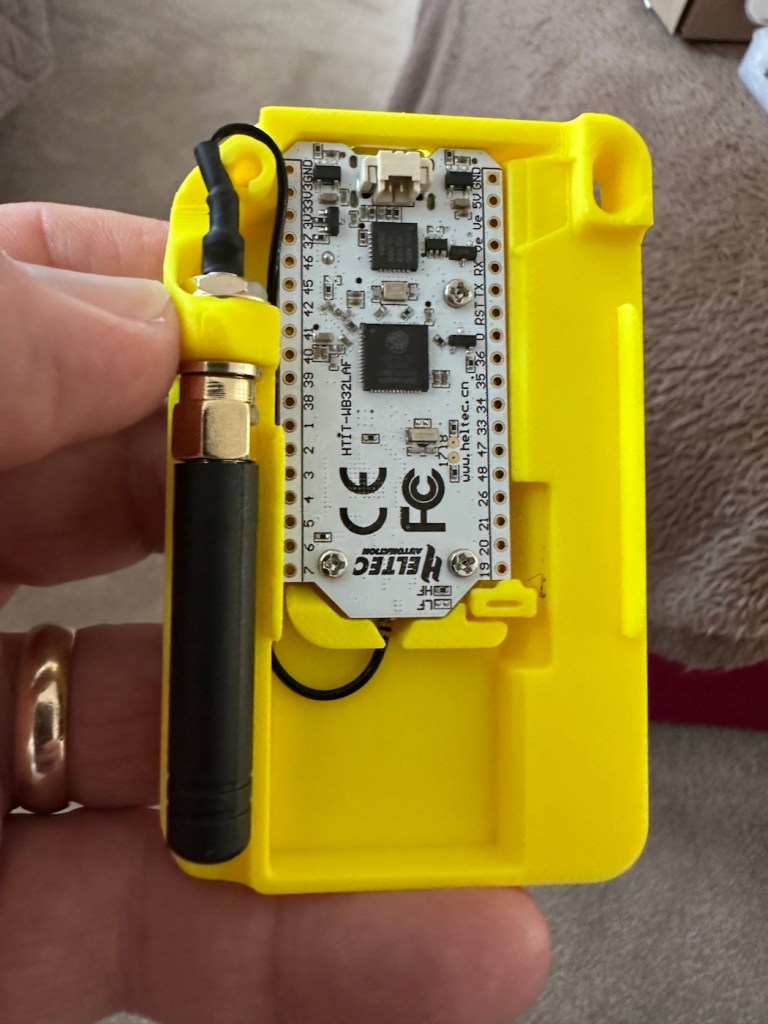
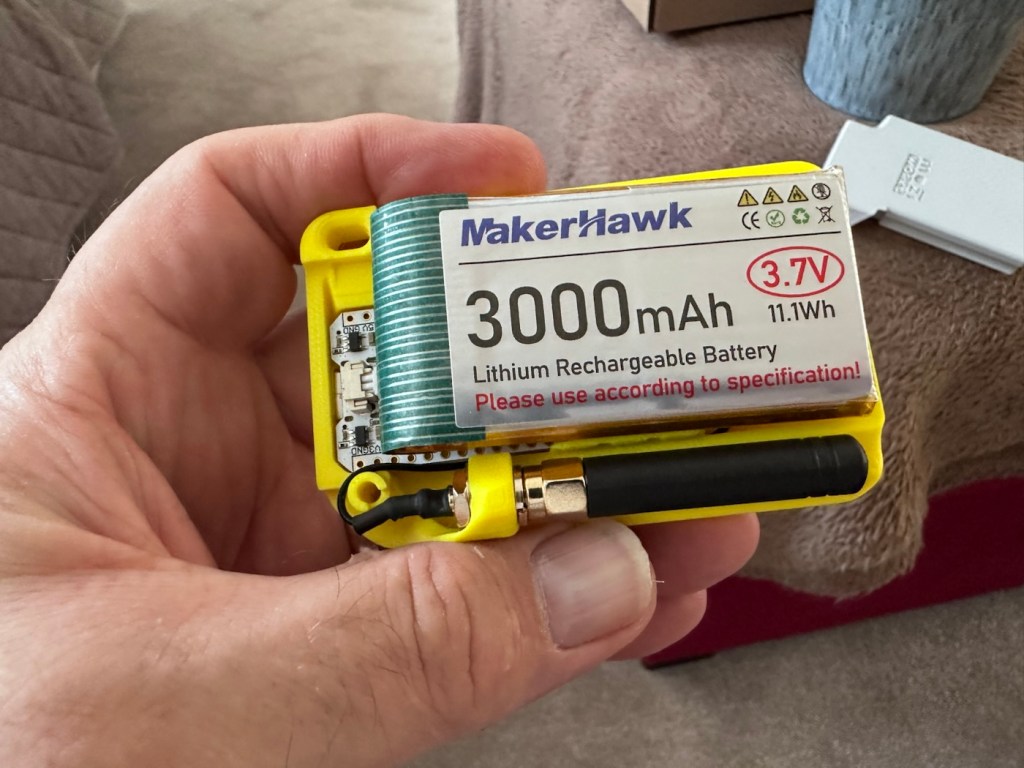
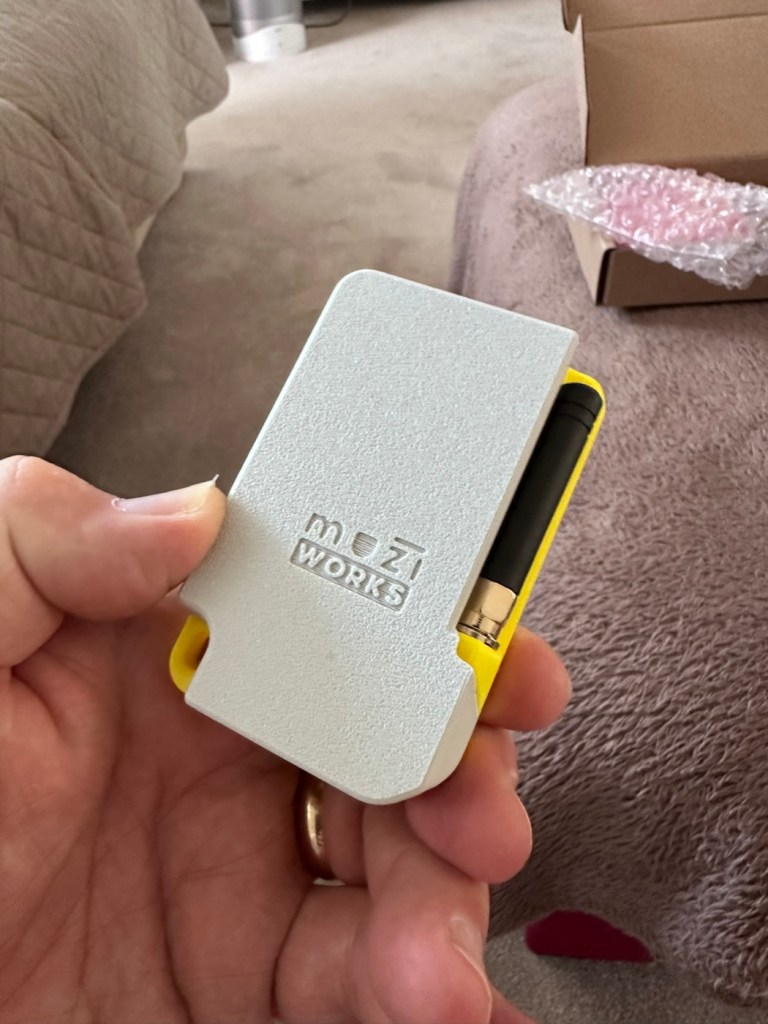
The whole thing is clicked together in about 5mins flat, the one task that takes the longest is the fastening of the aerial into the case. If you have sausage fingers like me, it can take a little time and a few attempts to ensure you get the screws set up correctly to ensure you don’t double thread the item. Here’s some pictures from unboxing to full assembly.
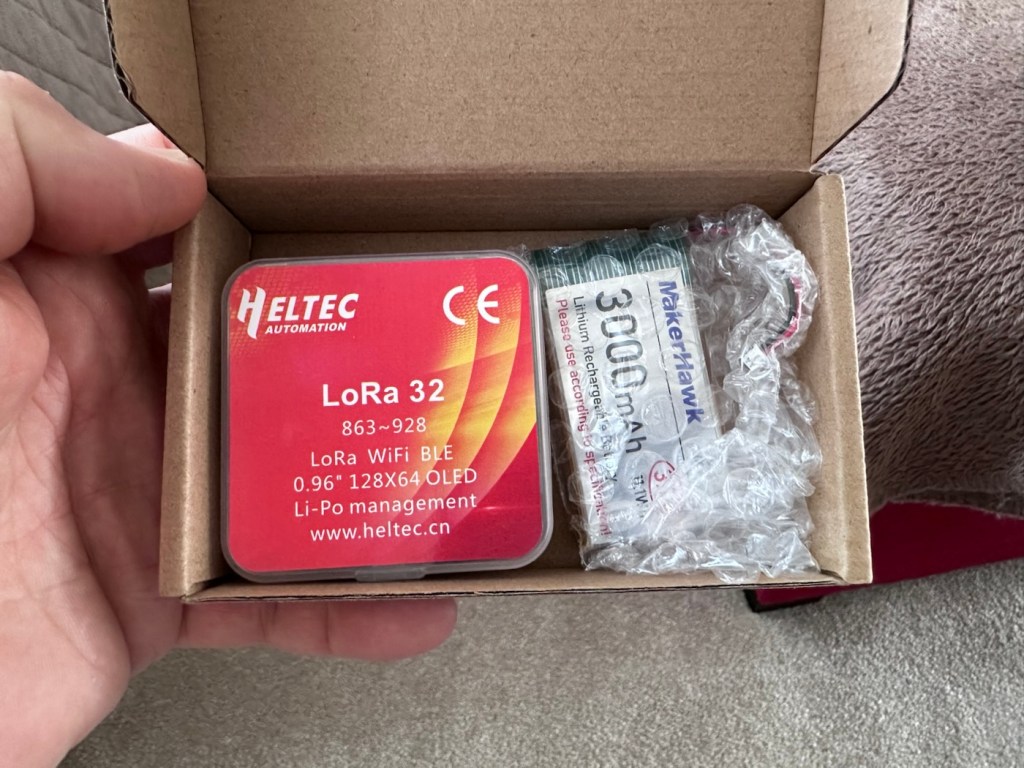
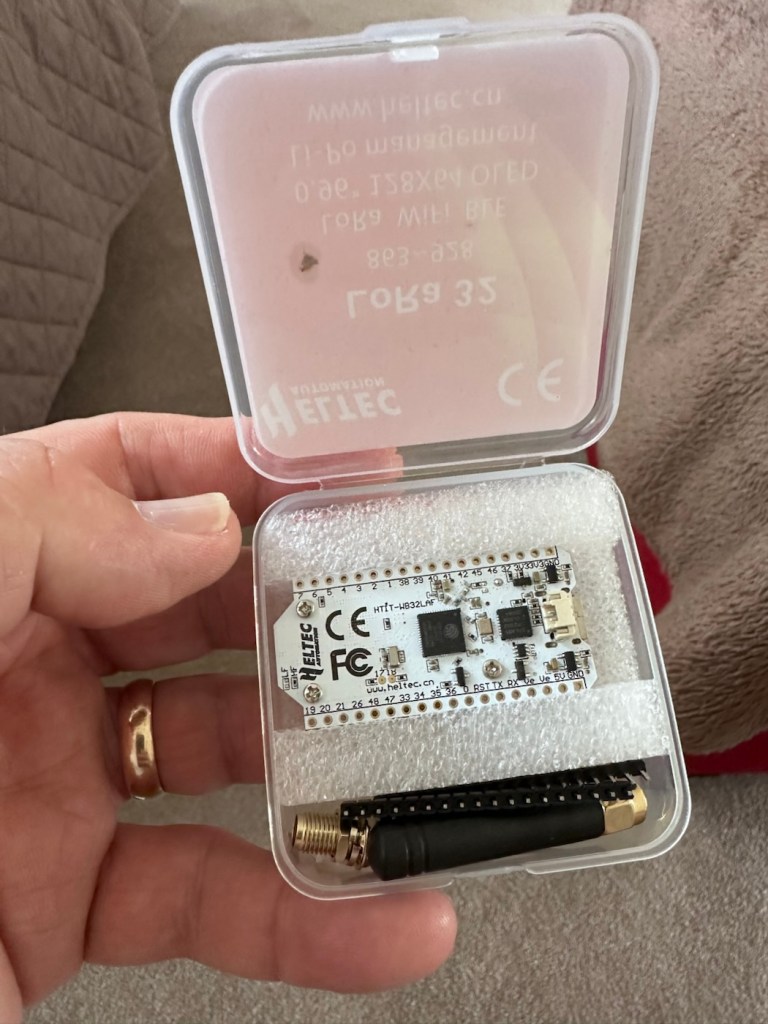
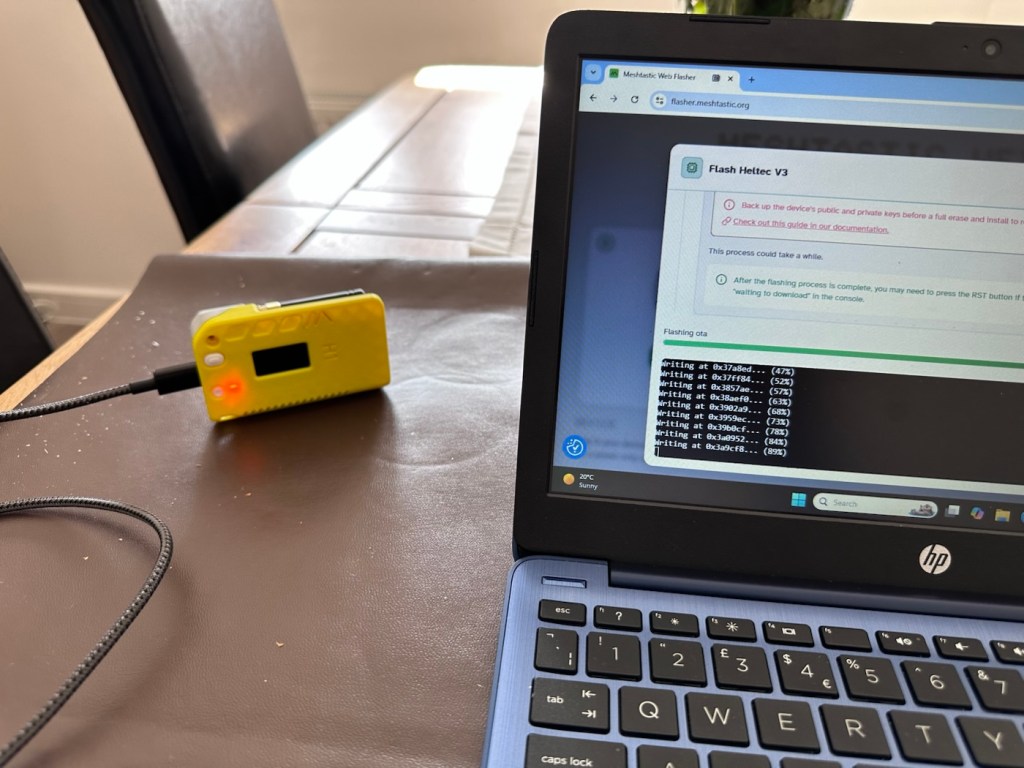
Once assembled the next thing to do is to flash the board with the correct operating software from the Meshtastic website. I’m not going to go into much detail with this as there are many good instructional videos out there that already have this covered, here’s one that I used to get me started:

Setting up Meshtastic on the Heltec V3

I’ve been using this node for around two weeks now, just testing its capabilities and seeing what the life span of the battery is. Here where I am in my part of the East Midlands, take up and usage at the moment is quite poor and in fact there is only one other node near me in use, and that one is being used infrequently to say the least. So for me, it’s just a waiting game to see if any other nodes appear as word gets out about the system, and basically if any is interested.

I have only made one contact within that time, a node that is about a mile away, and that’s it. There are so few nodes in my area, I believe i am only the third within a two mile range, and one of those is an unmonitored unit. but at least its a contact and proves the unit is working. It’s early days around here and a better mesh needs to be implemented. I’m sure in time as word gets about, and if anyone is interested that things will improve.

The thing of interest about this method of communication is that it’s purely off grid. Should every other form of communication cease for whatever reason then this is looked upon as an alternative for local “Meshed” communication. It’s a bit of a tin foil hat system in my personal view, I’m sure if someone in a position of power or tyranny wanted to shut the system down I’m sure that they could without too much trouble. It’s a good experimental system in keeping with similar practices that the Amateur radio network adhere to, however this system does not require licensing and is free for anyone to experiment with. And that’s the interesting part.

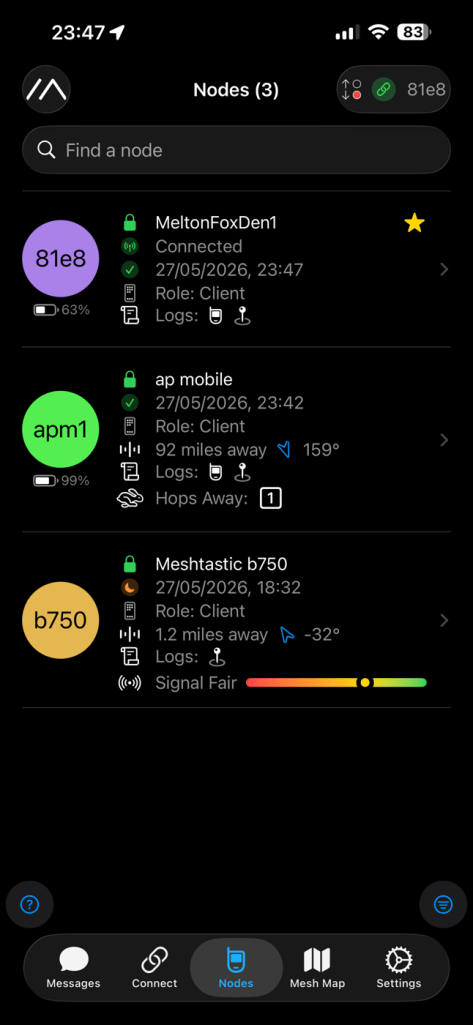
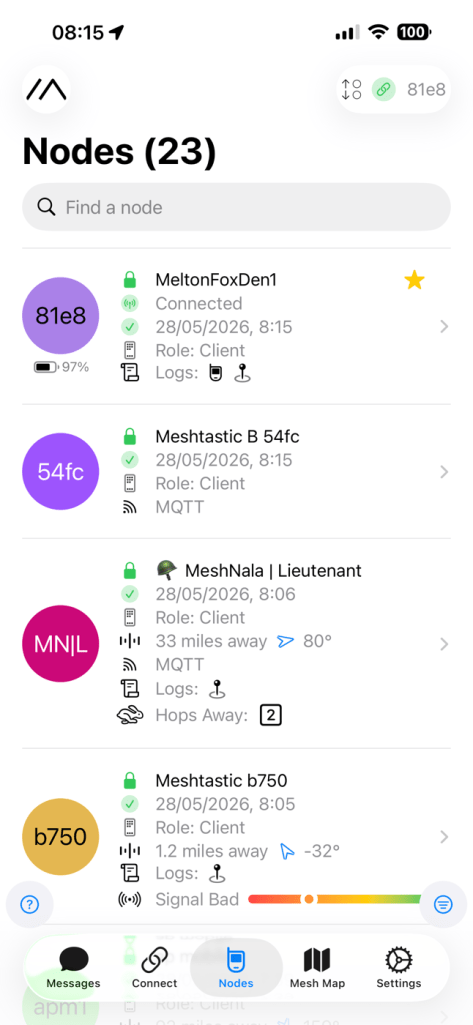
With the battery charged, and the system active my first “listening” session shows the following:
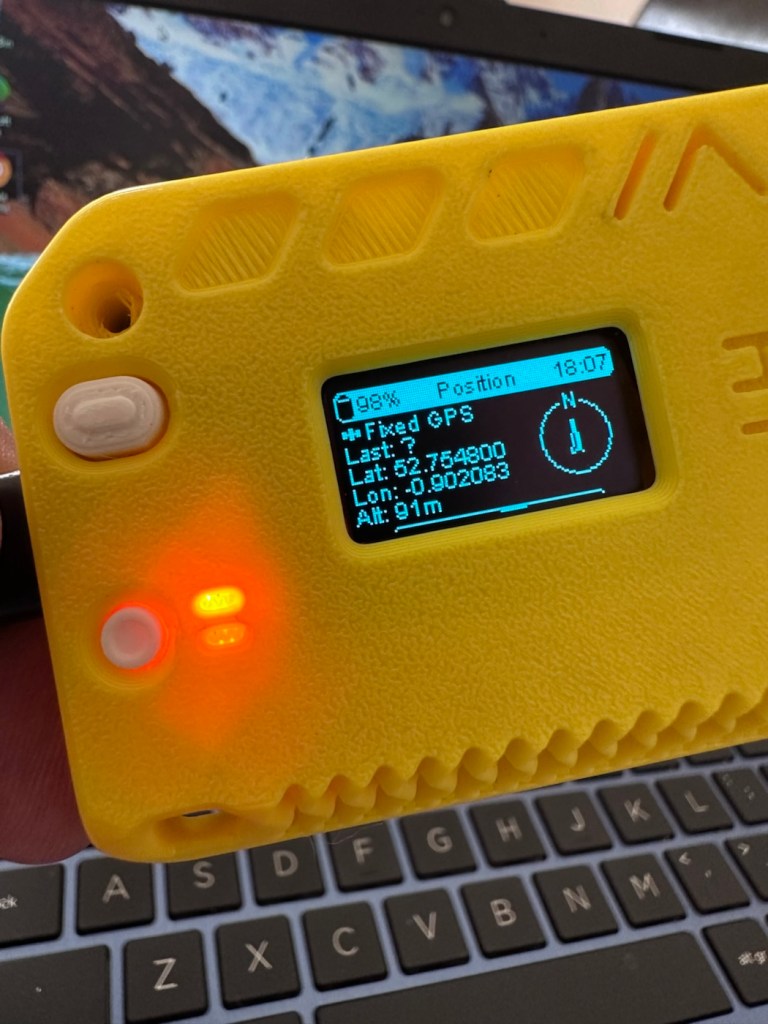
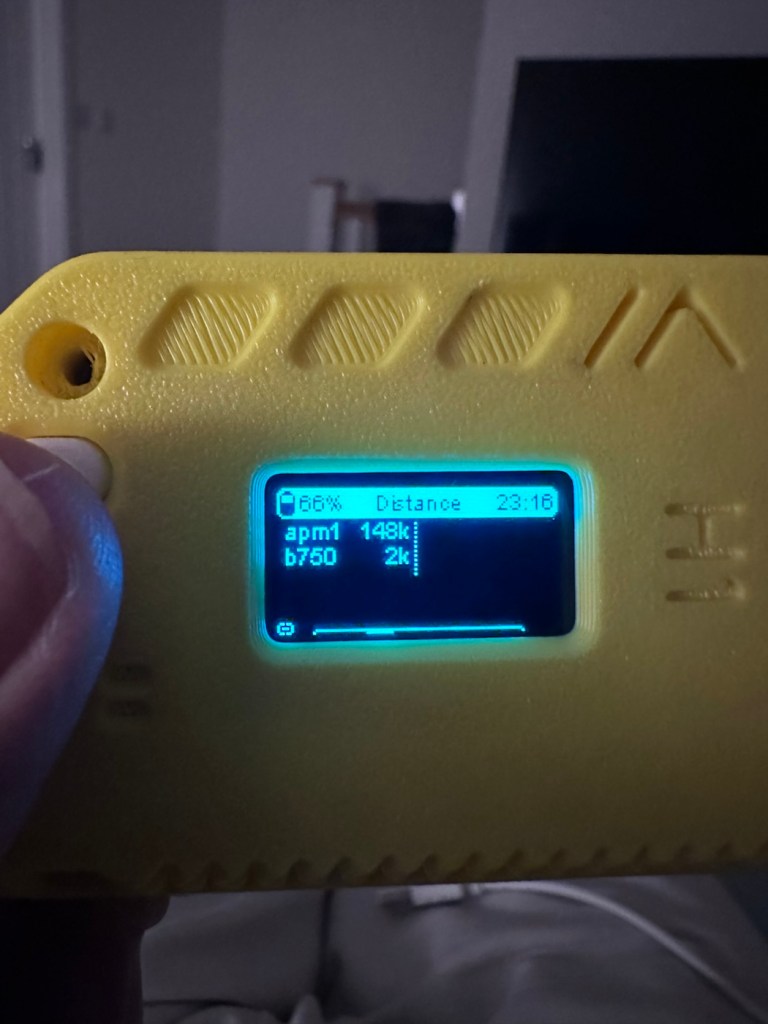
Here is where things become weird, and it’s the point that you realise that others are already stepping away from the true local message usage that was intended to try and make the system a longer range one incorporating the internet as a form of transportation for messages. This makes me scratch my head as surely the internet would be one of the first modes of communication to go down if there was some catastrophic event that took out traditional modes of communication? However, there is this mode that can be accessed called MQTT:

MQTT is a lightweight, publish–subscribe, machine-to-machine network protocol for message queueing/message queuing services. It is designed for connections with remote locations that have devices with resource constraints or limited network bandwidth, such as in the Internet of things (IoT). It must run over a transport protocol that provides ordered, lossless, bi-directional connections—typically, TCP/IP.[1] It is an open OASIS standard and an ISO recommendation (ISO/IEC 20922).

Wikipedia

Anyway, I had this setup, and I’ve now disabled it to ensure two things, that the system is true to its original intentions, and also to get a true idea of battery life using the most basic of setups.

Some things I have noted within the last two weeks are that if you are not in possession of a system with a GPS module, you then have to setup your node with a fixed location. This is absolutely no issue if your node is going to remain in a fixed position. However if you wish to take a node with you and move around, and let’s say you are 200 miles away from home, unless you go into your computer and reset the fixed location then you will always be 200 miles away from home but still showing as being “At home” hence giving false location information and giving anyone local to your new position false hope on them suddenly picking up a very strong signal over a long distance. Pretty much unheard of and impossible considering the power limitations of this system.

So one thing I will now do is attach the GPS module I mentioned towards the top of this post, to get accurate location information whilst mobile. There is a caveat here in that the power drain will be excessive for this battery and the GPS will greatly reduce its capacity.

Currently, with this node sitting in an upstairs bedroom window I am easily getting 24-36hrs from a single charge. Add to that a battery power bank I have with a solar charging capability I’m pretty much getting an almost endless period of usage. Weather has not been what I’d call particularly sunny recently, so I’d suspect capability would be much improved during summer months. I’ll just have to see how well this setup can work with the GPS system installed.

The current case I am using does not have room in it to facilitate the GPS board and antenna. For this purpose I have had to print a new case to house the unit in, and this is the barebones case pictured alongside the original case.
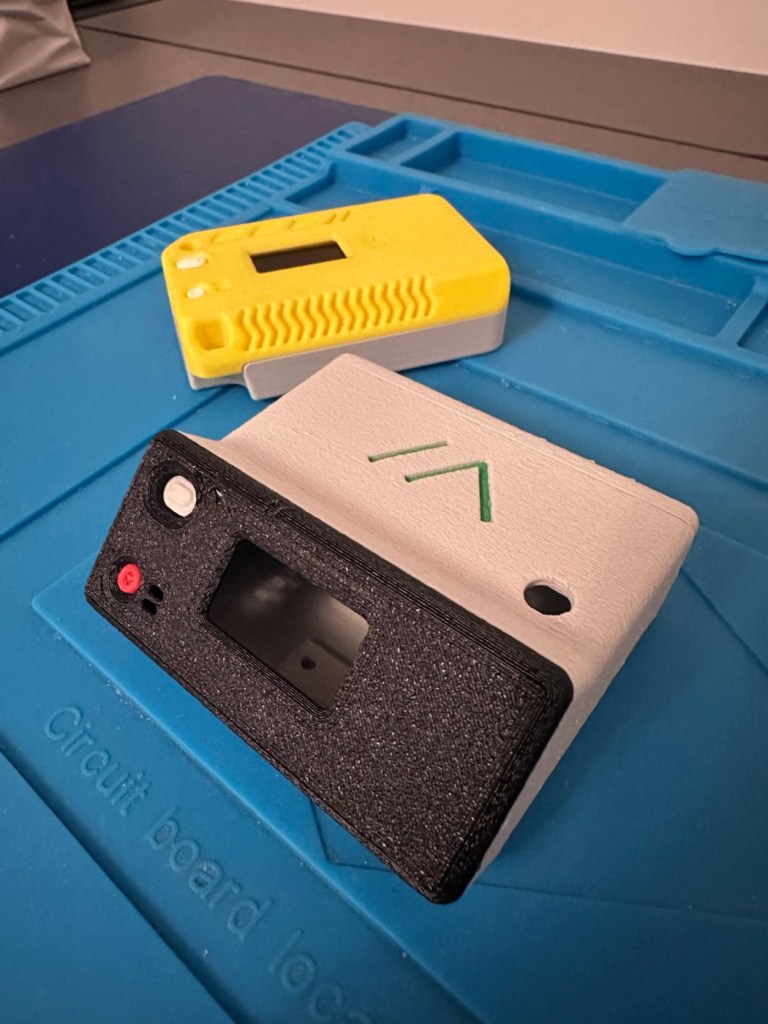
New case versus old

The old case will not be wasted. I intend to use that as a permanent fixed home base that I can use for testing the mobile one, and for building my own personal mesh system at home. The good thing with this system is that as well having public broadcast channels, you can also setup personal private channels for family and friends.

So let’s get the GPS setup.

The GPS board comes as a two part package. One part is the actual main board whilst the other part is the antenna on its own small board with a wire to attach it to the main board.
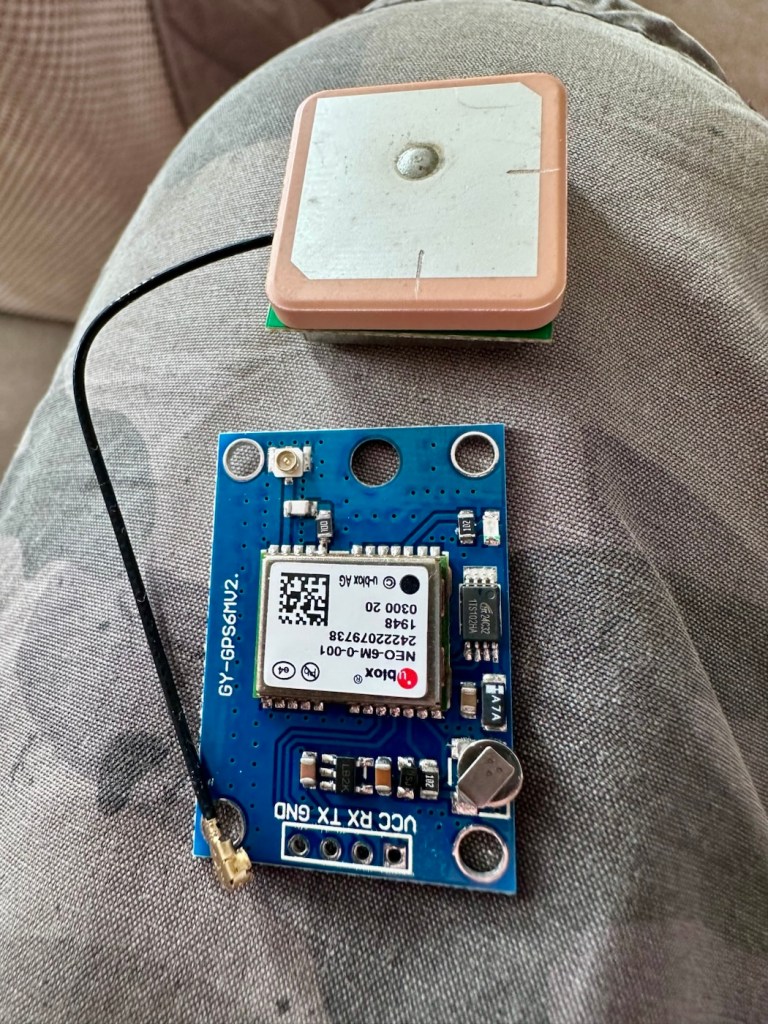
The GPS unit

Here is where the fun begins as we are going to have to do some soldering of this unit to the actual main “radio” board.

In a nutshell this little video explains exactly what you have to do.

Setting up GPS on the Heltec V3

I’ve had to solder 4 wires that connect the main board to the GPS unit. These are only temporary at this moment, as I need to be able to sit all components comfortably within the casing. I may have to add a switch, however I’m exploring other options at the moment. I’ll get to the reason why in a short while.
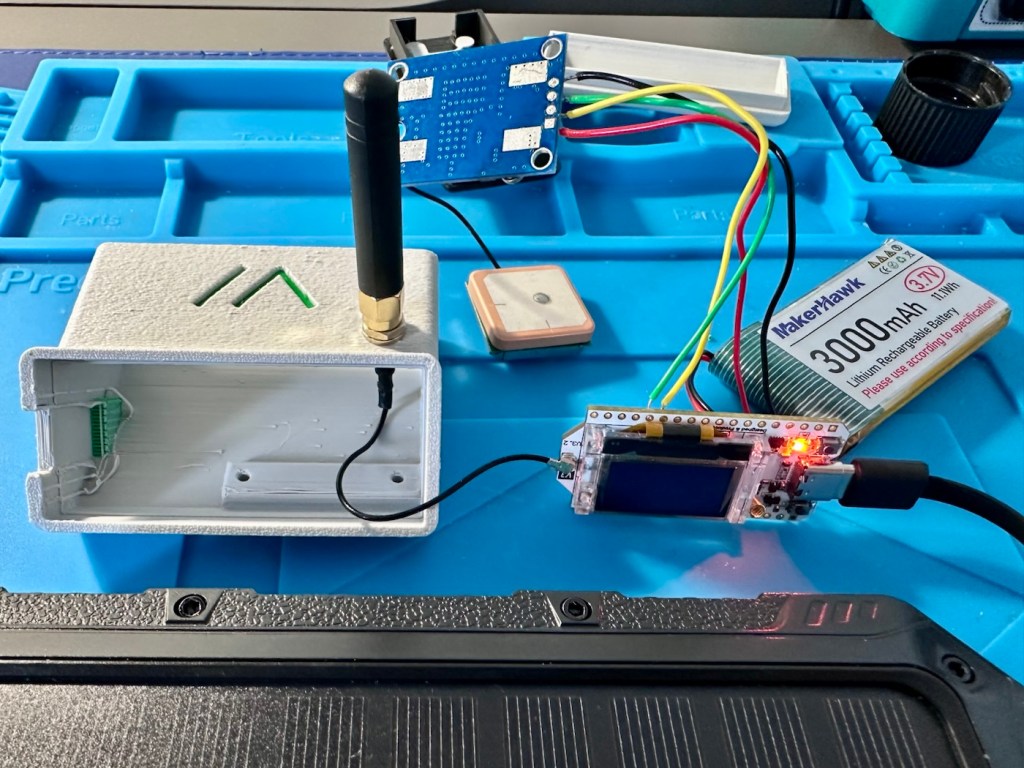
The case, the main board and now a GPS module added

The four wires connect power, a ground, a receive pin and a transmit pin, there may yet be a fifth wire, I’m exploring that option as stated above.
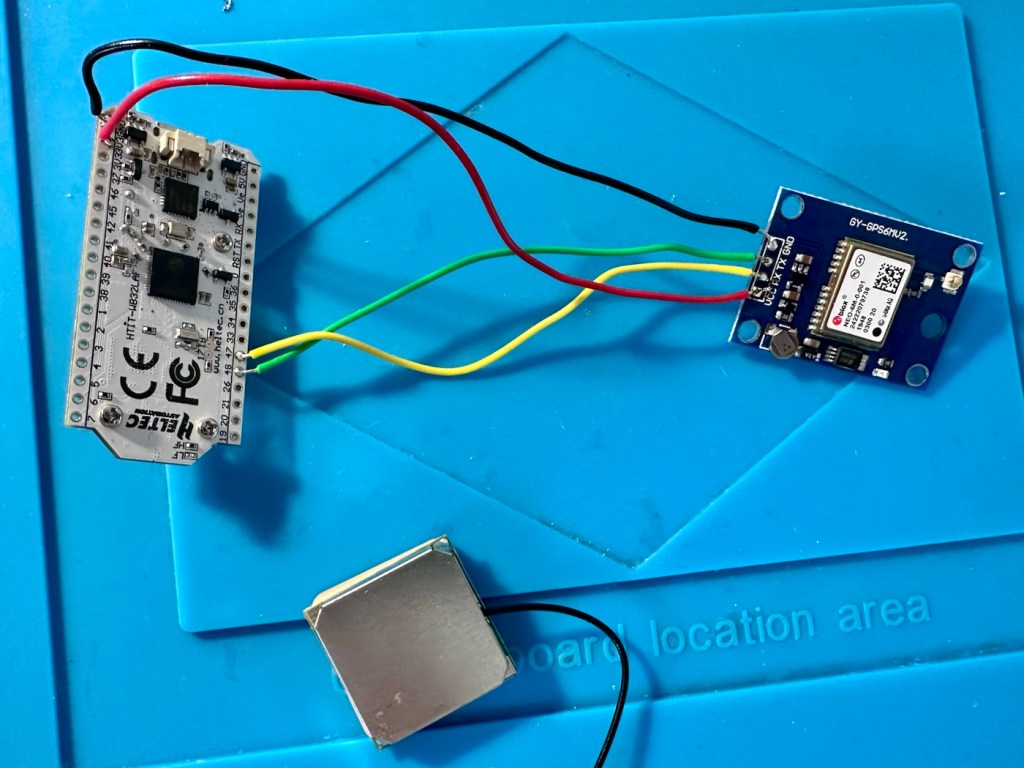
The temporary soldered wires

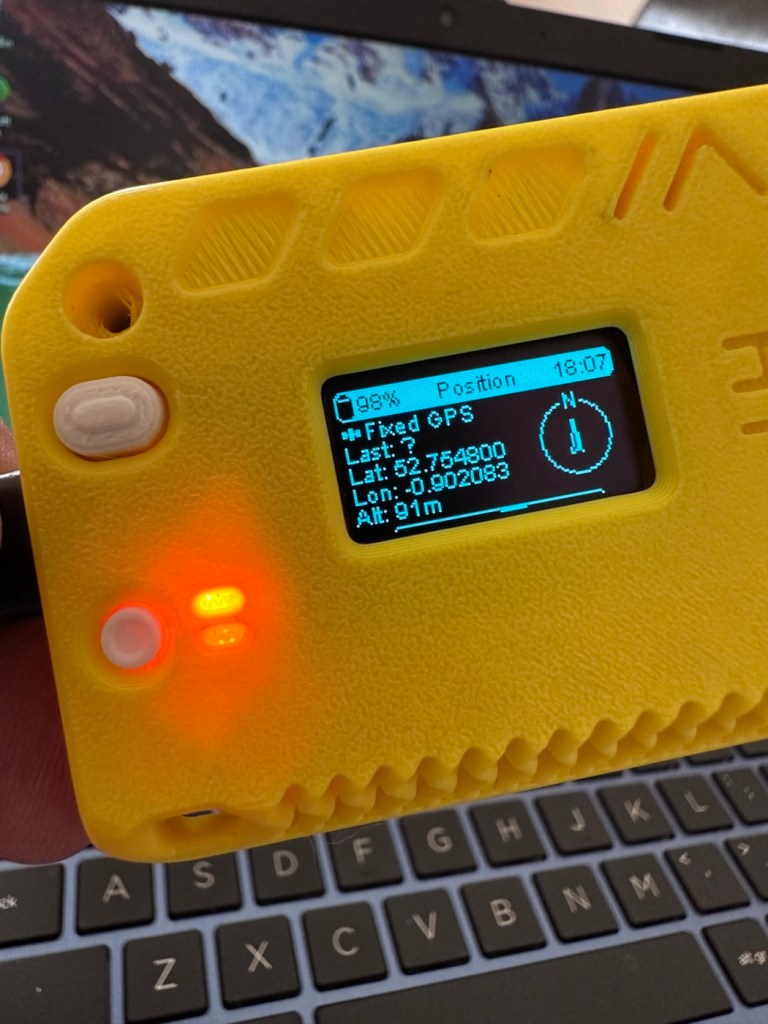
So does this work? I’ve charged the battery up to 100%, I’ve made some changes to the settings within the operating system and have turned the unit on. These system fires up and then a separate blue light on the GPS board flashes indicating that there is power to the GPS board.
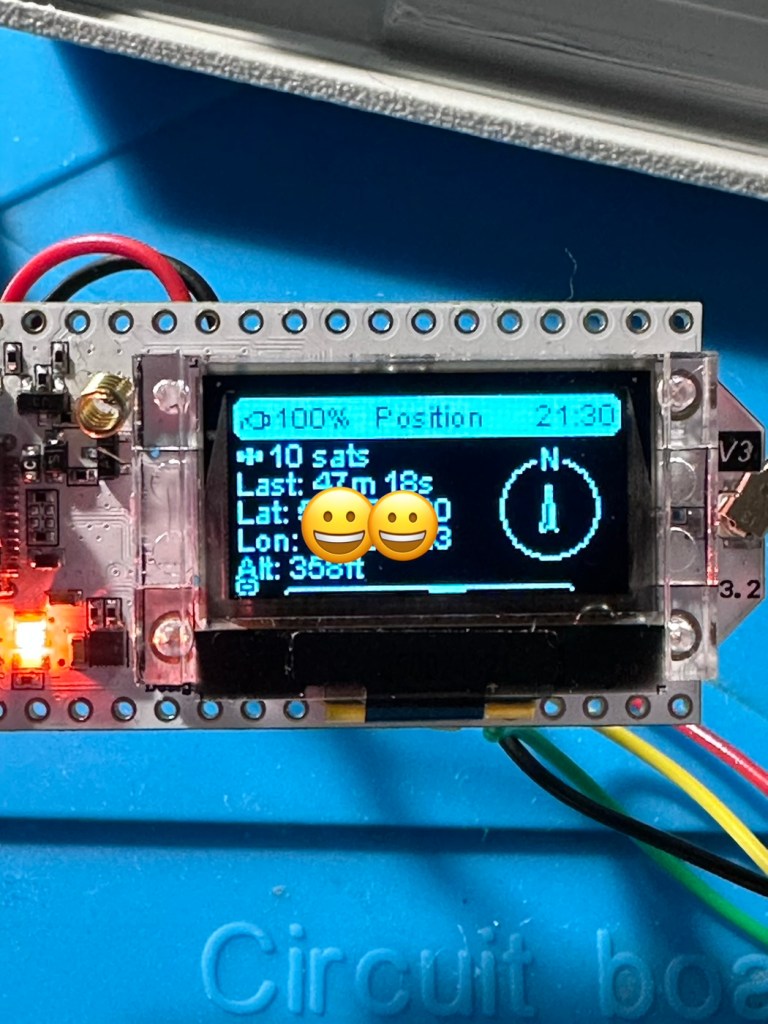
All working

And then there is confirmation of 10 satellites being tracked, a height asl, and a longitude and latitude bearing, all seem to be working. But how accurate is the GPS reading? I put these readings into Google maps and the result is spot on. In the picture below the blue dot represents my phone location, and the red dot represents the GPS coordinates from the GPS module. Working perfectly👌. All smiley faces are just disguising the readings, much that I appreciate your reading of my shenanigans, I don’t have enough tea cups to welcome you all in 😂
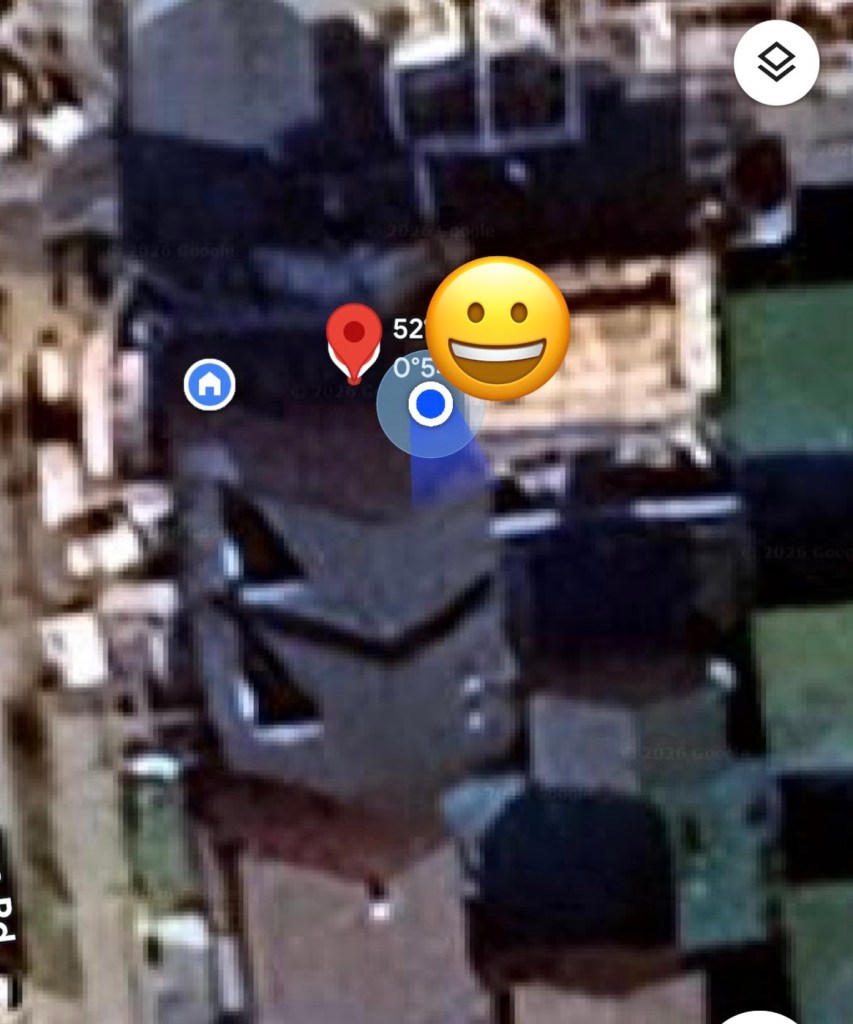
iPhone position and GPS module position

Previously prior to the addition of the GPS module I did state that I was easily getting 24-36hrs of life out of this battery on a single charge. That is going to change quite significantly as the GPS module is a super power hungry beast. I’ve currently set the GPS module to transmit its position once every hour. To be honest I could probably transmit once every 8-12 hours as i am currently in a fixed position and not moving. If I were in a car, I might even look at transmitting the coordinates every two minutes as this appears to be the default setting for a mobile node, and that would certainly drain the battery in no time. It would probably be best practice in this situation to have the unit running on power as the car is moving.

But I’m sticking with the hourly setting at present, just to do a basic drain test. This battery was on a 100% charge setting at 21:30hrs this evening as you can see in the photo above, I want to see if it will still have power 12hrs from now. No doubt power will deplete a lot quicker with the GPS module in place.

Depending on the results, this will help me decide if an extra wire or component or even both is needed within the circuit, and the reason for this is to be able to disable the GPS signal when not required. This modification in its simplest form can be as simple as putting a switch in the 3v supply wire, or by including a MOSFET (an electronic signal switch) into the circuit to allow the main board to automatically turn the GPS on and off via settings built into the software. I’ll make my decision when i see the results after I rise in the morning, and also depending on having the required components somewhere within my spares boxes.

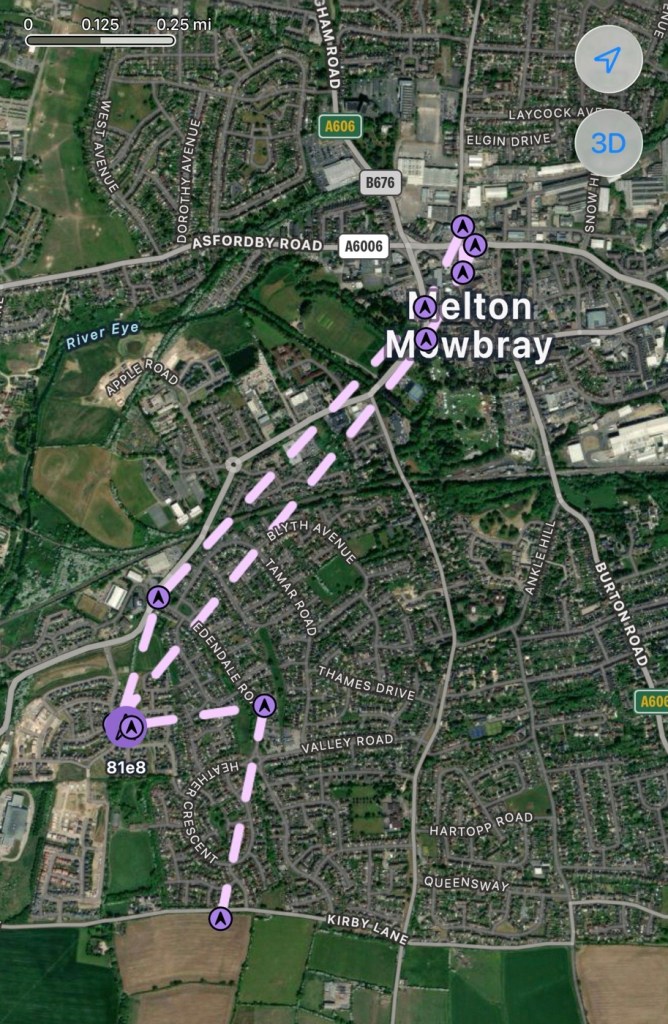
About 7am the following morning (Approx 10hrs after setup) the power level is sitting at a comfortable 50%. The last GPS broadcast was at 02:37 in the e morning, I don’t know why this was as it’s set at a one hour cycle, I’m not complaining, maybe it didn’t have a successful signal to lock on to? Who knows. I have to take my wife out on an errand at about 07:30 so I’m going to put the GPS signal to a two minute cycle, put the bare bones set up on the parcel shelf of the car and just see if it works.
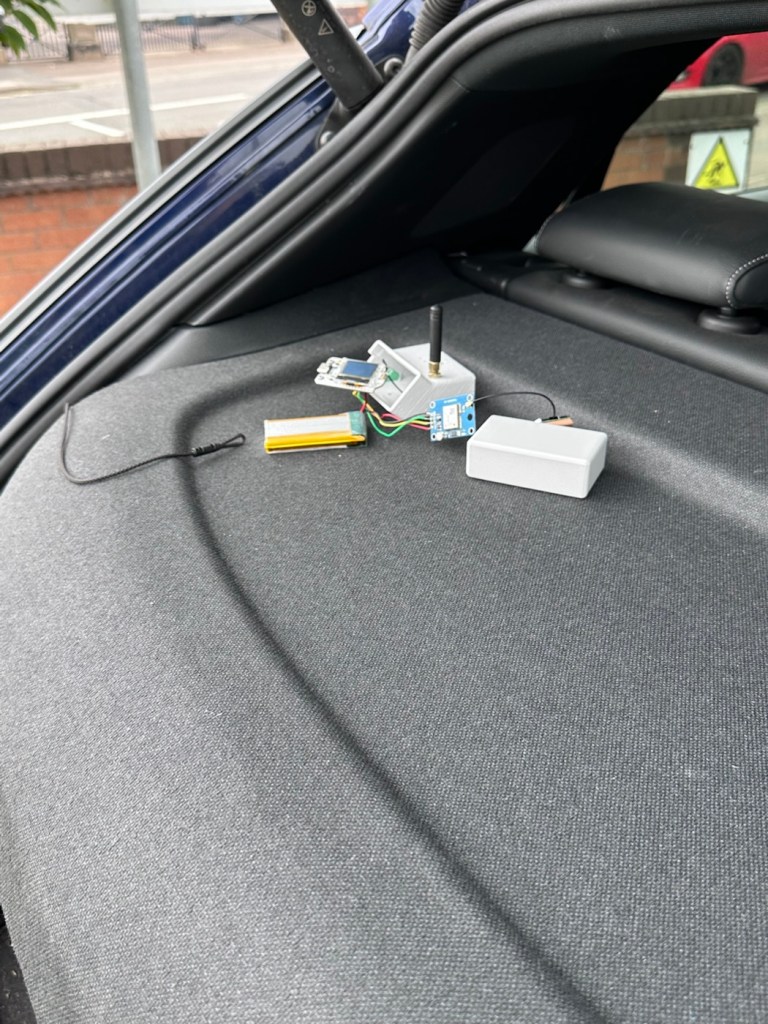
Barebones in the rear of the car

And it has worked perfectly.

Log of the journey
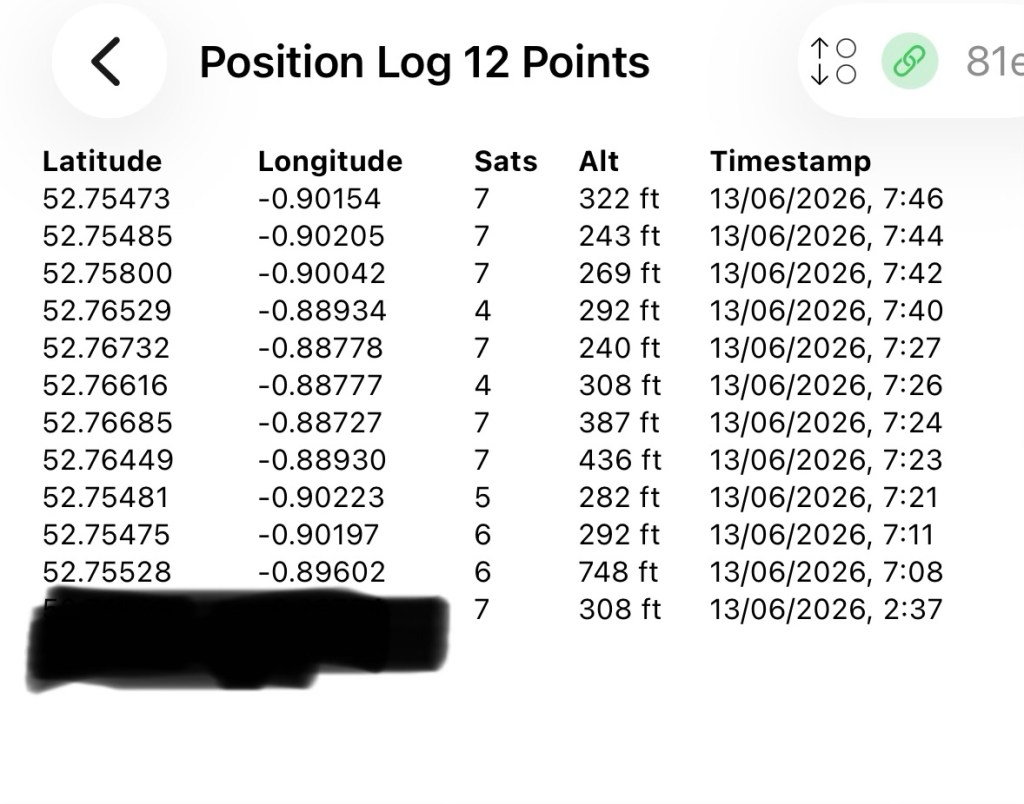
GPS log

In the GPS log above you can see how it has performed. The received data at 02:37 in the morning was the last on the hourly cycle, and then at 07:08 was the first of the two minute cycle prior to me switching it back onto a one hour cycle again at 07:46. I’m now going to leave it alone until we reach the 12hr mark and I’ll see how this small trial has gone during this period.

We’ve reached the 12hr post, and the power level is 45%. So over the 12 hr monitoring period with the GPS on a one hour cycle we have used 55% of the battery capacity.
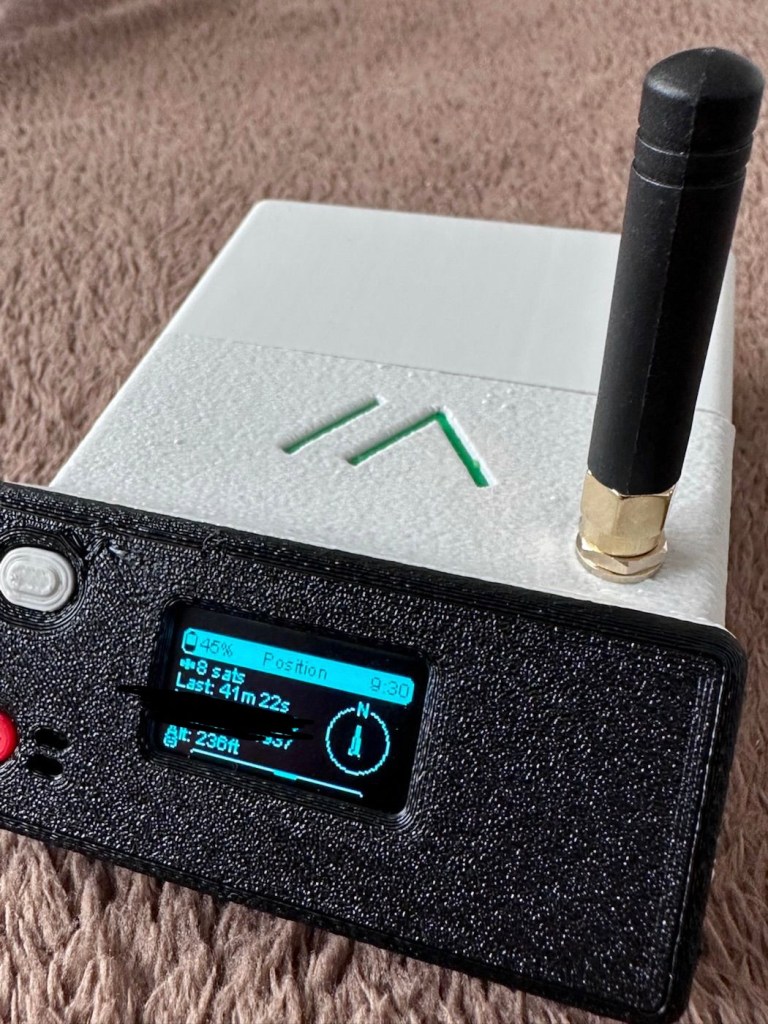
If you look at this log of the diagnostics over this period you will see a gradual decrease in battery capacity (Blue line) with the only noticeable disturbance being when I turned the GPS to a two minute cycle at 07:08 this morning when I had to take my wife out.
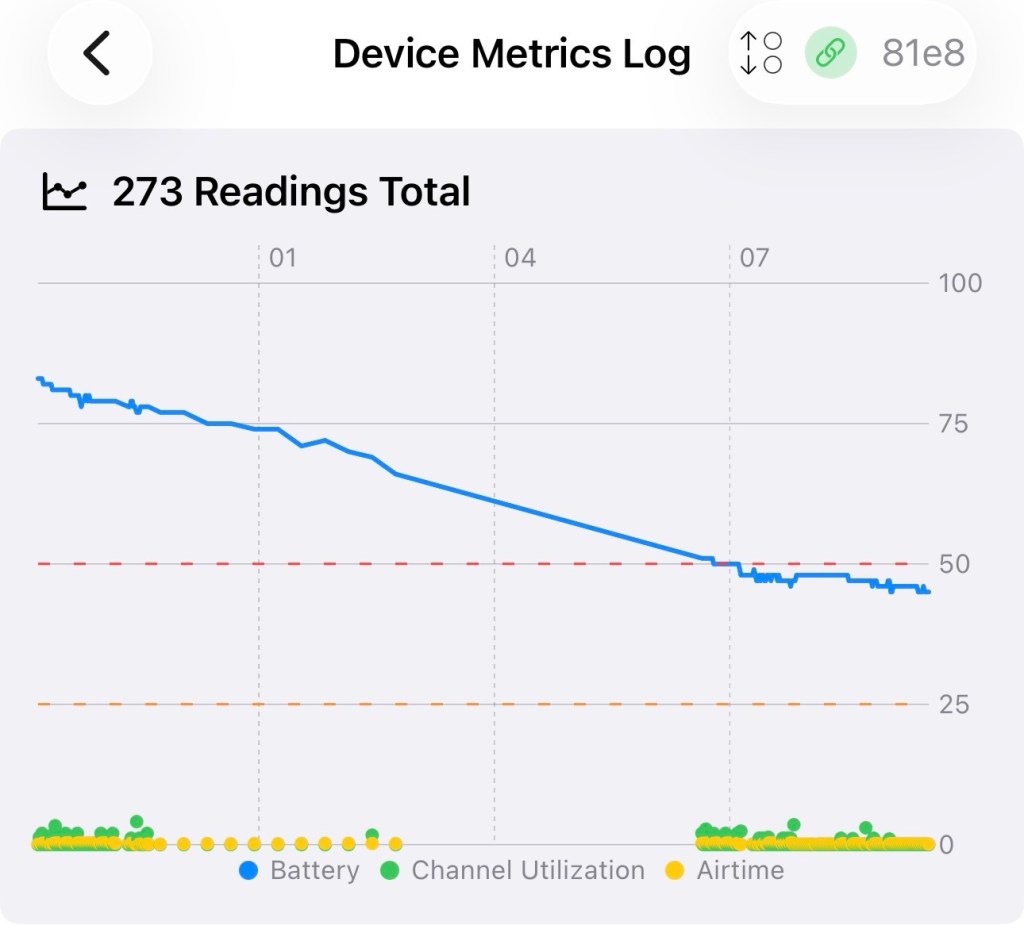
Device metrics over 12 hrs

Overall it’s a pleasing result but I’d suspect even with a low usage of the GPS module I’d probably only be able to get 18hrs of usage maximum from a single charge using the GPS on a one hourly cycle. Using the 2 min cycle I’d probably struggle to get 12 hrs of use from a charge, maybe even less, compared to the normal battery life of 24-36hrs without the GPS module you can see that the difference in power consumption that is involved. As I have said previously the GPS is quite a power hungry addition.

But do you know what? The figures are pretty good to be honest. If I use the unit at home I will reduce the GPS signal to probably one cycle every 3-6hrs. If I’m out mobile I very much doubt I will be driving more than a few hrs maximum, so I can always switch cycle rates as required.

So. Do I need to add another cable or that MOSFET discussed earlier? Probably not, it’s not essential but sometimes it may be advisable or recommended to maintain anonymity so a switching system would benefit in those situations.

For the meantime I’ve just thrown the bare bones unit into its case with no proper spacing, as I’m going to take the unit out again today on a slightly longer journey for a family gathering. It will be good to see how it performs and to see if we can get any noticeable contacts in an area other than my home location. You never know that Meshtastic may have a greater following or uptake in that area.
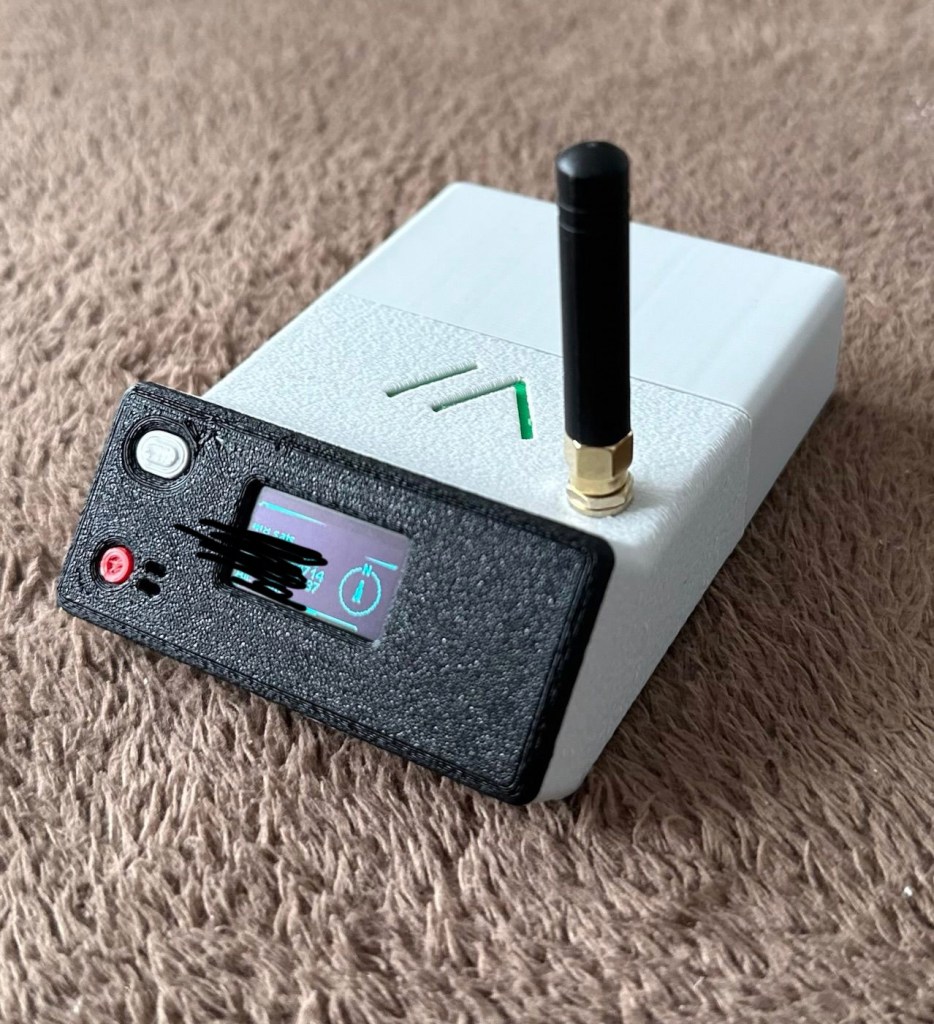
And the journey out to the family gathering registered just fine. I’m confident and happy that the GPS addition has been successful.
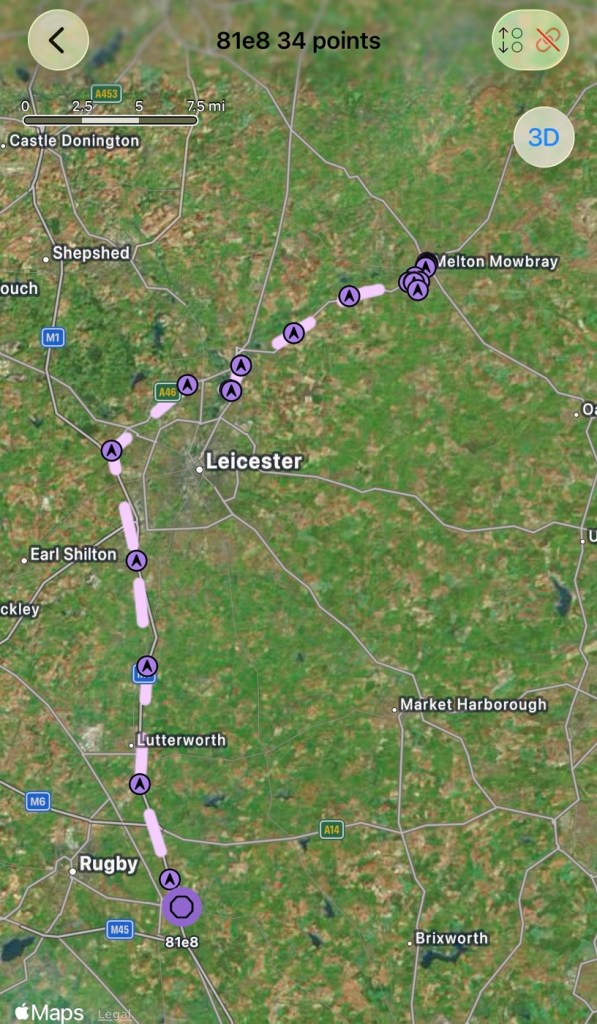
The route to the family gathering

And guess what. There are even fewer nodes in use to make contact with here. I am, or appear to be the only one, it’s a lonely pastime at the moment.

The journey back home was fine and again the GPS worked as it should. Now to get the GPS power management installed, I’ve decided to go with the “N” type MOSFET option, I’ll get this installed, tidy up the wiring and get the case placement sorted. I’ll then just reflash the software to remove any glitches and then I will rename this node as my mobile option – (MeltonFoxMob – MEFM). I’m then going to get myself a second node to build and install, probably a solar node, that will become my permanent home installation node.

I’ve just purchased a couple of N type AO3400a Mosfets as I don’t have any in my spares box. Putting this in circuit will allow me a greater control of the power consumption via the units firmware.

It’s been tested over approximately 6 weeks now and to be quite honest, I’m not that impressed. There has been one single contact over that period, however the vehicle tracking option is ok (ish) there are some questions about the system turning itself off about half way in to a longish journey, but that could be down to me not having the MOSFET in place.

I personally think it’s a fad thing until it really takes off. I will keep my mobile unit and possibly a home unit in place to see just what happens. There is only one node working in my immediate area and I’m not even sure if that is monitored in any way.

These kind of systems have to start somewhere and they just need a few more people to pop on board and spread the word. If I turn mine off then it’s another potential possibility for the advancement of the technology that will have disappeared. I’m going to be persistent with it for the foreseeable future and hope others come on board. But at the moment I’m not overly impressed. Things can only get better as they say.

Thanks for passing by. It’s always most appreciated.
Still Haunting

Yep, the Ghost radio service I reported on in August 2025 is still operating in the East Midlands and beyond

Back in August of 2025 I wrote of a radio station I had stumbled across on the DAB network. Ghost radio service.

It’s probably the post that has had the most views on my site, strange! And has been mentioned in numerous chat rooms and sites across the t’internet,

Because no one really knows what the hell it is or who owns it.

Here’s a few definite facts.

  • It can only be heard in the East Midlands, especially around the city of Leicester.
  • It has been heard out in suburban areas on the far outskirts of the city.
  • It is someone making ghostly groans and moans.
  • It is only on DAB networks.
  • No one appears to admit ownership
  • There is very little information on line.
  • 7 months after first being heard it is still active.

And it’s still active today. Here’s a video taken a couple of days back.

Spooky 👻

Digging around, checking the OFCOM site amongst many others, the only new information I can find is listed below:

Key Details About Ghost Service:

  • Content: The station broadcasts a continuous loop of a “ghost” moaning.
  • Origin: It is an avant-garde art project created by a multiplex owner to challenge conventional ideas about broadcast radio and demonstrate the efficiency of their MP2 encoder at low bit rates.
  • Platforms: Initially spotted on DAB (Leicester SSDAB on block 9B and Lubra SSDAB on block 8A), it has also been heard on FM (87.9 MHz) in areas like Billingham and Middlesbrough, sometimes switching to Christmas music.
  • Other Projects: The same entity operates another station on the same multiplexes called “Catalytic Converter,” which plays cat sounds.
  • Visibility: It has garnered attention from local listeners and YouTube creators such as Fox’s Den. 

And it mentions me. How quaint!

Thanks for passing by, have a great day. Thank you 🙏

Meshtastic

Ever heard of the Meshtastic decentralised off grid communication network? You have now. Dive in and get involved.

What’s that? I hear you say. Well, I’ve been trawling t’internet recently and one of the chaps I follow on YouTube, Gabe, has got me very interested in this particular mode of radio communication. Here’s a video of him explaining Mesh communications in his own charming and extremely enthusiastic way.

Meshtastic – as Gabe sees it

The good thing about Mesh networks are that no licence is required for use, this means the system is truly open to everyone. As a registered radio amateur this system is of interest to me in the spirit of experimentation, and that’s what’s good about this particular mode. Everyone can do it at a very reasonable cost. In the UK it’s been present for a few years now and has an active core of participants. However, usage is very patchy and still developing, and due to the short range and lack of other users to repeat messages, its general take up is going to take a while yet, or in usual fashion it may even be a mode that just dies out due to lack of involvement. It’s not a mass-market tool yet, but a growing niche interest, especially among amateur radio, DIY tech, and preparedness communities. However, that said, in areas with little or no cell phone coverage this could well be a lifesaver. Below is a little bit about Meshtastic.

What is Meshatastic?

Meshtastic is a free, open-source project that lets you create your own decentralized, off-grid communication network using LoRa (Long Range) low power radios. It’s designed to let people send short messages and share data without relying on mobile networks, Wi-Fi, or the Internet.

Open-source & community-driven: Anyone can contribute, modify the software, or build devices with the firmware.

LoRa technology: Uses low-power, long-range radio waves in unlicensed frequency bands (like 868 MHz in the UK/EU).

Mesh networking: Devices form a mesh by rebroadcasting messages. Each device acts as a node that can relay messages to extend coverage.

Meshtastic’s goal is to provide reliable communications when other infrastructure is absent or unreliable and to offer a flexible platform for hobbyists and practical users alike.

How it works

Networking: LoRa radios transmit small data packets over long distances with very low power. Each device forwards messages it receives to nearby devices, forming a mesh network that extends reach beyond single-hop radio range. The network is decentralized — no central tower or internet access is needed.

User interaction: Devices can connect to your smartphone via Bluetooth and use the Meshtastic app to send messages or view locations. Messaging is typically text-based (no voice or high-bandwidth data).

Why use it?

People adopt Meshtastic for many reasons, often tied to availability, resilience, and independence from traditional networks:

Outdoor activities: Hiking, camping, biking: Stay in touch where cell signals are weak or absent. Location sharing: Useful for groups and safety.

Emergency situations: Natural disaster backup, communications can continue even if cellular networks fail. Communities and some groups experiment with using Meshtastic as an alternative communication layer during outages.

Technology and DIY: Education and hobbyists use it to learn about radio, mesh networking, and embedded systems. Integrations with IoT sensors and other projects are possible.

Community and social projects: Enthusiasts set up community networks, share nodes, and even run local meetup groups. 

What do you need to get started?

Basically, Amazon, EBay, and the Chinese suppliers such as Ali express have all you need. Needless to say the Chinese options are far less expensive if you are willing to await delivery. Just type “Meshtastic kit” into your browser to view your options.

As I’m in the Uk I can give some prices for the most basic setups within my country. To be honest, all that is needed is a Meshtastic main board of which there are a few to choose from, a power source and a mobile phone to do the setup. Something like this below.

From Amazon in the uk I can get this board, for £18:99GBP and that’s all I need to get started.

Amazon uk

Add to that a small battery and you can probably power this unit for between 24hrs or even a week, dependant obviously on the battery capacity and how you have the system set up. A battery in the uk on Amazon would cost around £6-£10 GBP. You can buy enclosures to make the unit “pretty” or you can even 3D print your own. I think I will print mine when I finally have my printer up and working.

A suitable battery

On the Chinese platforms these items can be purchased at a greatly reduced price, the main board can be purchased for around £3:00GBP, you can even purchase two entire units for less than the one that you get from Amazon. It really pays to shop around.

I’m shortly going to dive into setting up a Meshtastic node, I’m even going to set up an APRS one under my radio licence conditions, but that will be another post.

So hopefully this post may introduce others to an off grid communication mode that may well assist those in remote areas or with extremely limited cell phone coverage. As soon as I’m ready to build and place my node I will write a post regarding its build, programming and eventual usage. It is all very simple technology and worth having a read about on the Meshtastic website : Meshtastic introduction

Text you soon!

TinyGS: The Open Satellite Network Anyone Can Join

It’s easy to get involved with low cost satellite tracking. Here’s a repost of a recent article about TinyGS

TinyGS is one of the most exciting grassroots radio‑space projects to emerge in recent years. Built around inexpensive ESP32‑based LoRa boards, it …

TinyGS: The Open Satellite Network Anyone Can Join

We were the pioneers…

We were the pioneers. We started the fire…ish

What podcasts are you listening to?

Back in the day we used to listen to pirate radio stations, in fact I even ran my own one at one point in around 1977, I wasn’t even a teenager. My brother had the gear but I had the idea, I would just talk to friends, chat, be stupid and say silly things, we weren’t hurting anyone but we were breaking the law.

We were rebels.

Fast forward to 2025 and people are doing exactly the same but now it’s legal, anyone can do it and that’s where I lose interest. They call them podcasts.

I really can say I’ve been there before, done it, got the tee shirt and been a pioneer in the podcast world.

I did get caught broadcasting back in the mid 80s when we had a setup on a large tower block in the Garston area of Watford. Just a slap on the wrist though as we were just all youngsters experimenting with radio.

But the straight answer is, no I don’t listen to podcasts, after all these years I still remain committed to good old fashioned radio programming.

I’m just an old fart I guess.

Have a super day.

Sadly, I don’t…very well

Give me a radio any day. But I’m a sucker for useless information

How do you manage screen time for yourself?

To be quite honest, in this activity, despite all my good intentions, my management of screen time is sadly, quite poor.

I’ve probably mentioned many times in the past that I do not watch a great deal of television. The occasional football game, the news and maybe a documentary or two is about all I care to watch, in total hourly intake, it’s probably no more than a few hours a week. I have always been more of a radio person, I’d sooner have a radio on as a background accompaniment, I’m an audiophile before being a videophile that’s for true.

But, my downfall is a thirst for knowledge, or useless information, which ever way you look at it. This little box of tricks that masquerades as a telephone, currently in my mits, being frantically typed into with squinted vision is my downfall.

I do a lot of research for a number of reasons, study, hobbies etc, but I’m easily distracted, too easily distracted in many cases. If something funny or humorous pops up, I’m hooked like a big game fish on a long line, and I’m fighting all the way.

The whole social media thing doesn’t really get me excited in any way, apart from WordPress maybe, or an occasional foray into YouTube, I really don’t do the social media thing. Why’s that? You ask, it’s bloody toxic I tell ya, and to be honest I can find enough drama within my own family structure without getting involved in anyone else’s, and to be truthful, blatant nastiness just isn’t my thing. I like to think I operate at a much higher level of respect and kindness than what I witness in those turgid cesspools of nastiness.

We’ve tried all kinds of house hold bans on the phones such as banning them from the bedroom, these work for a while and then they gradually start to creep back in again so we simply just give up.

I guess like it or not it’s here to stay and we have all become totally engrossed with the modern technology readily available in our pockets.

I don’t think, as I suspect is the case with a lot of people, that we manage screen time well at all. It seems to me that screen time is managing us, and we’re all in just a little too deep to be able to come up for air.

If you want control it then you need to take control of it, and be stubborn and harsh and direct, with firm actions to control it. Once you’re hooked though, it’s goodnight Vienna, no amount of stubbornness is going to help you back up.

And on that note, have a wonderful day. (Whilst reading this on your phone, tablet or whatever – see, you’re already fighting a losing battle)

Ooh that’s a struggle…

What are your top ten favorite movies?

As I’ve probably stated many times previously, I don’t watch a great deal of television or cinema. The last time I went to a cinema was on my 50th and that’s getting on for ten years ago now.

Most of the films I rate were what I viewed in my childhood and a number were influenced by what my parents liked to watch. As a sixties child a lot of those films were “War” based films as the 2nd World war had only ceased some 19 yrs before my arrival on the scene.

So here are 10 films (I may struggle to get that many) that feature in my top ten but in no particular order:

  • The Dam Busters
  • The great escape
  • The Glenn Miller story
  • Robin and the seven hoods
  • Priscilla Queen of the desert
  • The exorcist
  • American werewolf in London
  • Jaws
  • Close encounters of the third kind
  • Saturday night fever

Quite a range I’d say, and pretty much nothing falling within the last 20 years or so reflecting the fall from personal grace of this entertainment medium, in my personal point of view.

Now… make that a question about radio and I can go on, and on, and on….you get it 😂

Have a great day.

Ghost radio service

No, I’m not talking about secret Russian radio stations, that seems to be all the information you can find, regarding ghost stations on the internet. This Ghost service station has popped up on DAB radio in the Uk, in Leicester, and there is no info that I can find about it online, and all that it seems to be broadcasting is someone making spooky ghost sounds. Have a look at this little video I made of it, only about 30 seconds long.

Spooky

I’m wondering if someone is having a laugh on this channel, maybe it’s on hold, just awaiting a new residency, who knows? I believe this is based somewhere in Leicester city as I’m unable to tune it, anywhere outside of the city limits. I’m surprised that our radio regulators at OFCOM are allowing it, however radio standards aren’t what they used to be nowadays.

Strange one isn’t it?

Have a lovely day all.

Always the radio

What do you listen to while you work?

As a child of the 60s, Tv was very much still in its infancy and has never really had a hold on me. To this day I watch very little Tv whereas my wife is the total opposite, and all those Tv subscriptions really add up.

I however prefer the radio, always have done and always will do, you can take the Tv away and I truly would not miss it for a single second.

I was brought up on radio, the excitement of owning your very own transistor radio that went everywhere with you. In bed late at night listening to those old sports broadcasts as well as walking the streets with it permanently held to your ear listening to your favourite channel, way before Walkmans and MP3 players got in on the act.

The radio I always have on in my workspace

I learnt about radio at an early age, how it worked, who invented it as well as participating in its experimental usage as I grew up, I even took the RAE exam and got my City and guilds qualification in radio, I became a radio Amateur and the experimentation went up a few notches. I think this is where my fascination in repairing all these devices comes from, an incessant, absolute thirst for knowledge and a fascination in just knowing how things work.

I sit in my little work area and have a simple radio I recently repaired, set on my station of choice, and in the Uk that is “Boom radio”. It plays my type of music and still has familiar DJs I grew up with as a child, I’m stuck in a fantastical time warp.

Radio, I use it all the time, and to me it will always be the premier medium of entertainment that i will always turn to.

Have a great day.

Bush handheld radio

Here’s what the posting stated:

Grading: FAULTY (USB SOCKET)

EBay

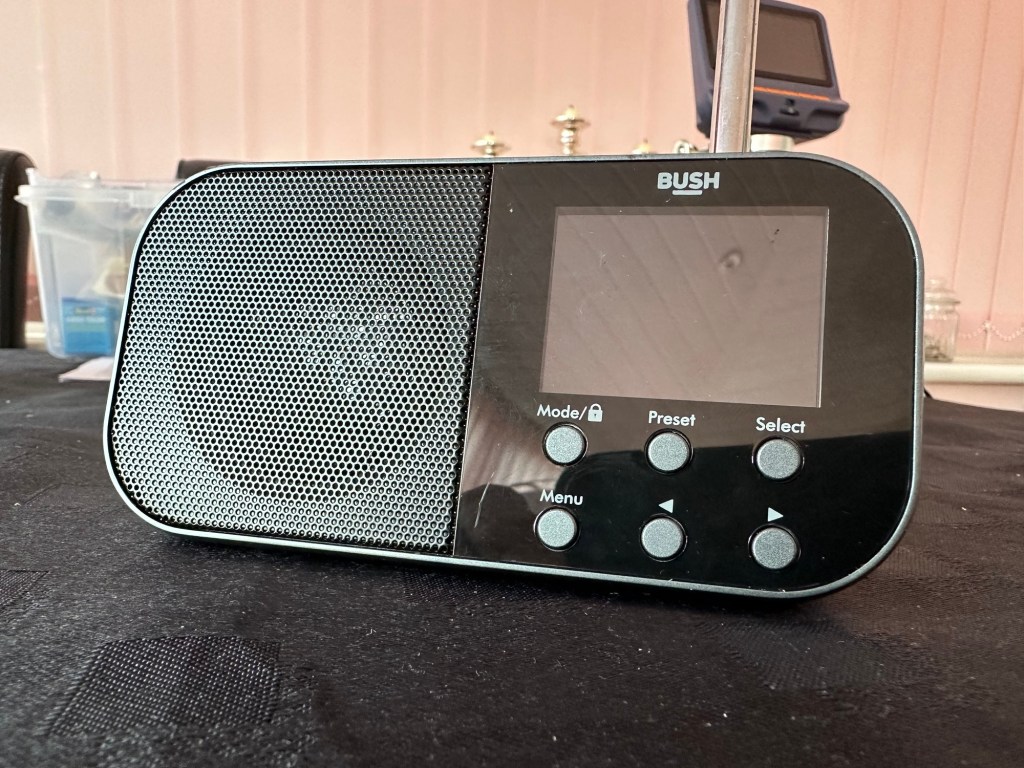
Simple as that. And yes it’s a tiny radio but in excellent condition cosmetically.

Bush handheld

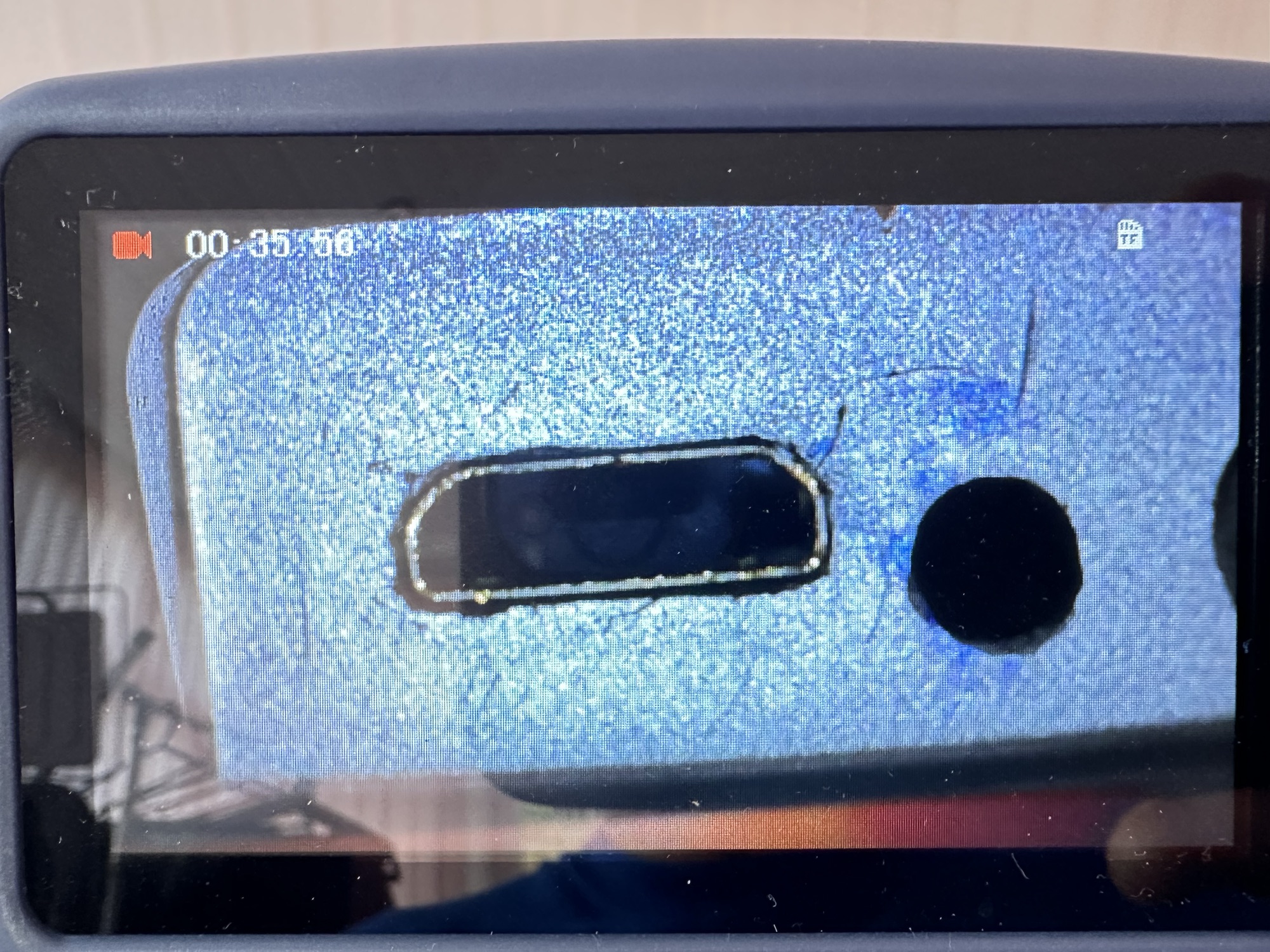
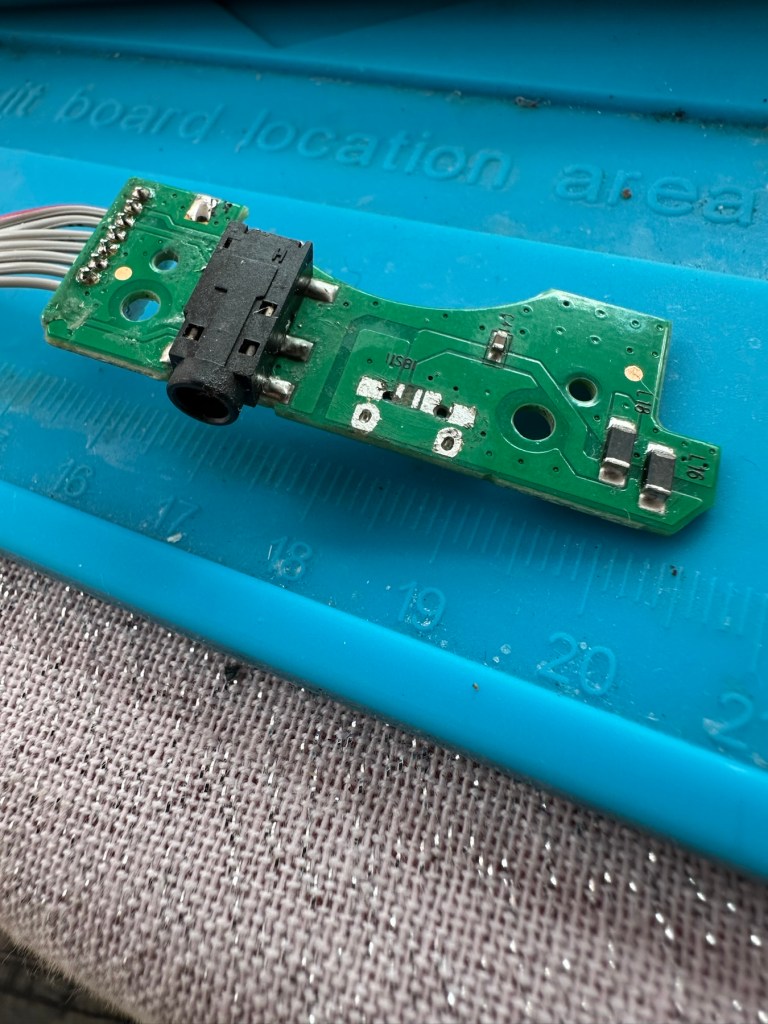
On inspection it’s obvious that the micro USB port is damaged and will need replacing.

I’ve ordered some replacements USB ports from our friends in China so I’ll have to wait a few weeks before I can progress this project any further.

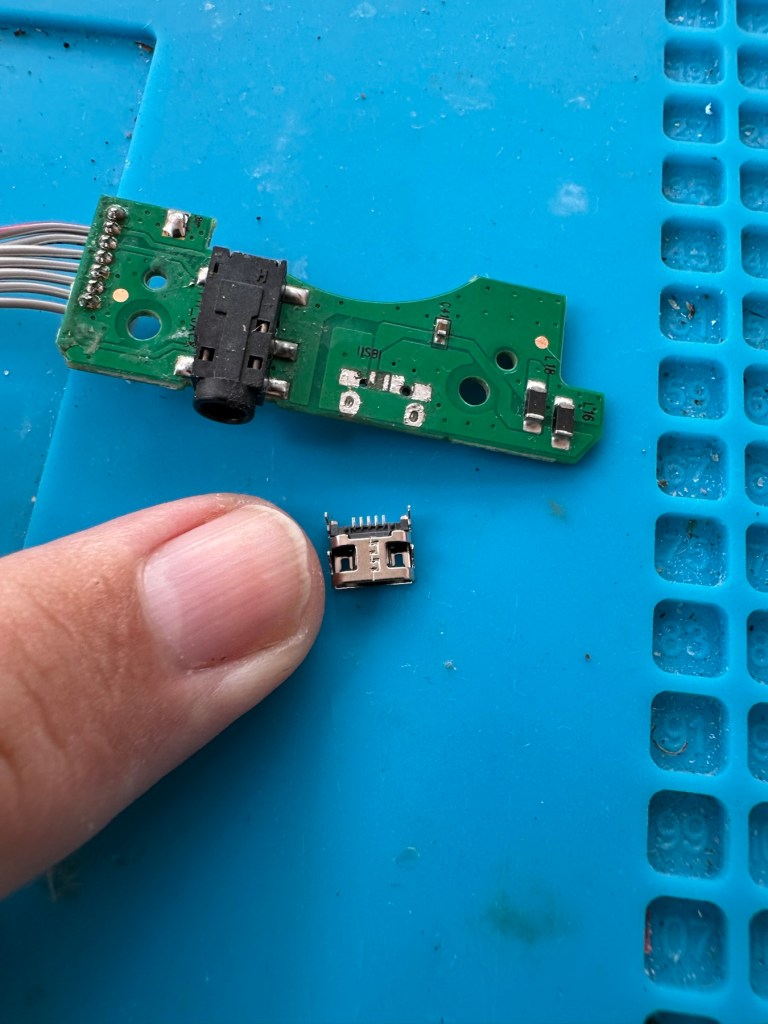
Micro usb ports

The ports have arrived from China, so let’s look to see if we can repair this unit.

*This project has been on the back burner since May 2024. 13 months later and I’m now on it*

Hello all, time to clear that backlog and what better place to start than here. I do in fact have two of these with the same problem so this is a two for the price of one project.

This should be a simple case of replacing the faulty charging ports that are both micro usb ports. They are small believe me.

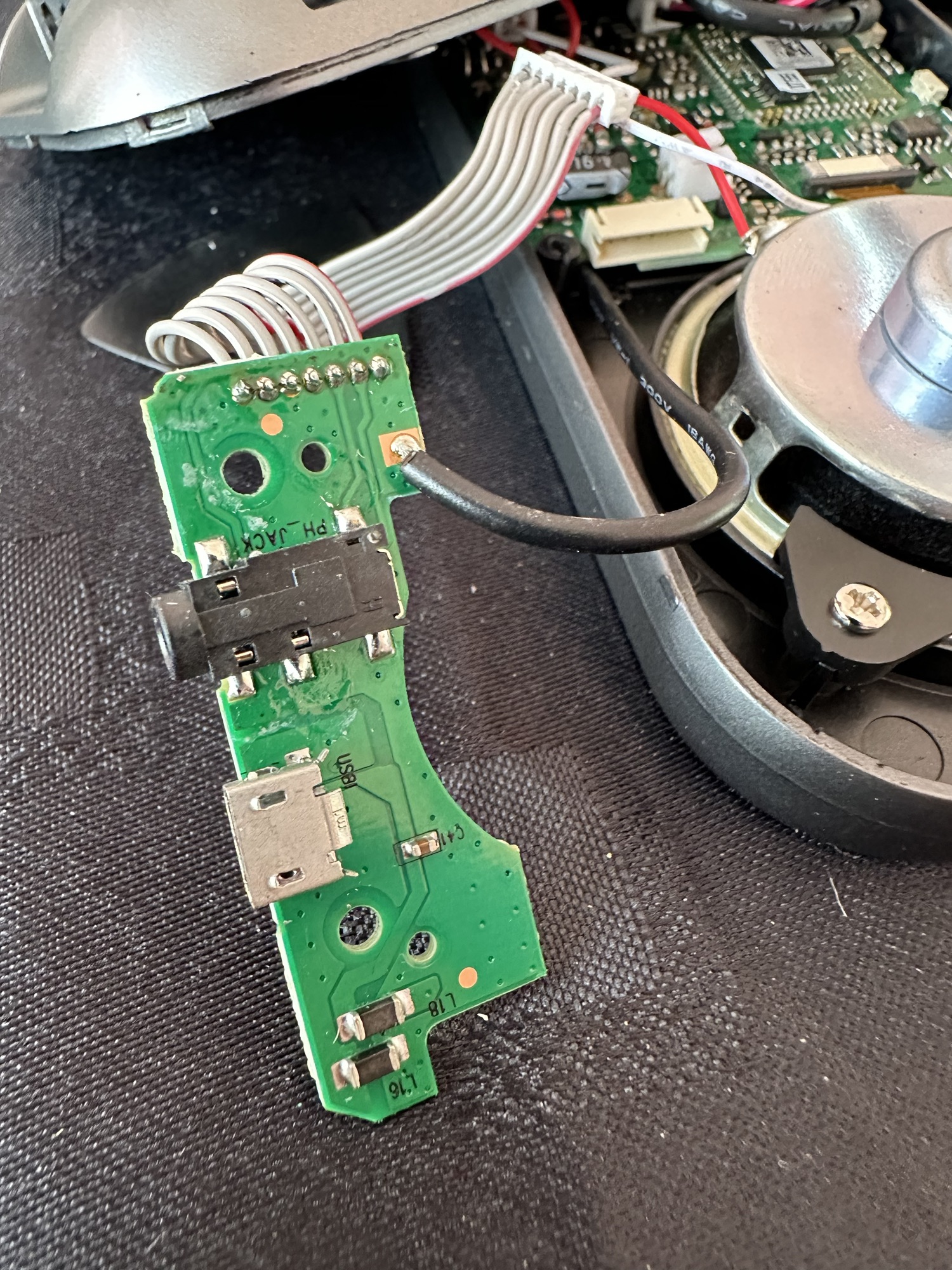
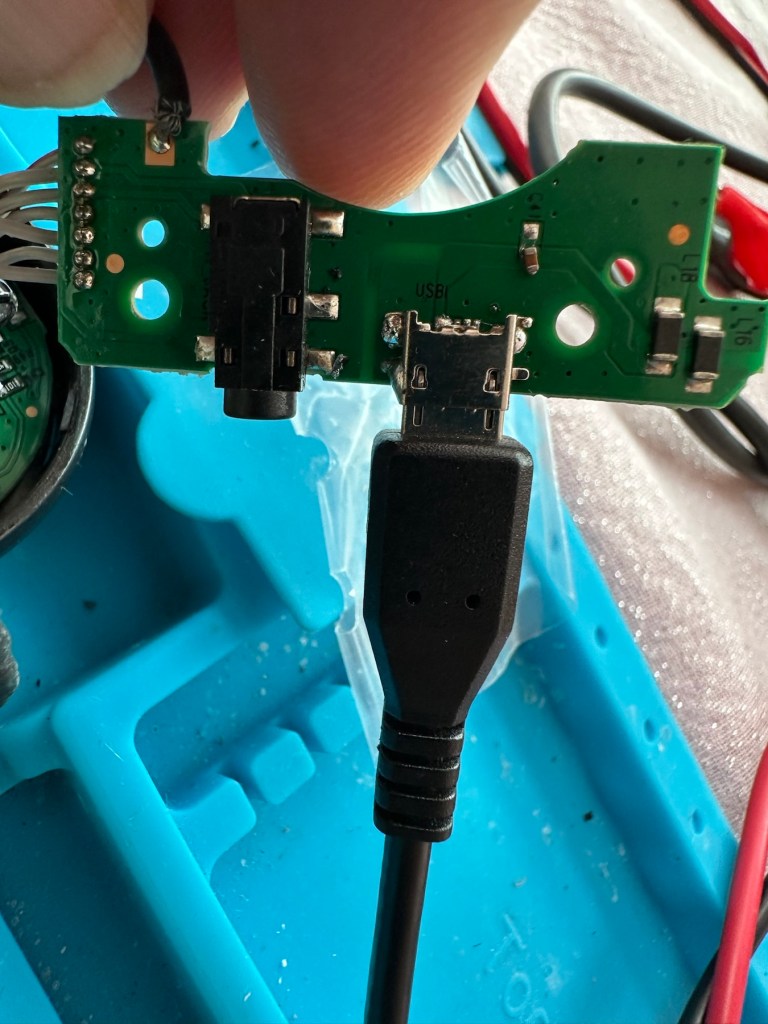
There has to be some preparation before we can get the new port on. Using a soldering iron and flux and a little solder wick, I clean the old board remove the old solder and give a good clean with IPA. I then prime the small connections on the rear of the charge port with a little solder. Now I put the port to the board and tack on the earth points. Then using a rework hot air gun I blast the port at about 350 degrees Celsius and hold the port in place with some tweezers until I see the solder glisten and melt around the port. I take the heat off and let the solder set before moving the tweezers and when it’s cooled a bit I check that it’s setting straight, all connections are good and solid. I then just add a tiny bit more solder to the anchor points for strength.

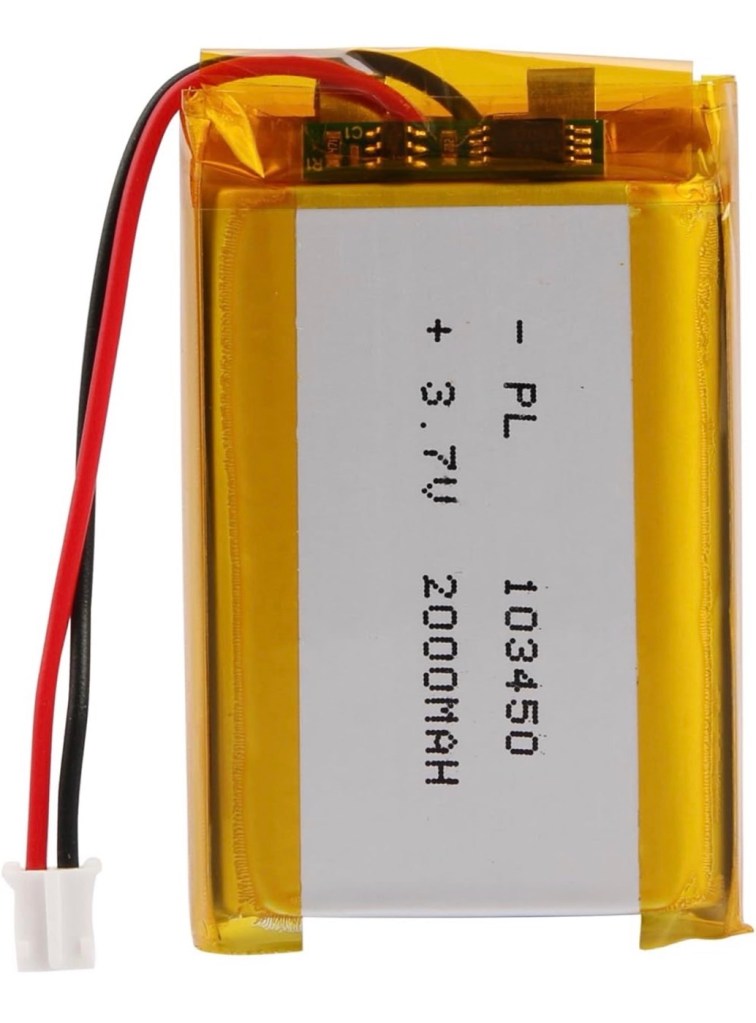
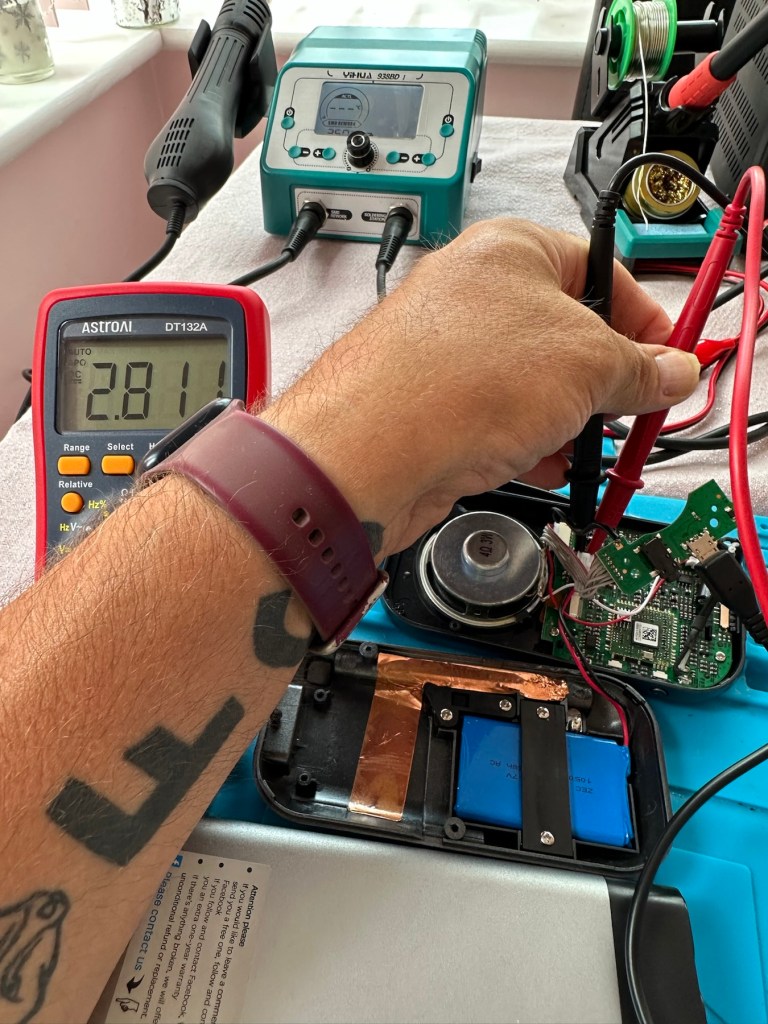
Whilst this is cooling down I check the status of the battery. It is a 3.7v rated battery and is currently holding a charge of 2.8v. It’s a little low but far from being dead. The second battery shows a similar charge.

Battery level

After the solder work has cooled I use my battery pack connected to a small ammeter to see if the radio and more importantly the battery is demanding any power.

Well that’s good news, 5v in and the demand from the battery is 0.96 of an amp. The battery is charging. And the fix is as simple as that.

Two perfectly good radios

A little bit of soldering aerial contacts and a couple of other wires back into place and the whole unit clicks back together. Two screws inserted in the rear and time to switch on. Both radios tune in perfectly and the sound is surprisingly good for these little units. I’m keeping one in my work space at home, as I love having some music around me, I’d sooner listen to the radio any day as I hardly watch TV. The other radio will go into my work locker for when I’m working nights or in the workshop.

In my work space, but it won’t be staying here…

Im very happy with this little project, it only took about an hour and I don’t know why I left it so long. Another couple of items saved from the tip, it amazes me that these units probably all suffered with the same problem of inferior parts that failed early on in the radios existence. Kind of scares me just how many did go to landfill.

Two cracking little radios

Well at least these two are going to carry on for a few more years yet. And that’s a positive in my eyes.

Thanks for passing by. 👍