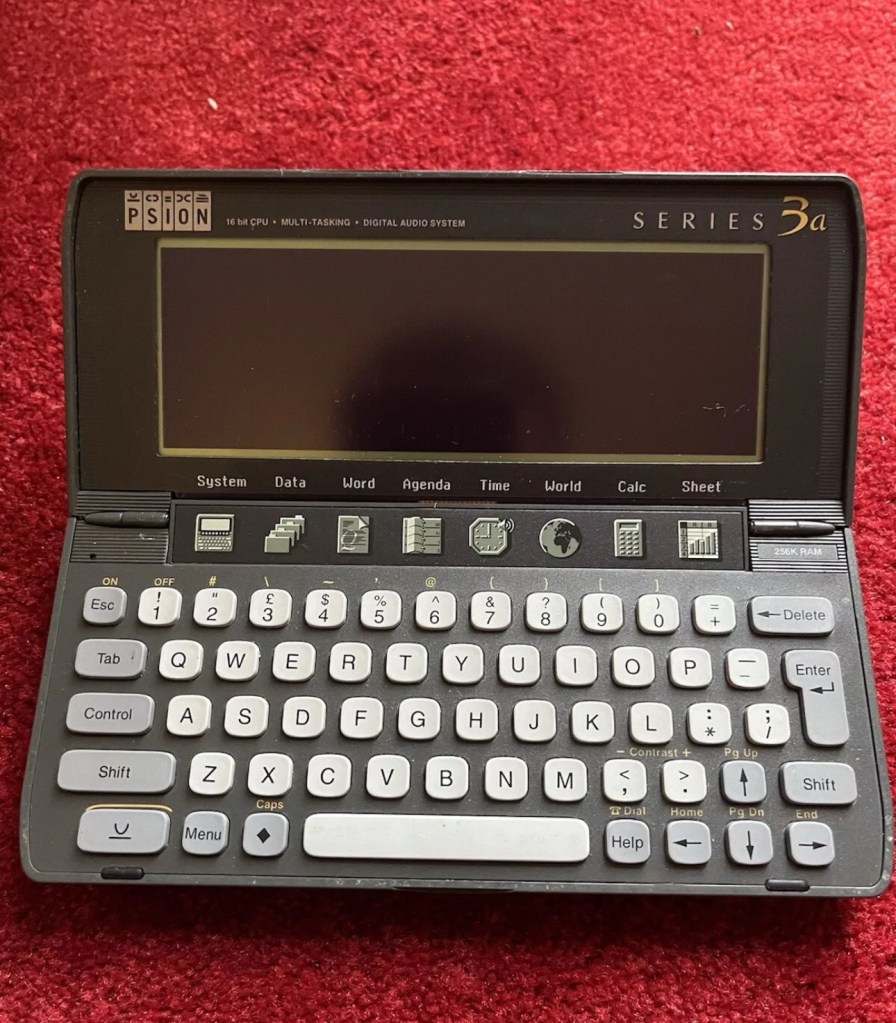
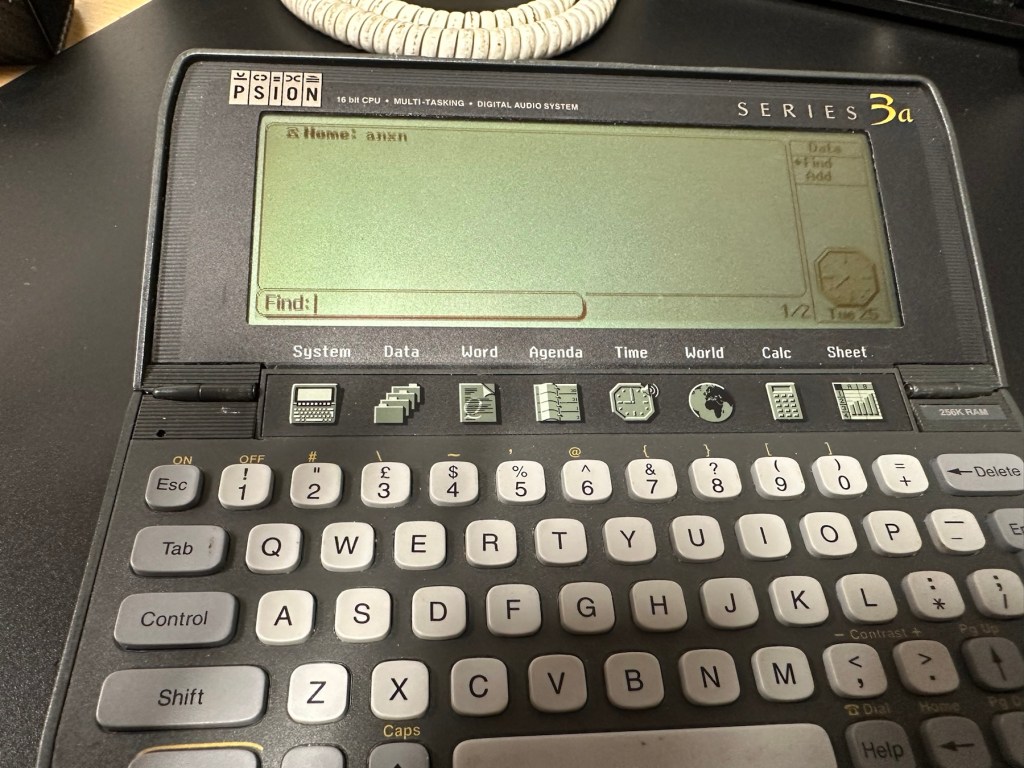
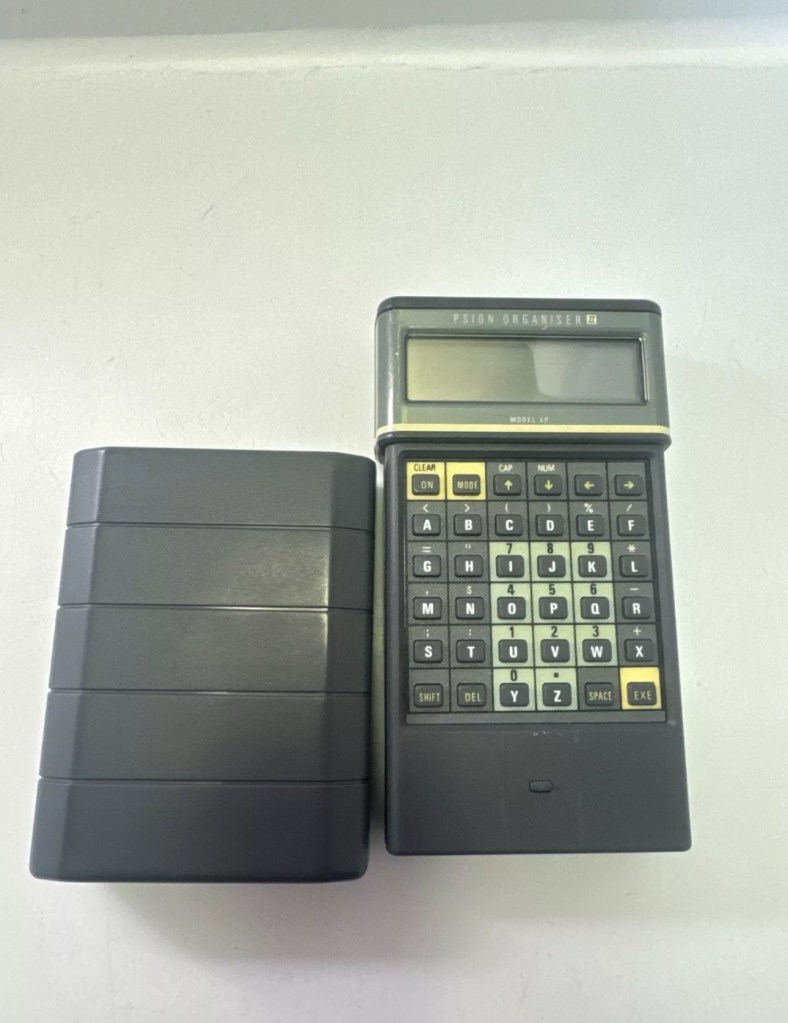
Psion organiser series 3a

What the listing stated:

It fires up and turns on, then get a black screen. Every time I press a key on the keyboard it makes a beeping sound, so it is registering something.

EBay

From a distance, and in my opinion, the fault could be a simple one such as adjusting the contrast by using the Psion key and either of the <> keys. This was often an issue when first turning on the Psion II, you had to turn the contrast wheel. However it could be a terminal one requiring a donor unit. In layman’s terms it could be knackered, (to coin a phrase). But hey, what do I know 🤦‍♂️

Psion 3a – Faulty

Fingers crossed 🤞 as usual.

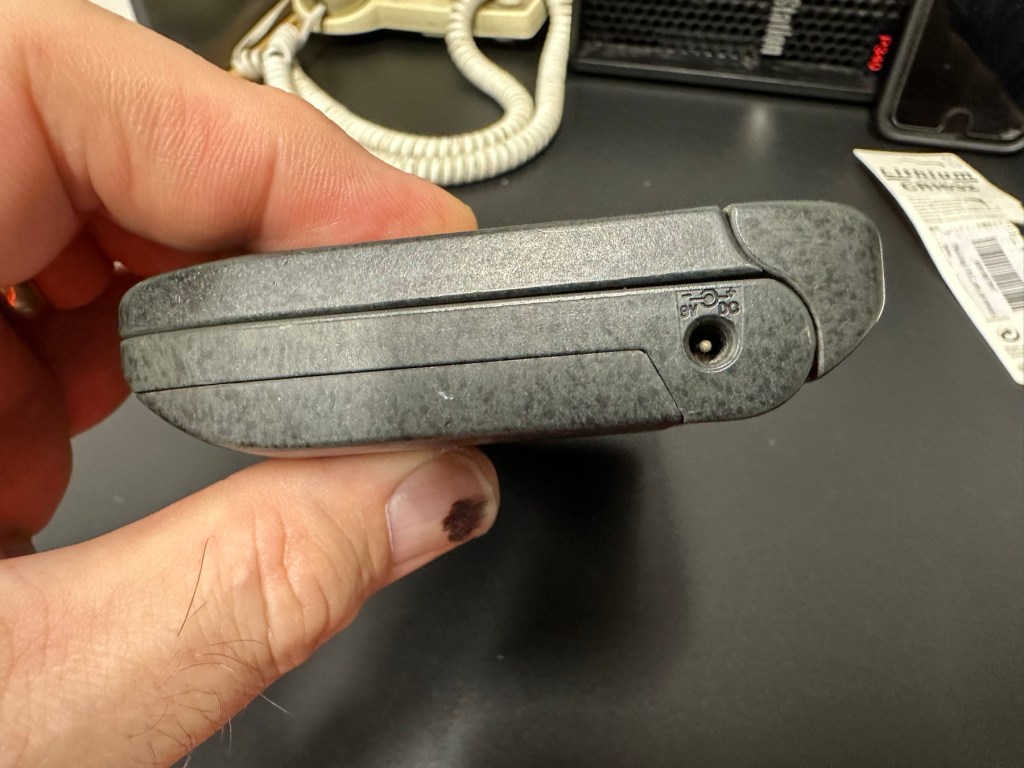
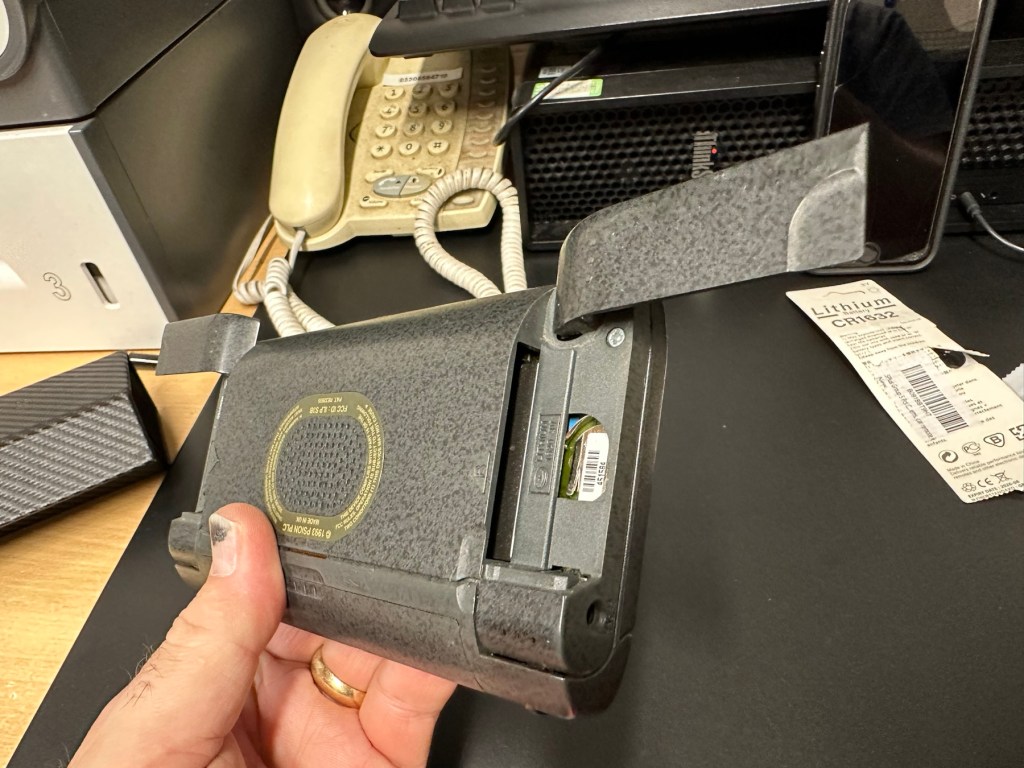
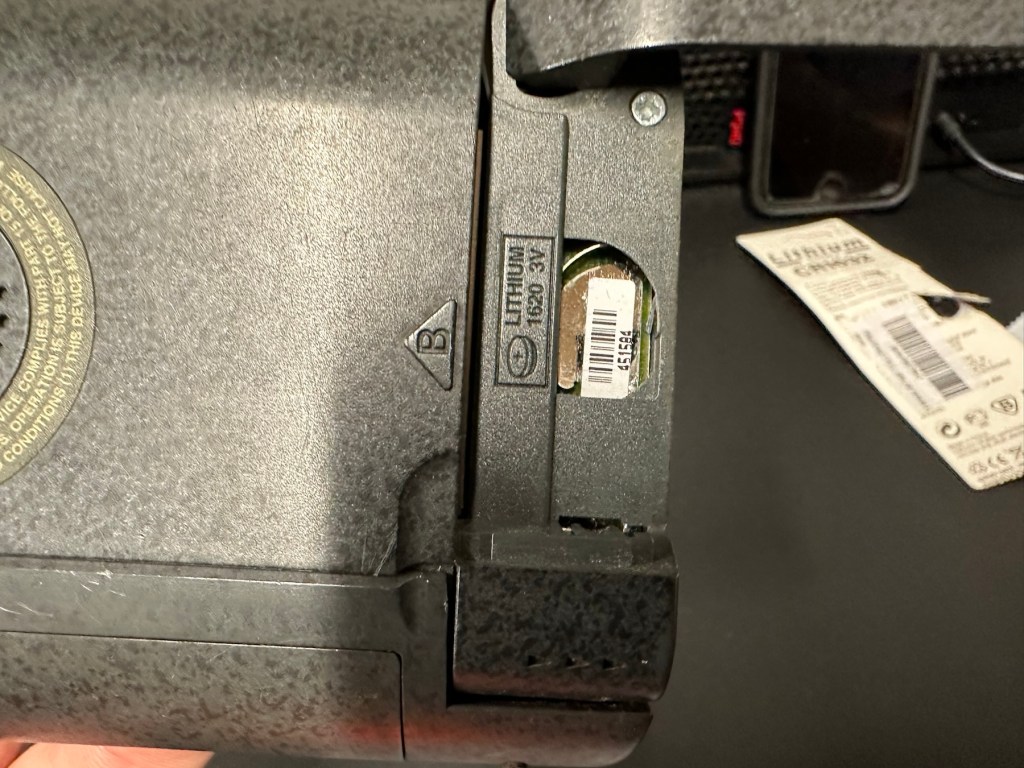
I have a what looks like a nice tidy little unit here obtained for a very reasonable price £17:69Gbp including postage. These units retailed between £179-£249 when they first appeared back in 1993. However, there is only the one picture in the advert so the rear, sides and hinges could be wrecked. “Caveat emptor” as they say. It does have a problem that will need some investigation. It runs off of two AA batteries and a CR1620 coin battery as a backup, and these will be the first items to be changed, I’ll also check the voltage of that coin battery and replace that if necessary. This is an early version with 256KB of internal Ram. 3a versions from 1995 either had 1Mb or 2Mb of ram. You can also use an external power supply if required, but the batteries in these units have an excellent long life span, so external power is rarely necessary. I’m looking forward to this project. I’ll make a more detailed analysis when the unit arrives shortly.

The Psion Series 3 range of personal digital assistants were made by Psion PLC. The four main variants are the Psion Series 3 (1991), the Psion Series 3a (1993), the Psion Series 3c (1996), and the Psion Series 3mx (1998), all sized 165 by 85 by 22 millimetres (6.50 in × 3.35 in × 0.87 in). Further, a Psion Series 3a variant with factory installed software for the Russian language was called a Psion Series 3aR, and Acorn Computers sold renamed versions of the Psion Series 3 and 3a marketed as the Acorn Pocket Book and Acorn Pocket Book II.

Wikipedia

A little history:

This particular unit dates from 1993 and was the next in the series of Psion organisers that succeeded the extremely successful Series 2 models. It was a massive step forward in design as the whole PDA market was kicking in big time in the early to mid nineties. More info regarding the series 3 organisers can be found here: Psion series 3

And the strange fact for today is this:

Manufacture of Psion 3s was discontinued in 1998 shortly after the launch of the Psion Series 5 (a Psion Series 4 does not exist, due to Psion’s concern of Tetraphobia in their Asian markets)

Wikipedia

What is Tetraphobia?

The fear of the number four: Tetraphobia is mainly suffered in China, Vietnam, Korea, Japan, because the word for the number four is similar to the word for death in their languages. Tetraphobia results in many people avoiding referring to 4 in phone numbers and so on.

Cambridge dictionary

There you go, question answered and that was why there was no Psion 4.

Onwards…

What has arrived, and what’s the diagnosis?

The unit has arrived and despite my suspicions it is in an excellent cosmetic condition. Just some very light signs of usage, needs a light clean, all hinges are in place and solid. Everything is as it was all those years ago and all the warranty labels are in place, this unit has never been opened.

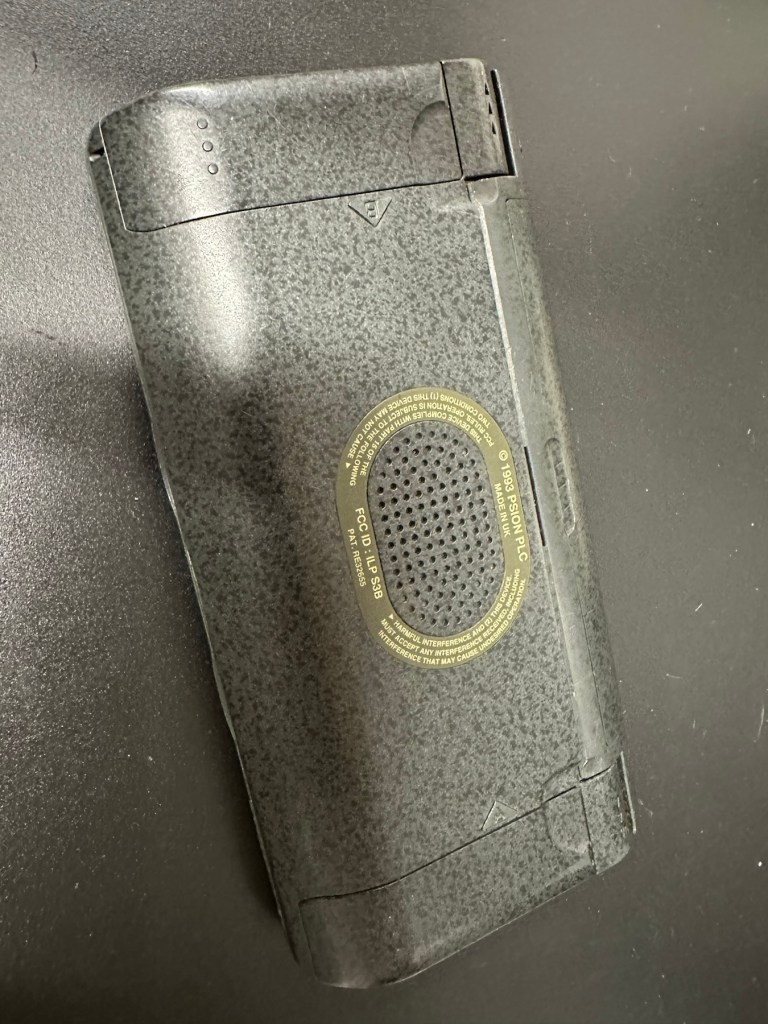
I placed the new AA batteries in and it came up with the black screen as the seller had stated. Using the contrast adjustment at this stage had no effect but the buttons were sounding so something was happening. Whilst looking in the memory card doors I could see one glaring issue, there was no backup CR1620 battery, so I dropped one in place . When I started the unit up again the screen went from black to clear, over a few seconds and then I operated the contrast buttons, and hey presto it worked. Watch this little video to see what happens.

We have life

I can only surmise that not having the correct batteries in for god knows how long, and then livening up the circuitry must just be like giving Frankenstein a fresh transfusion of blood. “It’s alive!” Well, that’s all I can think it would be.

I’ve run every function on the unit and it all works fine apart from the voice recorder function that seems to have a lot of feedback on the recording. I suspect this might be as I’m using the already full internal memory. It’s not a real problem, I’m just going to have to read up on it, as I could be doing it all wrong. (I have since done a hard reset and deleted old files from the system and this has cured the feedback issue, the voice recorder works fine). However it would still probably work better using an additional drive in the unit, and not the low internal memory.
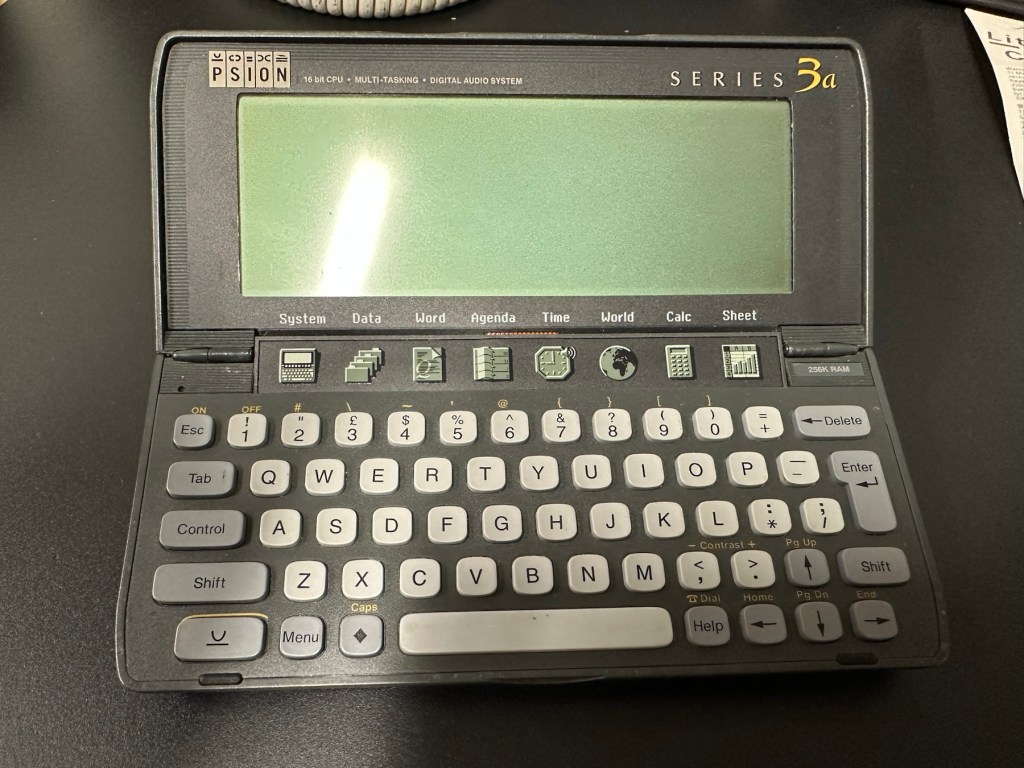
Just as you could on the Psion II you can write your own programs using OPL language. And it is a lot easier on this unit as you have a full Qwerty keyboard and a much bigger display. There are more applications on this unit than the series II, including word, spreadsheets, DTMF dialler, calculator and others that can be purchased as plug in additions.

I’m really happy with this, if the seller would have just taken a little time to run the unit and have some patience he’d have realised there really is nothing wrong with this unit. Big negative for him, big bonus for me. He could have charged more than double the price for this item, or more, considering current prices on the selling platforms.

Another strange thing i have noticed is that when I’ve left it overnight and started it up the following day it takes a minute or so for the screen icons to appear, just like putting on an old valve radio. So it maybe that a repair is necessary, I’ll have to ask around and see if any else has had this issue.

Valve powered Psion3A

Edit: A few days later and I’ve looked into this a little more. For some unknown reason, probably my rank stupidity, I’ve checked the coin battery and I’ve installed a CR2032 instead of the required CR1620 and have tonight corrected this and installed the CR1620 coin battery. I don’t know if, or why this would have an effect, but after putting the correct battery in place the unit started up in a couple of seconds even after sitting unused for at least a couple of days, instead of the usual 2 minutes as per the video. I can only think it must be something more related to the capacity rather than the size, unless for some reason the contacts were not sitting true. (There is a slight difference of 4mm in width) I remain puzzled as I thought the battery was just for backup purposes, maybe it does perform more as a computer CMOS battery does, but I’m pleased it’s now operating as it should. I can now stop monitoring the sale sites for units to use as spares.

Sometimes your suspicions pay off, and on this occasion I was spot on. EBay untested items can swing either way and most of the time the sellers use it as an easy get out for not accepting any responsibility. But this time I win, and that makes me happy as I have a very good item for my retro collection.

Thanks for passing by.
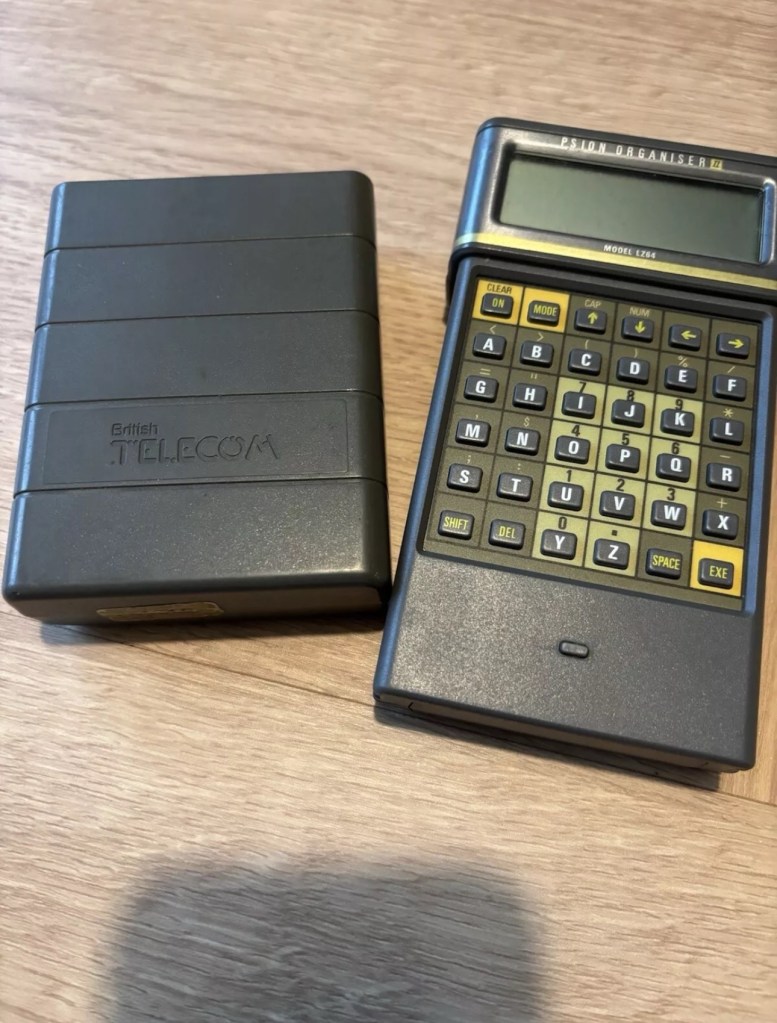
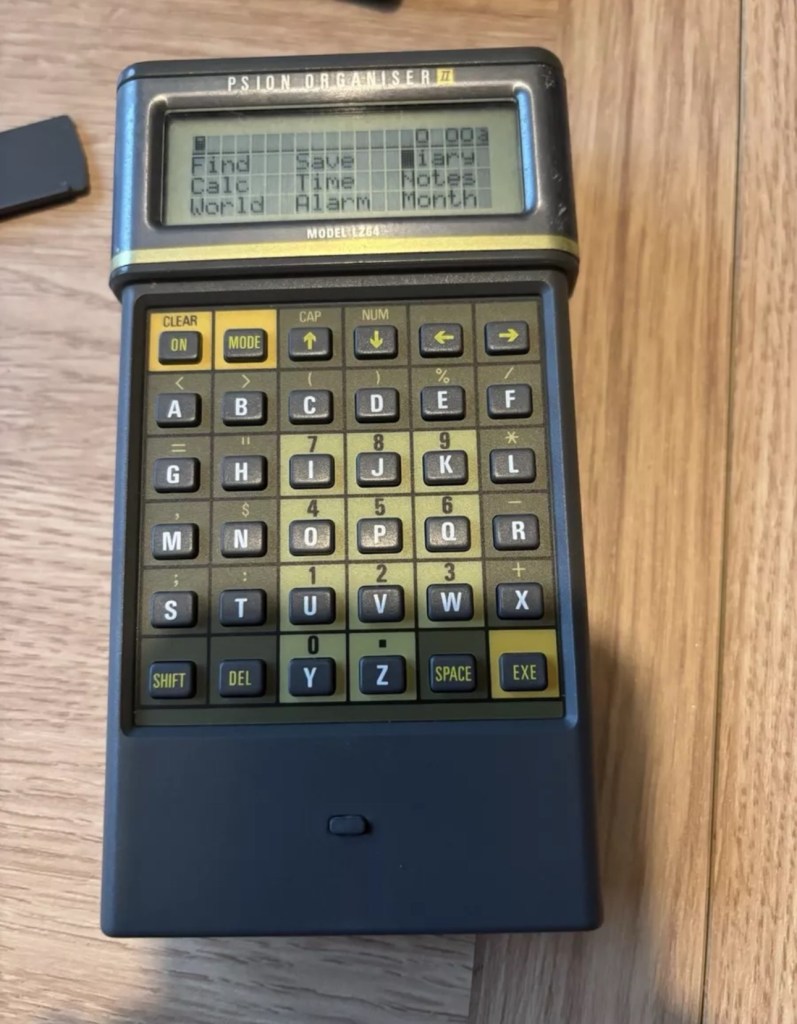
Psion organiser II LZ64

I am now in possession of my fourth Psion II organiser, in an attempt to complete my collection of these devices. This one is the LZ64 model from 1989. All my examples are of a good quality with only some slight markings on the device. They all work as they should do with no issues. This particular example comes with a British Telecom branded holder, as a number of different companies branded their own units like this back in the late 80s early 90’s. It has 64KB Ram and a 64KB Rom that is expandable.

My units marked with an asterisk
The LZ range

Here is some information from Psion regarding this model.

The Psion Organiser II Models LZ and LZ64 come with a powerful set of utilities including:

  • A database which allows you to store items of information and retrieve them again instantly.
  • A diary to keep track of personal appointments.
  • Alarms to remind you of your diary entries, or to use as an alarm clock.
  • A sophisticated calculator, for simple or complex calculations involving mathematical functions.
  • A clock, with a stopwatch and timer.
  • Notepads with calculation, for information such as things- to-do or expenses lists.
  • International time and dialling codes.
  • A month-at-a-view calendar.
  • Password protection.
  • A multi-file database.
  • A choice of European languages.

The Organiser also has its own built-in programming language called OPL. The language is designed to exploit all the machine’s facilities to the full and to let you tailor the Organiser to your own specific needs.

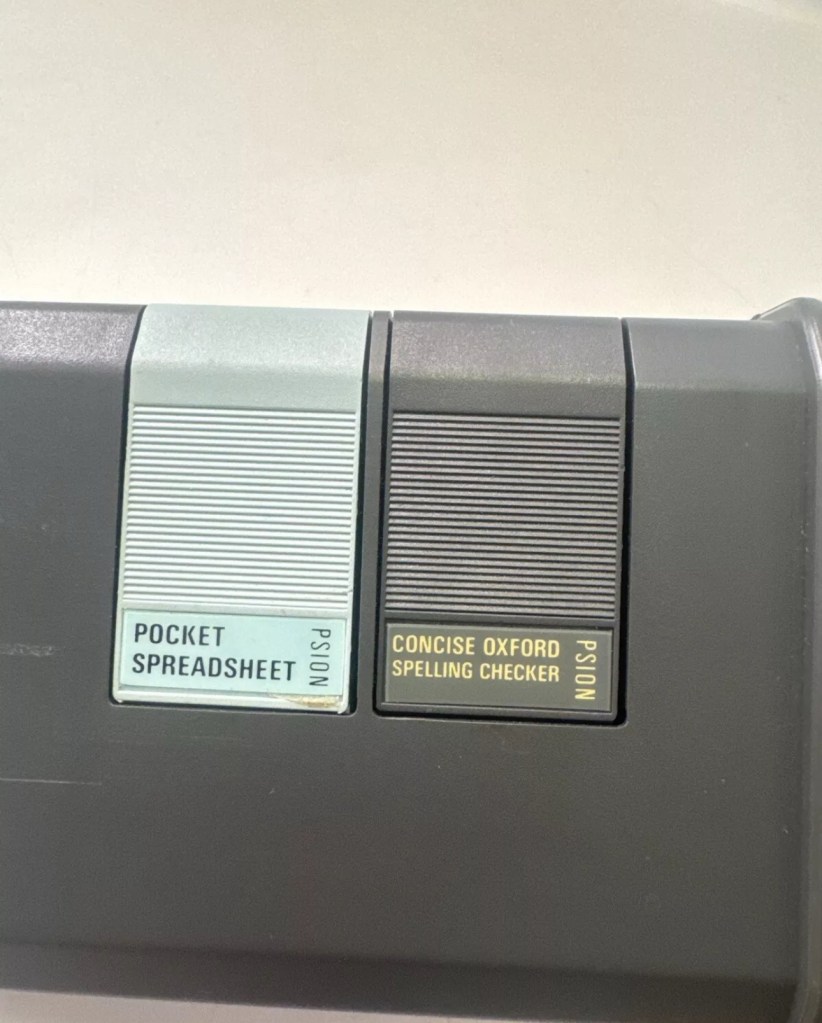
The Organiser has an internal memory and two external devices which are the equivalent of disc drives on a desk-top computer. Each one can hold a Datapak for you to store information on, or a program pack containing a program such as the Pocket Spreadsheet.

The internal memory of the Model LZ64 holds around 64,000 characters. In addition, one or more Datapaks can boost the storage capacity considerably – by up to 128,000 characters per DatapaK.

Courtesy of Psion PLC1989

As I’ve stated before I will be using these units to learn the OPL programming language and to try and get these units connected to other retro units that I have if this age group. I am also looking at getting these units to connect via usb to a computer. It can be done and that is a project for me at a later date.

Thanks for passing by 👋

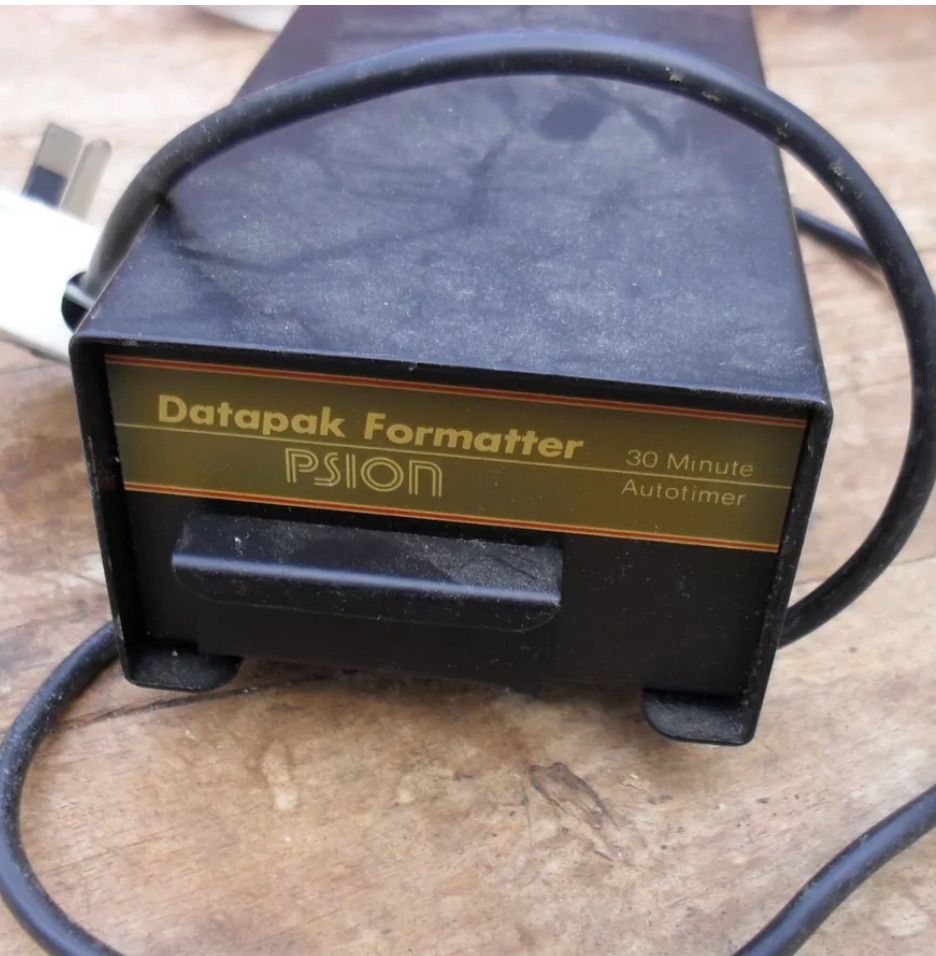
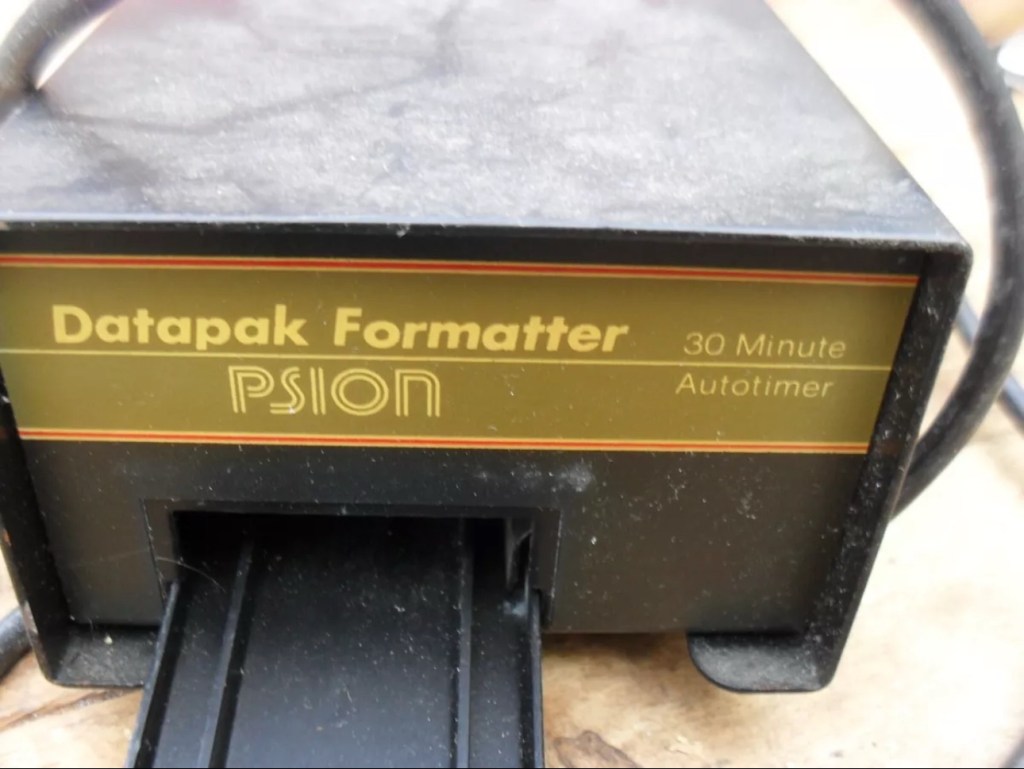
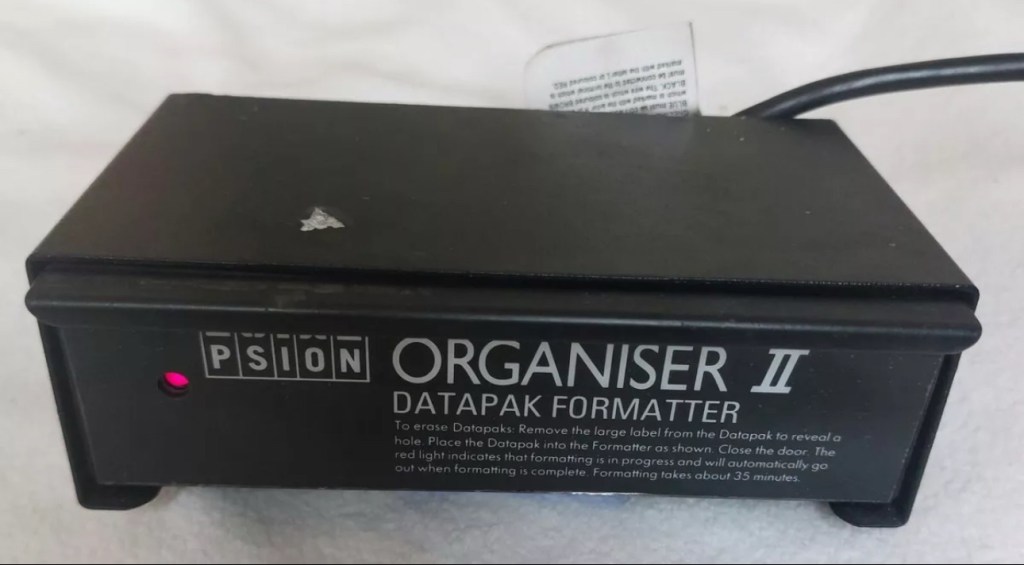
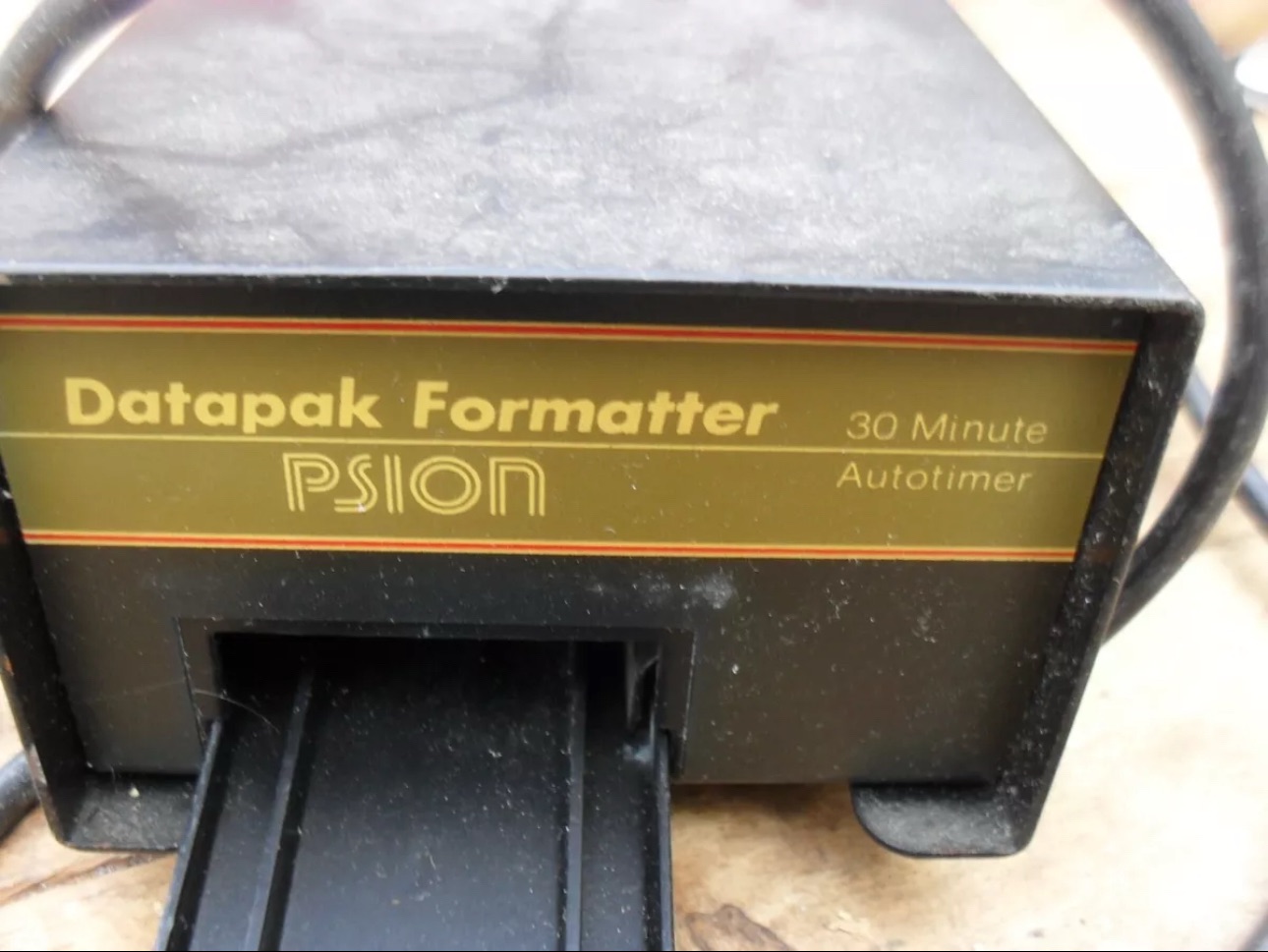
Psion datapak formatter

What the listing stated:

old computer bit , powers up ( red light shines on ) but otherwise untested  , please note my other similar computer items      

EBay

My previous post Formatting the Psion II Datapack explains my thinking and reasoning behind making this purchase.

Most EPROMS made around this time in the 1980s had memory that could be formatted by using a method of exposing them to high levels of Ultraviolet light for between 10-30 minutes. The Psion Datapaks required about 30 minutes of “exposure” in one of these units to format the drive.

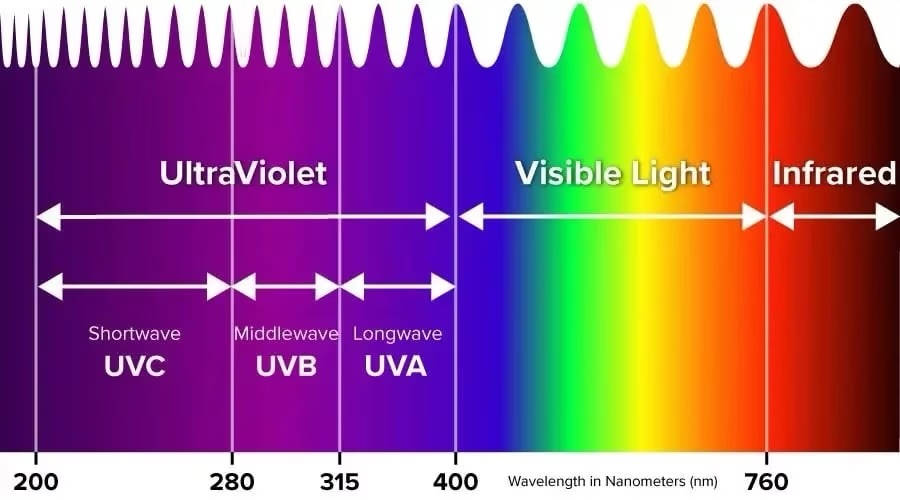
By high levels of light, i mean UV light around the wavelength at or close to 253.7nm. A UV light you may have in your home or in the form of a torch operates at somewhere around 395nm, a considerably safer wavelength of operation than what is needed to format these EPROMS.

The UV light spectrum. As you can see the wavelength we need to format the Datapak at 253nm falls into the dangerous UVC Shortwave spectrum. The standard house hold UV light or torch falls into the much safer UVA Longwave category at around 395nm. Picture courtesy of The Hepacart blog.

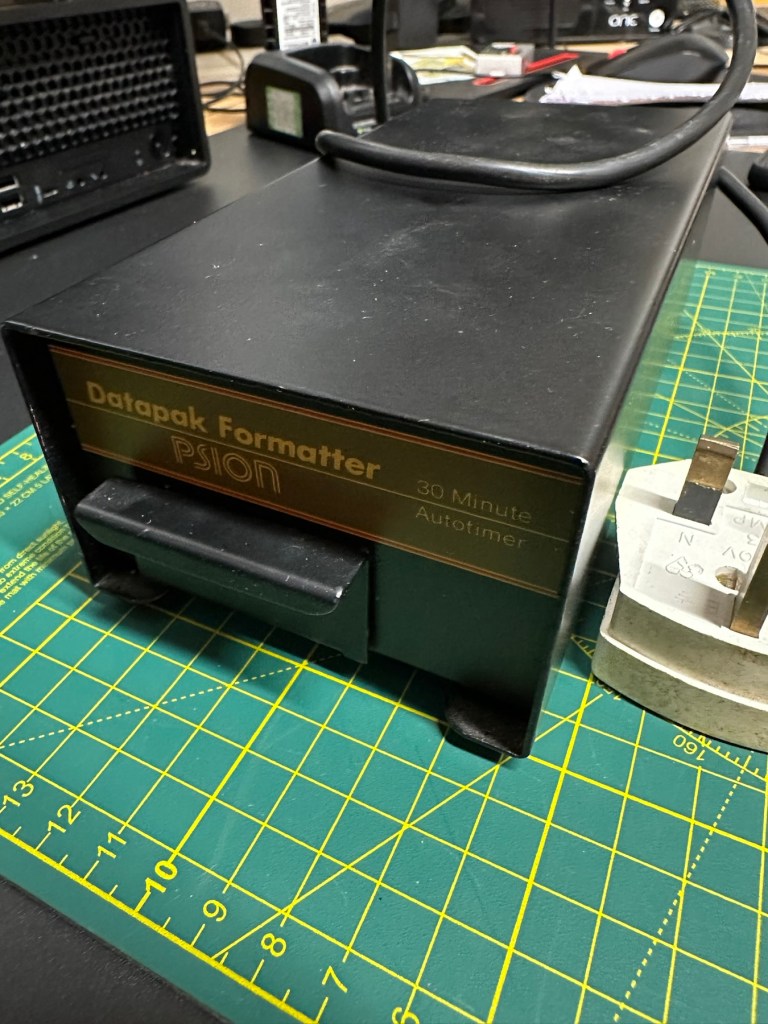
This unit was purchased after I had spoken to the seller, a nice chap that specialised in old diy tools and computer peripherals, but wasn’t quite sure what this unit did or how it operated. He had stated that the red light was working, but nothing else. My concern here was that the UV light inside was broken, and these tubes i believe are known as low pressure mercury discharge tubes, and finding them in this size is pretty difficult to say the least. The UV tube in this unit could potentially be 40yrs old as this is a Mk1 unit circa 1984. I just don’t know if its tube has ever been replaced at all in its lifetime. Have a read of this post by Dave Curran who had similar issues sourcing a light supply for one of these units, it resulted in him having to make a hybrid concoction combining one of these units and a cheap Chinese import – Eprom eraser/upgrade

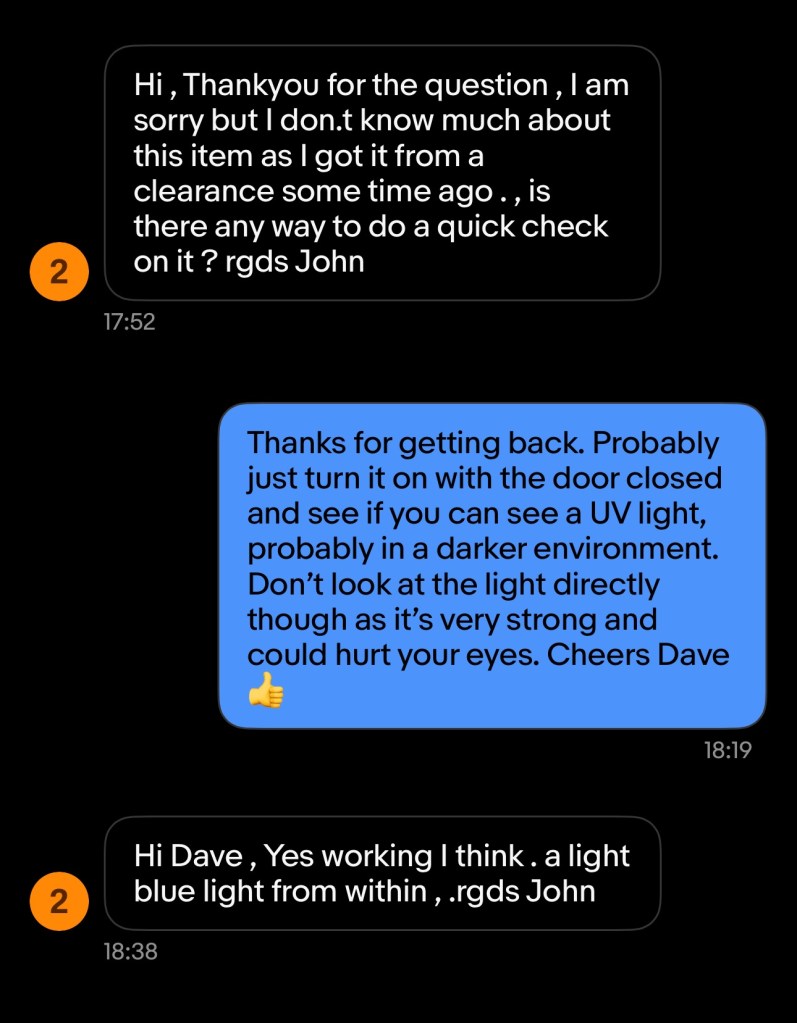
I asked the seller, John, if the Ultraviolet light inside was operational and I have supplied a screen shot of his reply:

The reply to my question

When I received John’s reply I jumped in with an offer and this was accepted. He had been so helpful. I’m now awaiting the unit, but I’m now a lot more confident that the unit, and most importantly the UV light is currently operational. However it’s probably going to be subjected to some pretty rough conditions on its delivery journey, so I’ll keep my fingers crossed for now.

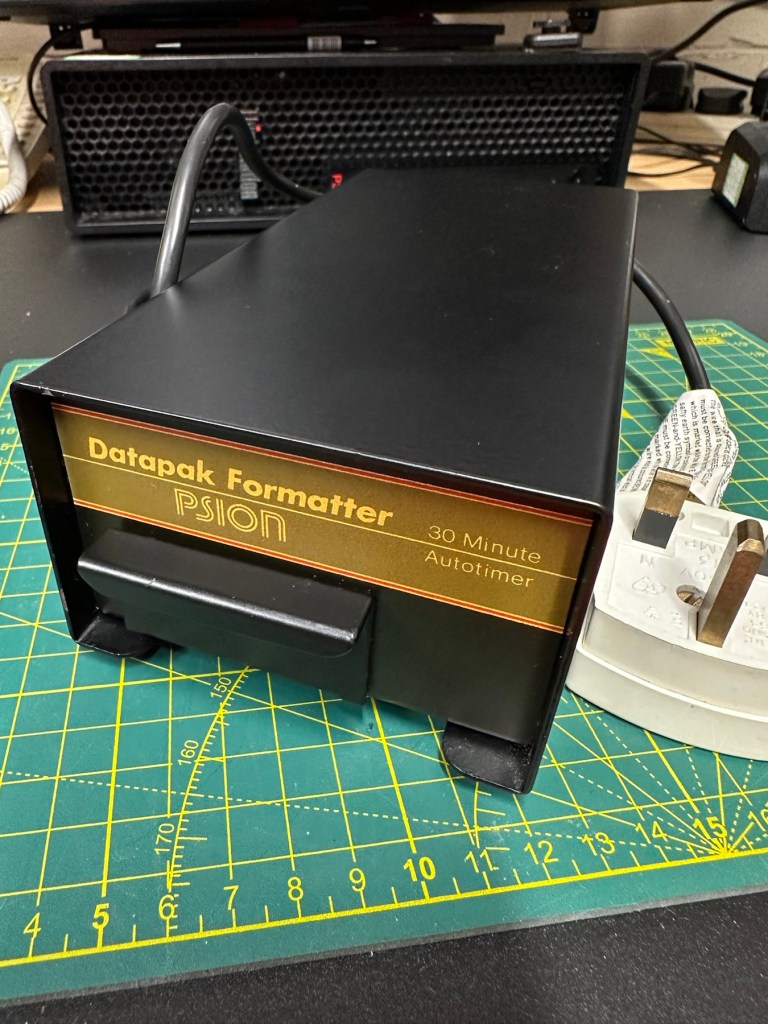
This formatter is a series one version that came out around the same time as Psions Mk1 organiser first appeared on the scene, circa 1984. It was used right through to when the MK2 organisers were released sometime between the years 1986/89.

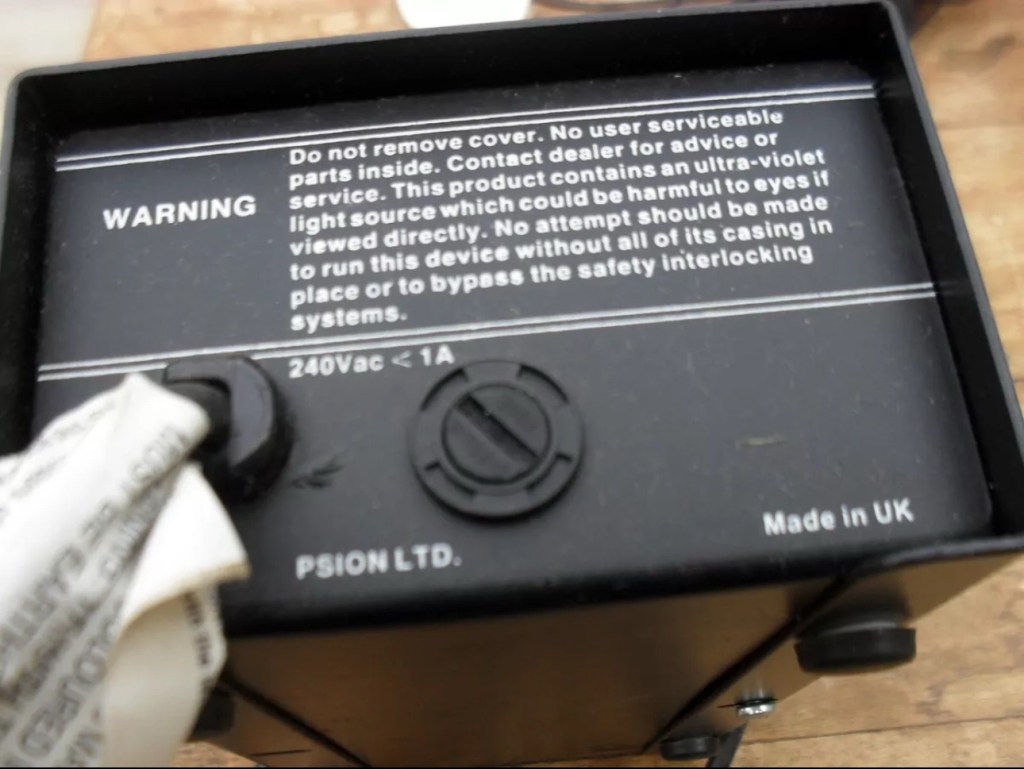
This unit will be cleaned, opened up, checked for electrical and mechanical stability, its safety features will be confirmed and it will then be reassembled and PAT tested prior to use. Once this is done i will attempt my first format of a Psion Datapak whilst the unit is in my possession. However we have a little way to go just yet, before we can consider carrying out that task.
The seller was very prompt at getting the unit out to me as it has arrived less than 24hrs later.

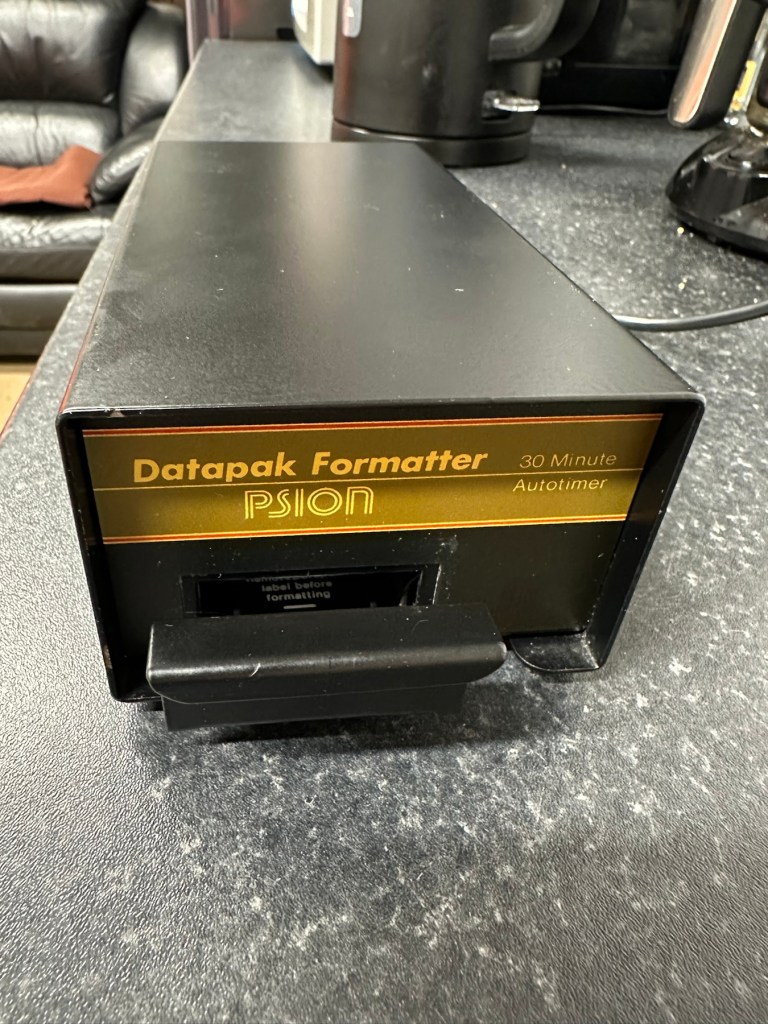
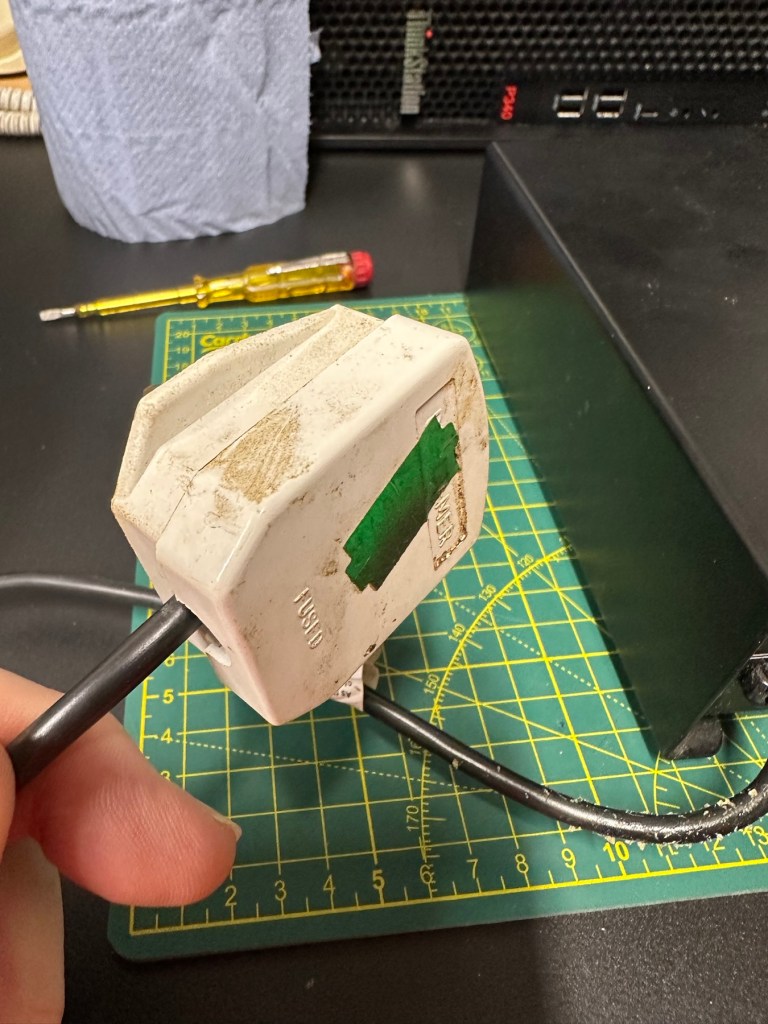
The general condition on first inspection is that it looks good, but it’s very dirty and has a slight musky dampness to it. I have given the plug and the cable and case a good clean with a bit of degreaser and this has cleaned well. I’ve done this just so getting inside is a slightly more pleasant experience without my hands getting covered in gunk. The unit looks a lot bigger in the pictures. It only measures 19cm L, 10cm W and 7cm H, so in theory it’s relatively small.

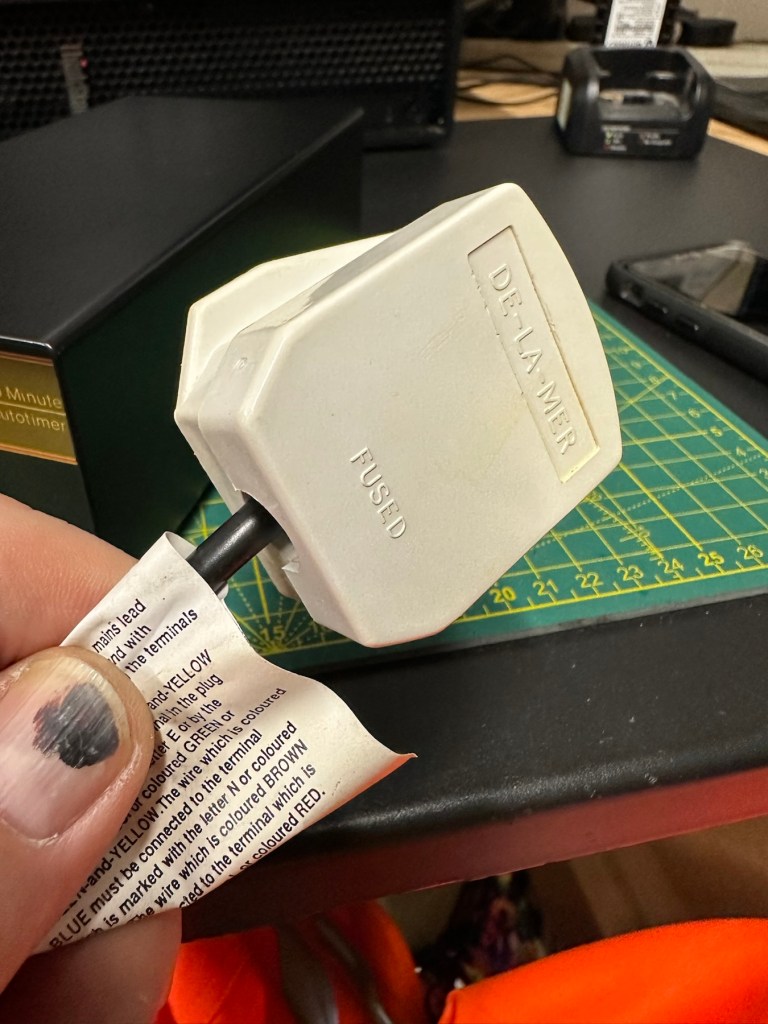
Before I do go inside I have first checked the plug, it currently is carrying a 13amp fuse that is way to large for this unit. It only requires a 3amp fuse so I have replaced this. I haven’t used the Pat tester yet I’m just using the multimeter, and I’m a bit concerned as there is no continuity between the earth pin and the unit case. Time to get inside.

Inside looks tidy but I then become aware of a problem immediately. The earth wire from the mains cable is just sitting there in mid air connected to nothing. No wonder there was no continuity. I have now connected this back in place where it should be and I now get a good earth continuity throughput the casing. All other connections checked and tightened accordingly. This proves that the Pat test would have failed miserably. This was a potentially dangerous situation, that’s why it’s best to carry out these checks on any old powered units you get from a third party. Trust no one.

Next I need to check that the safety switch that turns off the UV light when the drawer is opened is operating. Again I use the multimeter to probe the switch and this seems to be ok. A good listen to the action confirms that it is clicking in and out. A quick clean inside and then the internal checks are complete.

The safety switch clicking in and out

There is no real way to test for actual operation until the safety case is back in place, that’s the safest way. Case on and another quick clean and the unit is looking good .

At this point I’ve carried out the Pat test before plugging it into the mains and the results have come back good and it’s a pass, the earth is good. I’m now confident about plugging the unit into the mains.

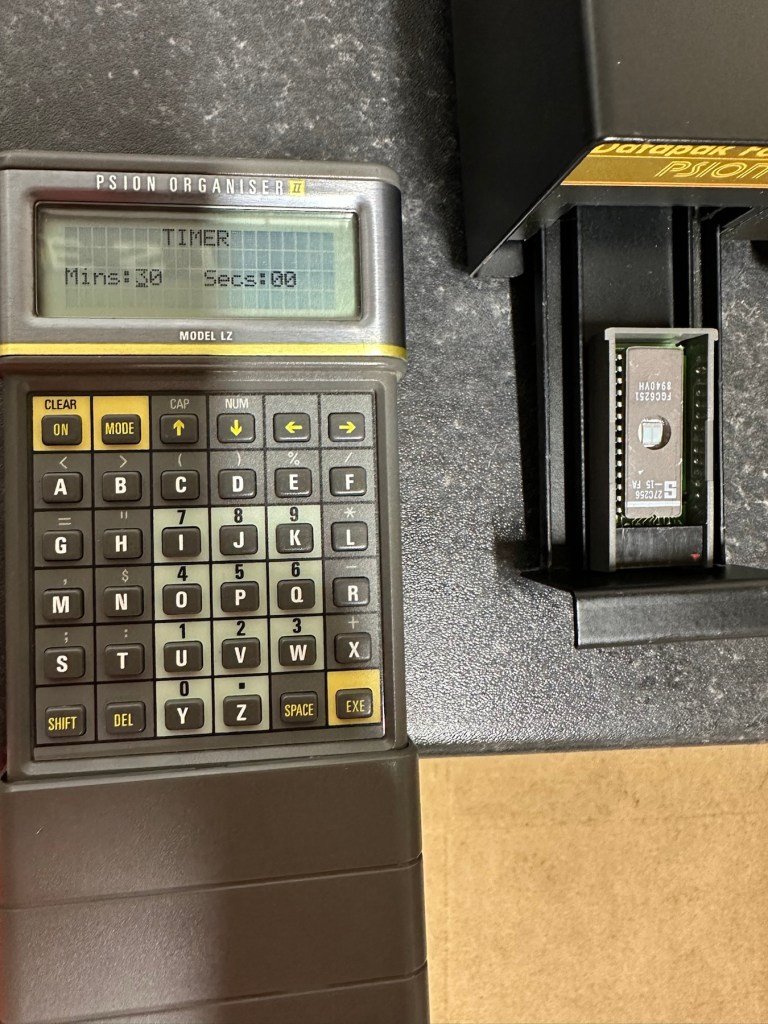
Everything seems fine I now just need to place a Datapak inside to see if the format process works. Also it’s a good time to check if the 30 minute timer is working. No time like the present, so I’ve found a suitable candidate and what better way to do the 30 minute countdown than with a Psion organiser I just happen to have hanging around. Here goes 🤞

The unit has been on about 15 minutes and all seems fine, the unit is not overheating and there is nothing occurring that shouldn’t be occurring. Fingers still tightly crossed. 🤞 The Psion timer duly sounded at the 30 minute mark, the unit turned itself off about 2 minutes later.

It continued about another 2 minutes after the timer finished

So 32 minutes seems to be the actual time under the lamp. Not too bad considering its age. The unit was only slightly warm to the touch after this time. I’ve left the Datapak to allow it to get to room temperature before testing it .

Success the system is sizing

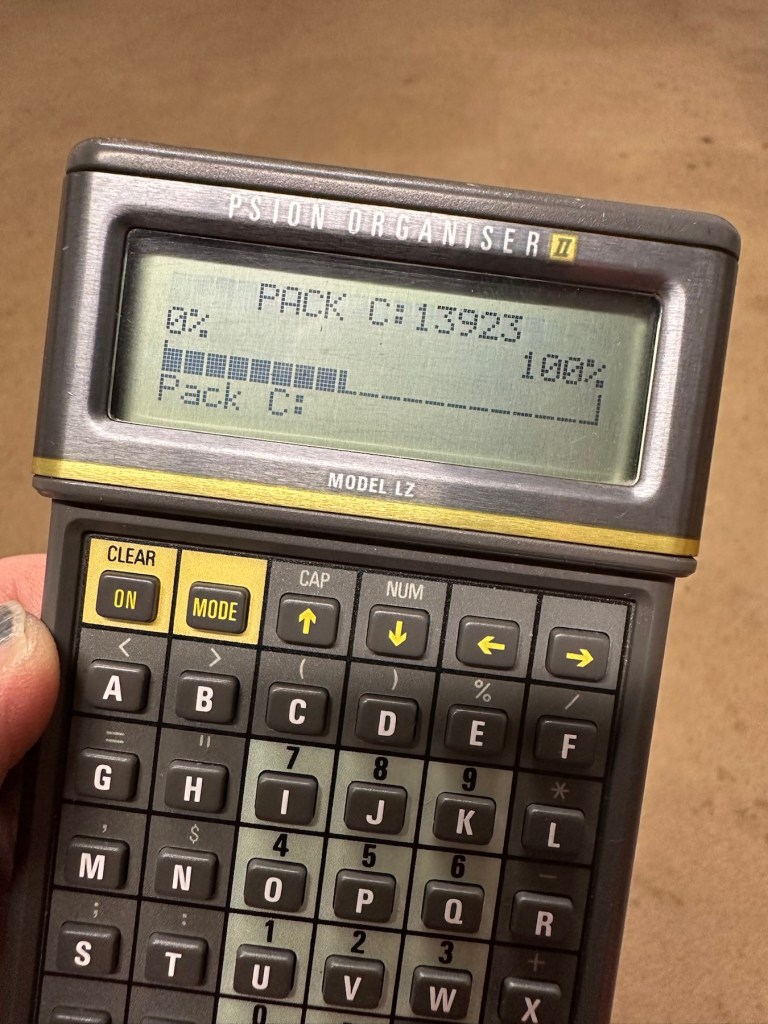
Here we go, and it’s fantastic news as the format has worked. When plugged in it has informed me it is going through the sizing process that occurs on these organisers when you put in a newly formatted pack.

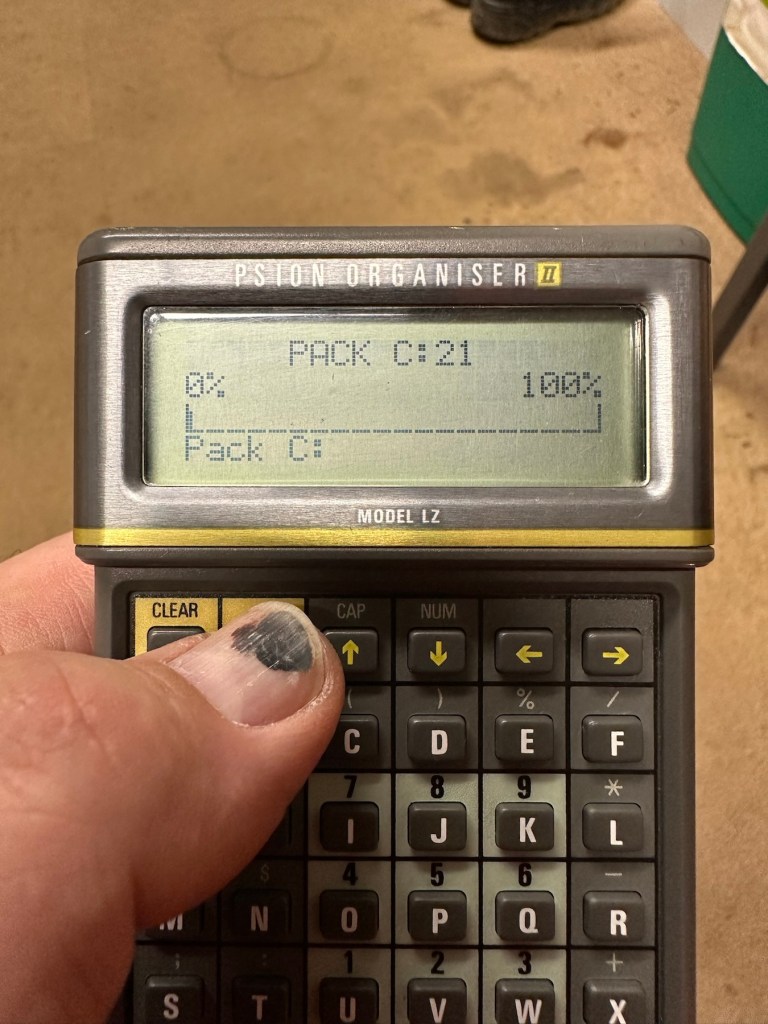
And when you go to check the info you can see the previously stored old data has now been deleted.

I now have a very useful, safe and working item of equipment. A very slight mustiness remains but that is only to be expected with an item that is 40 years old that you have had no input into how it is stored. I’ll probably store this in a sealable bag with some silica gel sachets to try and draw that mustiness out. I’m really pleased with this project and now have a very handy piece of kit to boot.

As I said earlier, make sure you always check thoroughly any items electrical such as this, coming from a third party. It’s your life, preserve it, safety first and trust no one. It’s a good mantra in this aspect or restoration.

Another item saved from landfill 👍

Thanks for taking the time to follow this project.

Formatting the Psion II Datapack

The Psion II range was well ahead of its time when it came to saving data on its machines, however there was an element of strangeness in its design and usability.

You have to realise we are talking early eighties technology and to be totally honest it was the infancy of computing, or hand held computing to be precise. There are three drives on this range of handhelds, they are A:, B: and C:

A: is the internal memory of the unit and it is RAM memory and ranges from 8KB in the CM model, to 16KB in the XP model right through to 32 or 64KB in the LZ/LZ64 models.

Datapaks on a Psion II unit

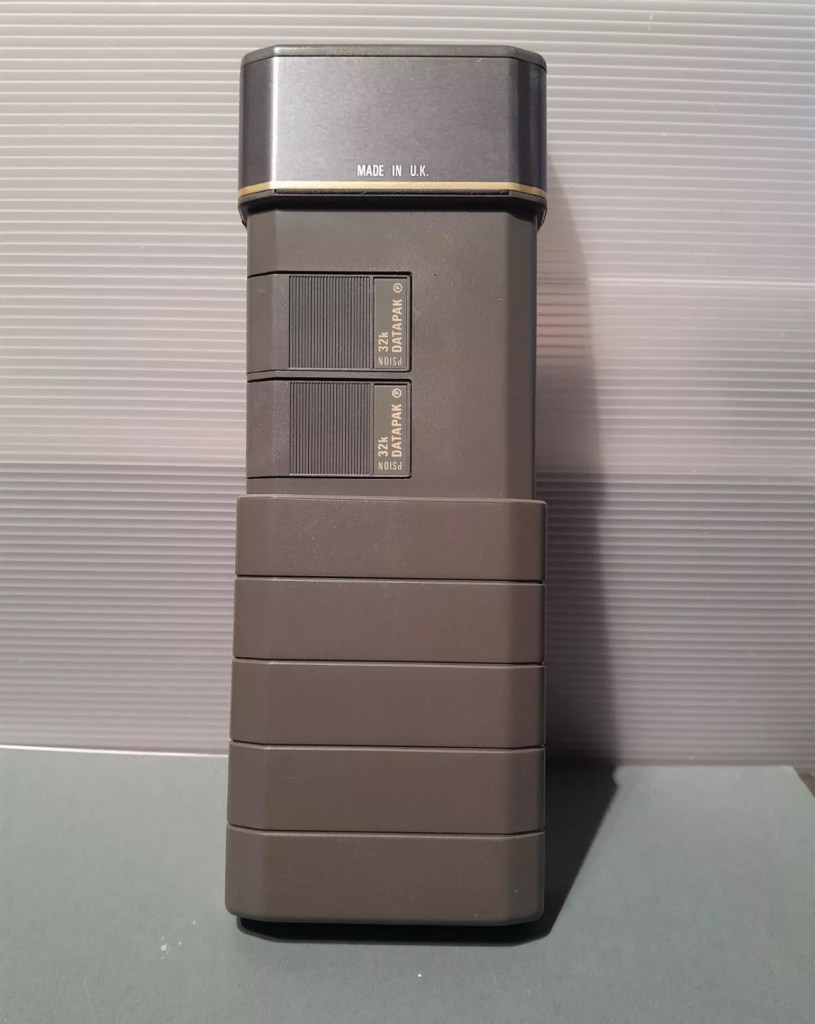
B: and C: drives are found on the rear of the unit. Into these slots you can place memory modules that are the equivalent of disk drives you’d find on a computer, however they are pretty much early solid state in design as they have no moving parts. These modules can come in sizes between 8-128Kb in size. B: is always the top slot closer to the screen, C: is the bottom slot closer to the battery compartment.

Types of memory

Rampaks are as it says on the label – Ram based plug in memory modules. When you store something in the units internal memory or on a Rampak, and then you later erase it, it really is erased in its entirety and space on the unit or Rampak is freed up, ready to be used again. Rampaks will have their own small “Coin” type battery as part of the module, this allows the unit to allow the constant input and deletion cycles. They use very little power and are probably the best medium for writing programs.

Datapaks are a different beast. They are known as EPROM (Erasable Programmable read only memory) Erasing a record is comparable to crossing out a piece of work written on paper, it has now been deleted but will always remain on the paper, just crossed out. It’s exactly the same on the Datapak. Hence in time the memory space will dwindle due to the deleted files that remain still occupying dead space. The benefit of the Datapak is that they are more secure and are not affected at all when battery power runs low.

With a Datapak there will come a time when the available memory space remaining is insufficient for what you are trying to achieve. At this point you need to format the drive and this is a particular problem if you don’t have the access to equipment to carry out this task. Here’s why…. They need exposure to Ultraviolet light to erase the memory.

Mk2 version of a Datapak formatter

You need one of these, a Datapak, Ultraviolet formatter. Quite a rare beast to be honest, there’s not many on sale at the moment, specific to the Psion. However there are other systems available for EPROMs used in other branches of electronics. The Datapak has to have its label removed to expose the crystal glass below on the EPROM in preparation for being placed inside the formatter. In theory it is just like an oven that exposes the EPROM for around 30 Minutes, the door is closed prior to formatting to keep the light source from damaging the users vision, as the light is in the UV wavelength spectrum likely to cause some quite serious damage or long term conditions.

Here you can see a Datapak that i have taken the lid off of. On the circuit board you can see a piece of crystal glass with a silicon die below, this is the component that will need approx 30 mins of Ultraviolet exposure to format its contents.

The crystal that the UV light needs focusing on

The formatting process

Erasure of the EPROM begins to occur with wavelengths shorter than 400nm. Exposure to sunlight for one week or to Fluorescent indoor lighting for three years could cause erasure, this is why the Datapak has a label covering the crystal portion of the EPROM. The recommended procedure is to expose the EPROM to a UV light source at a wavelength at or close to 253.7nm that usually achieves the format process within 20-30 minutes, with the lamp at a distance from the glass lens of around 2.5cm.

Then how do I achieve a format of a Datapak without this equipment?

There was always the option of trying a standard UV bulb or torch. However the UV wavelength on these items for public safety is usually in the 395nm wavelength spectrum. There really is very little available to the general public that is as strong as the bulbs required in the 253nm range to complete this task, as they are a serious danger to health if you are exposed to it for any length of time. This then was not an option i was able to pursue.

I now have a few options available to me if i wish to get these Datapaks formatted.

Purchase a cheap Chinese manufactured unit with a European plug. They seem to work and do the job, however you will be lucky if you get a couple of uses from it.

Trawl EBay. As i write there are two working ones including this MK2 version listed at a reasonable asking price that have a lot of people watching them, so I expect the price to rise accordingly as it gets towards the close of the auction.

EBay spares or repair. There is one unit, a Mk1 version that has a buy now price and it seems to have been hanging about in someone’s junk box for a few years and could possibly need repair. This is a tempting option however if the UV light inside is damaged then i have to look for a suitable replacement, and to be honest there are not a lot of compatible low pressure mercury discharge tubes of these sizes available now. You may have to look for suitable alternatives and I’m not sure i want all that messing around. Do i take the risk and go for one that may need repair? A guy called Dave Curran has combined this drive with one of the Chinese low cost options to create this hybrid eraser: Eprom eraser/upgrade

Get someone else to do it. There is this option and a service is available on line that allows you to send your Datapaks off for someone else to format for you. But do you want to entrust data to a third party? For me it’s not really a problem as none of my units have any of my data on them, but it is something to take into consideration. Whilst I’m searching for a suitable unit this may be a route i consider.

So these are my options. I’ve an idea what I’m going to explore, so im just going to take a little time to look into it all.

My decision

EBay spares and repair – seeing that this is a site where i like to purchase and repair items, i have gone for this option and purchased a used and typically untested Mk1 Psion Datapak formatter from EBay. I have had some good dialogue with the seller and i am confident that this unit can be made good with only a small amount of intervention. The UV tube inside is potentially 40yrs old now, i’ve secured it at a very reasonable price as i got in there and was able to complete the deal relatively quickly.

My plan is to get this unit opened, check its mechanical and electrical stability, get it cleaned, reassembled and then Pat tested. Only then can i look at attempting a full format on it for the first time. And for that i will put together another post incorporating the repair of the unit and the formatting of the Datapak.

Here is my restoration of this unit: Psion datapak formatter

Thanks for passing by.

Psion organiser II XP

I’m so impressed with these Psion organisers from the 80s that I’ve now decided to go ahead and try to obtain some good examples of all the MkII models. I’ve recently posted about my CM version here: Psion organiser II CM but today I have obtained the next model from 1986 the XP version. You can find out more about the Psions I own on the main menu in the margin of this site.

80’s tech in 2021

Above is a good video, using the XP in 2021

I’ve paid less than £20Gbp all in for this item and I think it’s a bargain personally. I’ve also obtained two programs that I’ll either keep or move on. There are some slight marks on the bezel but nothing too bad. I may be able to replace these parts with donations from some damaged sets I’m looking at. That’s a medium term plan, so there really is no urgency here. Let’s just make sure it’s running as well as it should do first.

I will be using these units to further learn the OPL programming language that they use.

As with the earlier CM model this unit also had the Y2K issue so I will have to run the TIMEINST program to ensure it updates the calendar accordingly.

The differences between these two units are very slight and it is basically around the available memory. Comparisons below.

  • The Cm – year 1986- Ram 8Kb- Rom 32Kb- Max datapack 64Kb
  • The XP – year 1986- Ram 16Kb- Rom 32Kb- Max datapack 2048Kb

CPU speed, clock speed and display are both exactly the same. It really is just an improvement in memory availability. Hence Spreadsheet programs could run with less of an issue on the XP units but not so on the CM units.

The Psion Organiser II XP model has a 6303 microprocessor with two-line LCD, two slots for memory cartridges and a connector for expansion. The keyboard is calculator-like with the keys arranged alphabetically, not in the Qwerty keyboard style. There is no off key the so the machine was switched off by a menu command. The case is also styled like a calculator, but it has a handy slide-on cover to keep the keyboard safe when the machine is not in use. 

Simple OPL programming

I’ve been totally bitten by this coding bug for these Psion organisers. They use a code called OPL, Open Programming Language that is loosely related to the BASIC programming Language. This allows the consumer to write programs or to make amendments to the way their personal organisers can operate and carry out commands. It’s an amazing bit of kit, but as usual I am about 40 years late for the party, however there is still a big community out there who have created some amazing programs and routines, and fortunately they are all willing to share their skills. The language seemed to phase out into retirement sometime around 2010.

One of those people is the guy in the video below called Huw. He has a channel on YouTube called Handheld computing and he has made a series of six episodes teaching those who want to know, how to program in OPL. He also has a lot of retro based videos on his channel.

Huw – he’s very good 👍

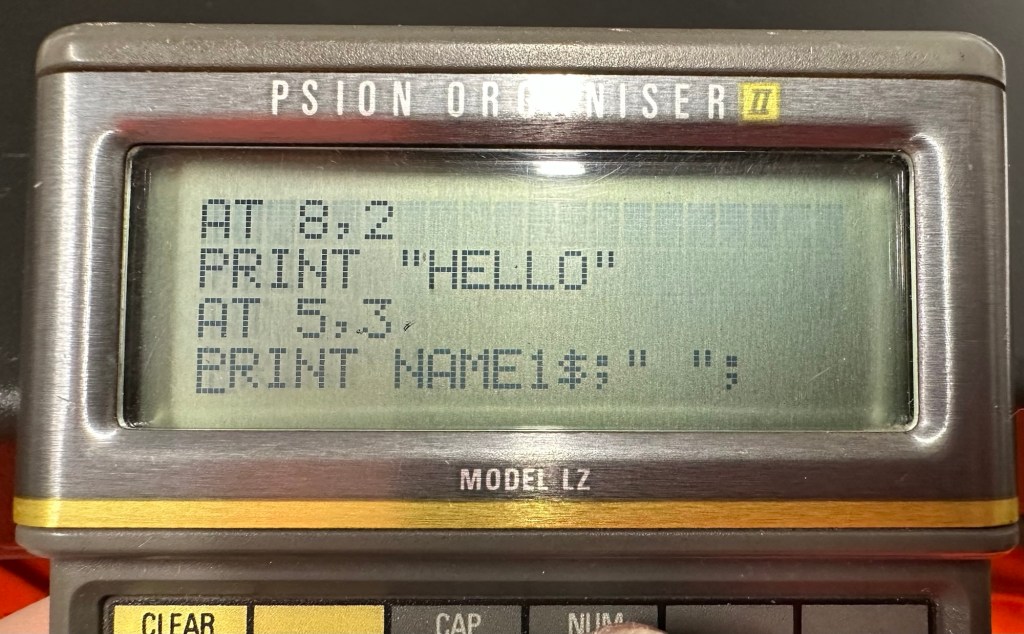
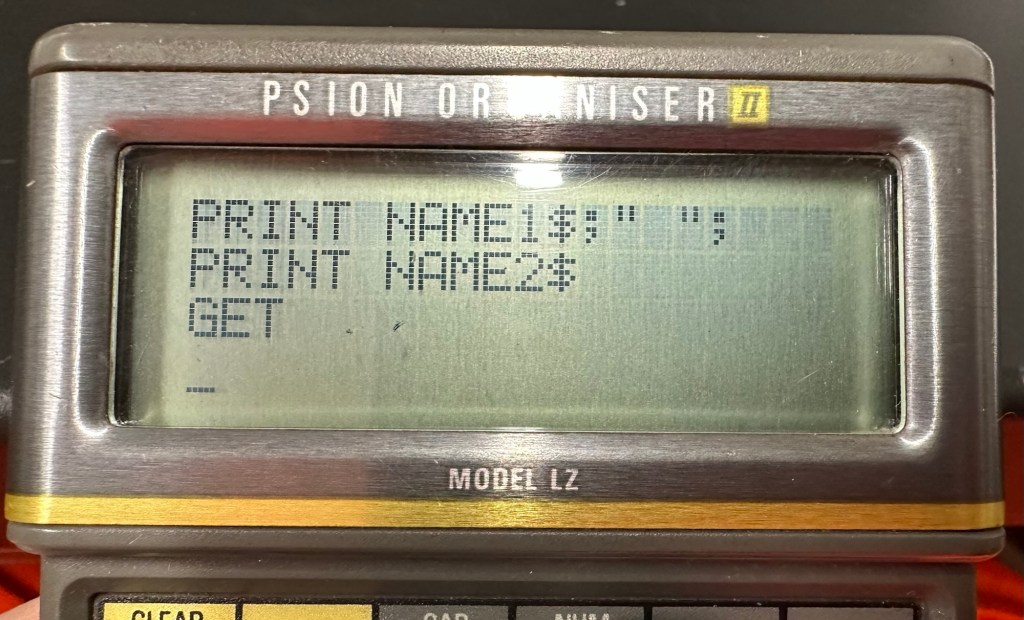
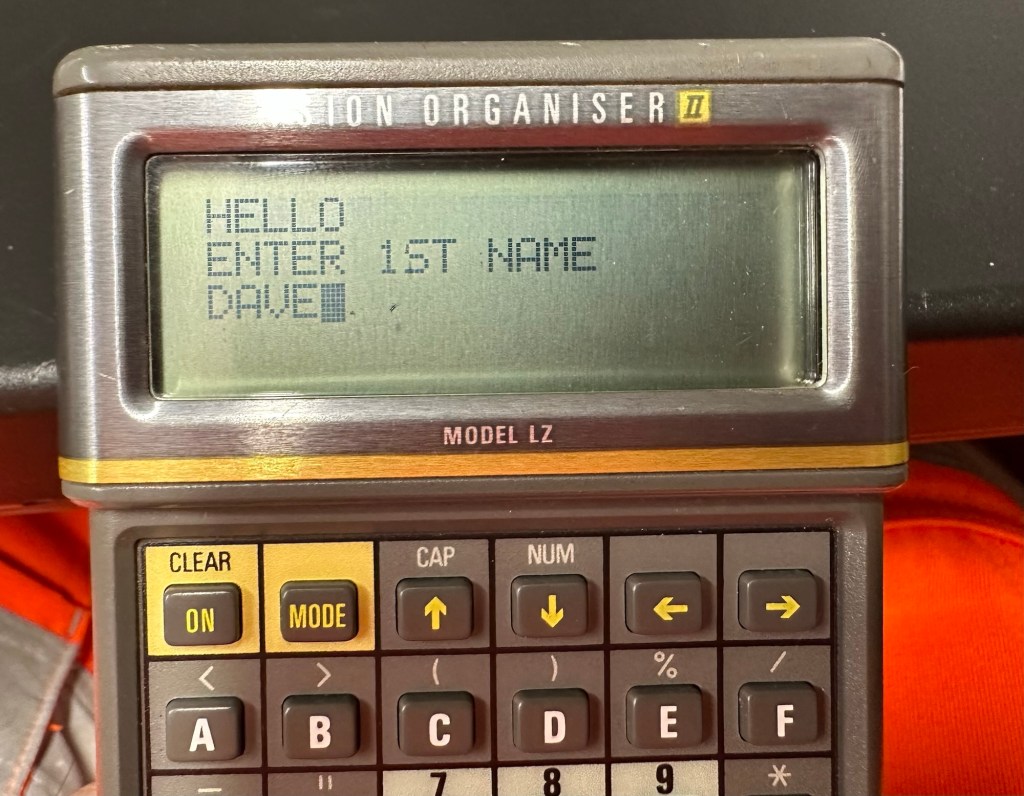
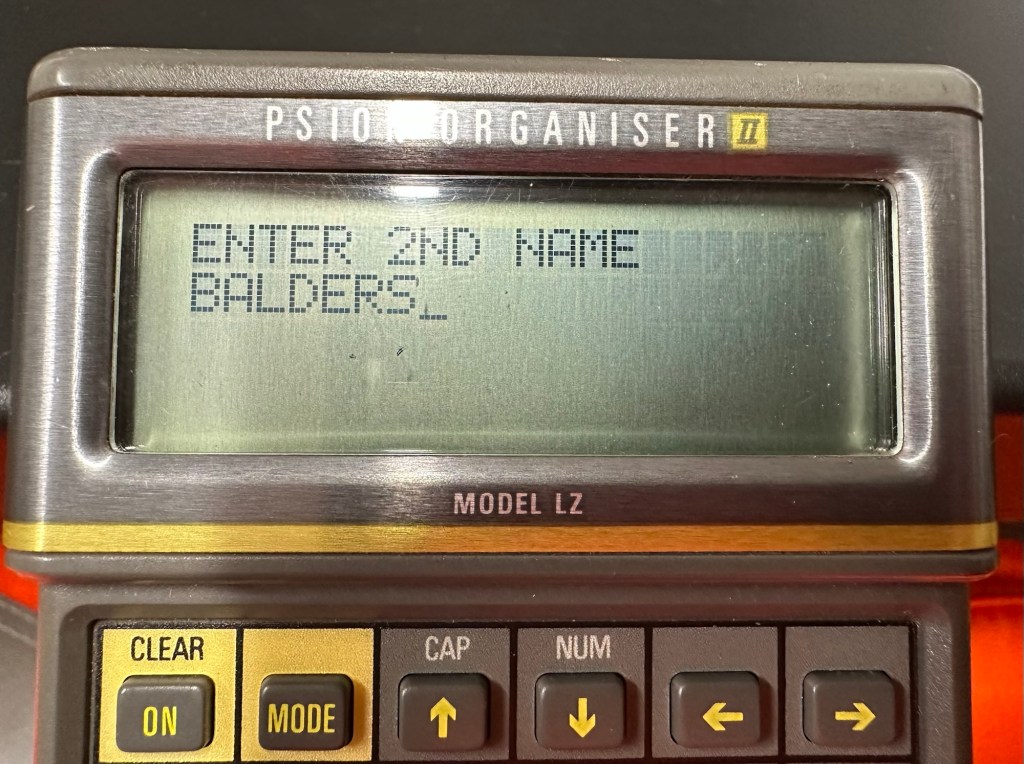
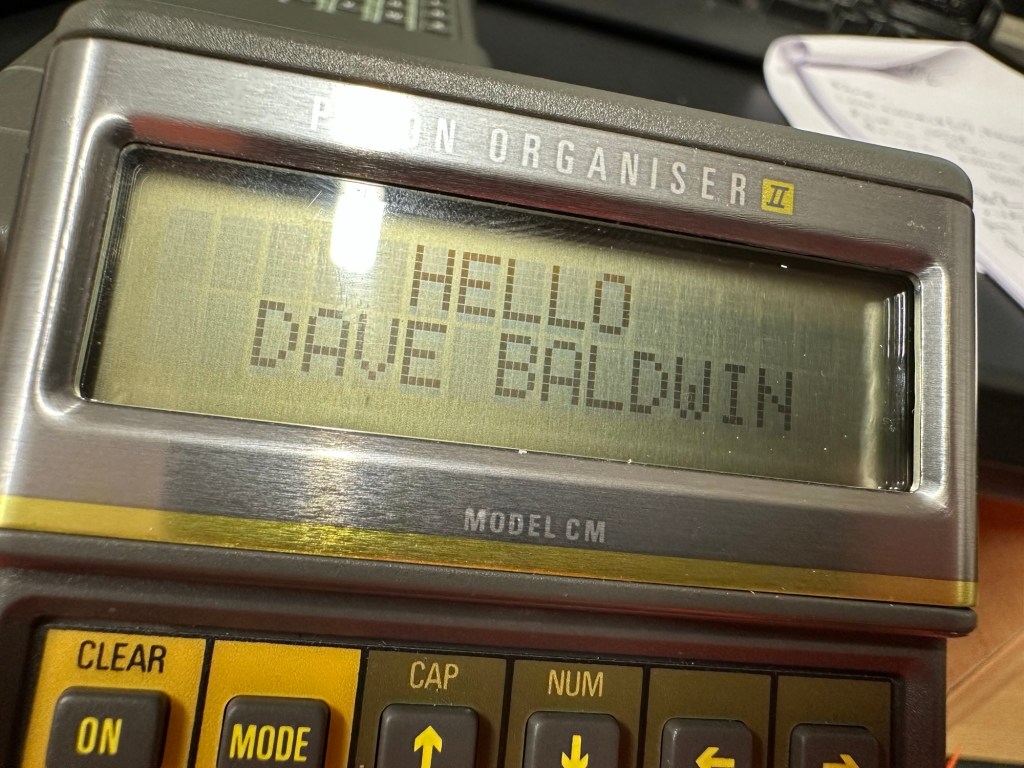
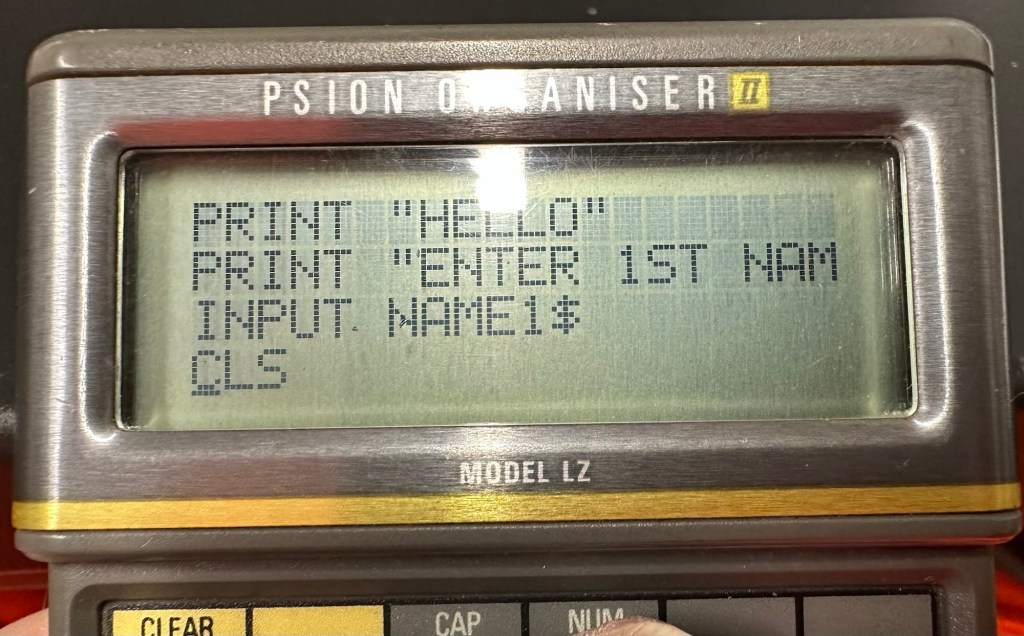
This is only episode one, and using Huw’s teaching I have already produced my first thirteen line routine to carry out a simple command that asks you to input your first name, and then second name and then it presents that to you, in the centre of the organisers screen. A simple and basic operation that gets you to appreciate the requirements and individual inputs that are needed, to get such a string of information to present itself on a screen in a structured way.

My rough scribblings in a scruffy shorthand

In my notes above I’ve added a couple of new lines to reposition the presentation of the text on my screen. And as I used the 4 line LZ model, this required a different set of coordinates from the two line CM model that I have also used.

When using the techniques in the video I did notice that there were mistakes, as when I entered the information into the organiser it was coming back with a “Bad declaration” error. So I knew something was wrong. After a while of searching through the program I realised two of the string routines were presented wrong with the “$” dollar sign positioned wrong in the text. A quick change of position and the program translated fine and now runs well on both machines. Below is a tidy version of the code:

NAME:

LOCAL NAME1$(10),NAME2$(10)

PRINT “HELLO”

PRINT “ENTER 1ST NAME”

CLS

PRINT “ENTER 2ND NAME”

INPUT NAME2$

CLS

AT 8,2

PRINT “HELLO”

AT 5,3

PRINT NAME1$;” “;

PRINT NAME2$;” “;

GET

I apologise if there are any glaring mistakes or mis types that the more trained eye may witness, however it’s only day one for me so I’m quite pleased.

Below are a load of pictures of the code being input into the organisers

And below is the results as they appear on either the 4 line screen or the two line screen, dependent on what unit you are programming.

And that’s it for my first session really, seems a lot of work for such a simple routine. However I have learned a lot in just one session and I have thoroughly enjoyed it. Im quite looking forward to Huw’s next five lessons, hence I will report back further as my learning and abilities hopefully improve.

Thanks for passing by.
Psion organiser II LZ

I am now in possession of my third Psion organiser II. You can view any of my posts on them by viewing the menus listings of this site. This one is the LZ version and is a great clean example. This one cost me a little more than the other two £30Gbp all in. However we have progressed in technology and it is now 1989, this unit has grown up considerably since its siblings were produced three years earlier.

These units have a four line display compared to the earlier two line displays of the older versions. The screen size is larger on the LZ, it is 4 lines of 20 characters compared to the earlier two line screens that were 2 lines of 16 characters. 

Here is a great review of the capabilities of this unit.

Psion LZ review

Unlike the previous versions I have, this particular unit does not suffer with the Y2K issue.

Below I have included a section from the operating manual for this unit.

The Psion Organiser II Models LZ and LZ64 come with a powerful set of utilities including:

  • A database which allows you to store items of information and retrieve them again instantly.
  • A diary to keep track of personal appointments.
  • Alarms to remind you of your diary entries, or to use as an alarm clock.
  • A sophisticated calculator, for simple or complex calculations involving mathematical functions.
  • A clock, with a stopwatch and timer.
  • Notepads with calculation, for information such as things- to-do or expenses lists.
  • International time and dialling codes.
  • A month-at-a-view calendar.
  • Password protection.
  • A multi-file database.
  • A choice of European languages.

The Organiser also has its own built-in programming language called OPL. The language is designed to exploit all the machine’s facilities to the full and to let you tailor the Organiser to your own specific needs.

The Organiser has an internal memory and two external devices which are the equivalent of disc drives on a desk-top computer. Each one can hold a Datapak for you to store information on, or a program pack containing a program such as the Pocket Spreadsheet.

The internal memory of the Model LZ holds around 32000 characters and that of the LZ64 around 64000 characters. In addition, one or more Datapaks can boost the storage capacity considerably – by up to 128000 characters per Datapak.

Courtesy of Psion PLC1989

I’m going to use all the organisers I currently own to look into learning the OPL operating language that all these units use. I have already programmed in a couple of basic routines that just perform actions such as a clock routine that shows up when you turn the unit on – see picture below.

Simple clock routine.

This simple routine consists of no more than about six lines of code, it really is simple but allows you to adapt it to just how you want it, there are a number of options you can use to incorporate it into other routines or have it just running on its own as I have here.The routine above stops whenever you press any button. Simple.

That was the appeal of PDA units such as these in the 80’s in that you could develop and write programs that you wanted that suited you and your requirements. I like this as it takes me back to the days when I purchased my first computer the ZX81 back in the early 80’s when you had to learn BASIC programming just to get it working.

I know I’m probably 40 years behind everyone else and the whole programming scene has moved on in leaps and bounds to a point where it is super technical and advanced, however I love the slow pace and infancy of it all. And I’m not doing anyone any harm, so I’ll just plod on at my pace. It keeps me occupied, and I’m constantly learning. And at my time of life that is no bad thing.

Morse code on a Psion organiser

I did my Morse test back in 2003 just after I passed my City and Guilds 765 RAE exam in Amateur radio. It wasn’t a compulsory requirement as it was in the States at that time, but I chose to go with it. I wasn’t the fastest in the world but I enjoyed using it to be able to partake in my favourite part of the hobby, low power QRP operations.

As morse uses such a small bandwidth, distant operations using very low power below 5 watts are very achievable. Wspr transmissions operate in even smaller power ranges, however that’s a whole different story.

So what’s the Psion organiser got to do with Morse?

When you set out trying to master Morse you look at loads of techniques and ways to make your journey that much easier. There are Morse trainers, there are even Morse decoders and encoders that basically allow you to “Cheat”, but what’s the point of that as you’re not going to learn anything that way.

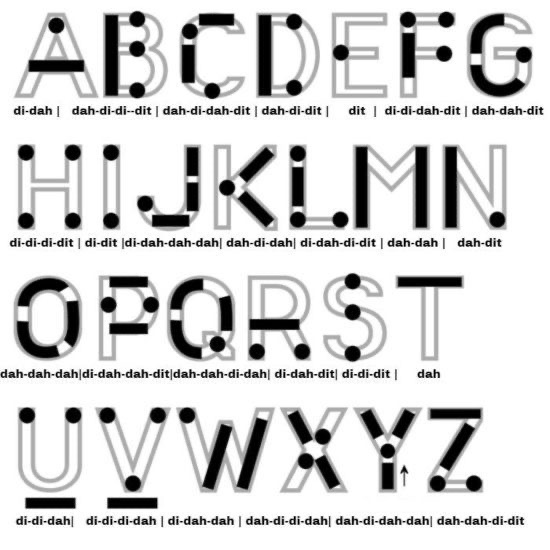
I used a technique called the visual mode technique that allows you to learn Morse by associating the dots and dashes with the actual shape of the letter and number. It works well when translating to paper, however Morse is a sound mode and it is better to use sound association, that will always work the best. I have this on a book mark to this day, as well as having it as screensaver at work. It worked for me. That’s where the Psion also had a part to play in my education.

Visual mode technique

I have a pre loaded data pack that runs perfectly on this old 1980’s machine. I used a very similar program back in the day, but not this actual one (See pictures above). The program and files are extracted and copied from the Interair Airnav pack and i have uploaded a small video below to show it whilst working.

“Peace”

With this program every digit you press on the keyboard is repeated back to you in Morse code. It’s a fantastic way to keep yourself on the ball. There are a few minor errors but the numbers and letters are pretty much spot on. It’s a great way to learn the shape of a word by sounds, and that’s a big part of Morse code, where you use phonics or the sound and shape of a string of dots and dashes to learn particular words or formations of groups of words. I’m probably making it sound more difficult than it actually is, and I apologise for that as it really doesn’t have to be. Each person finds their favourite way to learn, and this worked just fine for me all the way back in the early 2000’s about 22 years ago.

Have a great day and peace to you all or should that be :

.- -././.-/-.-./. (Check above) 👆

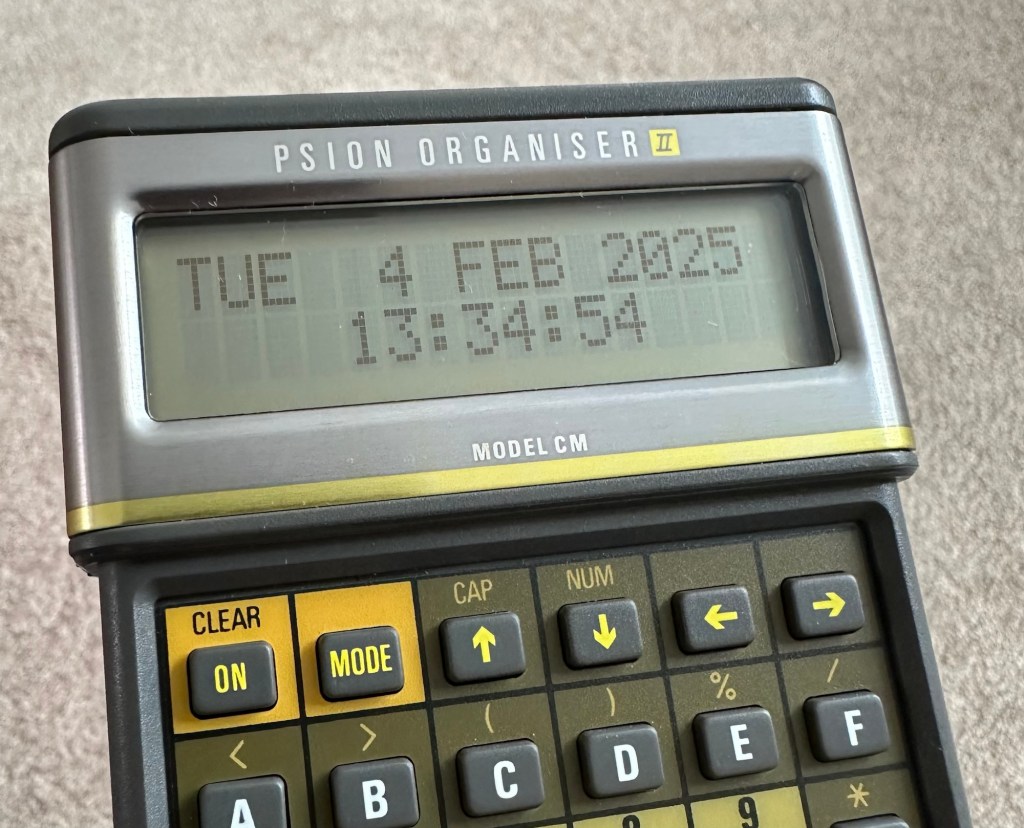
Psion organiser II CM

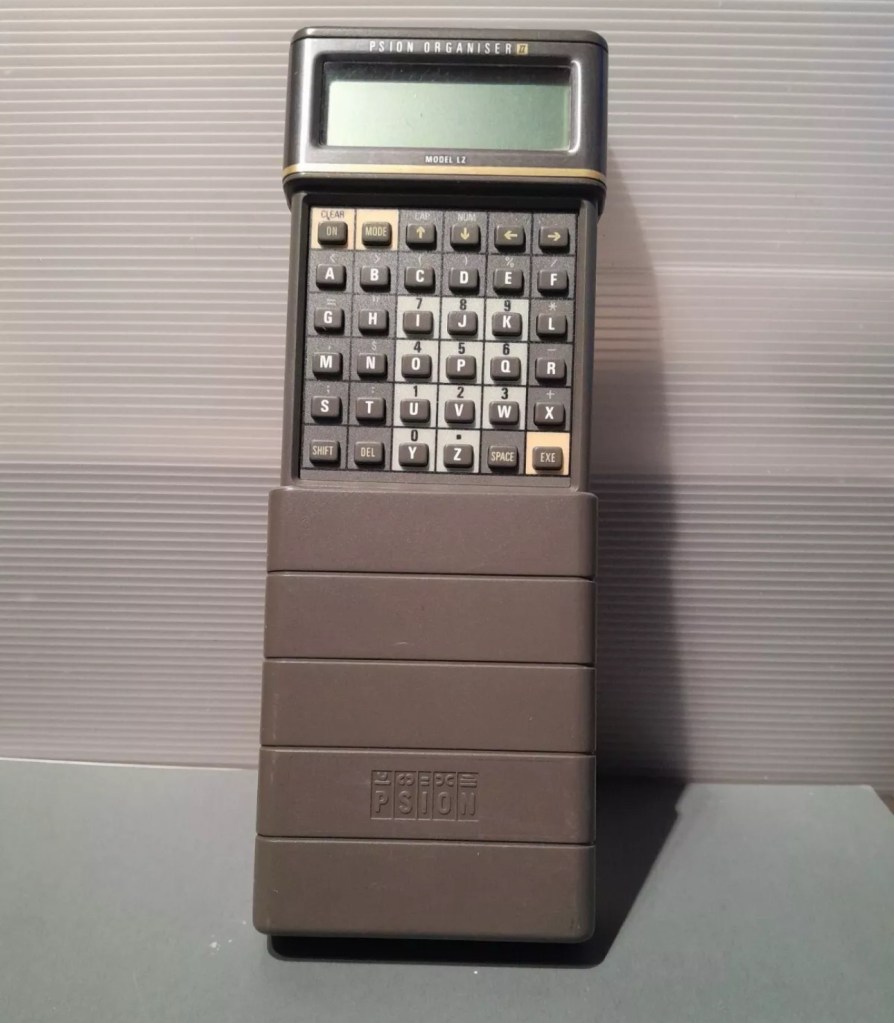
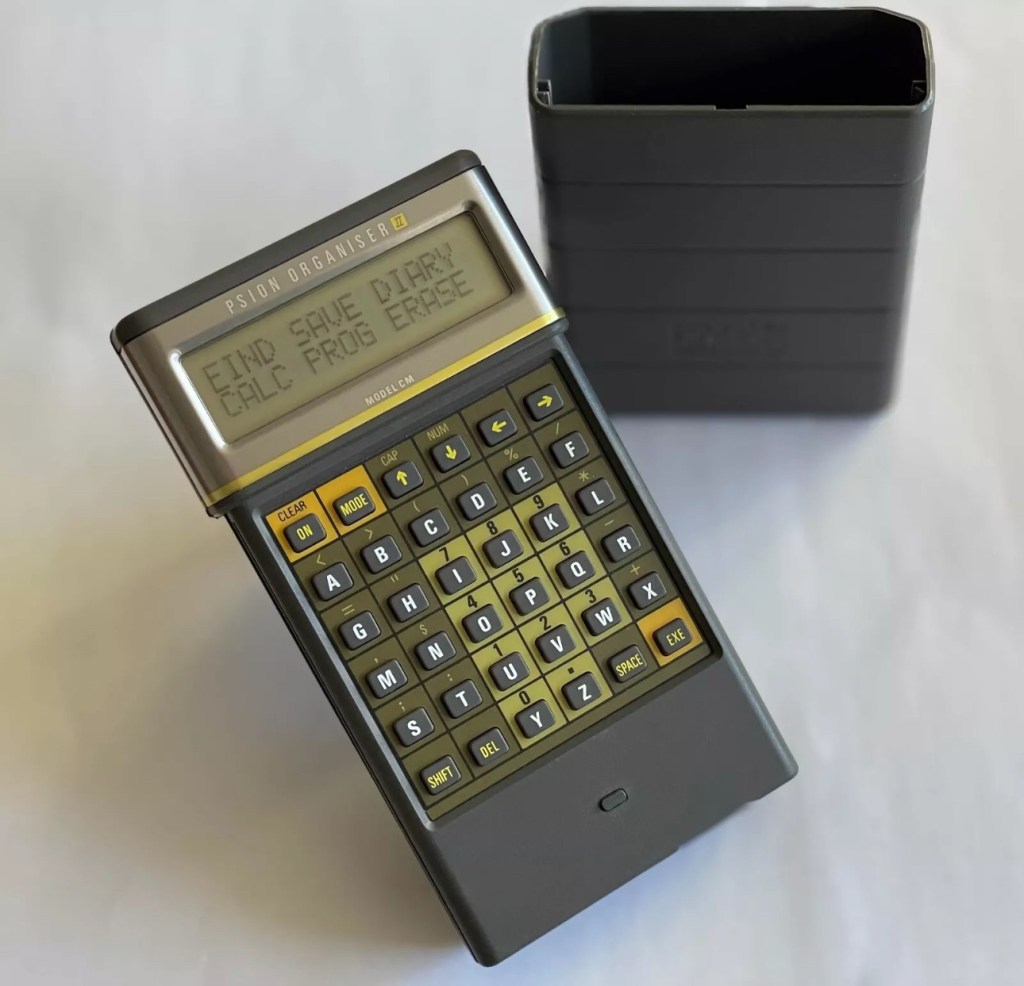
I have a Psion organiser II Cm from around 1986, a lovely blast from the past piece of technology that for a period of time, put the UK ahead of the world in electronic storage and retrieval technology. For an item that is thirty nine years old it was way ahead of its nearest rivals in both looks and capabilities. Let’s be honest the biggest selling data retrieval system prior to this coming along would have been the good old fashioned Filofax. It really was a game changer.

My personal organiser is in good condition. I’ve had it for about a year now. It has no known faults so I’ve not done this post to show a repair, I have created this post to highlight, just like us all, that the older we get the more care we have to take of ourselves, the same goes for this machine. There is a whole online community still committed to this equipment and the amount of knowledge available to anyone looking at getting one of these items is absolutely immense. Just look here: Psion Organiser II forum

My organiser is a CM version. It has a memory of 8 KB. Data packs can be added, mine has a 16 and a 32k pack so I have a whopping 48k of available additional memory. Extra storage is available between 16-128k again dependant on the limits of your unit.

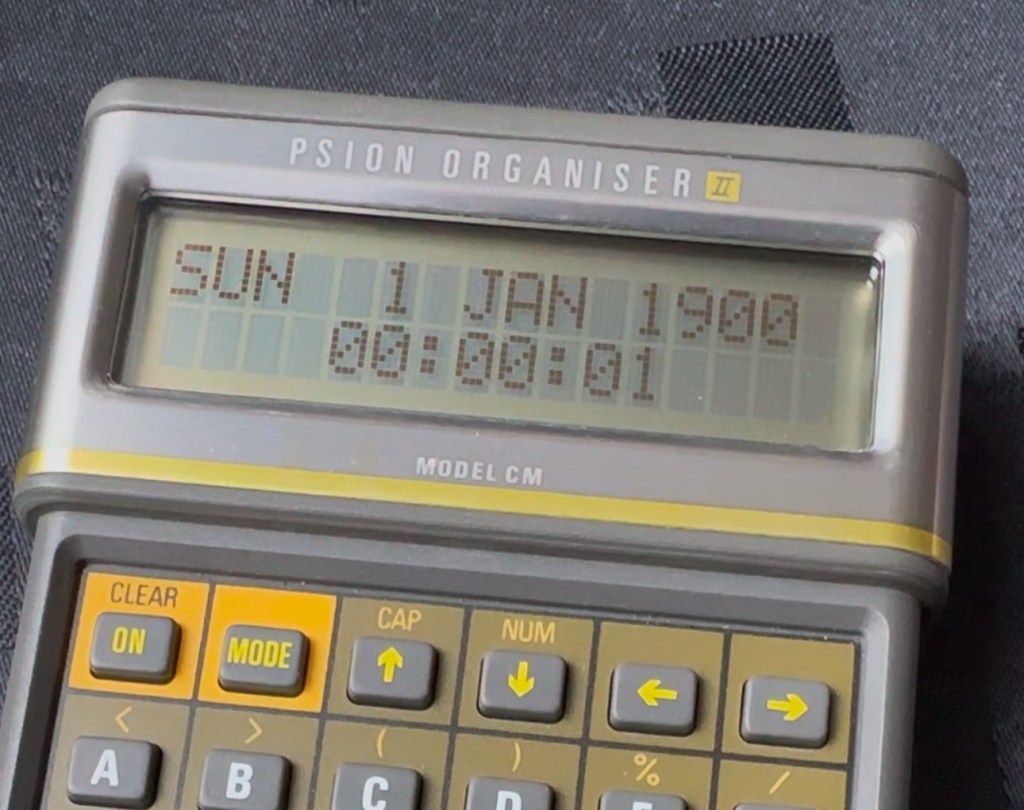
This version, the CM was a victim of the Y2K bug that you will be more than aware of, if you are of a certain age and possessed a computer on the run up to the year 2000. Panic reigned supreme around this time, the world was about to end. It was a crazy time. For some it was just that, plain crazy and nothing noteworthy occurred, for others they will say it was a whole different story. However it wasn’t all that bad as we are all still here today. That said some units were rendered useless as their date ranges didn’t exceed beyond the year 1999, and that is where this particular model of the Psion organiser slots in to place.

It has that very issue as does the XP version, later editions such as the LZ did not have the issue.

I’ve created a very small video here that replicates exactly what occurred when midnight on the 31st December 1999 finally arrived.

My Psion, replicating the Y2K bug

In a nutshell it resorted back to the year 1900. Some computers freaked out, others that had been attended to had fixes deployed that added extra years to the internal data streams. And we can also do that with this unit today.

All we have to do is visit the site of Jaap Scherphuis who has provided the download to enable users to now extend the date range by another 84 years to 2083. My time on this planet will be done by then so I’m not that worried about what happens beyond this time period. I have quoted exactly what this little fix achieves, below.

When it is installed the main menu item TIME is redirected to the memory resident routine. This routine is identical to the normal one in ROM, except that it adds 84 to the year, making the range of the available years 1984 to 2083 instead of 1900 to 1999. This new range is chosen because these years have the same weekdays.

Jaap Scherphuis

To achieve this fix there are three ways that it can be achieved, either as a direct entry set of commands via a serial cable link to the top of the unit via a computer, direct entry via the unit programming mode, or by using a programmed data pack. I do not have the link, and I possess “Sausage fingers“ so I don’t trust myself to type the detail in correctly, so I will be using the latter option, i am cheating with one of these.

A vendor used to sell these on eBay. They are data packs that contain the very Y2K patch I need, as well as a few other little nuggets of interest all on a preloaded pack. There is an aside to this particular fix. As it is stored in the local memory, should the battery die, or be taken out to be replaced you will lose this fix and it will need to be reinstalled. With Psion, any hard data you wish to keep, has to be saved to one of the data packs, if you don’t you will simply lose your data, no auto save ability here.

So if the battery does die or get removed, with this pack it can be quickly restored to normal use in a couple of minutes with no need to involve other computers or peripherals.

Before fix installed Y2K issue remains
No Y2K issue now

I have now installed the new TIMEINST routine that adds the extra years into the the units memory and it is now usable for the next 78 years (For someone, not me though, as I won’t be around!)

So this is my Psion up and running. I don’t claim to know much about the technical side but I’m learning. If I can assist anyone in any way, whether that is by directing you to someone who knows, or by taking you through what I have done here, then please make contact. I will assist you however I can.

Thanks for passing by.