Nintendo Gameboy Printer

What the listing stated:

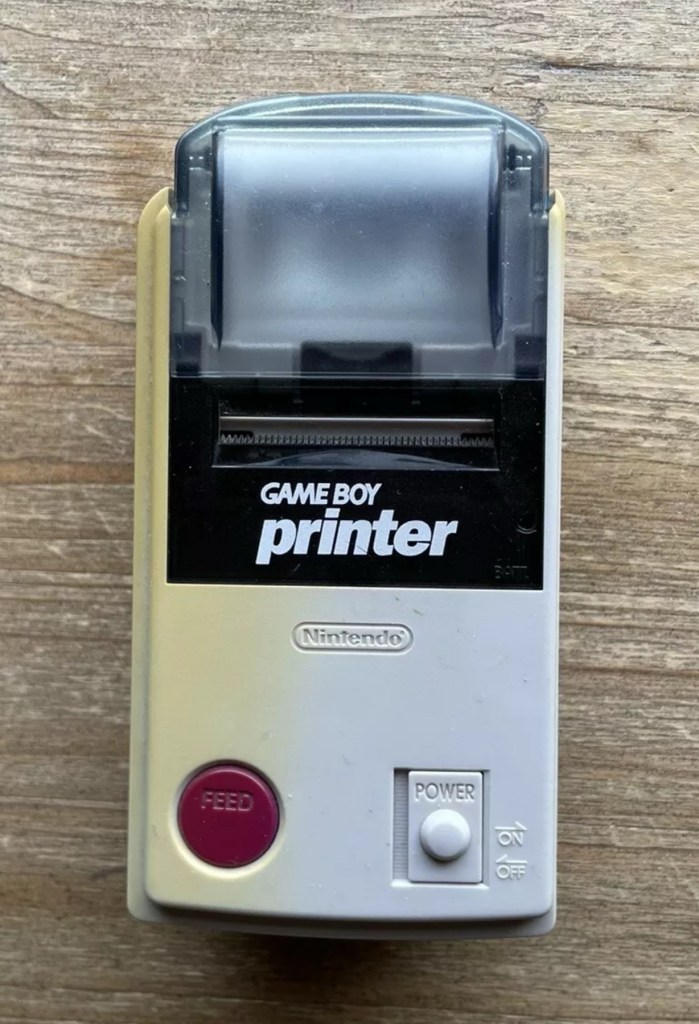
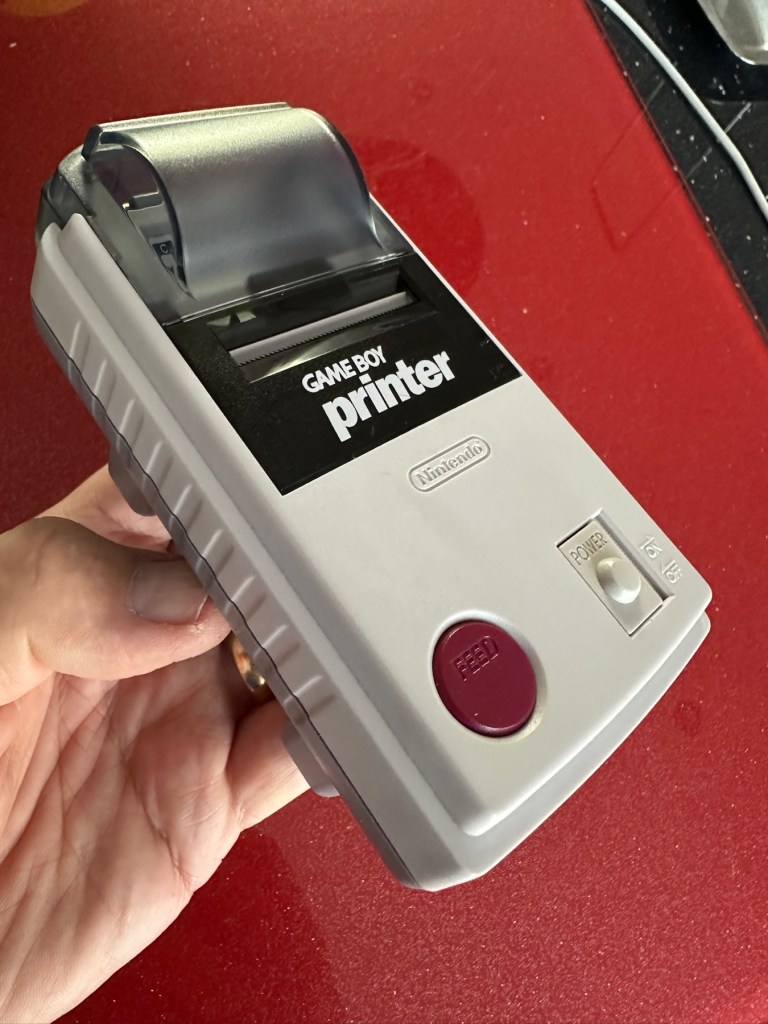
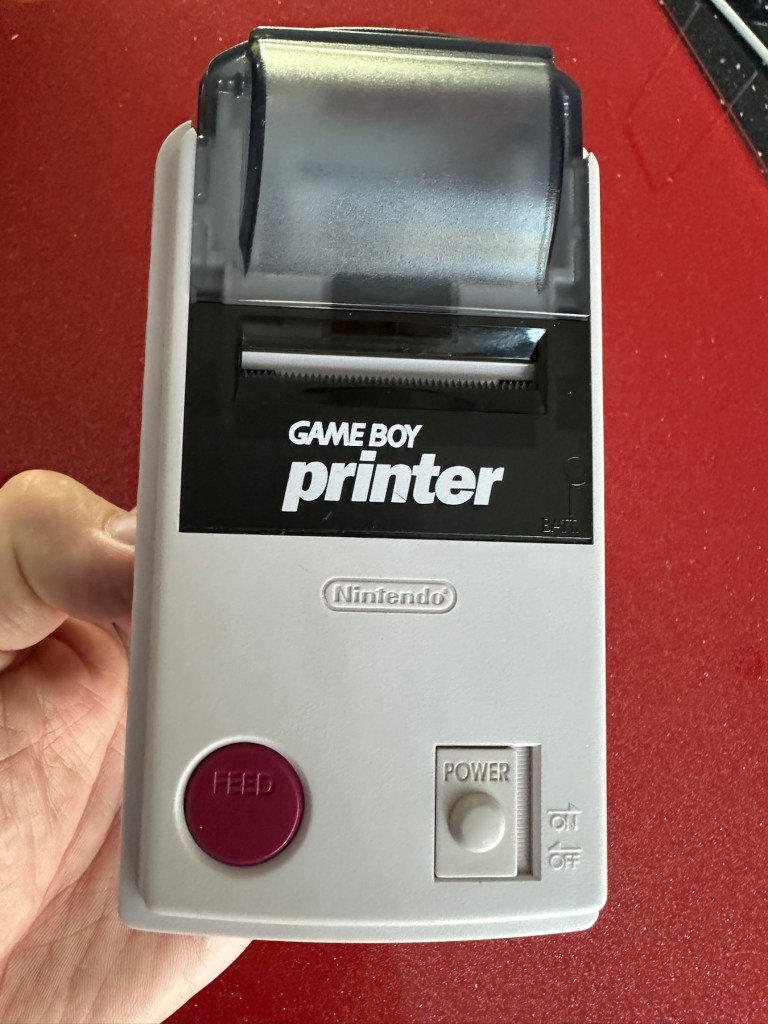
Listing for a FAULTY Nintendo Gameboy printer unit.

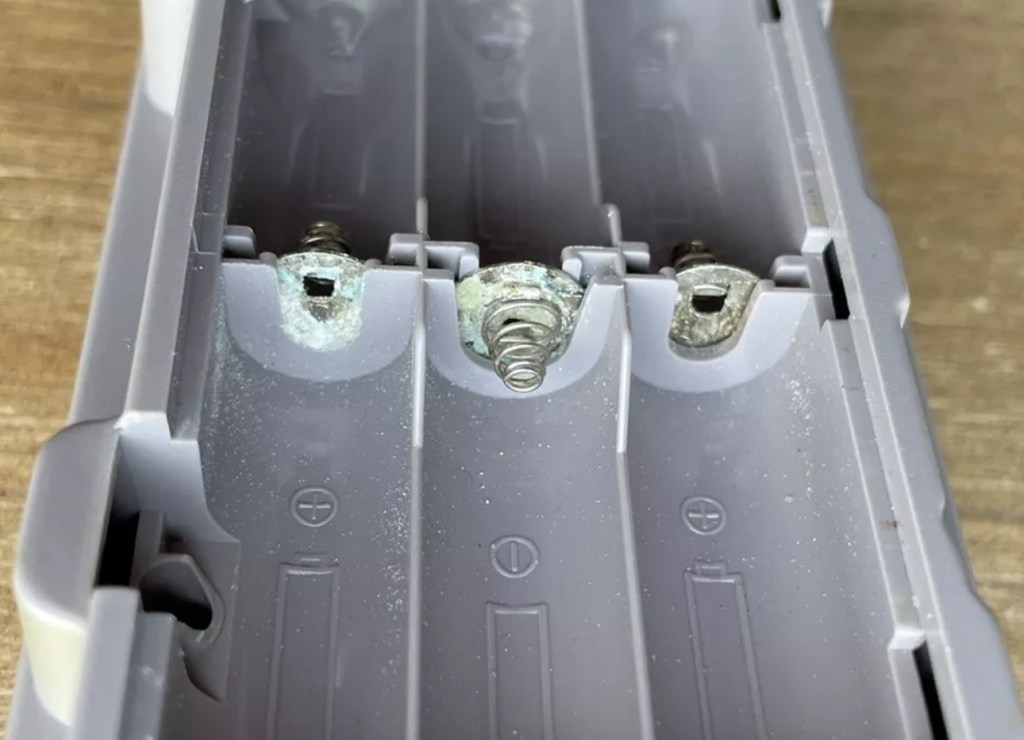
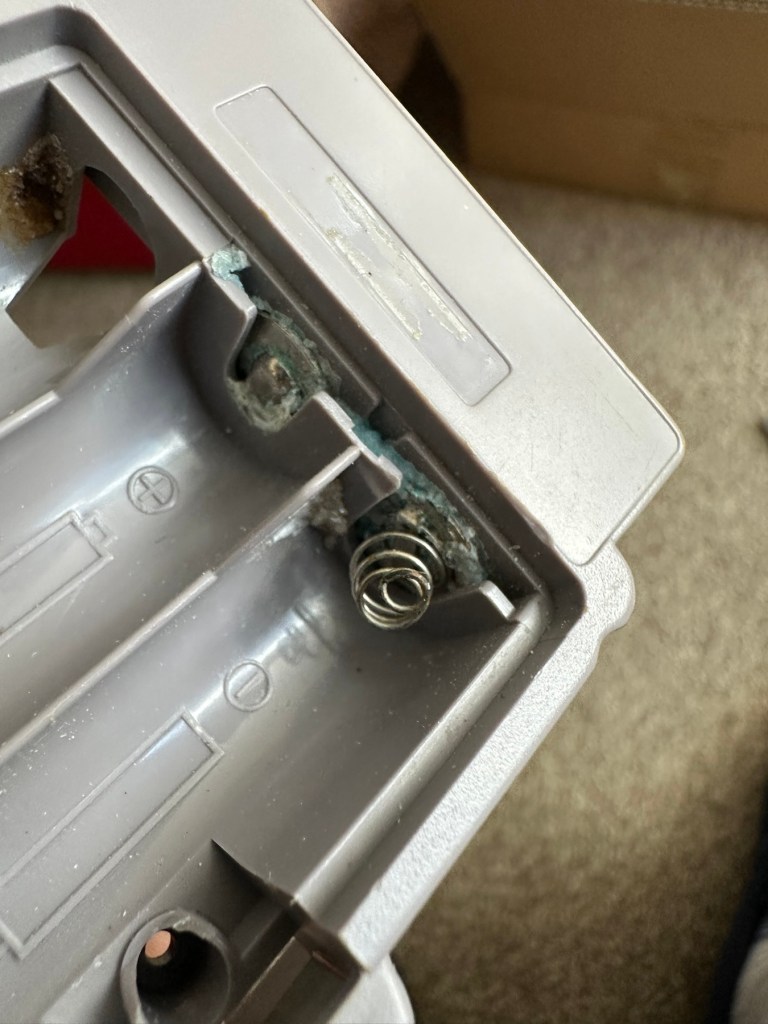
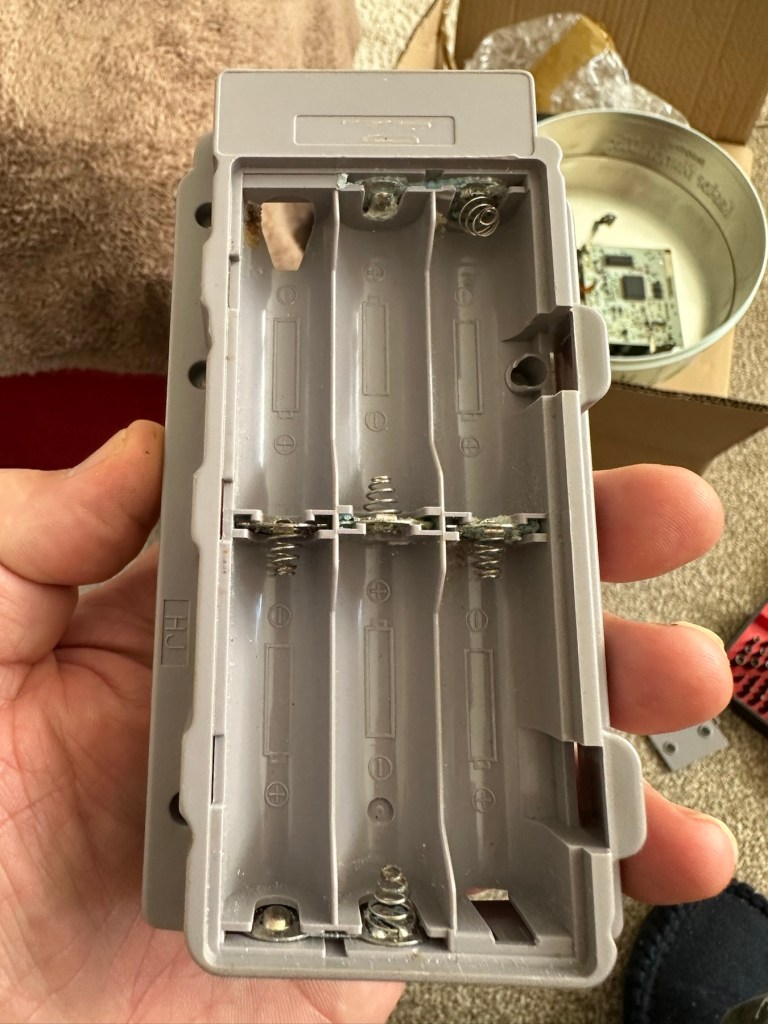
The printer is FAULTY, it has a lot of battery leakage in the battery compartment, so doesn’t currently power up. Some of the terminals look like they should clean up pretty well, but i cannot guarantee. 

As it doesn’t power up, i haven’t been able to test it. So can’t guarantee thats the only issue.

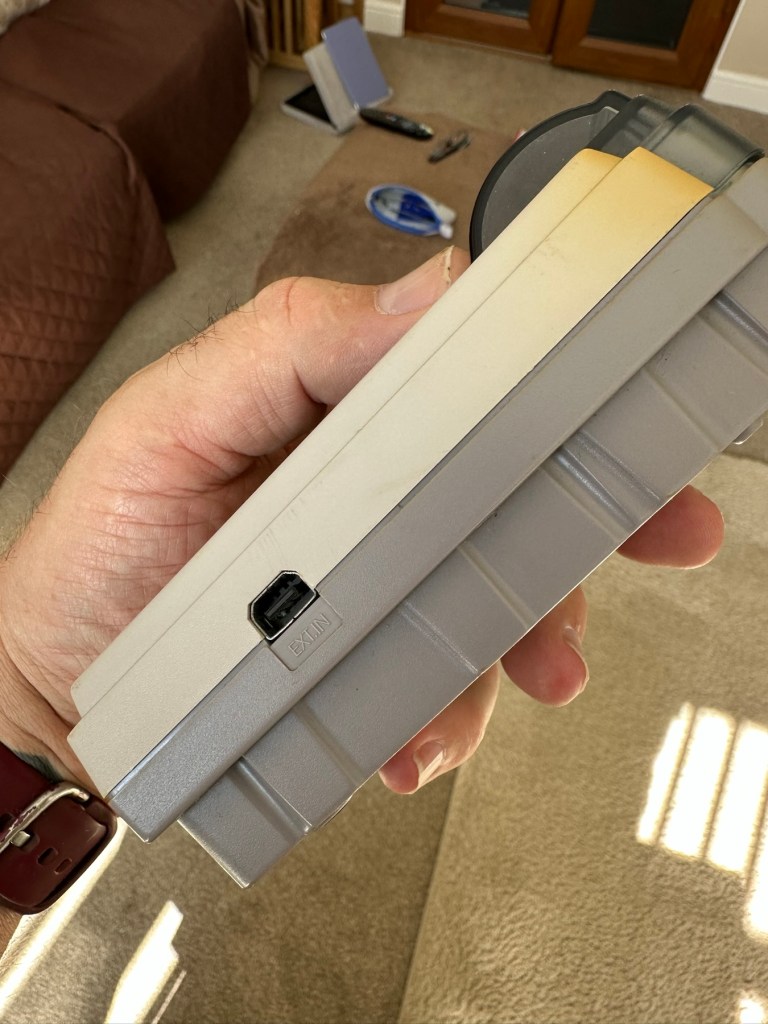
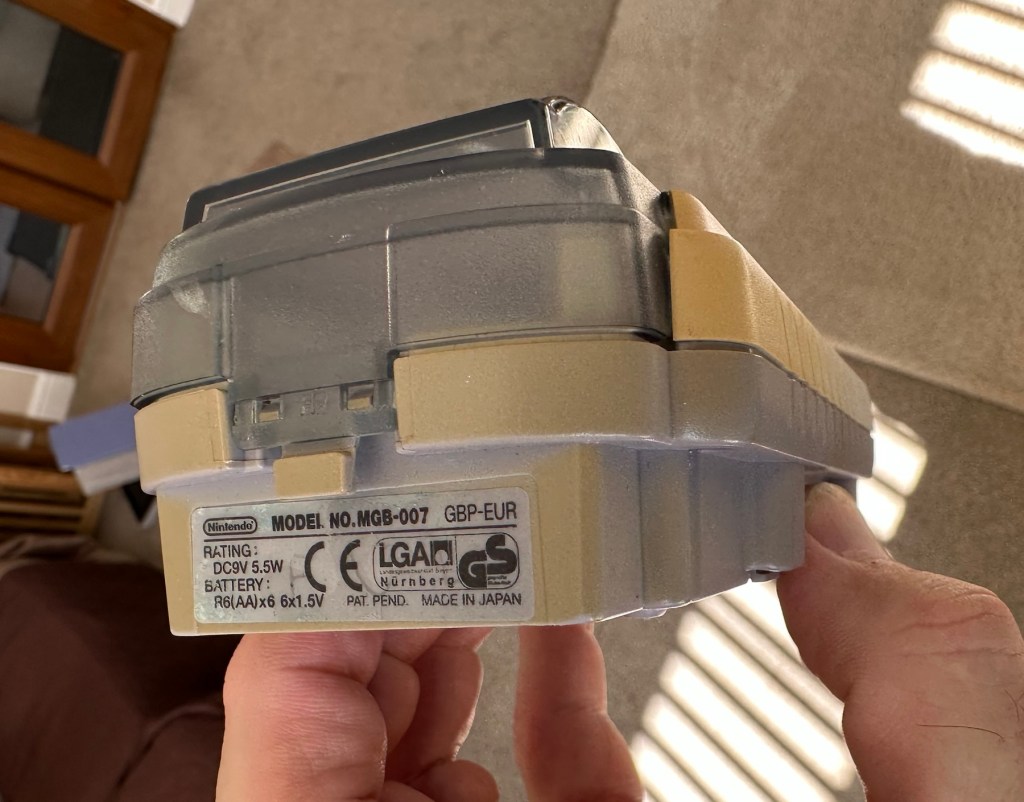
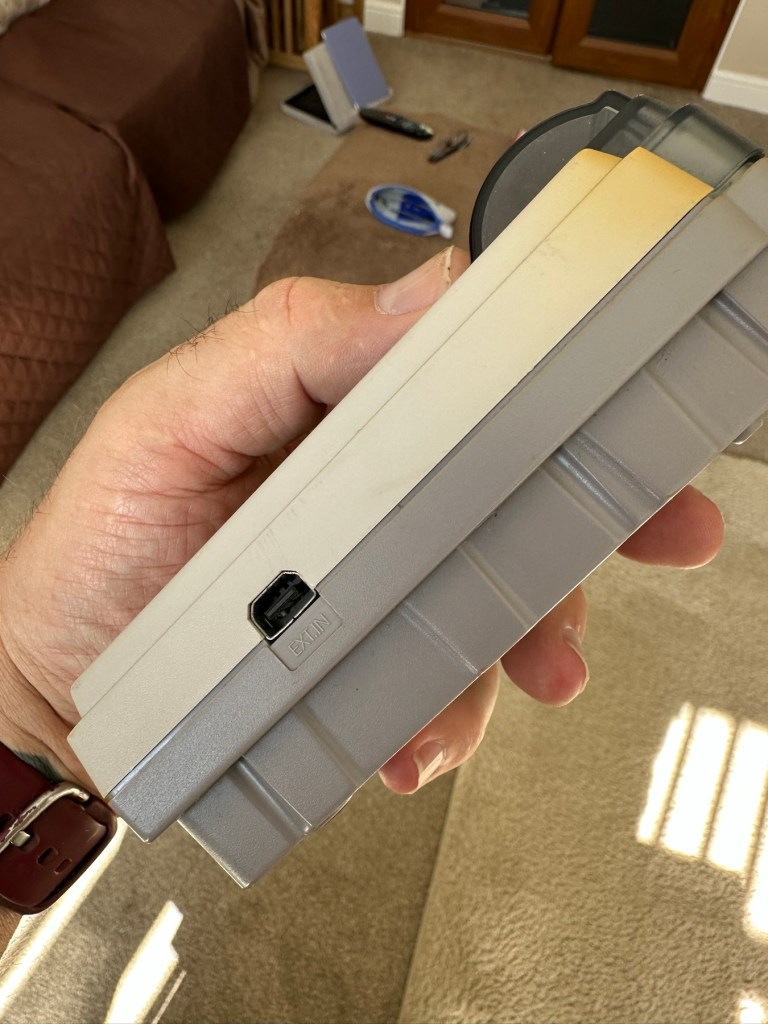
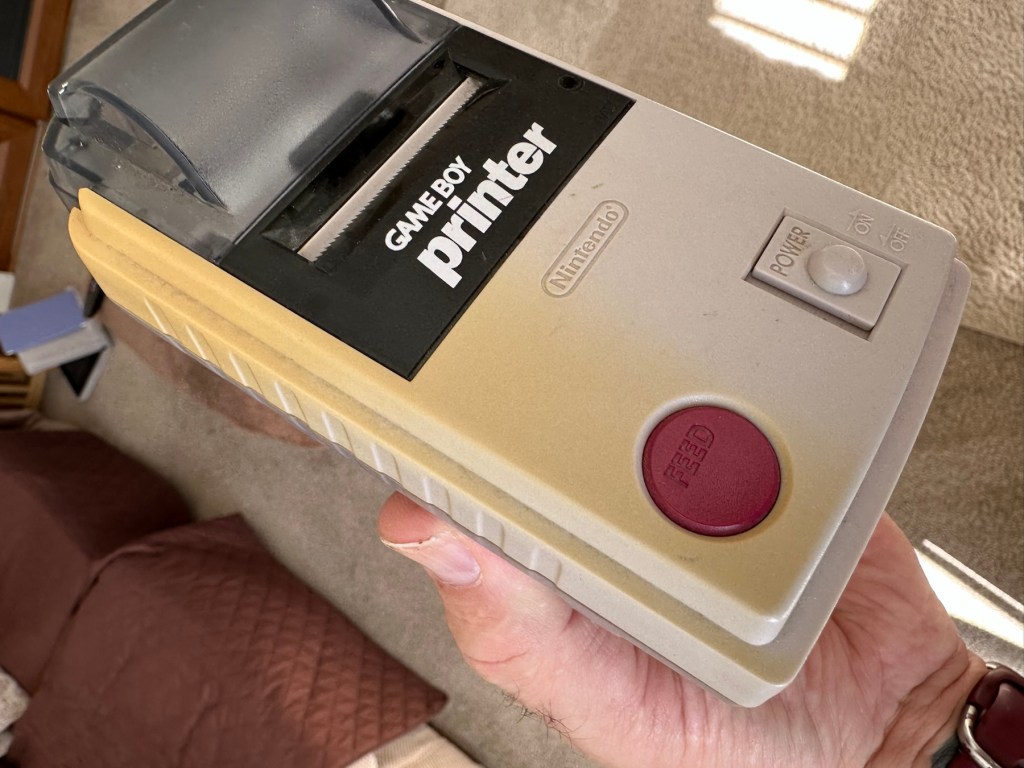
The casing has some discolouration, marks and other imperfections here and there.

I haven’t attempted any repairs and cannot guarantee it is fixable. 

SOLD AS FAULTY/spares/repairs.

EBay

Here are the supplied pictures:
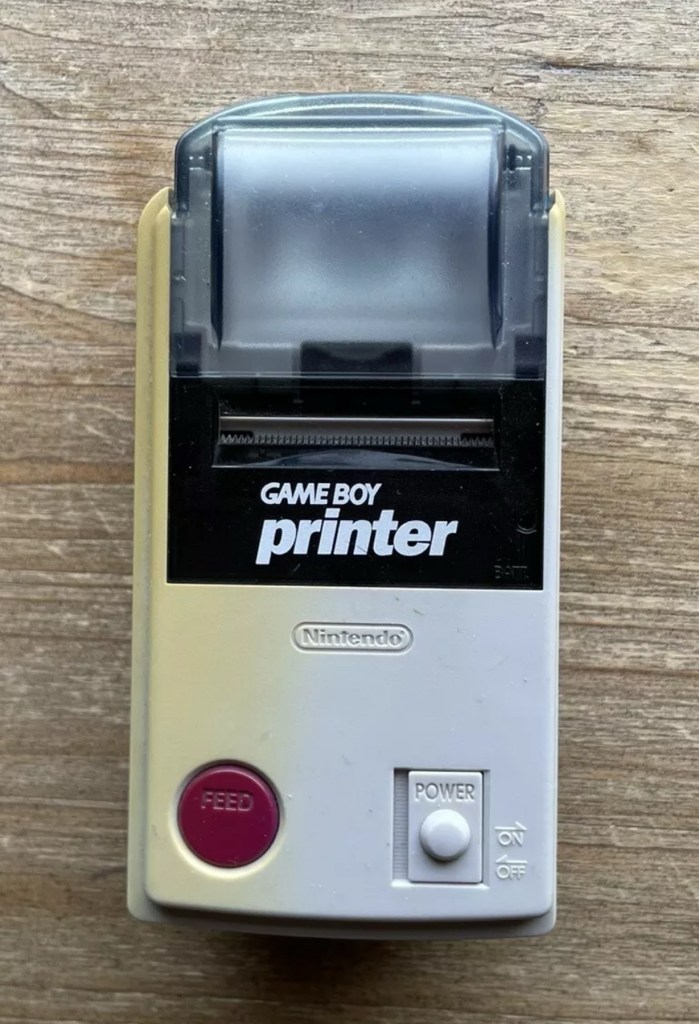
I think I’ve got my work cut out with this one. It’s another piece of unloved technology from 1998 looking for a new life. I’ve paid a total of £19:89GBP including postage for this item, probably at the higher end of what I’m comfortable with for an item in this condition. It has some serious corrosion issues that could go a lot deeper than just the battery contacts. There is a definite issue with discolouration, however I’m happy with that as it will be my guinea pig for my first attempt at retrobrighting, this process i discussed in this post a few days back: Retr0bright – What’s that then?

My plan of attack for this unit is to completely dismantle it, give it a thorough clean, retrobright the casing and then attend to the electrical / component issues.

Here’s some history about the printer unit:

The Game Boy Printer, known as the Pocket Printer in Japan, is a thermal printer accessory released by Nintendo in 1998 which ceased production in early 2003. The Game Boy Printer is compatible with all the Game Boy systems except the Game Boy Micro and is designed to be used in conjunction with the Game Boy Camera. It also prints images from compatible late-generation Game Boy and Game Boy Color games. It runs on six AA batteries and uses a proprietary 38mm wide thermal paper with adhesive backing, originally sold in white, red, yellow and blue colors. In Japan, a bright yellow Pokémon version of the Game Boy Printer was released, featuring a feed button in the style of a Poké Ball.

Wikipedia

If I manage to get this into a working state it will be added to my GameBoy collection.

I just need a suitable lead to connect between the console and the printer, and a small roll of 38mm wide thermal paper. I’m currently sourcing these.

Assessment:

Well it certainly has the yellowing issues and I will cover that in a separate post where I will have my first attempt at Retrobrighting the unit. With batteries in place, the unit is very dead and no matter how many times the switch is operated, it remains dead. Battery terminals are a mess and there is a lot of evidence of battery leakage and corrosion.
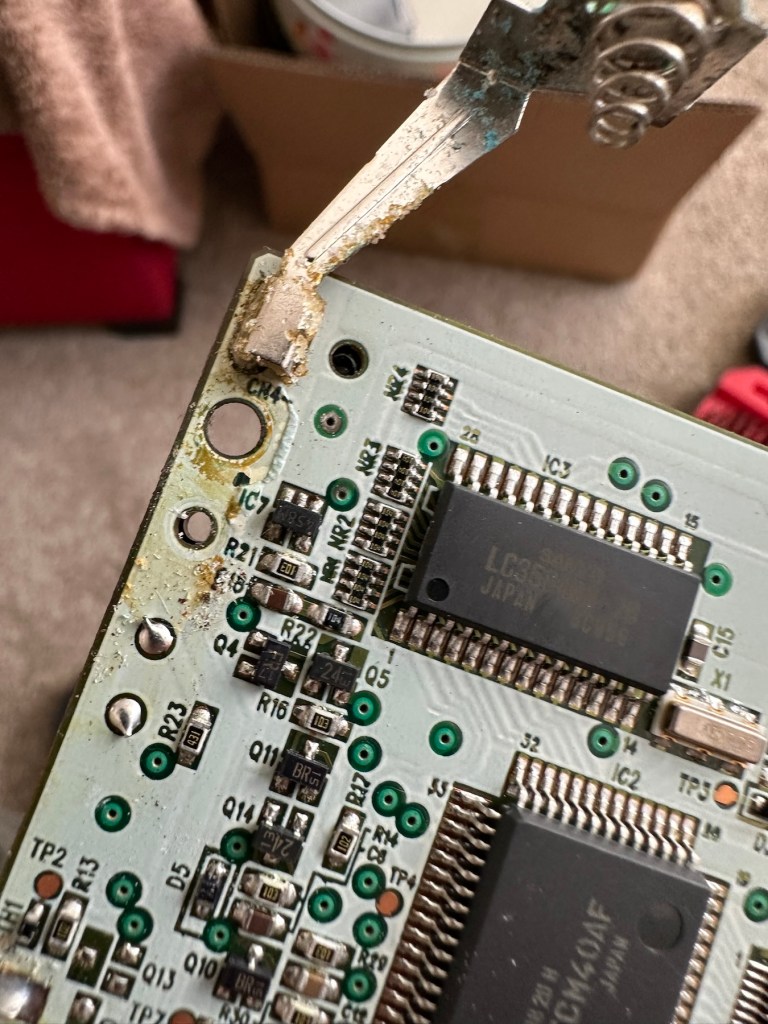
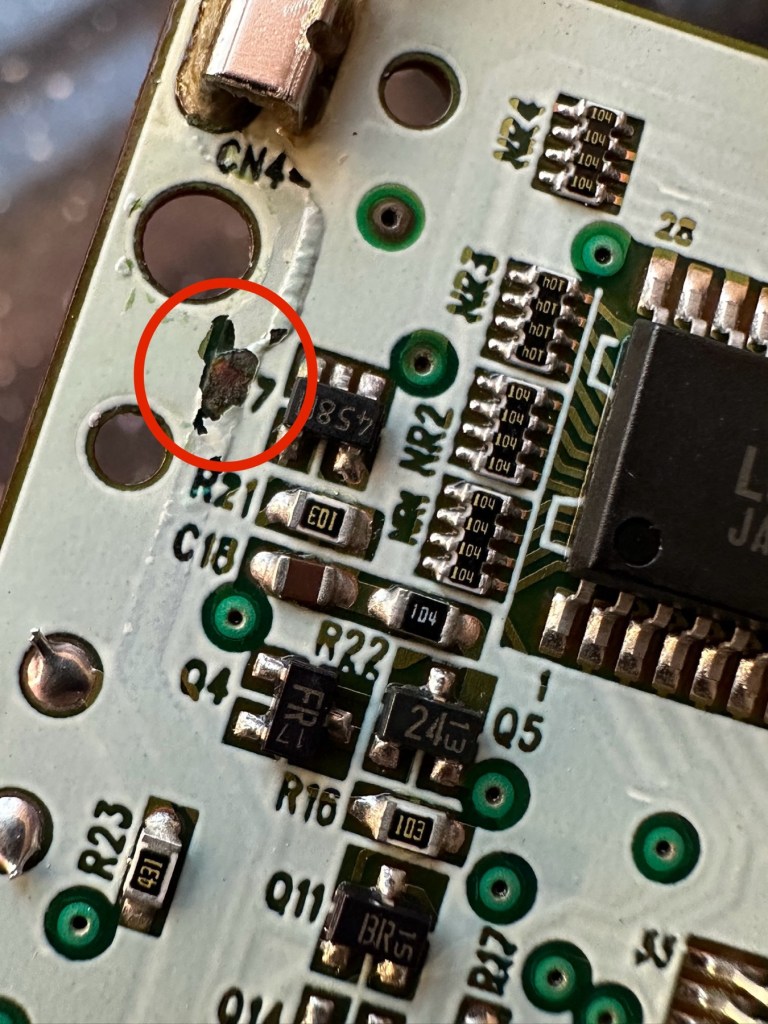
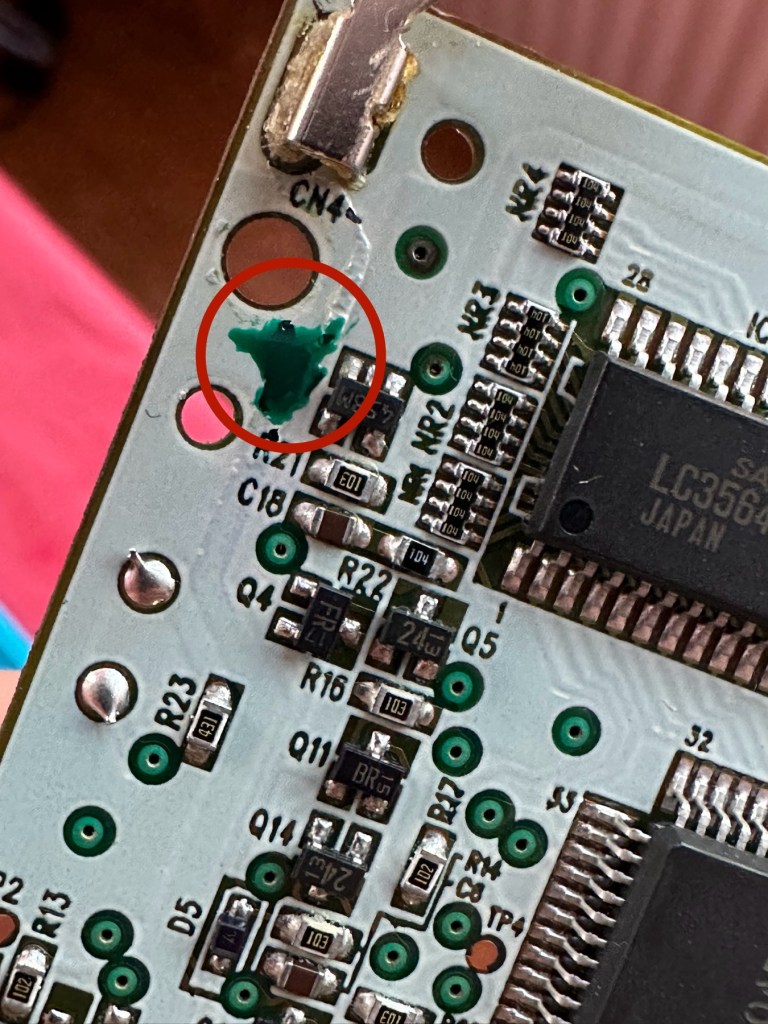
The board inside hasn’t been that badly affected by the corrosion, however one track from the battery terminal was showing signs of decay and will need attention. There are parts of the board that will need reflowing as there are some dodgy looking solder joints.

I’m happy that all the issues have been identified and I do actually have the items to carry out the repair. I will focus on the external issues such as the yellowing before dealing with the contacts and main board issues. Stay with me now, the repair begins.

Repair:

The Retrobrighting process for the shell assembly can be found in a separate post here: First attempt at Retrobrighting.

Wow

Needless to say the results are fantastic and I shall look at incorporating this method into more of my future projects. I have since given the case a second treatment and it is pretty much perfect with no sign of discolouration.

As you can see in the pictures above, the battery compartment suffered from some severe acid contamination. Using a grinding pen and a lot of cleaning solution, three of the five contacts were saved but two were beyond repair and I had to replace these with new contacts.

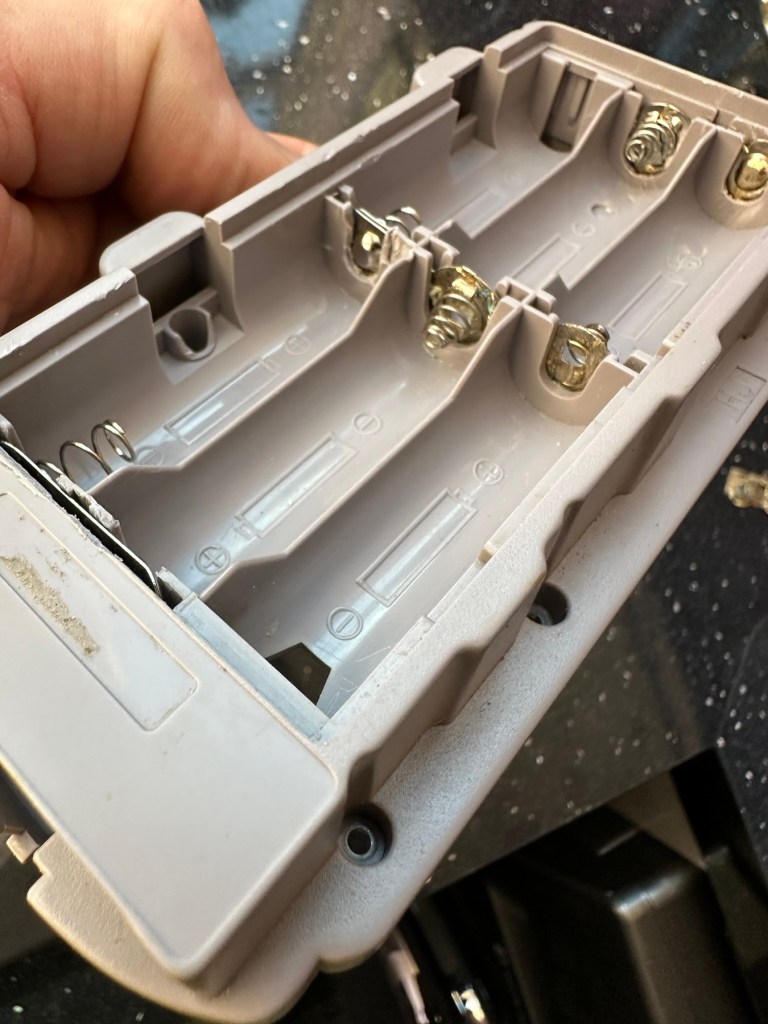
I then loaded the battery compartment with new batteries and then checked the two terminal ends to assure continuity, this was confirmed and continuity exists throughout. As a result the battery issues and power supply have now been resolved.

I mentioned that one of the tracks on the main board was showing signs of corrosion. I filed this down, cleaned it, and then brushed the board down with IPA and checked the continuity and this was fine. All suspect solder joints have also been reflowed, they are all looking good and new.

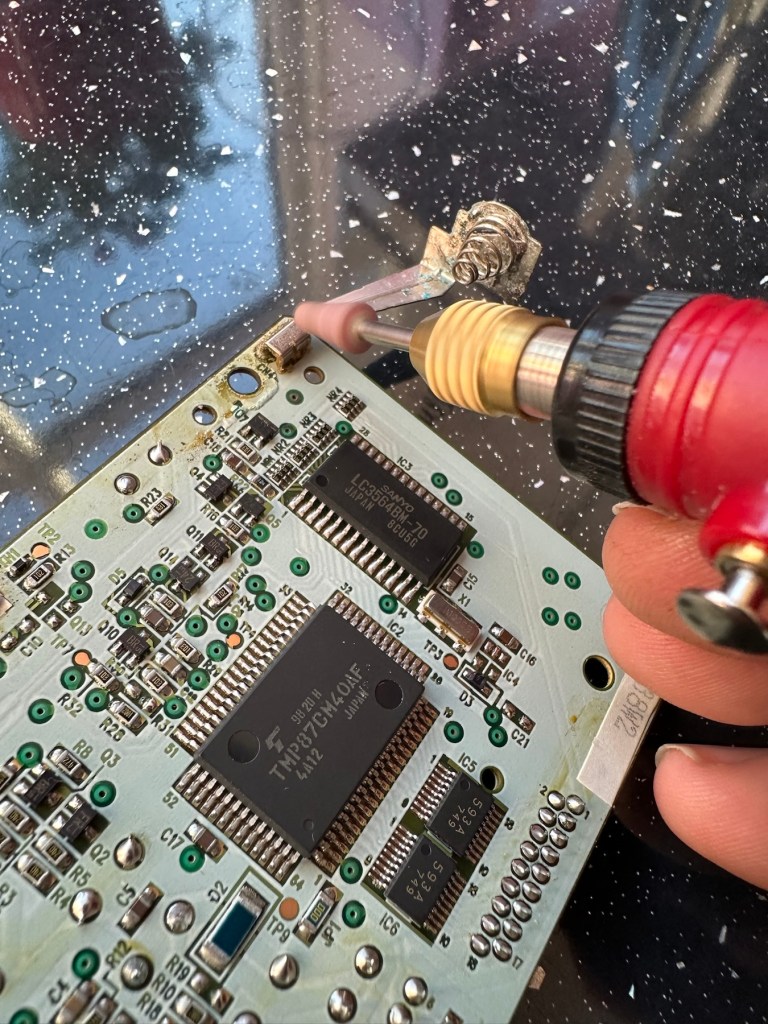
I had previously removed the motor from the board to assist with cleaning, as i didn’t wish to damage any of the ribbon cables. I then reconnected the cleaned and freshly repaired board, to the restored battery compartment to see if anything lit up. It sure did.
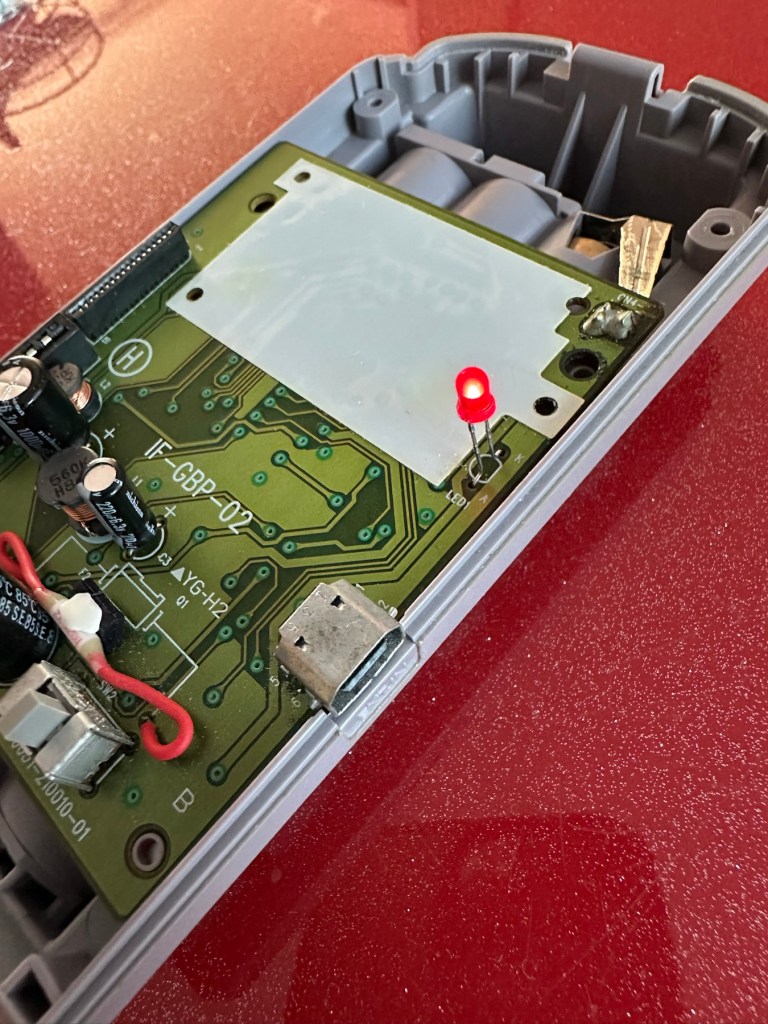
We have a light

This was pleasing as it now showed that we had continuity from the battery compartment to the board. I then added the motor back in and we also had some movement.

Movement restored

This again was very pleasing as everything we have done so far seems to be working. However it proves nothing yet until I can get the correct cable and some correct sized thermal paper to see that it actually does print, or even advance the paper. Those items are being sourced, and I don’t want to jump ahead of myself just yet as there could still be a number of yet to be addressed issues that may arise. It’s very much a fingers crossed period until we can test the unit properly.

Let’s clean all the other plastics whilst we await all the other items to be attended to.

All washed and drying out

Now we will commence reassembly.

All restored, working and looking pristine

Now all assembled the motor moves into position when turned on, the feed button also works. The paper rolls for these units are at the moment extortionate and selling for about £10GBP for the tiniest of rolls, and I’m not paying that. I have a thermal printer at home and I have cut some of this paper to size to test the transport, and this works just fine. Just awaiting the cable to connect the GameBoy to the printer. Fingers still firmly crossed.

Result:

I’ve just found out that if you hold the feed button whilst turning on the unit you get a test message. I’ve done this and I’m pleased to say the unit is fully working.

It’s working perfectly

I’ve also connected it to my game boy and the game – Pokemon pinball, and was able to print off the high scores. It truly works.
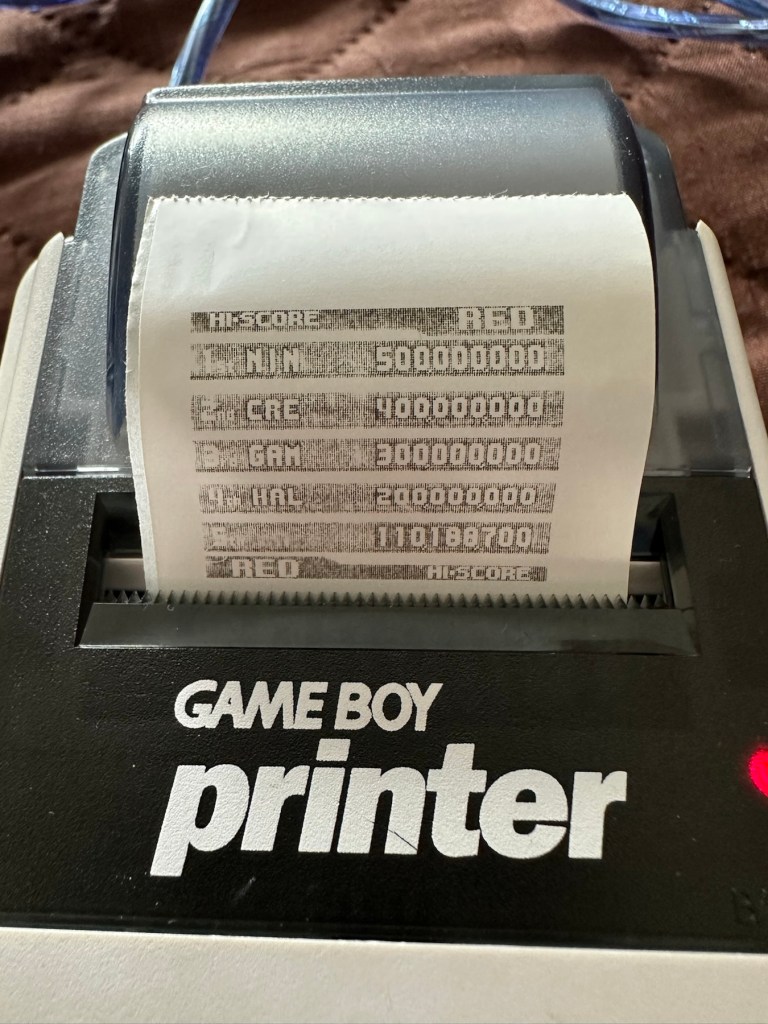
High scores

I’m just so pleased how this project has gone. It has been a complete refurbishment, clean, and I have even managed to reuse the original stickers. The unit looks pristine and really is a nice piece of kit. This goes into my GameBoy collection and has many more years of good use left in it.
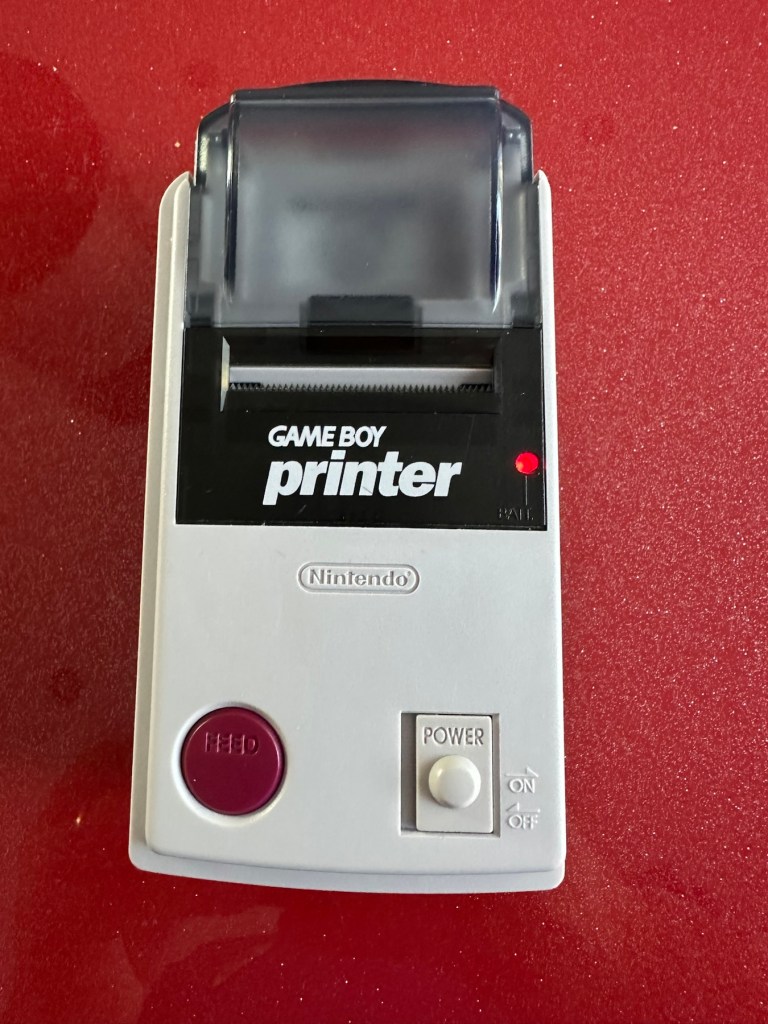
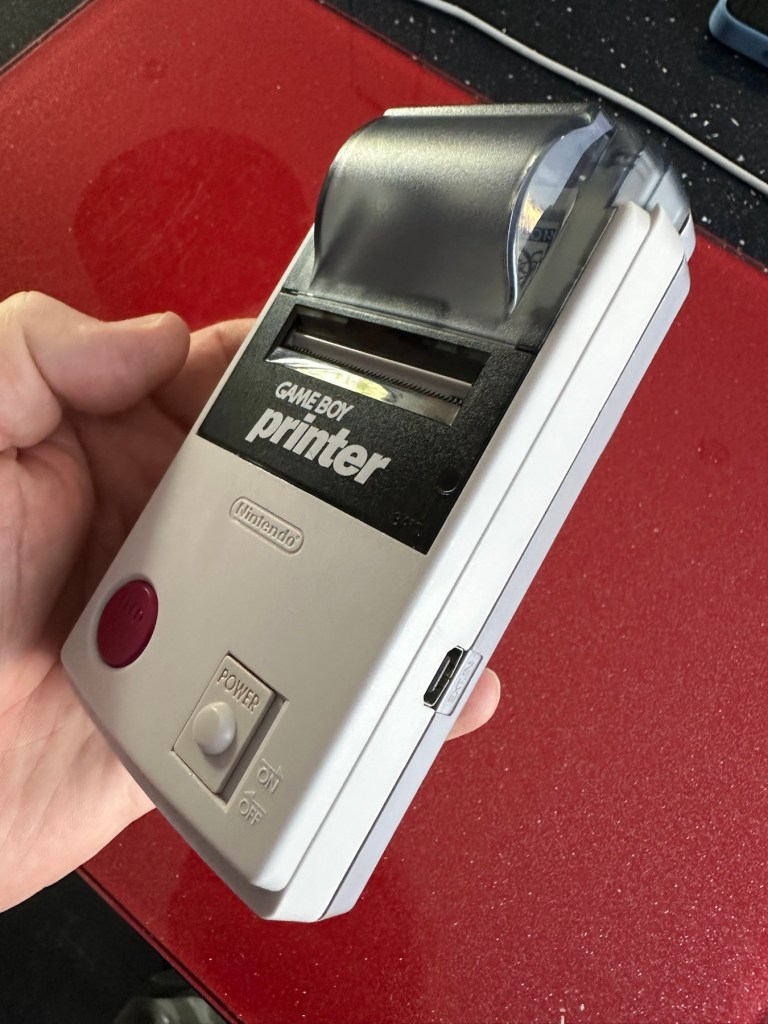
And to think this would have probably ended up in landfill. Scandalous. The cost of repair to me has been less than £2GBP and the majority of that was for the peroxide solution to do the Retrobrighting.

Great result. Very happy with this.

I can now uncross those fingers. All is fine.

Thanks for passing by, as always most appreciated.

First attempt at Retrobrighting

I’m currently deep into a repair project that I will be posting about on here shortly. However the shell of this project has aged so badly it has earned the right to be my Guinea pig for my first attempt at Retrobrighting, it deserves a separate post of its own, so it’s getting one. I have explained what Retrobrighting is in a previous post: Retr0bright – What’s that then?

The unit is a recently purchased and damaged Nintendo Gameboy printer from around 1998, it isn’t working and looks right ugly. It needs some attention to its fascia and battery base, so let’s get on to it.

I have taken the entire unit apart, separated the parts that need to be treated, removed all labels, and given the offending items a thorough wash in detergent before drying them off.

All stickers and other items removed. Shell thoroughly washed.

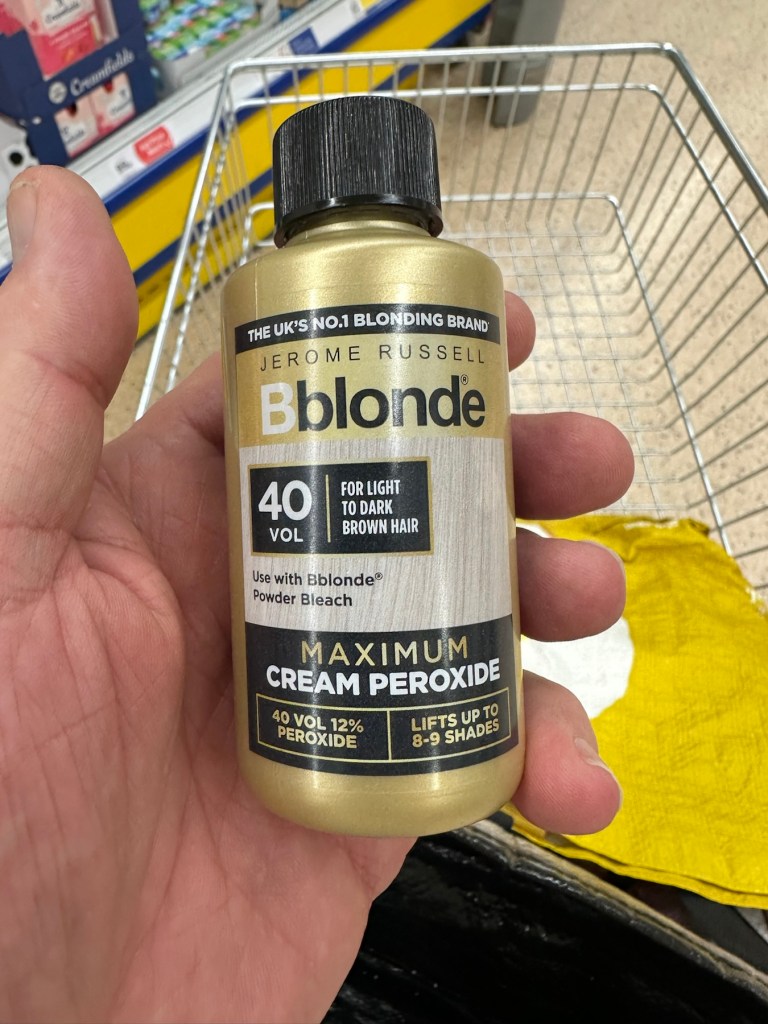
Next I’m just putting a 40 Volume 12% Peroxide cream solution into a small bowl, and I will then place the shells on a piece of cling film where I will liberally coat the offending items, using a brush, with the solution. When I’m happy with how this has gone, the treated surfaces will then be wrapped in cling film and placed in a sunny position for around 12hrs to allow the sun to do its thing. (UV lamps are sufficient if you have one available). I must reiterate it is important to wear protective gloves and eye protection when using this solution.

I’ve given a good coating of peroxide formula to all surfaces, but is it enough? I won’t know for at least a further 10-12 hrs, time will tell.

All wrapped and ready for some Sun ☀️

With the peroxide now applied, the fascia’s are now all wrapped in cling film and ready for 10-12 hrs or so of intense sunbathing. (Sounds just like me on one of our visits to Cyprus!). So let’s wait a while.

Patience

I’ve checked in and looked at the pieces outside, and after just 4hrs the results so far look amazing. I’m going to give it the full time though, so I’ll be back in around 6-8 hrs to check results. Hopefully we will have sufficient sunlight until then.

I’ve terminated the process at 9hrs as I have to go out and I’m impatient. Boy am I impressed at how it has turned out, it looks like a new shell.

Wow I’m impressed

Well I can honestly say that this treatment does work. I’m so impressed at the outcome, I just wish I’d attempted it earlier on some of my other products.

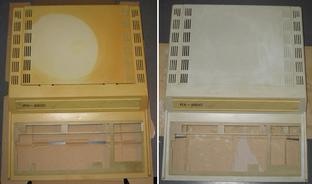
Before & After – Impressive improvement

Anything I’d do differently? I’d probably slap on a little more solution or maybe even reapply about half way through the process, the only reason for this is that there is the most minute tiny tinge of a yellowing on the side that had the heaviest contamination, possibly if I hadn’t been so impatient and left it for 3 more hours it would have been sorted, but then again it might not have! I do think a further application at the halfway point, especially when an item is so heavily stained as this unit was, would have done the job and made it look even more perfect.

Am I coming across as disappointed? Well I can assure you I am not. It’s my first attempt and I am so impressed. The total outlay for this process was £1:85GBP and that was just for the 75ml bottle of peroxide from a local supermarket, and I have enough left for another 3 applications, an absolute bargain. We only learn and improve from being persistent, and I’ve already learnt from what I have attempted today. And i am already a better, and more knowledgeable person than I was only a few hours earlier. You certainly can teach an old dog new tricks.

Edit: some 12hrs later I have decided to give a second treatment to see if this can improve on that slight yellowing I mentioned earlier. The results have greatly improved the look and there is now no visible sign of yellowing. I’d certainly recommend a second treatment for heavily stained items. It works, extremely well.

Watch out for my next post regarding the repair of this printer and its reconstruction: Nintendo Gameboy printer

Thanks for passing by. Always appreciated

Who are you? Peter Pan

The boy that never grew up. I guess that was intentional regression and not recreational regression on his behalf, however today in a supermarket whilst doing the weekly shop, my wife believed I was attempting to re enter my youth. I was accused of having a middle aged crisis!

No! You are not having highlights, are you having a middle aged crisis?

She was wrong, but I understand why she thought that way😂

Anyone who reads my posts will realise I have recently written about restoring old ABS plastic from the 80s back to life and removing the yellow hue that they acquire over time. Retrobrighting.

We were walking around the local supermarket doing the weekly shop, I asked where the hair care aisle was and she pointed me on the way. She did tell me that she already had my hair gel, but I said I was looking for something else. I could see the look of suspicion in her eyes.

When I returned from my little detour I asked her to scan the item in the picture above, a small bottle of 40vol 12% peroxide.

She looked at the bottle that says, “Blonde” and at this she’s instantly reverted back to when she first met me about 36 years ago, when I used to have highlights in my hair and changed its styling as often as the weather changed.

“No. You are not having highlights, are you having a middle age crisis or something?” This was her comment.

It took some skilful diplomacy to explain to her that it was required to complete a project I was working on. And I’m still not sure she quite believes me. I will have to show her what I will be doing for her to believe me.

Her parting comment before we moved into the washing powder aisle was, “Who are you? Peter Pan?” So I still don’t really believe she heard and understood my explanation.

I used to love those highlights though…..I wonder 🤔

Retr0bright – What’s that then?

It’s a process used to restore old Yellowed plastic back to its original state. Or at least it’s a way to try to. Read on and I’ll explain.

(Here is my understanding of the ABS plastic Yellowing process. There may be slight inaccuracies for which i apologise. Please do your own research on the subject. Further enquiries may be needed to satisfy your curious minds!)

Anyone who has any dealings with items built in the 80s/90s such as me will have come across an issue, especially related to anything built with ABS Plastic, and that would be the common phenomena of “Yellowing”.

If you own a game console or toy with white ABS there is the good chance that all or at least some of it will have turned a shade of yellow,

ABS plastic – otherwise technically known by its scientific name of “Acrylonitrile butadiene styrene” is a thermoplastic polymer. This means that it becomes pliable at an elevated temperature and solidifies on cooling. ABS was a flame retardant material that was regularly used as a casing for computers, gaming consoles and similar items just in case they were to overheat and catch fire. It was also used in Lego bricks for some reason, god knows how these were meant to catch fire though!

The yellowing issue lay with a chemical used in the manufacturing process called Bromine. When exposed to UV light or excessive heat this caused the photo oxidation of polymers within the chemical to break polymer chains causing the plastic to yellow and become brittle.

Come on then, tell us what retrobrighting is..

Retrobright or retr0brite as it is stylised by the guys who discovered the process, is an approach to removing yellowing from these ABS plastics, a kind of bleaching process if you like. The original recipe for Rerobright was discovered purely by chance by the CBM Museum at Wuppertal in Germany in March of 2008. I’m not going to go into the finite detail in this post, however you can read all about it here at the original Retr0brite project site: The Retr0brite Project.

The process can be a little hit and miss, however there are a lot of documented cases of it working very well. There is a downside that the yellowing can overtime return, as this process only really whitens the surface problem whilst those old polymers are still breaking down deep inside the plastic where this treatment doesn’t reach.

The process

I’m only going to touch on the process here, there are many other detailed explanations available on line, that explain the process far better than i could, here is one for example from the “How to Geek” site. How to clean old yellowed plastic on retro computers and game systems.

I will explain the process briefly below, but in no way do i accept responsibility for the way you approach the process. That is down to you entirely and i suggest you read up deeply on the subject prior to attempting this process. You have been warned!

What you need

  • The offending piece of plastic
  • Clingfilm
  • Paint brush or suitable application brush
  • Protective gloves
  • Eye protection
  • 40 volume oxidising cream (Hydrogen peroxide, salon hairdresser strength.
  • Sunshine (Hard to find here in the UK) or a UV lamp

For starters make sure the item you want to brighten is clean. Make sure you have eye protection and gloves on as the peroxide can cause skin burns and the last place you want it is in your eyes, believe me.

Lay down some cling film. Place your subject matter on the clingfilm. Apply some cream onto the object you want to lighten and smear it around ensuring the whole item is covered in the peroxide solution, failure to do this can cause blushing and streaking. When you are happy that the subject matter is fully treated, cover the whole item in the clingfilm ensuring there are no holes where the solution can evaporate from.

Next place the item where the whitening can take place. Out in direct sunlight and leave it there for the entire day. Indoors a UV light lamp can also be used. The UV rays that originally caused the yellowing will now react with the Peroxide to reverse the process. This does take time though and in some cases where the yellowing is particularly bad a second or third treatment may be required.

Remove the clingfilm after a sufficient UV exposure and ensure the subject matter is washed thoroughly to remove all traces of the peroxide developer. Again, ensure you have gloves on until all traces of the chemical are removed.

Dry the subject matter or allow it to dry naturally. Hey presto! Job done. And thats basically it.

I’ve covered this subject, as it is something i will be attempting over the coming months. I will address the process in individual posts relative to the item i will be working on at the time.

Thanks for passing by, it’s always appreciated.