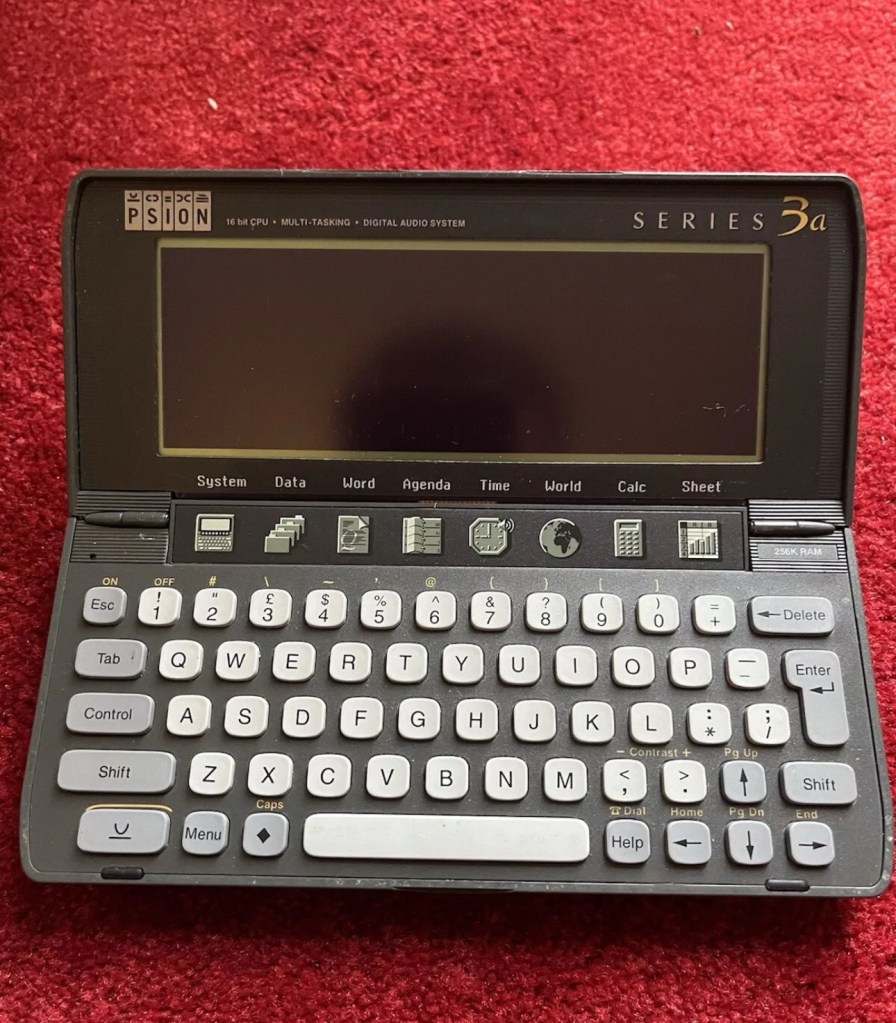
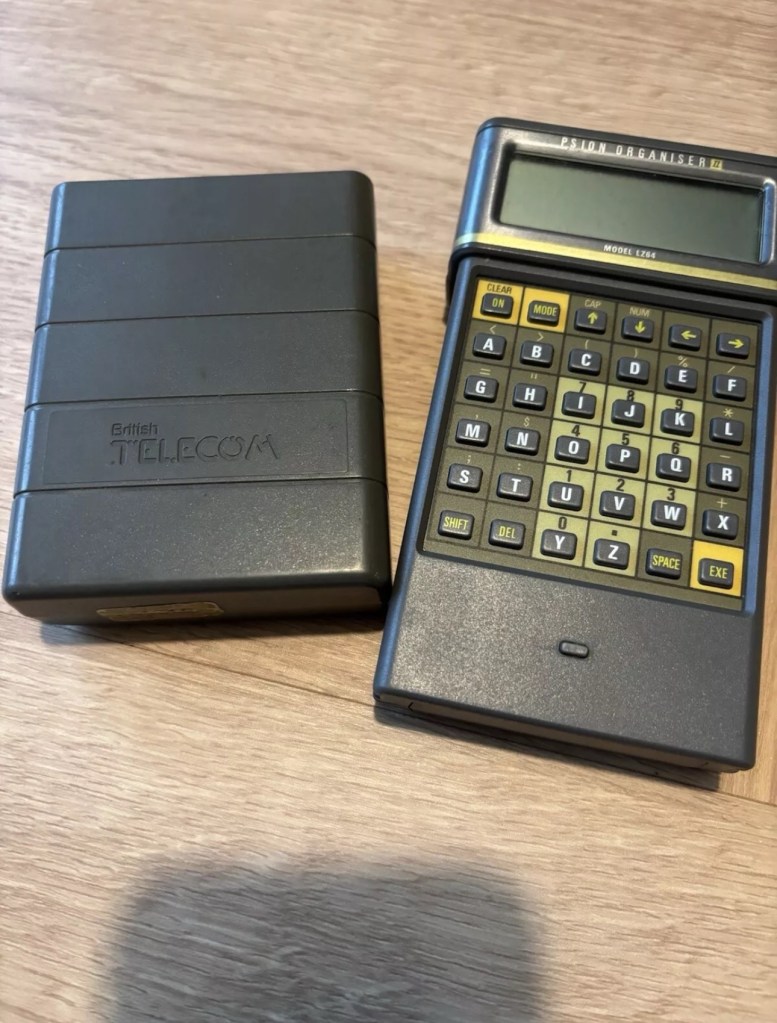
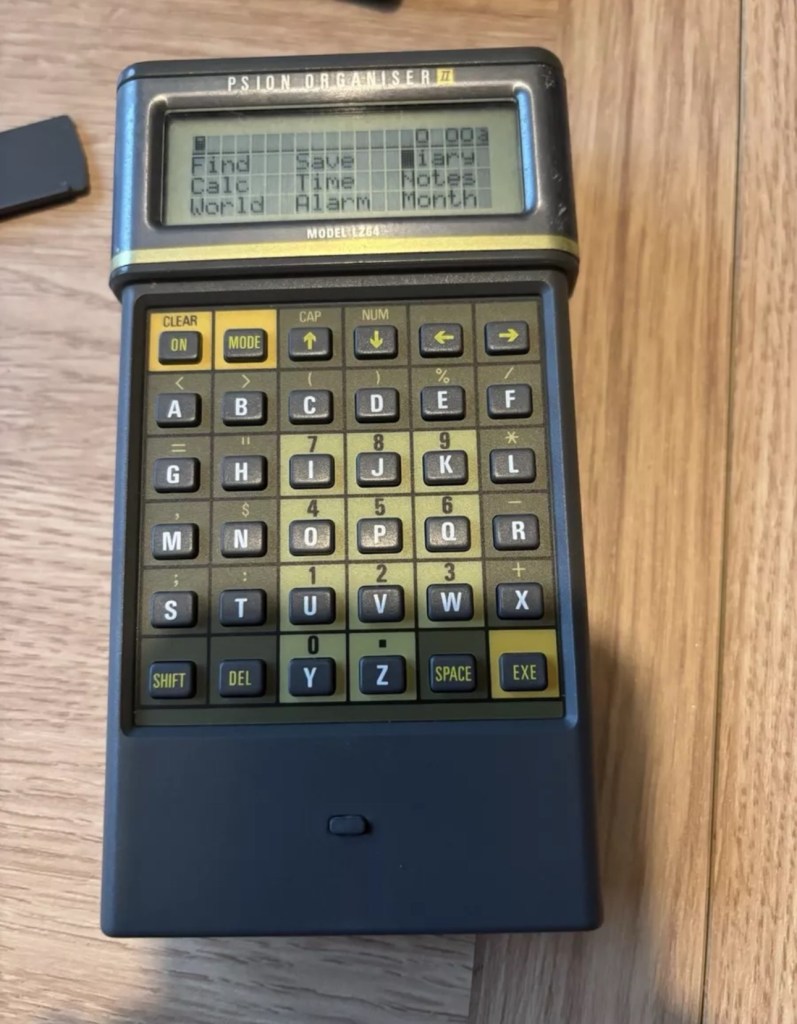
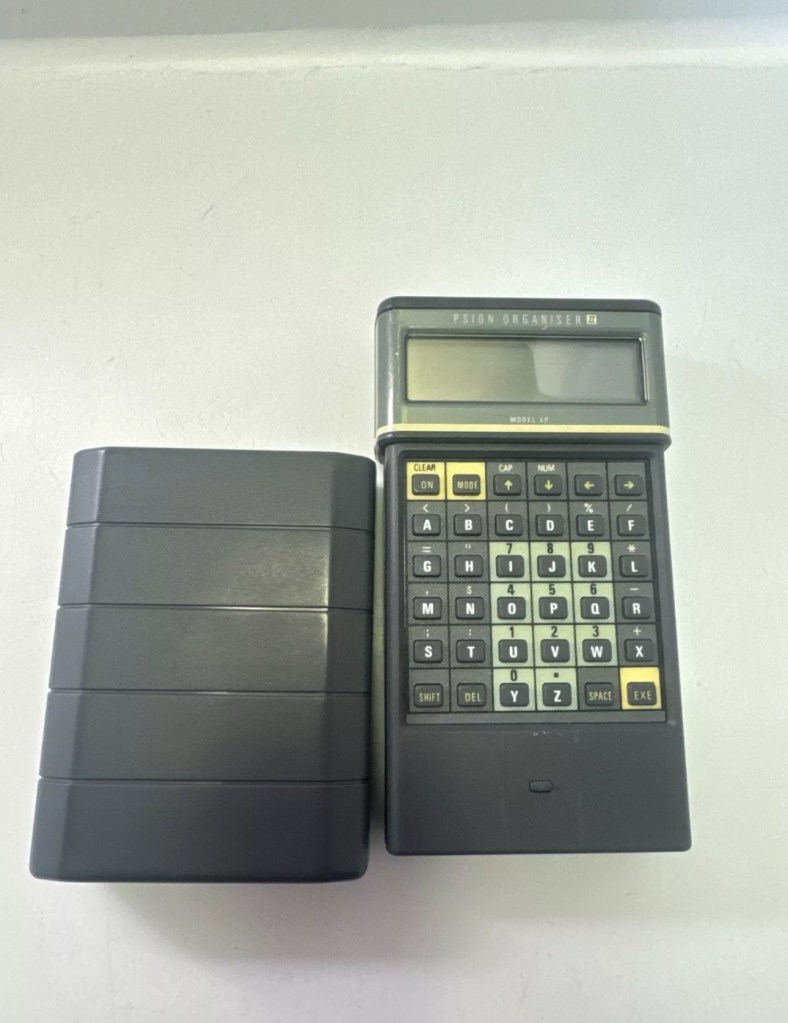
I am now in possession of my fourth Psion II organiser, in an attempt to complete my collection of these devices. This one is the LZ64 model from 1989. All my examples are of a good quality with only some slight markings on the device. They all work as they should do with no issues. This particular example comes with a British Telecom branded holder, as a number of different companies branded their own units like this back in the late 80s early 90’s. It has 64KB Ram and a 64KB Rom that is expandable.
BT branded pouch LZ64
My units marked with an asterisk
The LZ range
Here is some information from Psion regarding this model.
The Psion Organiser II Models LZ and LZ64 come with a powerful set of utilities including:
A database which allows you to store items of information and retrieve them again instantly.
A diary to keep track of personal appointments.
Alarms to remind you of your diary entries, or to use as an alarm clock.
A sophisticated calculator, for simple or complex calculations involving mathematical functions.
A clock, with a stopwatch and timer.
Notepads with calculation, for information such as things- to-do or expenses lists.
International time and dialling codes.
A month-at-a-view calendar.
Password protection.
A multi-file database.
A choice of European languages.
The Organiser also has its own built-in programming language called OPL. The language is designed to exploit all the machine’s facilities to the full and to let you tailor the Organiser to your own specific needs.
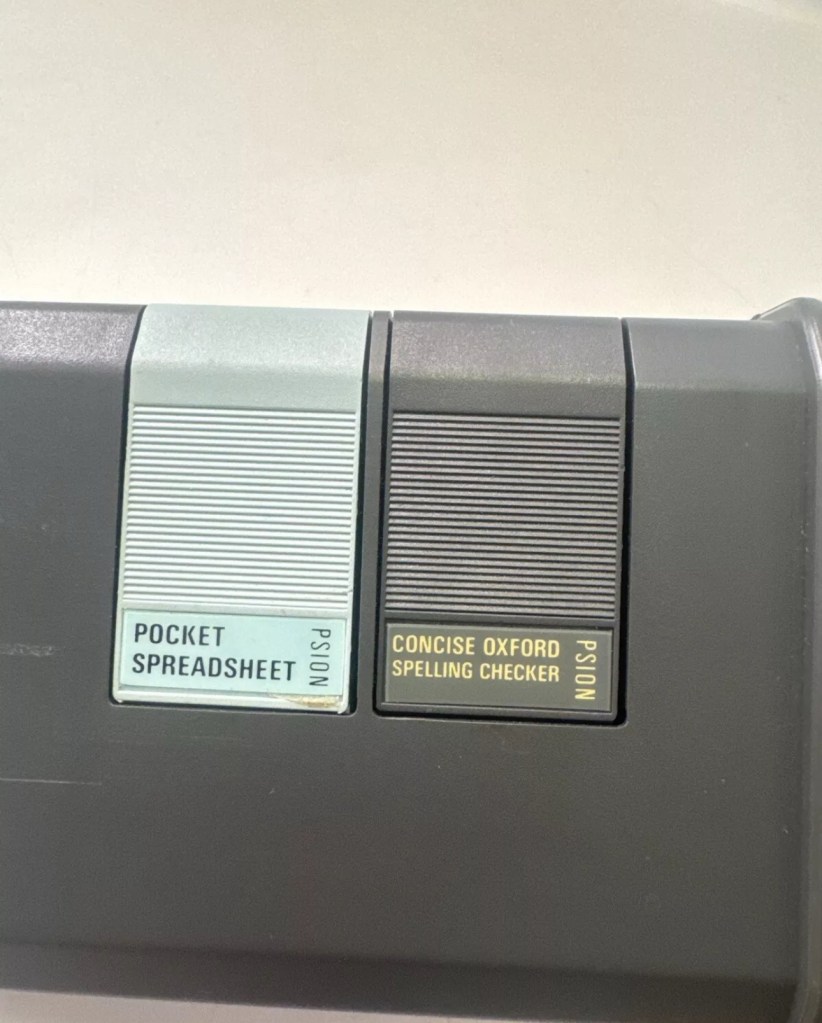
The Organiser has an internal memory and two external devices which are the equivalent of disc drives on a desk-top computer. Each one can hold a Datapak for you to store information on, or a program pack containing a program such as the Pocket Spreadsheet.
The internal memory of the Model LZ64 holds around 64,000 characters. In addition, one or more Datapaks can boost the storage capacity considerably – by up to 128,000 characters per DatapaK.
Courtesy of Psion PLC1989
As I’ve stated before I will be using these units to learn the OPL programming language and to try and get these units connected to other retro units that I have if this age group. I am also looking at getting these units to connect via usb to a computer. It can be done and that is a project for me at a later date.
Wow, from our friends at Hackaday, who would have thought the time would come when you could downland and print a camera. Even the shutter.
A nice read for those interested in photography and some good links to follow regarding the build. Don’t think I’ll be starting one as I’ve only just mastered the standard paper printer 😂
A couple of years ago we were excited to read news of an entirely 3D printed camera, right down to the shutter. We wrote it up back then but sadly …
Most EPROMS made around this time in the 1980s had memory that could be formatted by using a method of exposing them to high levels of Ultraviolet light for between 10-30 minutes. The Psion Datapaks required about 30 minutes of “exposure” in one of these units to format the drive.
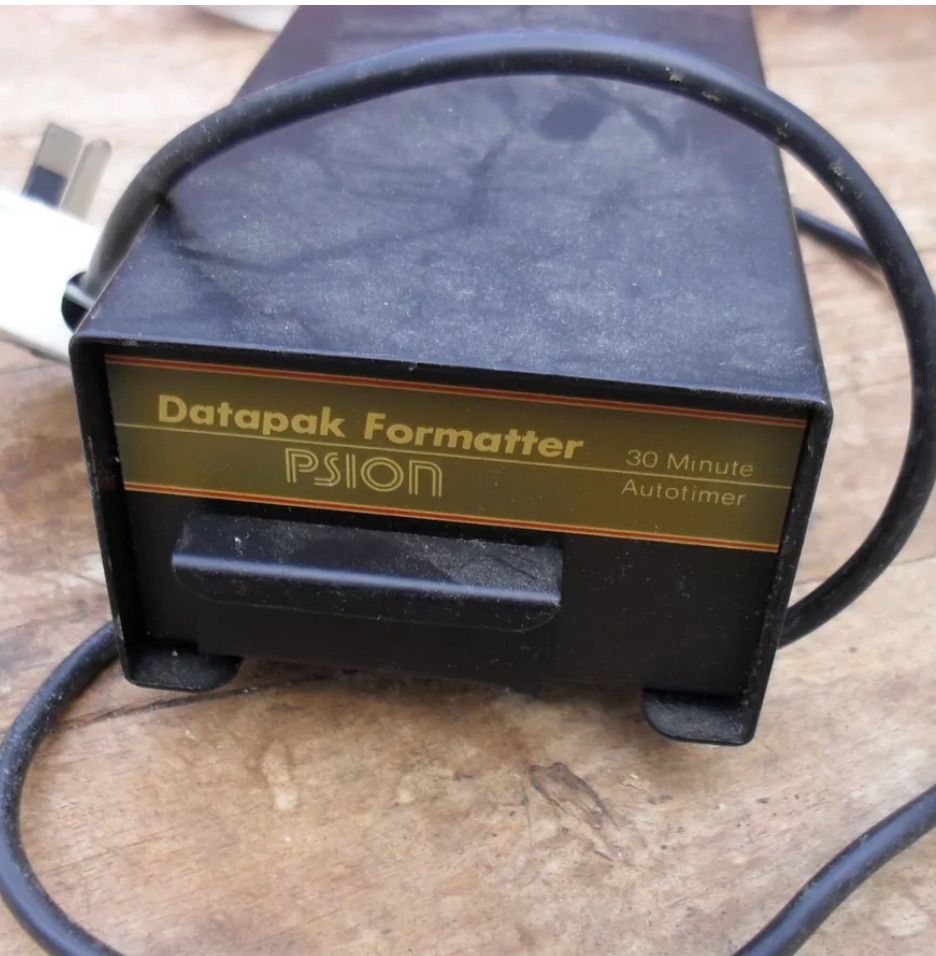
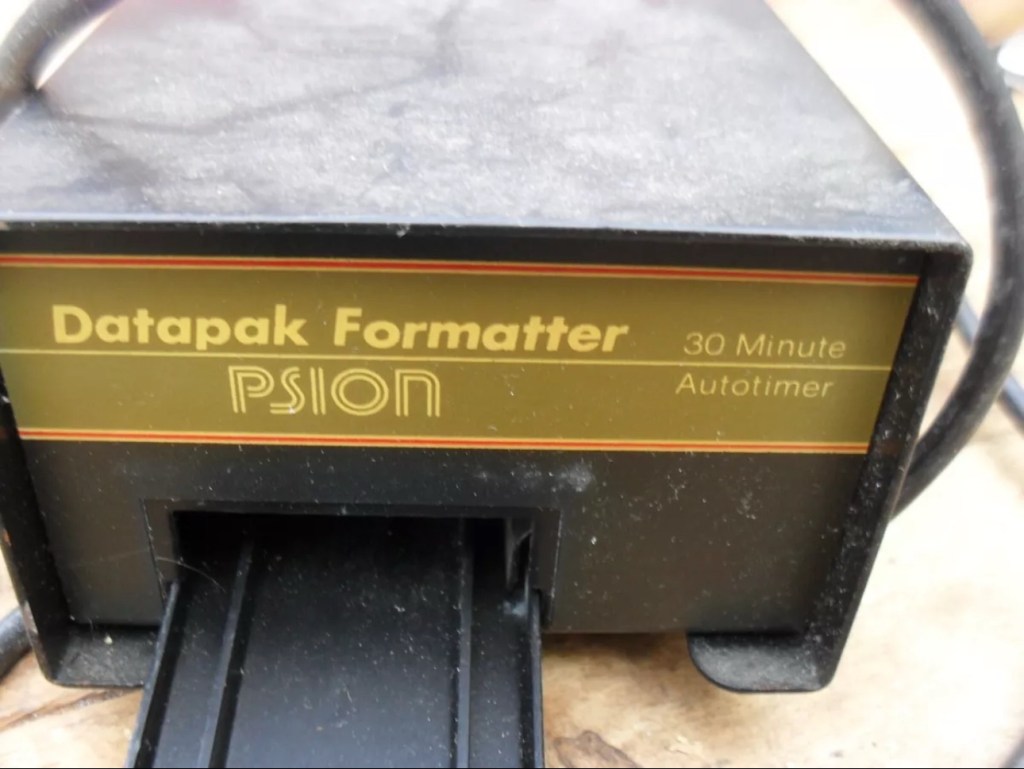
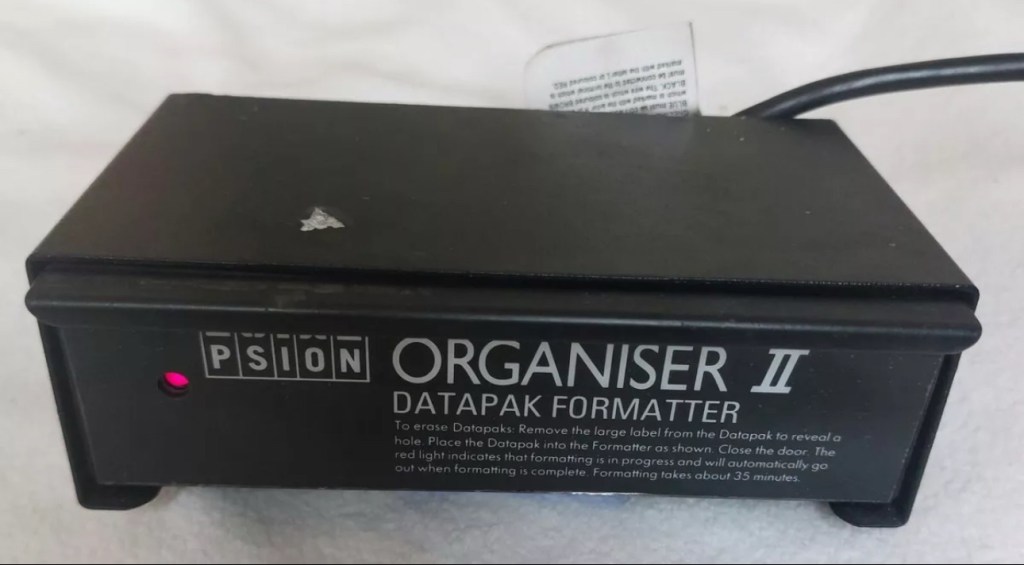
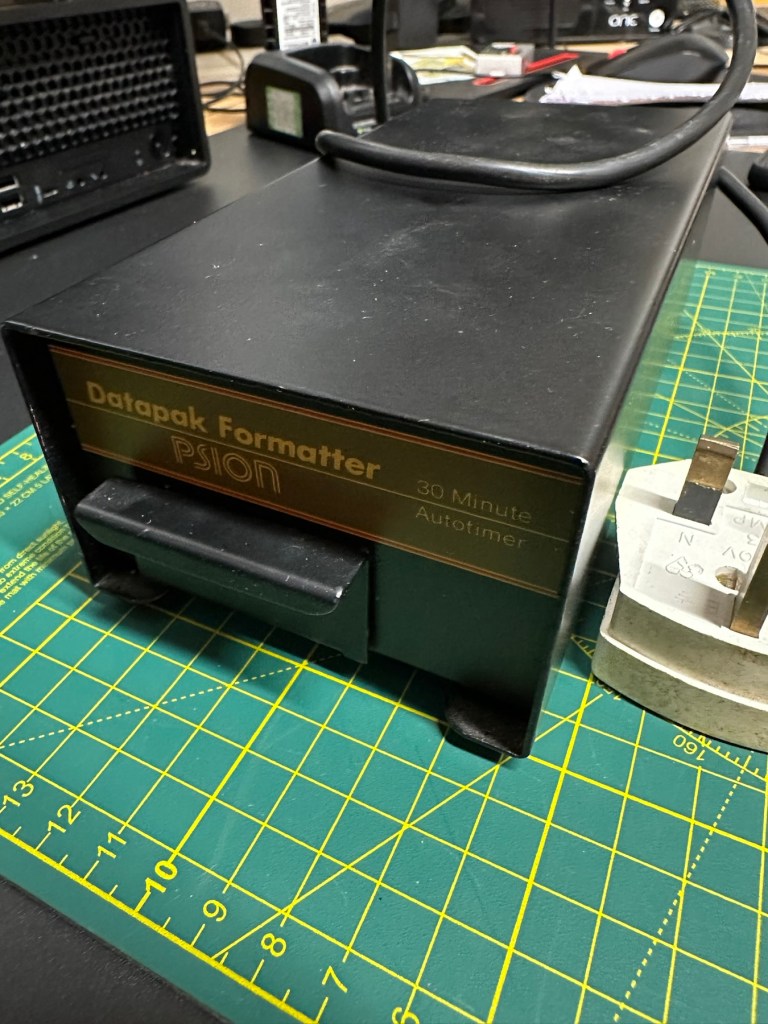
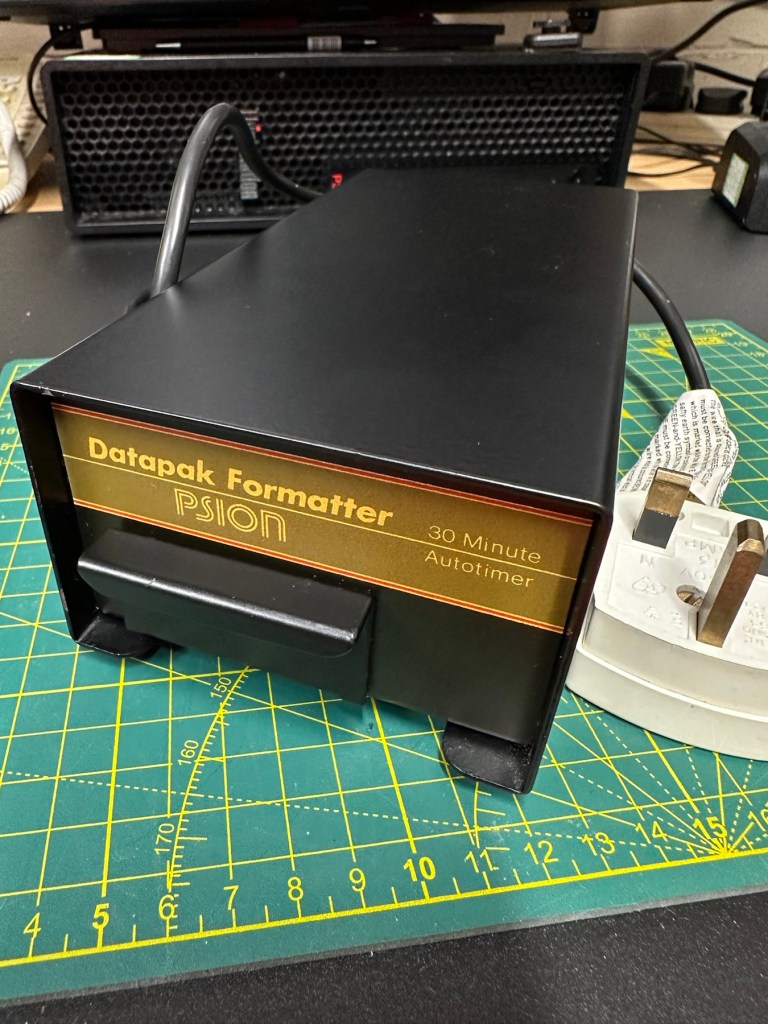
The unit I have purchased a Mk1 formatter
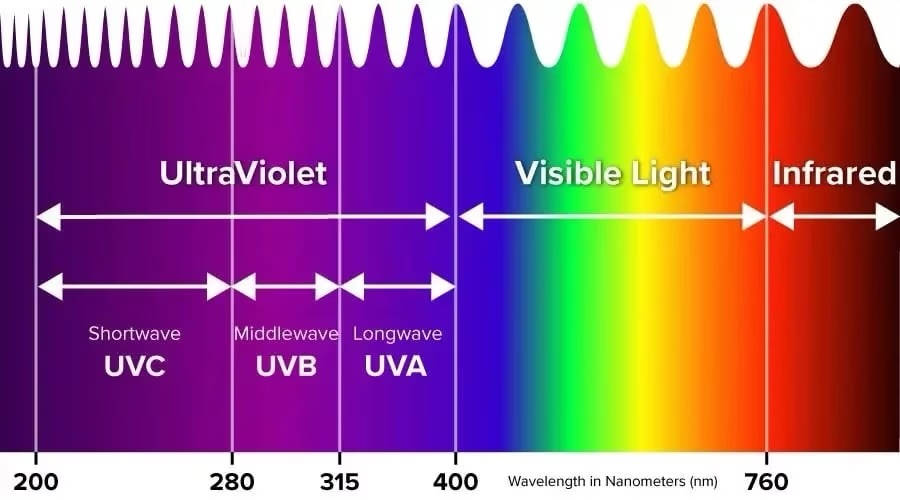
By high levels of light, i mean UV light around the wavelength at or close to 253.7nm. A UV light you may have in your home or in the form of a torch operates at somewhere around 395nm, a considerably safer wavelength of operation than what is needed to format these EPROMS.
The UV light spectrum. As you can see the wavelength we need to format the Datapak at 253nm falls into the dangerous UVC Shortwave spectrum. The standard house hold UV light or torch falls into the much safer UVA Longwave category at around 395nm. Picture courtesy of The Hepacart blog.
This unit was purchased after I had spoken to the seller, a nice chap that specialised in old diy tools and computer peripherals, but wasn’t quite sure what this unit did or how it operated. He had stated that the red light was working, but nothing else. My concern here was that the UV light inside was broken, and these tubes i believe are known as low pressure mercury discharge tubes, and finding them in this size is pretty difficult to say the least. The UV tube in this unit could potentially be 40yrs old as this is a Mk1 unit circa 1984. I just don’t know if its tube has ever been replaced at all in its lifetime. Have a read of this post by Dave Curran who had similar issues sourcing a light supply for one of these units, it resulted in him having to make a hybrid concoction combining one of these units and a cheap Chinese import – Eprom eraser/upgrade
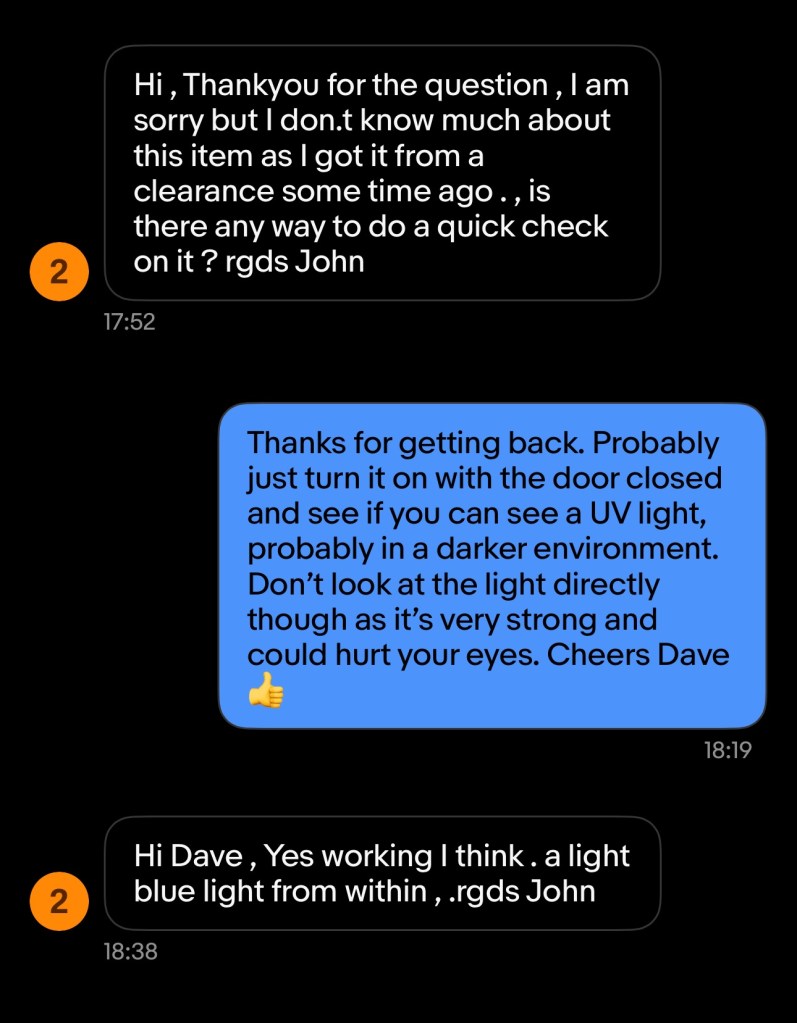
I asked the seller, John, if the Ultraviolet light inside was operational and I have supplied a screen shot of his reply:
The reply to my question
When I received John’s reply I jumped in with an offer and this was accepted. He had been so helpful. I’m now awaiting the unit, but I’m now a lot more confident that the unit, and most importantly the UV light is currently operational. However it’s probably going to be subjected to some pretty rough conditions on its delivery journey, so I’ll keep my fingers crossed for now.
This formatter is a series one version that came out around the same time as Psions Mk1 organiser first appeared on the scene, circa 1984. It was used right through to when the MK2 organisers were released sometime between the years 1986/89.
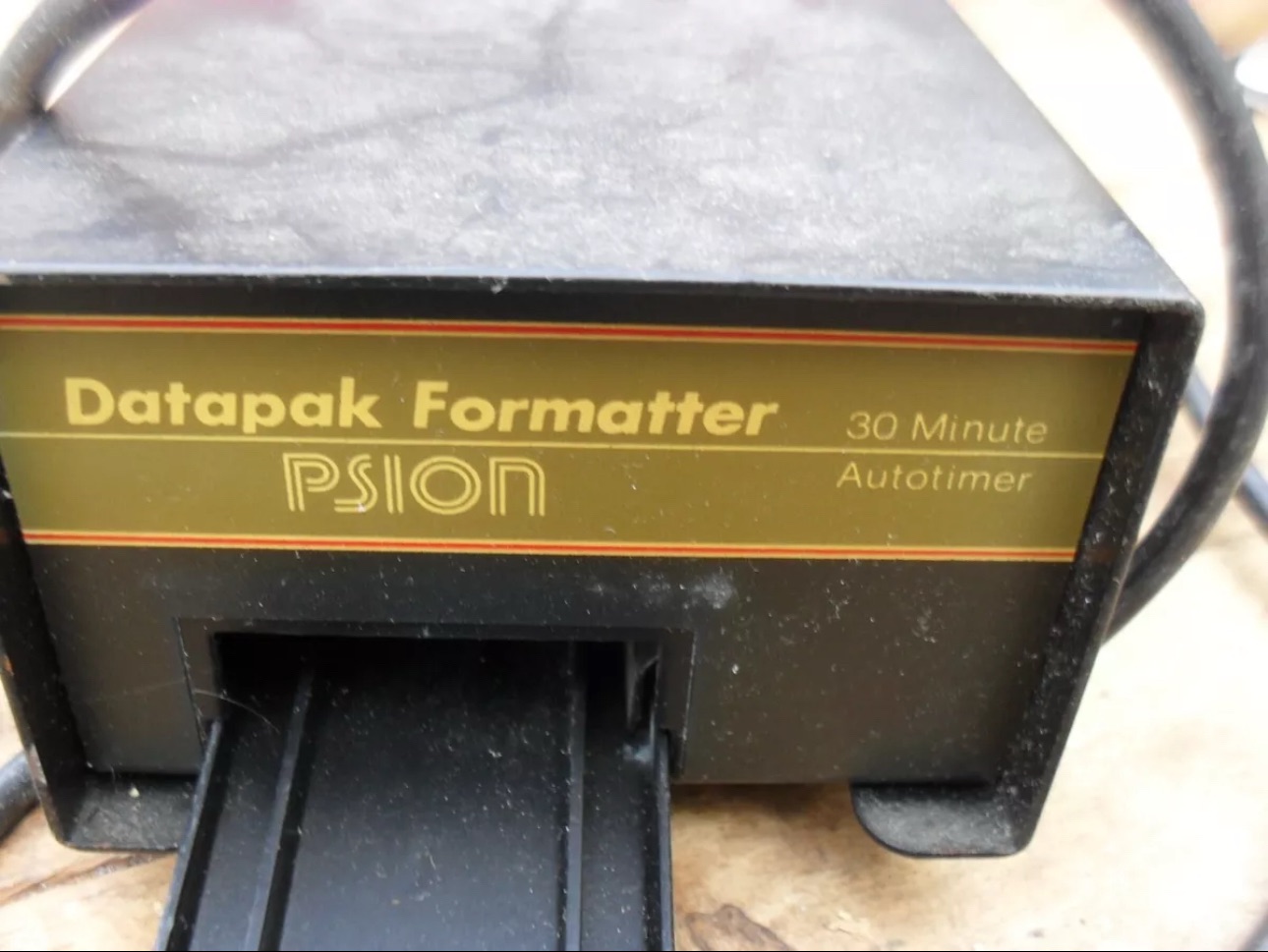
Mk1 version (My unit) MK2 versionThe two available Psion branded formatters
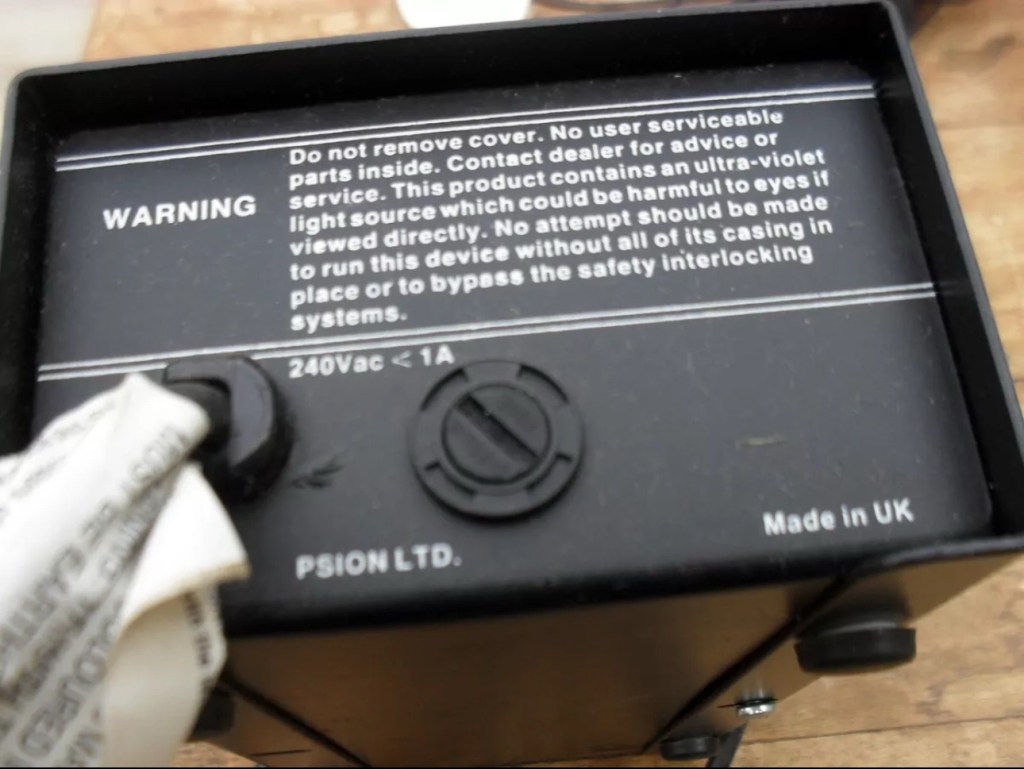
This unit will be cleaned, opened up, checked for electrical and mechanical stability, its safety features will be confirmed and it will then be reassembled and PAT tested prior to use. Once this is done i will attempt my first format of a Psion Datapak whilst the unit is in my possession. However we have a little way to go just yet, before we can consider carrying out that task. The seller was very prompt at getting the unit out to me as it has arrived less than 24hrs later.
Dirty Filthy
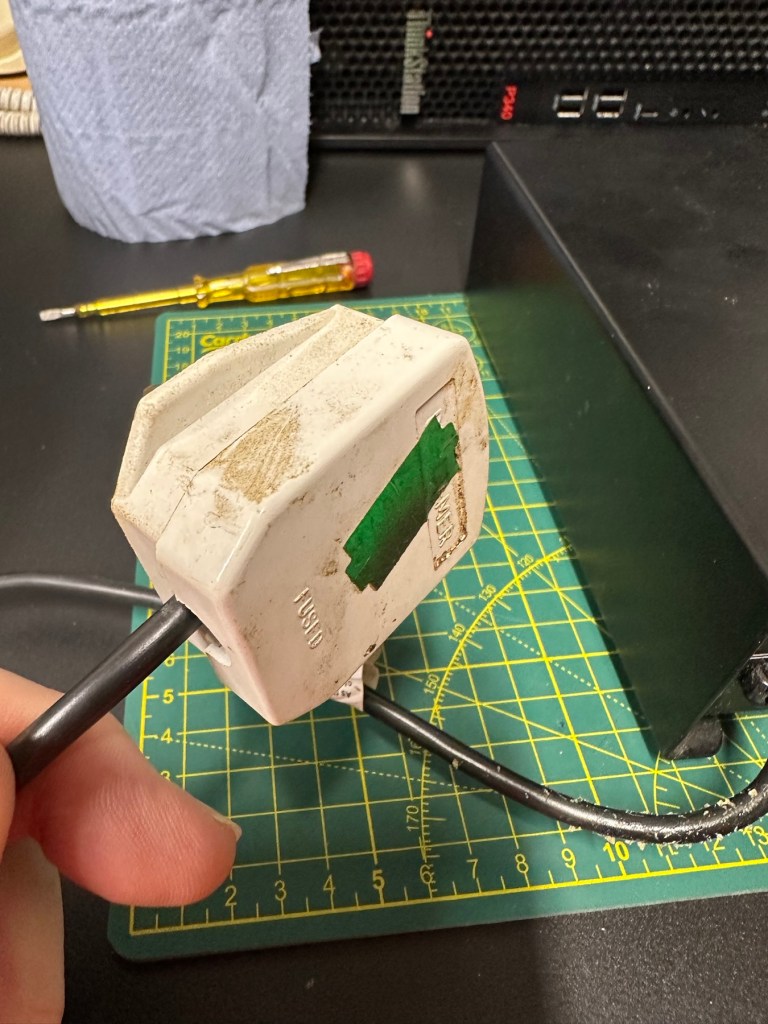
The general condition on first inspection is that it looks good, but it’s very dirty and has a slight musky dampness to it. I have given the plug and the cable and case a good clean with a bit of degreaser and this has cleaned well. I’ve done this just so getting inside is a slightly more pleasant experience without my hands getting covered in gunk. The unit looks a lot bigger in the pictures. It only measures 19cm L, 10cm W and 7cm H, so in theory it’s relatively small.
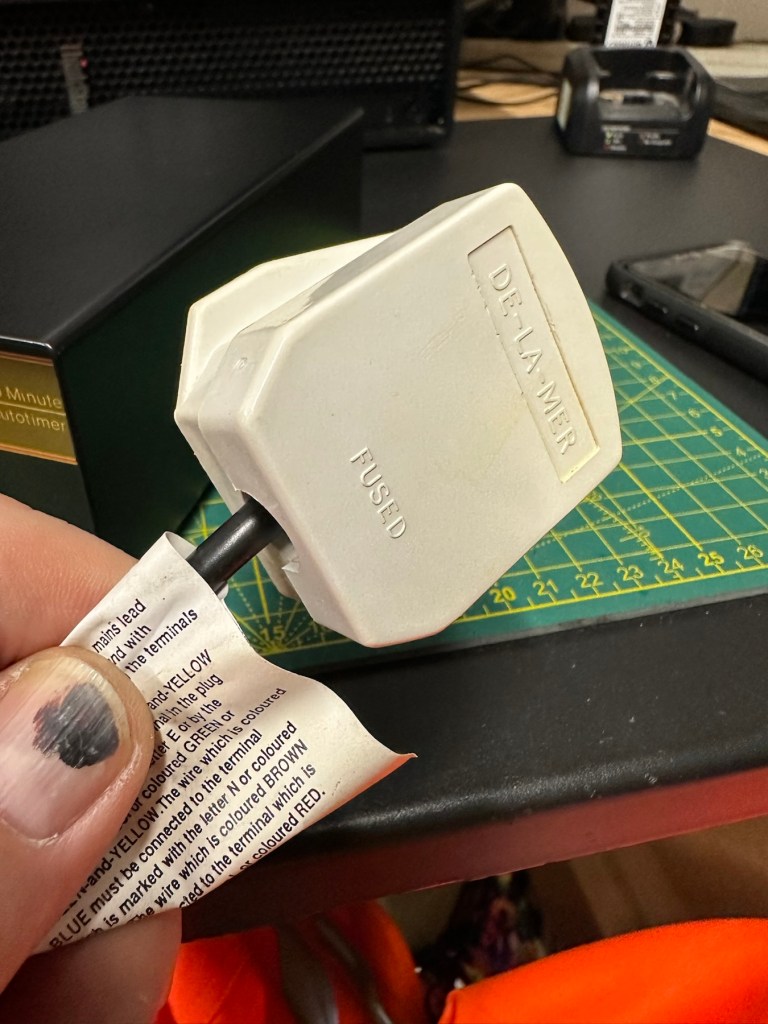
Before I do go inside I have first checked the plug, it currently is carrying a 13amp fuse that is way to large for this unit. It only requires a 3amp fuse so I have replaced this. I haven’t used the Pat tester yet I’m just using the multimeter, and I’m a bit concerned as there is no continuity between the earth pin and the unit case. Time to get inside.
Inside the unitWait! No connection to the earth wire.There was a potentially dangerous earthing problem
Inside looks tidy but I then become aware of a problem immediately. The earth wire from the mains cable is just sitting there in mid air connected to nothing. No wonder there was no continuity. I have now connected this back in place where it should be and I now get a good earth continuity throughput the casing. All other connections checked and tightened accordingly. This proves that the Pat test would have failed miserably. This was a potentially dangerous situation, that’s why it’s best to carry out these checks on any old powered units you get from a third party. Trust no one.
Next I need to check that the safety switch that turns off the UV light when the drawer is opened is operating. Again I use the multimeter to probe the switch and this seems to be ok. A good listen to the action confirms that it is clicking in and out. A quick clean inside and then the internal checks are complete.
The safety switch clicking in and out
There is no real way to test for actual operation until the safety case is back in place, that’s the safest way. Case on and another quick clean and the unit is looking good .
BeforeAfterLooking nice and clean
At this point I’ve carried out the Pat test before plugging it into the mains and the results have come back good and it’s a pass, the earth is good. I’m now confident about plugging the unit into the mains.
Door closed light is on inside Door open, light offThe safety switch confirmed as working
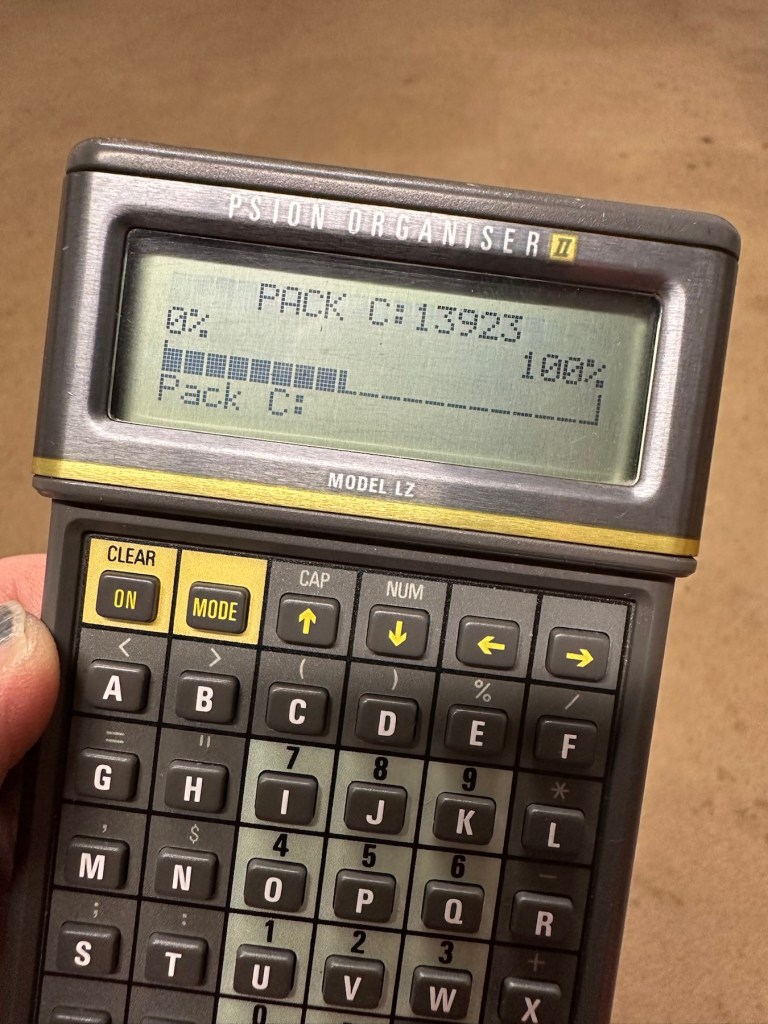
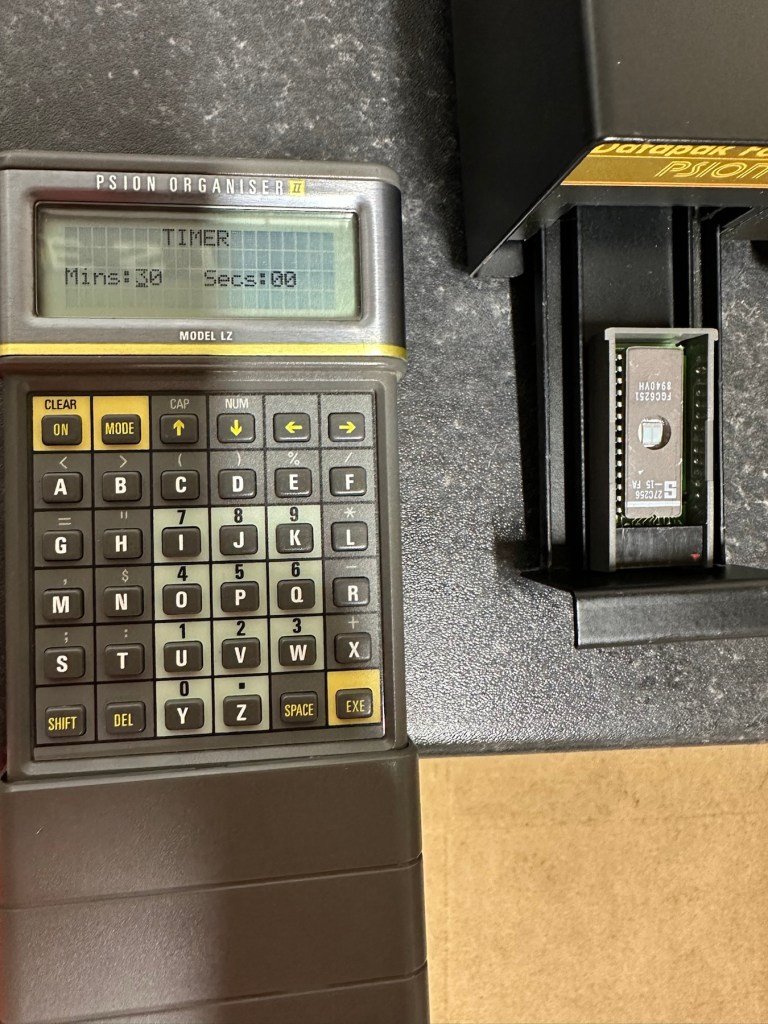
Everything seems fine I now just need to place a Datapak inside to see if the format process works. Also it’s a good time to check if the 30 minute timer is working. No time like the present, so I’ve found a suitable candidate and what better way to do the 30 minute countdown than with a Psion organiser I just happen to have hanging around. Here goes 🤞
The unit has been on about 15 minutes and all seems fine, the unit is not overheating and there is nothing occurring that shouldn’t be occurring. Fingers still tightly crossed. 🤞 The Psion timer duly sounded at the 30 minute mark, the unit turned itself off about 2 minutes later.
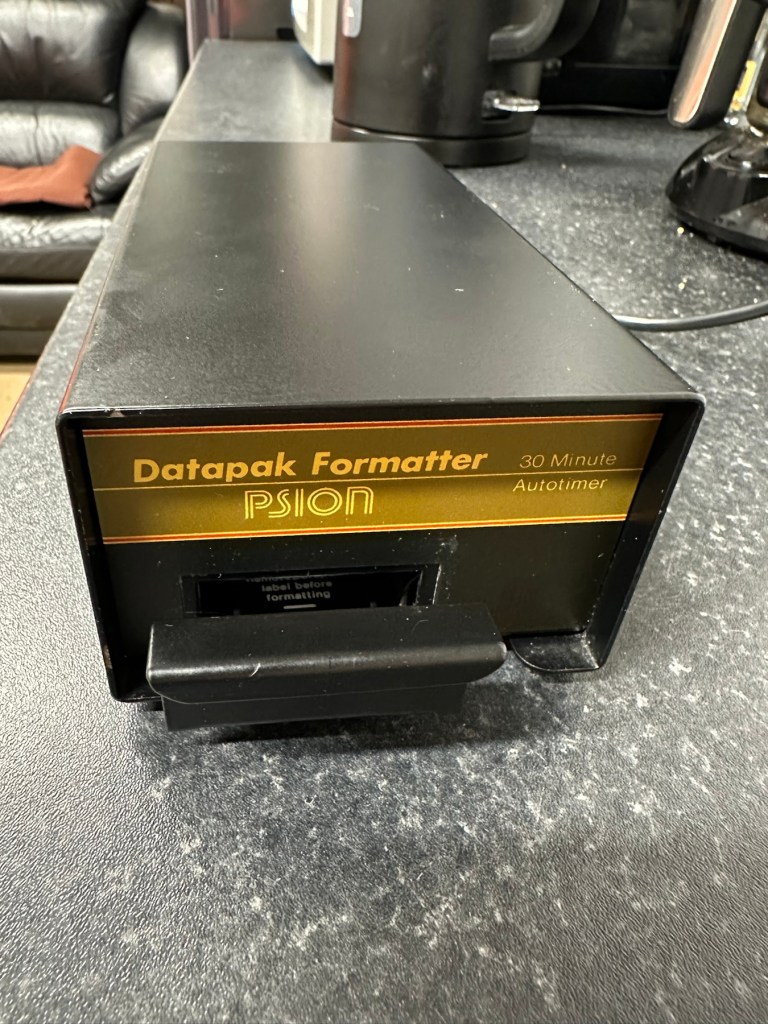
It continued about another 2 minutes after the timer finished
So 32 minutes seems to be the actual time under the lamp. Not too bad considering its age. The unit was only slightly warm to the touch after this time. I’ve left the Datapak to allow it to get to room temperature before testing it .
Success the system is sizing
Here we go, and it’s fantastic news as the format has worked. When plugged in it has informed me it is going through the sizing process that occurs on these organisers when you put in a newly formatted pack.
BeforeAfter
And when you go to check the info you can see the previously stored old data has now been deleted.
I now have a very useful, safe and working item of equipment. A very slight mustiness remains but that is only to be expected with an item that is 40 years old that you have had no input into how it is stored. I’ll probably store this in a sealable bag with some silica gel sachets to try and draw that mustiness out. I’m really pleased with this project and now have a very handy piece of kit to boot.
As I said earlier, make sure you always check thoroughly any items electrical such as this, coming from a third party. It’s your life, preserve it, safety first and trust no one. It’s a good mantra in this aspect or restoration.
Another item saved from landfill 👍
Thanks for taking the time to follow this project.
The Psion II range was well ahead of its time when it came to saving data on its machines, however there was an element of strangeness in its design and usability.
You have to realise we are talking early eighties technology and to be totally honest it was the infancy of computing, or hand held computing to be precise. There are three drives on this range of handhelds, they are A:, B: and C:
A: is the internal memory of the unit and it is RAM memory and ranges from 8KB in the CM model, to 16KB in the XP model right through to 32 or 64KB in the LZ/LZ64 models.
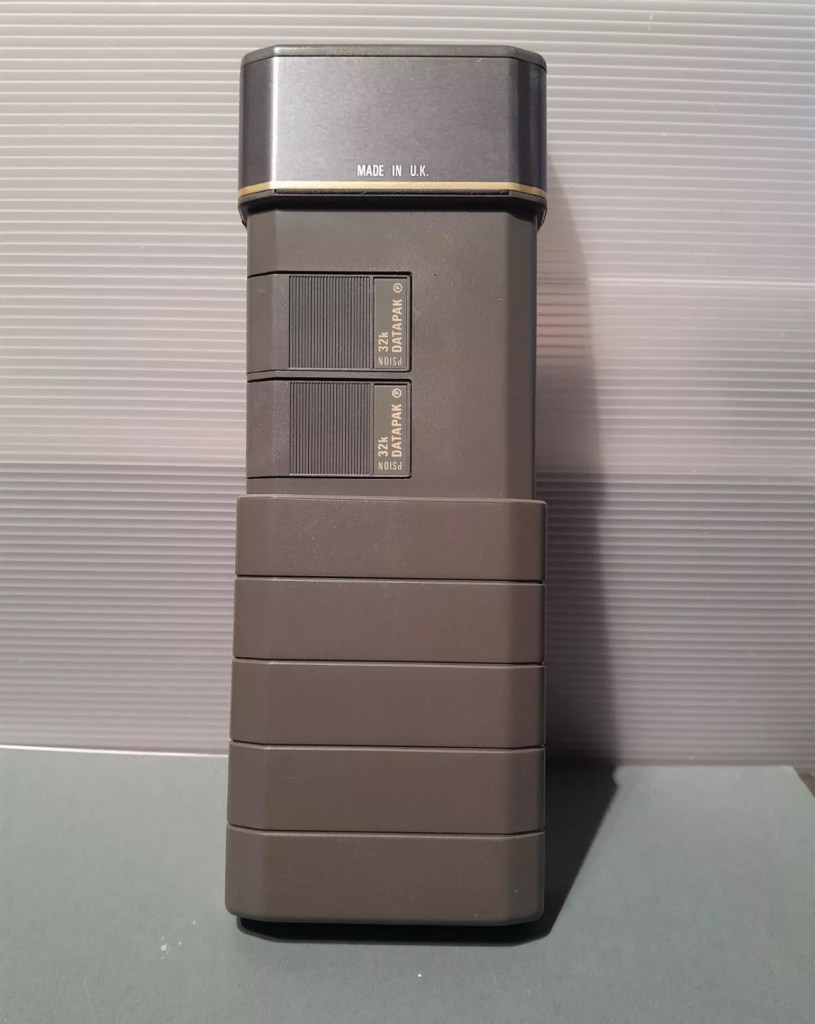
Datapaks on a Psion II unit
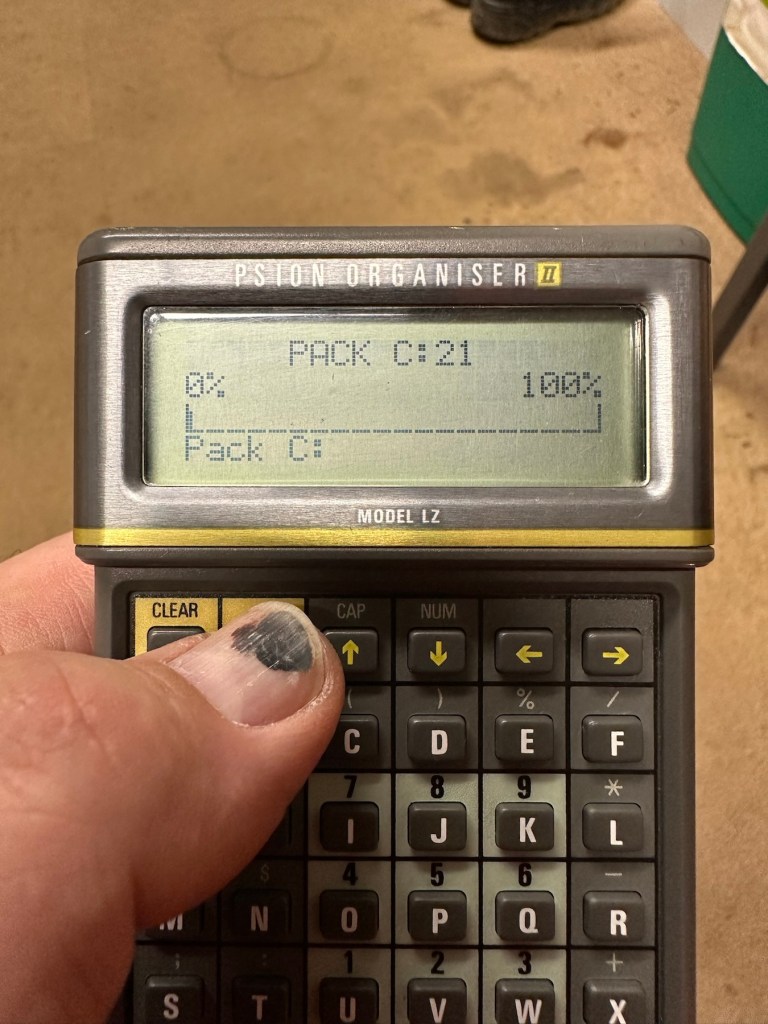
B: and C: drives are found on the rear of the unit. Into these slots you can place memory modules that are the equivalent of disk drives you’d find on a computer, however they are pretty much early solid state in design as they have no moving parts. These modules can come in sizes between 8-128Kb in size. B: is always the top slot closer to the screen, C: is the bottom slot closer to the battery compartment.
Types of memory
Rampaks are as it says on the label – Ram based plug in memory modules. When you store something in the units internal memory or on a Rampak, and then you later erase it, it really is erased in its entirety and space on the unit or Rampak is freed up, ready to be used again. Rampaks will have their own small “Coin” type battery as part of the module, this allows the unit to allow the constant input and deletion cycles. They use very little power and are probably the best medium for writing programs.
Datapaks are a different beast. They are known as EPROM (Erasable Programmable read only memory) Erasing a record is comparable to crossing out a piece of work written on paper, it has now been deleted but will always remain on the paper, just crossed out. It’s exactly the same on the Datapak. Hence in time the memory space will dwindle due to the deleted files that remain still occupying dead space. The benefit of the Datapak is that they are more secure and are not affected at all when battery power runs low.
With a Datapak there will come a time when the available memory space remaining is insufficient for what you are trying to achieve. At this point you need to format the drive and this is a particular problem if you don’t have the access to equipment to carry out this task. Here’s why…. They need exposure to Ultraviolet light to erase the memory.
Mk2 version of a Datapak formatter
You need one of these, a Datapak, Ultraviolet formatter. Quite a rare beast to be honest, there’s not many on sale at the moment, specific to the Psion. However there are other systems available for EPROMs used in other branches of electronics. The Datapak has to have its label removed to expose the crystal glass below on the EPROM in preparation for being placed inside the formatter. In theory it is just like an oven that exposes the EPROM for around 30 Minutes, the door is closed prior to formatting to keep the light source from damaging the users vision, as the light is in the UV wavelength spectrum likely to cause some quite serious damage or long term conditions.
Here you can see a Datapak that i have taken the lid off of. On the circuit board you can see a piece of crystal glass with a silicon die below, this is the component that will need approx 30 mins of Ultraviolet exposure to format its contents.
The crystal that the UV light needs focusing on
The formatting process
Erasure of the EPROM begins to occur with wavelengths shorter than 400nm. Exposure to sunlight for one week or to Fluorescent indoor lighting for three years could cause erasure, this is why the Datapak has a label covering the crystal portion of the EPROM. The recommended procedure is to expose the EPROM to a UV light source at a wavelength at or close to 253.7nm that usually achieves the format process within 20-30 minutes, with the lamp at a distance from the glass lens of around 2.5cm.
Then how do I achieve a format of a Datapak without this equipment?
There was always the option of trying a standard UV bulb or torch. However the UV wavelength on these items for public safety is usually in the 395nm wavelength spectrum. There really is very little available to the general public that is as strong as the bulbs required in the 253nm range to complete this task, as they are a serious danger to health if you are exposed to it for any length of time. This then was not an option i was able to pursue.
I now have a few options available to me if i wish to get these Datapaks formatted.
Purchase a cheap Chinese manufactured unit with a European plug. They seem to work and do the job, however you will be lucky if you get a couple of uses from it.
Trawl EBay. As i write there are two working ones including this MK2 version listed at a reasonable asking price that have a lot of people watching them, so I expect the price to rise accordingly as it gets towards the close of the auction.
EBay spares or repair. There is one unit, a Mk1 version that has a buy now price and it seems to have been hanging about in someone’s junk box for a few years and could possibly need repair. This is a tempting option however if the UV light inside is damaged then i have to look for a suitable replacement, and to be honest there are not a lot of compatible low pressure mercury discharge tubes of these sizes available now. You may have to look for suitable alternatives and I’m not sure i want all that messing around. Do i take the risk and go for one that may need repair? A guy called Dave Curran has combined this drive with one of the Chinese low cost options to create this hybrid eraser: Eprom eraser/upgrade
Get someone else to do it. There is this option and a service is available on line that allows you to send your Datapaks off for someone else to format for you. But do you want to entrust data to a third party? For me it’s not really a problem as none of my units have any of my data on them, but it is something to take into consideration. Whilst I’m searching for a suitable unit this may be a route i consider.
So these are my options. I’ve an idea what I’m going to explore, so im just going to take a little time to look into it all.
My decision
EBay spares and repair – seeing that this is a site where i like to purchase and repair items, i have gone for this option and purchased a used and typically untested Mk1 Psion Datapak formatter from EBay. I have had some good dialogue with the seller and i am confident that this unit can be made good with only a small amount of intervention. The UV tube inside is potentially 40yrs old now, i’ve secured it at a very reasonable price as i got in there and was able to complete the deal relatively quickly.
My plan is to get this unit opened, check its mechanical and electrical stability, get it cleaned, reassembled and then Pat tested. Only then can i look at attempting a full format on it for the first time. And for that i will put together another post incorporating the repair of the unit and the formatting of the Datapak.
Good condition – with instructions and original box
EBay
No beating about the bush, straight to the point. No messing. Cost me the grand total including postage of £9.94Gbp
What? You’ve never heard of it? Have a google and I think you will agree there is very little information anywhere regarding this unit. There may be a few items on eBay, where you will see a couple on sale (normally faulty) for a very reasonable price, however all are missing two very important items, a box and instructions, the latter being as rare as hens teeth.
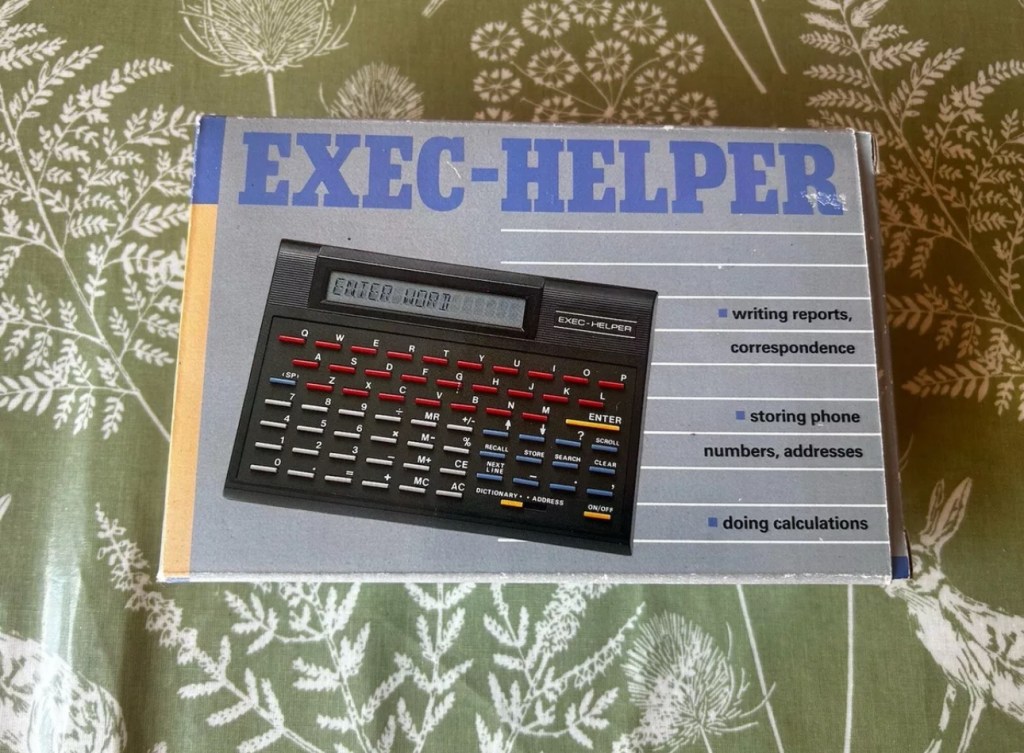
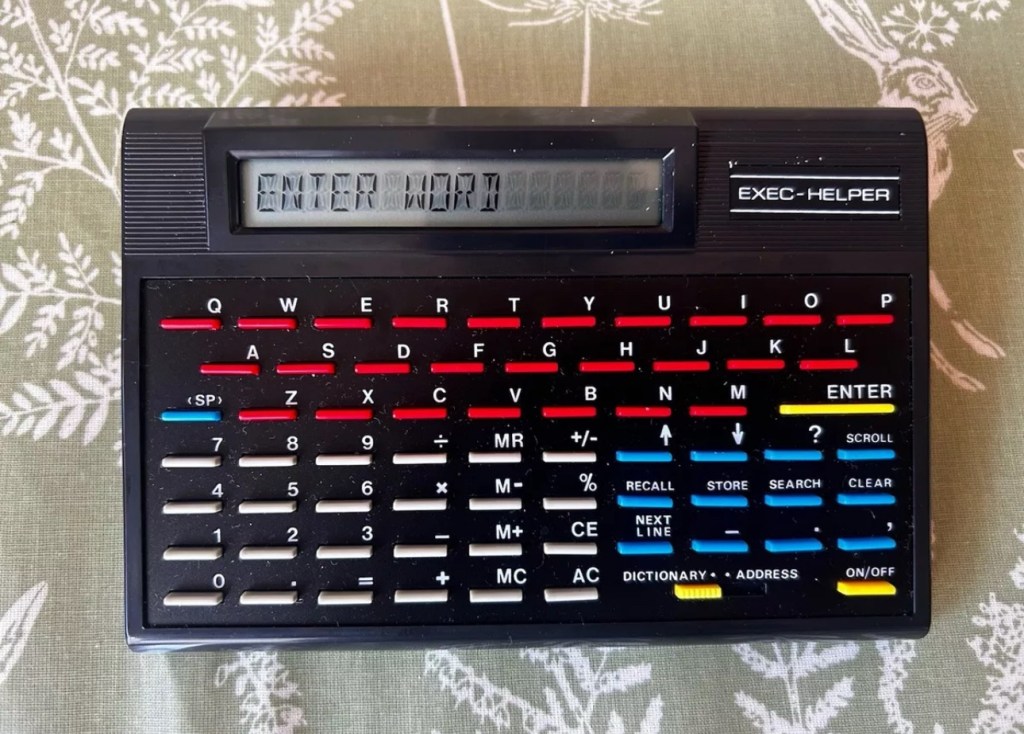
Exec Helper 8200 electronic organiser
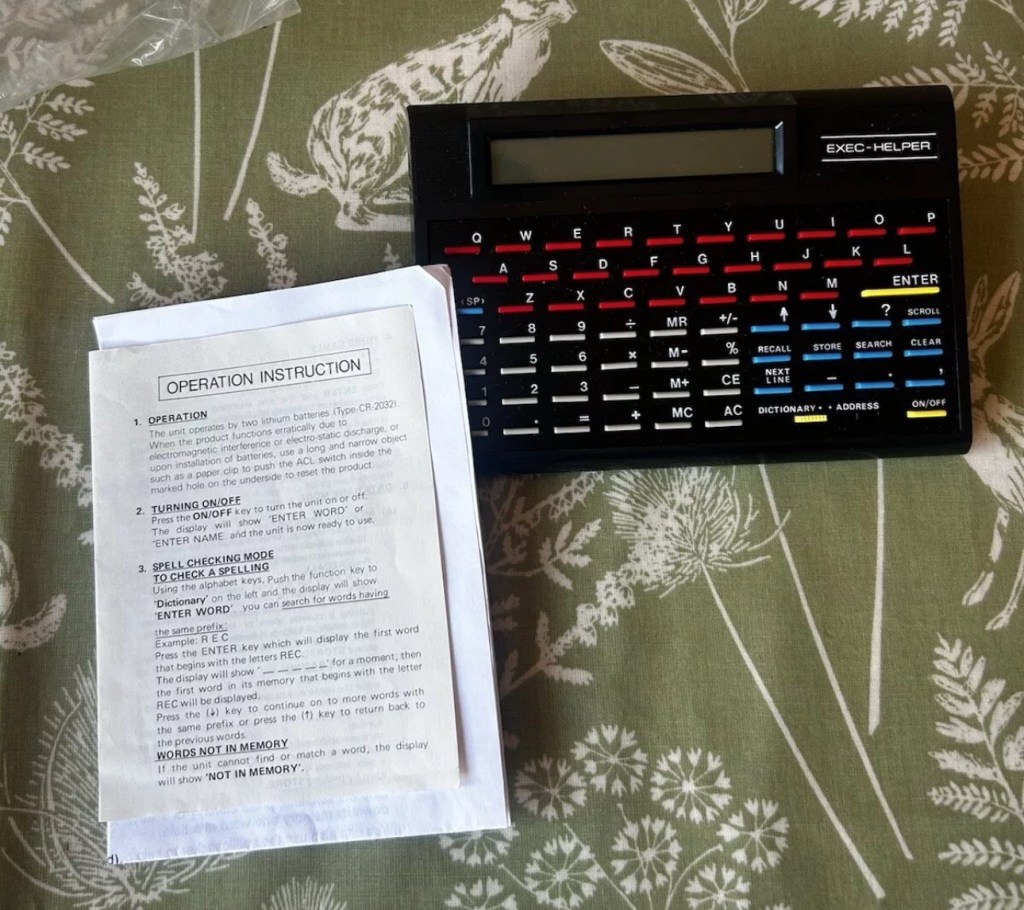
I’m fortunate to have an excellent example now, with both with only one polystyrene insert and not two, a box and instructions. They call it an organiser, that really is an overstatement, because if you read below you will see it is a really difficult unit to get to grips with. However it can be done, it just takes patience. The unit has three functions that are: Dictionary, Address book and Calculator.
This isn’t a repair video. As there is not a thing wrong with it, it’s absolutely cosmetically perfect. It just requires you to read thoroughly through the instructions, if you are fortunate enough to have some that is, and in this instance I can be very smug. I do have those original instructions, and there are probably more copies of the Magna Carta out there than there are instructions for this unit, or so it seems.
This video was from a chap, who posted it on YouTube a couple of years back. In the video the presenter had no instructions to follow. He also knew nothing at all about this unit. Its origin, age and use was a mystery. Using the Exec Helper 8200 can be both perplexing and frustrating.
Exec Helper 8200
What it does
Dictionary
One of the main features of this unit is its dictionary function. Users can Type in a word and press enter to retrieve its confirmation as a valid word. However, the device does not provide definitions or additional information beyond confirming the existence of the entered word. While it does allow scrolling through words, the lack of comprehensive definitions limits its utility as a traditional dictionary. Additionally, any misspelled words will not be recognized, resulting in a “not in memory” message.
Address book
The address book feature of the unit offers the potential to store and search for contact information. However, the functionality of this feature is somewhat confusing and not user-friendly. Users are prompted to enter a name, but pressing enter does not submit the entry. Instead, a separate search button needs to be pressed. The device’s scrolling and next line buttons suggest the ability to store multiple addresses, but the precise method of doing so remains unclear. Overall, the address book feature of the unit lacks intuitive design and may frustrate users attempting to utilise it effectively.
Calculator
In addition to its dictionary and address book capabilities, the unit functions as a calculator. When numbers are entered, the device immediately switches to calculator mode, allowing for basic mathematical operations. The calculator feature includes memory recall, addition, subtraction, percentages, and other commonly used functions. Unlike the address book and dictionary functions, the calculator feature of the unit appear to be straightforward and functional.
Date of manufacture?
The exact release date and availability of this unit remains uncertain. Judging from its design and styling, it is likely that the device originated from the late 80s or early 90s. However, due to its scarcity, finding a working unit or acquiring one in boxed condition can be challenging. I struck lucky with this one.
That said it probably was once a mass produced piece of tat that failed so miserably, that everyone who owned one threw them away, before they could ever be associated with owning one. They were that bad….or were they? I don’t know, there is so little out there about them that you can’t really make a reasonable judgement or gain constructive feedback regarding them.
It was probably a unit that was killed off in its infancy by one of the bigger names that were starting out around the mid 80’s that had a better, product and presence at this particular time. (Psion for example) A simple case of being in the right place at the right time.
Or is that the right place at the wrong time?
Edit: I have done some digging around and it seems to be that these units were sold via the UK newspaper “The Daily Mail” as a reader offer. I even have the original return form for it however there is no sign of a date. The only thing that ties it to the 90s is that refunds can go either to “Access or Visa. The Access “ Your flexible friend” card ceased in 1991 when the banks involved started doing their own card transactions. So it was definitely very early 90s maybe even late 80s. I’ll update this post if I uncover anything further.
I’m so impressed with these Psion organisers from the 80s that I’ve now decided to go ahead and try to obtain some good examples of all the MkII models. I’ve recently posted about my CM version here: Psion organiser II CM but today I have obtained the next model from 1986 the XP version. You can find out more about the Psions I own on the main menu in the margin of this site.
With plastic caddy Out of caddy A couple of programs thrown inGood condition
80’s tech in 2021
Above is a good video, using the XP in 2021
I’ve paid less than £20Gbp all in for this item and I think it’s a bargain personally. I’ve also obtained two programs that I’ll either keep or move on. There are some slight marks on the bezel but nothing too bad. I may be able to replace these parts with donations from some damaged sets I’m looking at. That’s a medium term plan, so there really is no urgency here. Let’s just make sure it’s running as well as it should do first.
I will be using these units to further learn the OPL programming language that they use.
As with the earlier CM model this unit also had the Y2K issue so I will have to run the TIMEINST program to ensure it updates the calendar accordingly.
The differences between these two units are very slight and it is basically around the available memory. Comparisons below.
The Cm – year 1986- Ram 8Kb- Rom 32Kb- Max datapack 64Kb
The XP – year 1986- Ram 16Kb- Rom 32Kb- Max datapack 2048Kb
CPU speed, clock speed and display are both exactly the same. It really is just an improvement in memory availability. Hence Spreadsheet programs could run with less of an issue on the XP units but not so on the CM units.
The Psion Organiser II XP model has a 6303 microprocessor with two-line LCD, two slots for memory cartridges and a connector for expansion. The keyboard is calculator-like with the keys arranged alphabetically, not in the Qwerty keyboard style. There is no off key the so the machine was switched off by a menu command. The case is also styled like a calculator, but it has a handy slide-on cover to keep the keyboard safe when the machine is not in use.
I’ve been totally bitten by this coding bug for these Psion organisers. They use a code called OPL, Open Programming Language that is loosely related to the BASIC programming Language. This allows the consumer to write programs or to make amendments to the way their personal organisers can operate and carry out commands. It’s an amazing bit of kit, but as usual I am about 40 years late for the party, however there is still a big community out there who have created some amazing programs and routines, and fortunately they are all willing to share their skills. The language seemed to phase out into retirement sometime around 2010.
One of those people is the guy in the video below called Huw. He has a channel on YouTube called Handheld computing and he has made a series of six episodes teaching those who want to know, how to program in OPL. He also has a lot of retro based videos on his channel.
Huw – he’s very good 👍
This is only episode one, and using Huw’s teaching I have already produced my first thirteen line routine to carry out a simple command that asks you to input your first name, and then second name and then it presents that to you, in the centre of the organisers screen. A simple and basic operation that gets you to appreciate the requirements and individual inputs that are needed, to get such a string of information to present itself on a screen in a structured way.
My rough scribblings in a scruffy shorthand
In my notes above I’ve added a couple of new lines to reposition the presentation of the text on my screen. And as I used the 4 line LZ model, this required a different set of coordinates from the two line CM model that I have also used.
When using the techniques in the video I did notice that there were mistakes, as when I entered the information into the organiser it was coming back with a “Bad declaration” error. So I knew something was wrong. After a while of searching through the program I realised two of the string routines were presented wrong with the “$” dollar sign positioned wrong in the text. A quick change of position and the program translated fine and now runs well on both machines. Below is a tidy version of the code:
NAME:
LOCAL NAME1$(10),NAME2$(10)
PRINT “HELLO”
PRINT “ENTER 1ST NAME”
CLS
PRINT “ENTER 2ND NAME”
INPUT NAME2$
CLS
AT 8,2
PRINT “HELLO”
AT 5,3
PRINT NAME1$;” “;
PRINT NAME2$;” “;
GET
I apologise if there are any glaring mistakes or mis types that the more trained eye may witness, however it’s only day one for me so I’m quite pleased.
Below are a load of pictures of the code being input into the organisers
Screen shots of different stages of the input into the OPL system. You can see these routines in the code presented either on my rough sheet or the typed version above.
And below is the results as they appear on either the 4 line screen or the two line screen, dependent on what unit you are programming.
Enter 1st nameEnter second nameHello Dave – 4 line version Hello Dave – 2 line version
And that’s it for my first session really, seems a lot of work for such a simple routine. However I have learned a lot in just one session and I have thoroughly enjoyed it. Im quite looking forward to Huw’s next five lessons, hence I will report back further as my learning and abilities hopefully improve.
I am now in possession of my third Psion organiser II. You can view any of my posts on them by viewing the menus listings of this site. This one is the LZ version and is a great clean example. This one cost me a little more than the other two £30Gbp all in. However we have progressed in technology and it is now 1989, this unit has grown up considerably since its siblings were produced three years earlier.
4 line Screen2x 32Kb DatapaksNow has a 4 line display compared to the earlier 2 line ones.
These units have a four line display compared to the earlier two line displays of the older versions. The screen size is larger on the LZ, it is 4 lines of 20 characters compared to the earlier two line screens that were 2 lines of 16 characters. 
My current organisers marked with an asterisk to the left this one has a “Massive” 32Kb of ram and 64Kb of rom. Oh how times have progressed
Here is a great review of the capabilities of this unit.
Psion LZ review
Unlike the previous versions I have, this particular unit does not suffer with the Y2K issue.
Below I have included a section from the operating manual for this unit.
The Psion Organiser II Models LZ and LZ64 come with a powerful set of utilities including:
A database which allows you to store items of information and retrieve them again instantly.
A diary to keep track of personal appointments.
Alarms to remind you of your diary entries, or to use as an alarm clock.
A sophisticated calculator, for simple or complex calculations involving mathematical functions.
A clock, with a stopwatch and timer.
Notepads with calculation, for information such as things- to-do or expenses lists.
International time and dialling codes.
A month-at-a-view calendar.
Password protection.
A multi-file database.
A choice of European languages.
The Organiser also has its own built-in programming language called OPL. The language is designed to exploit all the machine’s facilities to the full and to let you tailor the Organiser to your own specific needs.
The Organiser has an internal memory and two external devices which are the equivalent of disc drives on a desk-top computer. Each one can hold a Datapak for you to store information on, or a program pack containing a program such as the Pocket Spreadsheet.
The internal memory of the Model LZ holds around 32000 characters and that of the LZ64 around 64000 characters. In addition, one or more Datapaks can boost the storage capacity considerably – by up to 128000 characters per Datapak.
Courtesy of Psion PLC1989
I’m going to use all the organisers I currently own to look into learning the OPL operating language that all these units use. I have already programmed in a couple of basic routines that just perform actions such as a clock routine that shows up when you turn the unit on – see picture below.
Simple clock routine.
This simple routine consists of no more than about six lines of code, it really is simple but allows you to adapt it to just how you want it, there are a number of options you can use to incorporate it into other routines or have it just running on its own as I have here.The routine above stops whenever you press any button. Simple.
That was the appeal of PDA units such as these in the 80’s in that you could develop and write programs that you wanted that suited you and your requirements. I like this as it takes me back to the days when I purchased my first computer the ZX81 back in the early 80’s when you had to learn BASIC programming just to get it working.
I know I’m probably 40 years behind everyone else and the whole programming scene has moved on in leaps and bounds to a point where it is super technical and advanced, however I love the slow pace and infancy of it all. And I’m not doing anyone any harm, so I’ll just plod on at my pace. It keeps me occupied, and I’m constantly learning. And at my time of life that is no bad thing.
I did my Morse test back in 2003 just after I passed my City and Guilds 765 RAE exam in Amateur radio. It wasn’t a compulsory requirement as it was in the States at that time, but I chose to go with it. I wasn’t the fastest in the world but I enjoyed using it to be able to partake in my favourite part of the hobby, low power QRP operations.
As morse uses such a small bandwidth, distant operations using very low power below 5 watts are very achievable. Wspr transmissions operate in even smaller power ranges, however that’s a whole different story.
So what’s the Psion organiser got to do with Morse?
When you set out trying to master Morse you look at loads of techniques and ways to make your journey that much easier. There are Morse trainers, there are even Morse decoders and encoders that basically allow you to “Cheat”, but what’s the point of that as you’re not going to learn anything that way.
The Morse Datapak Psion Organiser II LZ
I used a technique called the visual mode technique that allows you to learn Morse by associating the dots and dashes with the actual shape of the letter and number. It works well when translating to paper, however Morse is a sound mode and it is better to use sound association, that will always work the best. I have this on a book mark to this day, as well as having it as screensaver at work. It worked for me. That’s where the Psion also had a part to play in my education.
Visual mode technique
I have a pre loaded data pack that runs perfectly on this old 1980’s machine. I used a very similar program back in the day, but not this actual one (See pictures above). The program and files are extracted and copied from the Interair Airnav pack and i have uploaded a small video below to show it whilst working.
“Peace”
With this program every digit you press on the keyboard is repeated back to you in Morse code. It’s a fantastic way to keep yourself on the ball. There are a few minor errors but the numbers and letters are pretty much spot on. It’s a great way to learn the shape of a word by sounds, and that’s a big part of Morse code, where you use phonics or the sound and shape of a string of dots and dashes to learn particular words or formations of groups of words. I’m probably making it sound more difficult than it actually is, and I apologise for that as it really doesn’t have to be. Each person finds their favourite way to learn, and this worked just fine for me all the way back in the early 2000’s about 22 years ago.
Have a great day and peace to you all or should that be :
You must be logged in to post a comment.