
Canon EOS 5D MK2 assessment and repair

Last Updated: 25/4/24

This will be a running repair with regular updates. There is quite a bit going on.

The bargain basement DSLR has arrived (See original blog post here: Canon EOS 5D Mk2) and I’ve been able to give it a quick once over. It’s not had an easy life and has taken some bangs and knocks. Other than that it’s about 16 years old and has had about 69000 actuations, I don’t think it looks too bad personally. I’ve spent a good hour just giving it a good clean up and it was filthy, all knobs and buttons are working fine, the shutter isn’t locked and when a lens is attached, manually it all focuses just fine and the screen looks clean. There is no evidence of damage to the curtain however I can’t test this further until the battery and charger arrives.

To be honest if I can get this working it will be going into my own personal collection. As long as I can get some nice results I’m not that worried about how it looks cosmetically. The body can be touched up or I can add a skin, we’ll see how it goes.

Update: 6/4/24

I’ve now received a couple of bits consisting of two new batteries and a charger as well as a new battery door cover. Once powered up all indications, buttons, sensors are working and TTL indications are displaying as they should.

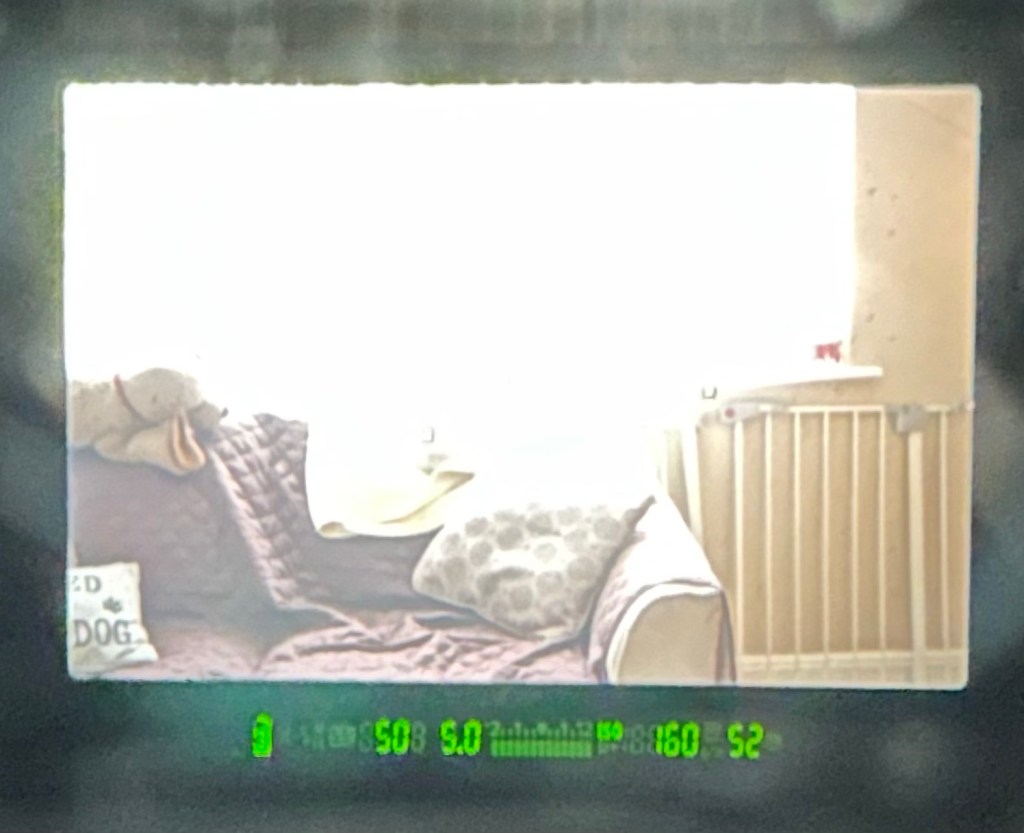
All lenses are working and moving and focusing as they should. The real good news is that the shutter fires at all speeds and is not stuck, and the sensor cleaner appears to be working.

I’m really happy with what I have found so far, I need to get a CF card to check the original issues that were reported with the suspect sensor. If that is the only issue I will get one ordered and install that at a later date. I have cleared all settings and the firmware is up to date. I’ve downloaded a raft of Canon software so I will be able to test this all once I get that CF card that should be here in a few days.

23/4/24

The CF card adapter has arrived from China. I’ve purchased this type as this particular adapter allows an SD card to be utilised in CF form. I have ample SD cards in use all around so this makes sense for me, I have nothing apart from this camera that uses CF cards so for a relatively low outlay this is the best option for me.

CF SD adapter

Now I have Every thing in place to test the camera. I’m using basic settings and an old test lens so I’m not looking for any spectacular photos as that’s not going to happen here. I just want to see what’s going on.

What happens most of the time

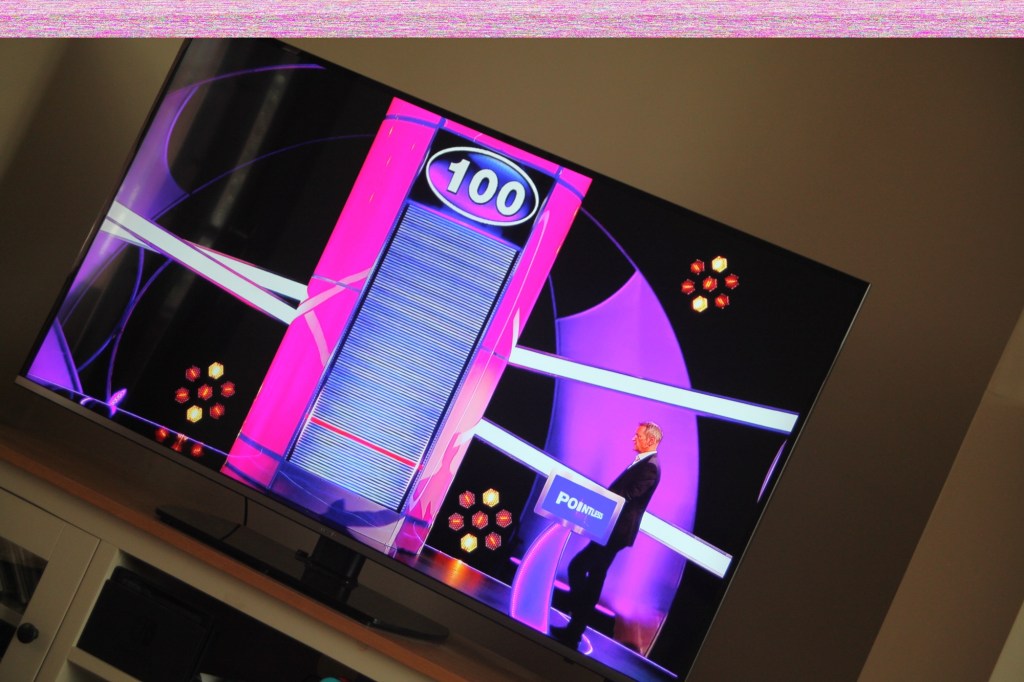
When I’m taking a shot everything lights up ok. Indications are all good, the shutter fires but all I see is a pinkish screen as demonstrated in the small video above. However every now and again I do get a “proper” photo, usually only the one then you have to turn the camera off then on again to get another and that’s not always guaranteed. As you will see in the two photos below you can get one photo and then the next has a pink band appearing from above.

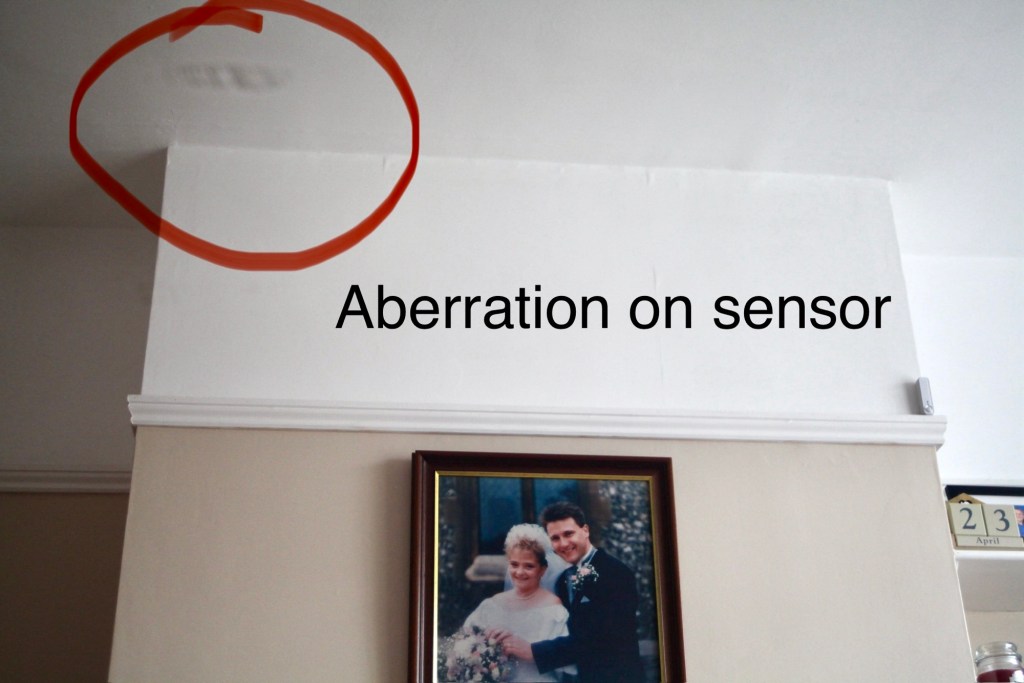
Whilst taking a random photo looking at our ceiling, I became aware of what looked like a water leak by the chimney stack. This gave me some concern but I needn’t have been worried as it appears in other photos and is more than likely an Abberation mark on the sensor. The two pictures below show that mark on the sensor in the same area.
Occasionally the pink line that appears at the top of the photo also takes on a pixelated test card look. The weird thing is that if you put the camera into video mode the image is clear with good sound and no playback issues. Strange 🤷‍♂️

It really is looking as if the issue is around the sensor that in this camera is a CMOS sensor. But before I make any decisions on what action I’m taking I’m exhausting all the obvious issues if I can. I have looked at several forums on line and there are a multitude of tasks I could try but it all seems to filter down to two in general. A full camera reset and a reinstall of the last issued firmware.

Now I have completed the full reset and on top of this I’m going to install a new CR1616 CMOS cell, as I just don’t know when this was last done.
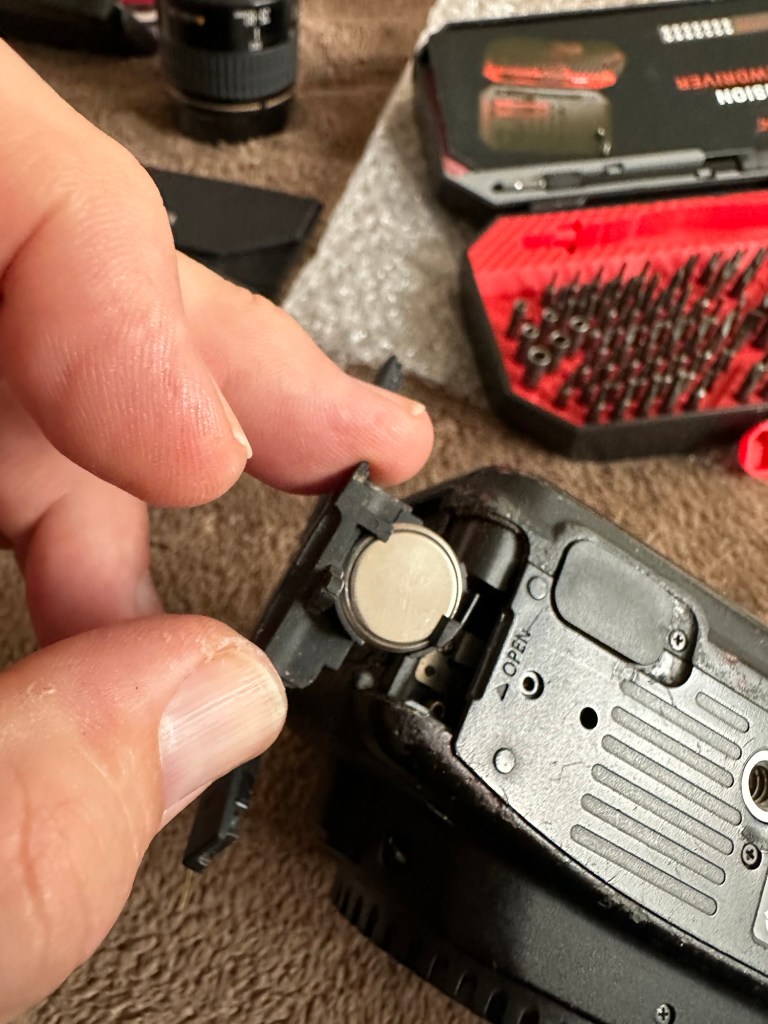
Replacing the cmos battery

The CMOS deterioration rate is about 3% of the battery value per year, now if this camera was purchased around 2008 when they first came out then it dosen’t take a mathematical genius to work out that the cell could be sufficiently depleted. In fact I don’t know why I haven’t used the multi meter to test it🤦‍♂️

I’ll get on to that and will report back. It kind of makes sense seeing the sensor on this camera is a Cmos sensor. All tested, battery was at 2.3v, I have now replaced the battery but everything is still the same. I don’t know if updating the firmware will assist in any way, but I’m just following a procedure that most who have been in this position before have also done. it’s just a process of elimination before doing a full tear down of the camera. And if I can do anything to avoid that I certainly will.

I’ve finished all the testing and it is certainly looking like the Cmos sensor needs replacing. I’ve done all I can here, but I’m reluctant to order the new sensor from China as I’m not 100% confident of having the facilities or time to do the work required. Will I gain anything after the outlay? I very much doubt it. I’m going to move this camera on now with all my findings and hopefully I can find someone who will be able to take this project on to a successful completion.

I know parts wise I can make a good profit on the original outlay so maybe that is the route to take.

So I’ve failed on this renovation, but nothing is going to waste, it just needs to go to some who is somewhat more experienced with these type of upgrades than me. Hopefully I can gain some experience along the cheaper more available stock route.

I have learned some interesting things about this camera and it’s operating. So in many ways that’s a win, knowledge is everything.
Thoughts 22/5/24

Do you have any collections?

Me and my wife both collect. She loves a certain brand of handbag, me, I collect cameras, photo postcards, radios, models, garden plants and ornaments and empty boxes.

Together we both collectively collect dust as we’d both rather be out making memories than doing boring household chores.

Memories…yes we collect a lot of them.

Have a wonderful day.

Technics Mash SL-XP165 Portable Cd Player With XBS Bass

The listing states:

For parts or not working, Does not power on don’t know what is wrong with it,screen looks to have a leak

EBay

Technics SL-XP165 portable CD player

This is probably going to be one of if not the least problematic units I have received yet. Probably more along the lines of boring for those looking for a repair report, I fear I have brought you here under false pretences, that was not my intention and I apologise if that has been the case.

Another unit from 1996 (therefore now 28 years old) this one originally had rechargeable batteries which were a bonus item for such a unit at the time. Personally I’m using good old alkaline batteries for test purposes, I doubt I will be using rechargeables.

I down loaded the instruction pamphlet, grabbed a pair of earphones and then dropped in two AA batteries and a CD.

Nothing. Silence…..

I looked at the unit, the seller is right I thought….then I pushed the play button and took the switch off hold on the side and put the second switch into normal operation and almost blew my ears off.

Superb sound and it was quite obvious that the unit was working. All buttons are doing what they should do, the Xbass system is phenomenal and the volume dial is faultless and crackle free.

It just goes to show the seller in this case wasn’t fully aware regarding how the unit works. You have to turn it on and off to get it working, it’s not all automated like other similar units. See video below.

Stop start works good

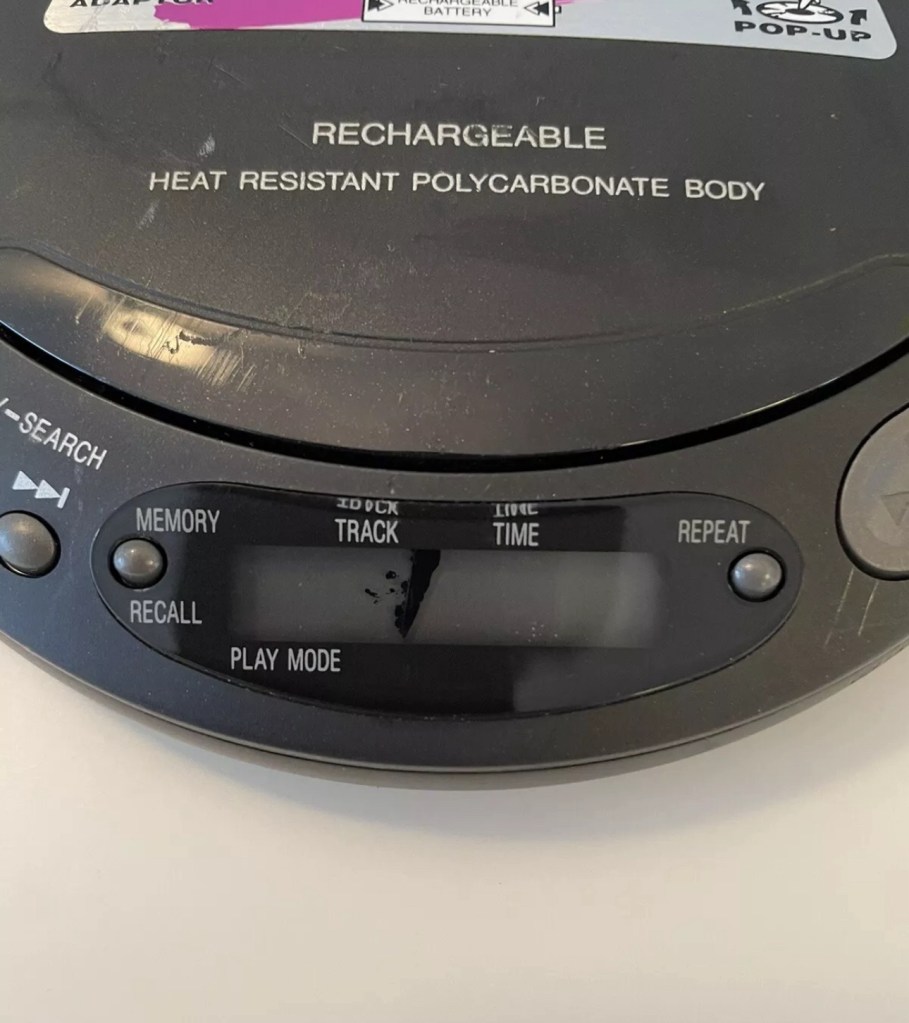
The unit is a bit tatty and the indicator panel has had some leak by the looks of it (See photo at top of this post) but even though this looks a bit poor cosmetically it does still display most of the information, it’s just not showing the track number info. Yes I could probably try another screen on this unit but what is the point? It works fine and the unit will gain no significant value for doing such a fix. It’s just not a financially viable choice unless I somehow come across a no value donor unit and seeing the prices people think these units are worth, I can’t see that happening anytime soon. And the Sony donors I have just aren’t compatible.

So I’ll leave it as it is. As the saying goes, “if it ain’t broke, don’t try to fix it.” It isn’t faulty, the only fault was in the sellers knowledge of its workings.

Another one saved from landfill. And that’s a positive.

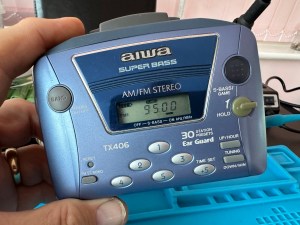
AIWA Personal Radio Cassette Player HS-TX406 assessment and repair

I recently purchased this item, you can read the original post here: AIWA Personal Radio Cassette Player HS-TX406 

I love this little unit, it has a great radio reception probably better than a number of Sony Walkmans I have worked on to be honest. It has arrived in good cosmetic condition with only a few dinks and scratches commensurate with its 30 year plus age.

Radio works well

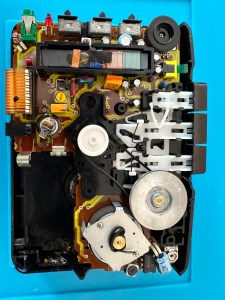
On opening up the unit it’s patently obvious that this is another drive belt issue, it’s saggy and breaks on removal. Luckily I have a replacement belt that I purchased earlier.

It’s another saggy worn belt issue

And that is basically it. No major dramas it’s as simple as replacing the belt.

Speed adjuster circled

A bit of light grease on the gears, a tweak of the speed adjustment and all sounds as it should.

I’ve used a calibration tape with a 3Khz sine wave, it’s tuned in pretty close to the tone and I’ve used a downloaded oscillator software package to check the matching. It’s not a professional setup but it’s fine for my requirements.

All working with a new belt

Sorry there is nothing else much to write but I have a good working unit that plays tapes well and all I can say is I’ve saved yet another easily repairable unit from landfill. I already have someone who wants to take this one off my hands so I hope it will have many more years of trouble free operation.

Jobs a good ‘un 👍

Sony Digital Radio Cassette Walkman WM FX-20 assessment and repair

I recently purchased this unit and you can find the purchase report in this blog post: Sony Digital Radio Cassette Walkman WM FX-20

Sony Walkman WM FX-20

The initial report of the purchase stated the issue was solely with the tape playback and that every else works fine. Cosmetically it looks fine apart from a bit of cleaning that is needed in the battery compartment, touch wood there isn’t any battery corrosion.

New belt kit

I’ve kind of jumped the gun a bit here in ordering a set of new drive belts for the unit, the fact it is 33 years old now probably means it would be money well spent. ( I may order a stock of belts for any future projects that I partake in) The belts alone were £6.95GBP so that now takes the total for this project to around £26.00GBP in total, but I’m going to use this personally so I’m not too concerned. In good condition and in full working order I could still make a small profit on this so at this stage I’m not too concerned.

The unit arrived on the 29th April. It is in a very good cosmetic state and all the lettering on the buttons is intact, a few small scratches and battle scars as expected but overall very good.

Radio and all button functions work fine, when you push any of the cassette buttons you can hear the motor run so no issues there. Let’s get this package dismantled.

Once inside the most obvious issue is that the belts have turned to mush.

I remove what’s left of the old belts, give a good clean to the cams and reinstall new belts that I have purchased earlier. A little bit of grease to the moving parts and cogs and all moving smoothly. As I’m doing this I notice a problem that I was not expecting, there seems to be a damaged cog, see the video below:

Damaged cog

Well, that’s a bummer as I’m going to have to obtain a donor for a new cog on the fast forwarding capstan, I’m hoping they are all pretty much standard so I will keep an eye out for a cheap option to repair. Whilst checking the system out it becomes apparent that this cog is specific to the fast forward operation so as long as I don’t use this then it should all be ok…shouldn’t it?

New belts installed

In theory yes, however every now and then when in play mode there is a slight dip in quality so I’m not going to chance damage to a tape.

Conclusion: it’s fixed, sort of. I’m looking for a donor cog that will fully fix the issue, the radio is fine, tapes can be played it’s just that I don’t really want to damage any until this issue is sorted. It’s a shame as it really was just those rotten belts that needed replacing. I’m pleased with what has been accomplished, yet again another 30+ year old electronic item has been saved from landfill. That’s a result.

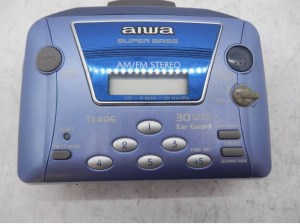
AIWA Personal Radio Cassette Player HS-TX406 

Just purchased this item, here is what the listing said:

Radio works fine but the cassette is poor at playing tapes as the sound quality is really slow.

EBay

Yet another Cassette player circa 1990. Again possibly another one that needs its drive belt renewing, so in that case I’ll order one in. This one cost the grand total of £9.95GBP.

This link takes you to Radio museum.org where you see the technical detail of this unit : Aiwa HS-TX406

See the assessment and repair of the unit here: AIWA Personal Radio Cassette Player HS-TX406 assessment and repair

Sony Digital Radio Cassette Walkman WM FX-20

I’ve just purchased this item from EBay. Here’s the listing:

This is being sold as spares as sounds like the belt has gone so don’t play tape has some battery leaking marks but radio plays fine.

Please study the pictures as this makes up some of the description thanks for looking and please check out our other great bargains 👍

Ebay
Sony Walkman

Just a sucker for a bit of retro me. I’ve worked on the discman, blog post here: Sony Discman D-121 Pt:2 as well as on a few others spread over this site.

This one dates between 1991-93 as these were the years that these particular units were manufactured between. I knocked the price down a bit but ended up paying about £18GBP in total.

It looks to be in good cosmetic condition with light usage as you can still see all the numbers on the rubber pads quite clearly. For a unit that’s potentially into its 33rd year that’s no mean feat. Anyway we will just have to await its arrival and not get too excited.

I preferred the tape Walkmans to be honest and I’m hoping this one will be a simple fix so I can play all those old REM tapes I have sitting in the cabinet at home. But it probably won’t be a simple fix. And it has corrosion , how quaint!

The assessment and repair post can be found here: Sony Digital Radio Cassette Walkman WM FX-20 assessment and repair

Fuji Finepix S1500

Why do I do it?

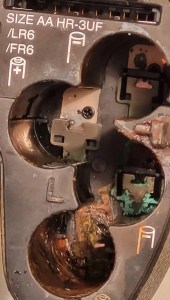
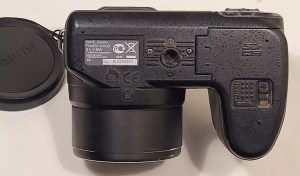
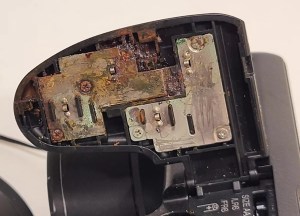
Serious battery damage

EBay listing

I like a challenge like most people. But this listing note above should have put me off, but no, I have the equipment, I have the time but do I have the patience to see this repair through. The guy wanted more than I was prepared to pay for such a camera, I got him down to less than a quarter of his original asking price paying just £6 gbp for this camera. Hopefully if it all goes bottoms up I’ll at least have some spares that can be used, if the corrosion has got to the circuitry it might be a different story.

Fuji Finepix S1500

On the market in 2009 this camera was amongst the digital assault from the far east that earned the title of being a “Bridge Camera”. Unfortunately this was not one of the better versions but however was well received by the casual snap shot photographer. I had one back in the day and that was my introduction to digital photography. This particular camera will go to a young family member who is getting into photography, if I can get it working.

The plan with this one is to get it open and do a full review on just how deep the “serious battery damage” goes. I’m not too hopeful, but sometimes luck does go your way.

Keep an eye out for updates when it is received and the work I will be doing to restore it to working order.

Thanks for passing by.

Canon EF lens 28-90mm

As the listing stated:

Canon EF 28-90mm Lens Working Then Produces Err99. Reduced to sell at a bargain price will be easy fix

EBay
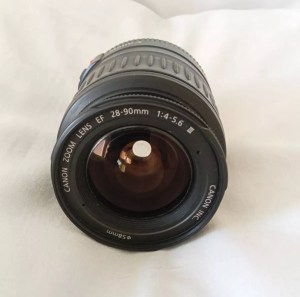
Canon EF lens 28-90mm

The dreaded err99. It’s a general error code that seems to annoy many Canon owners, and can be a simple fix or a tedious one. I wonder what it will be for me? I’ve seen a good article on Improve Photography’s website that explains some of the steps that can be taken to remedy this error, you can read that article HERE.

I now have the lens in front of me so here is what I can see. Overall the lens is in good order for its age and mounts to the camera ok. All manual focus and zoom works and the lens is clean with no sign of fungus or haze so I’m happy with that. I’m still waiting for the camera battery to arrive so I can’t really comment yet on the error code. I’m not cleaning anything just yet as I want to see for myself if the error shows on one of my cameras, if it does then i’ll start the process of cleaning the contacts which is what I would of attempted first off.

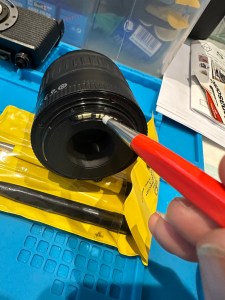
The battery has now arrived and I have now commenced further testing. I have placed it into auto mode and all seems well. I have tried the lens in 4 different camera bodies and have had no sign of the Err99 error code. The only issue I have noticed that may not be contributed to the lens is that when connected to an Eos5 body there is a fair drop in battery power. Again this has been noted in the past as something than can be connected to dirty contacts on the lens, so as a precautionary measure I shall be using some IPA and a fibre glass scratch pen to clean those up.

Using a fibre glass scratch pen

I’m unable to recreate the advertised fault as everything about this lens is working fine as far as I can see. I’m going to wrap this one up as complete now.

I’ve really enjoyed working on these two cheap damaged lenses that I originally purchased just to test my old SLR kit. They are now both working fine and i believe the invested effort shows in the end result.

I am extremely happy.

Thanks for passing by.

Something to be getting on with..

The batch of cameras I purchased the other day, all old SLRs / DSLRs have now arrived… with a bonus.

I was expecting 10 cameras but I’ve trumped that with 12 and a lot of spares as well. The guy I purchased the Nikons from has thrown in two more D70 as spares, with loads more spare parts. He was having a clear out so I guess he’s funneled that stock my way…thanks old chap.

So I have received today

  • One Canon 5 SLR – stuck mirror, missing some small Connection covers and like a lot of these old cameras has a sticky rubber covering that was well known back In the day.
  • One Canon EOS 50E – damaged curtain, faulty lock and again sticky.
  • One Canon EOS 1000F – cosmetically sound no other visible issues.
  • One Canon EOS Elan 2 – cosmetically sound, just sticky.
  • Two Nikon D70S DSLR – missing battery covers and some other small accessory covers, both sticky.
  • Six Nikon D70 DSLR – all missing battery covers, or other accessory covers, one missing a CF card reader and all sticky.
  • And two sizeable bags of D70/D70s spares
And then there were 12

I’ll be starting with a good clean to get rid of that stickiness and then I’ll power each up individually to see what other issues lie in wait. I’m hopeful I can get most of them up and running, I’m confident that the majority of the DSLRs will be repairable.

I’ll feature the repairs once I’m in a position to donate the time to them. I’m a busy boy at the moment what with work and the wife’s growing list of things that need doing around the house.