Amstrad Notepad NC100

What the listing said:

Amstrad Notepad NC100+ Vinyl Case 

Not working not powering on, the vinyl case has some marks and scratches.

EBay
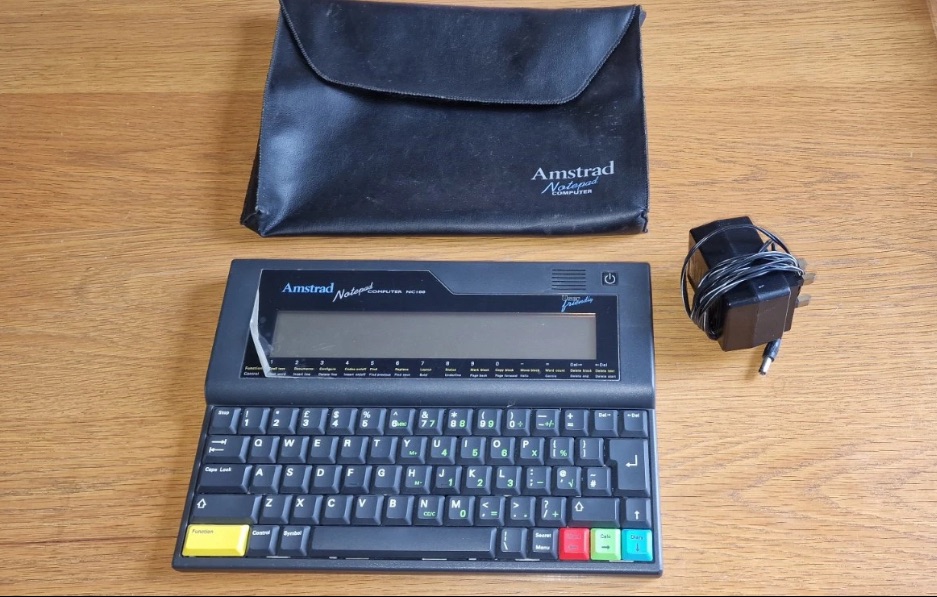
I’ve been after one of these for a little while, I’ve just been awaiting one at a good price and this one became available, post included at £30GBP, they retailed for £199Gbp back in 1992. It says it is not working but that’s good in my eyes as it makes these posts more appealing, as it gives me something to repair. I don’t know what the issue is off hand as the post didn’t state that, but I do know these items have suffered with capacitor problems over time, but that is not necessarily the case here. We will just have to wait until we do the assessment on its arrival. And as it comes from around the early 90s it fits right in with my modus operandi. And this little cutie dates from 1992.

Here’s a little history behind this unit courtesy of Wikipedia:

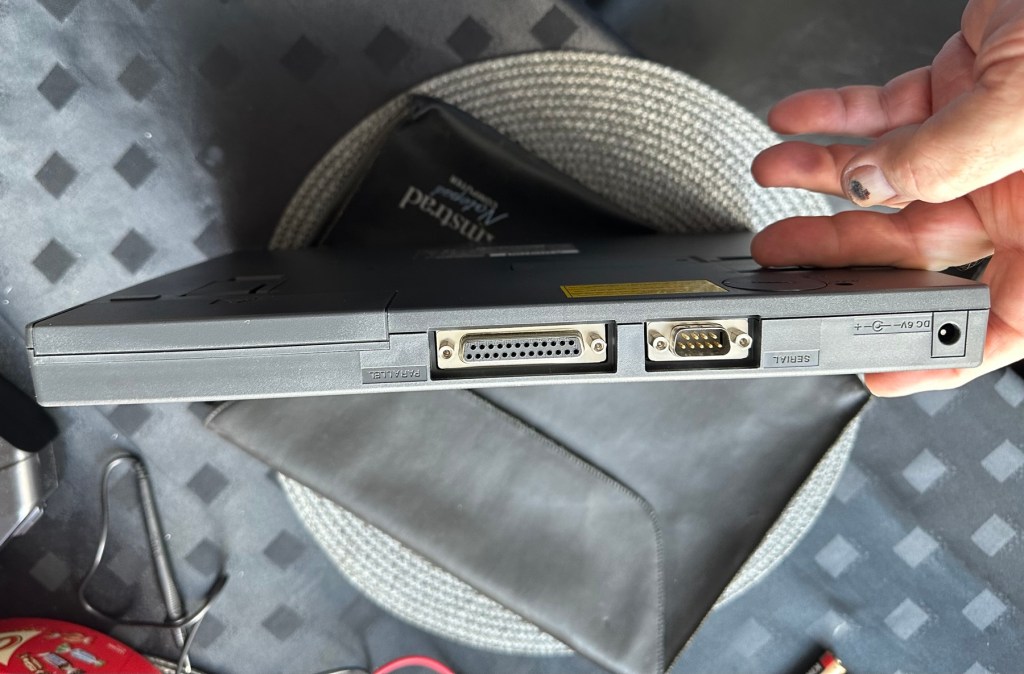
The Amstrad NC100 Notepad is an A4-size, portable Z80-based notebook computer, released by Amstrad in July 1992. It featured 64 KB of RAM, 256KB of Rom, the Protextword processor, various organiser-like facilities (diary, address book and time manager), a simple calculator, and a version of the BBC BASIC interpreter. The computer’s design, evocative of the TRS-80 Model 100, features a screen with 80 character columns by eight rows, and not backlit, but this let the NC100 run for up to 20 hours on four standard AA cellbatteries. There was an RS-232serial port, a parallel port for connecting a printer, and a PC card socket, by means of which the computer’s memory could be expanded up to 1 MB.

Assessment

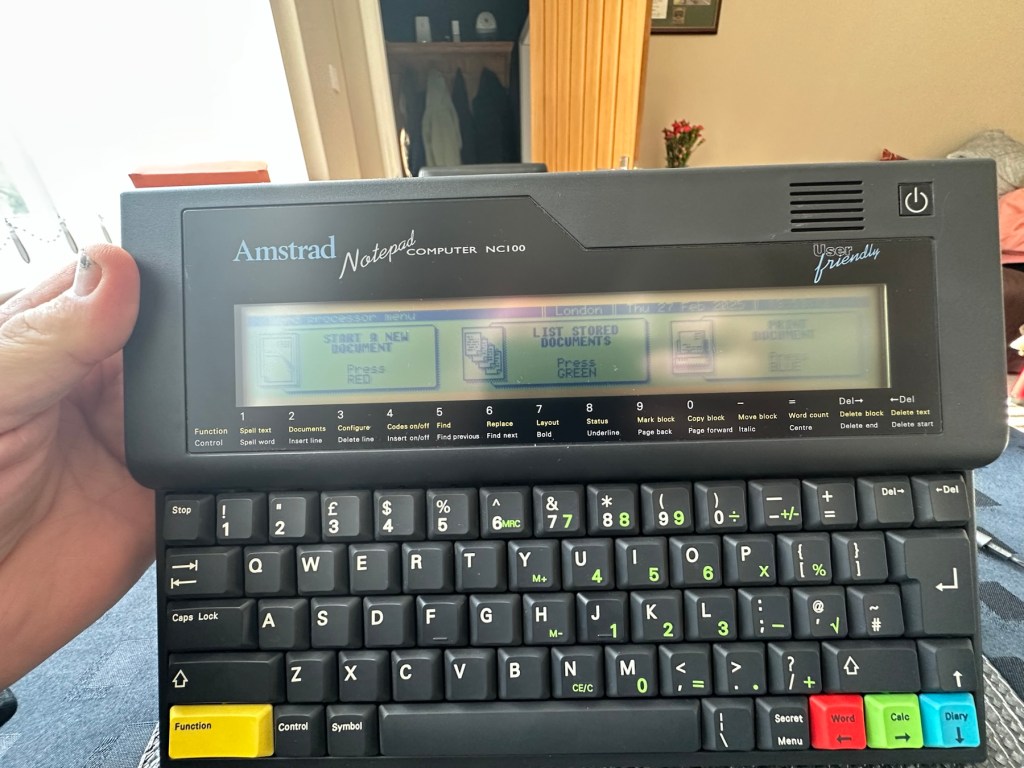
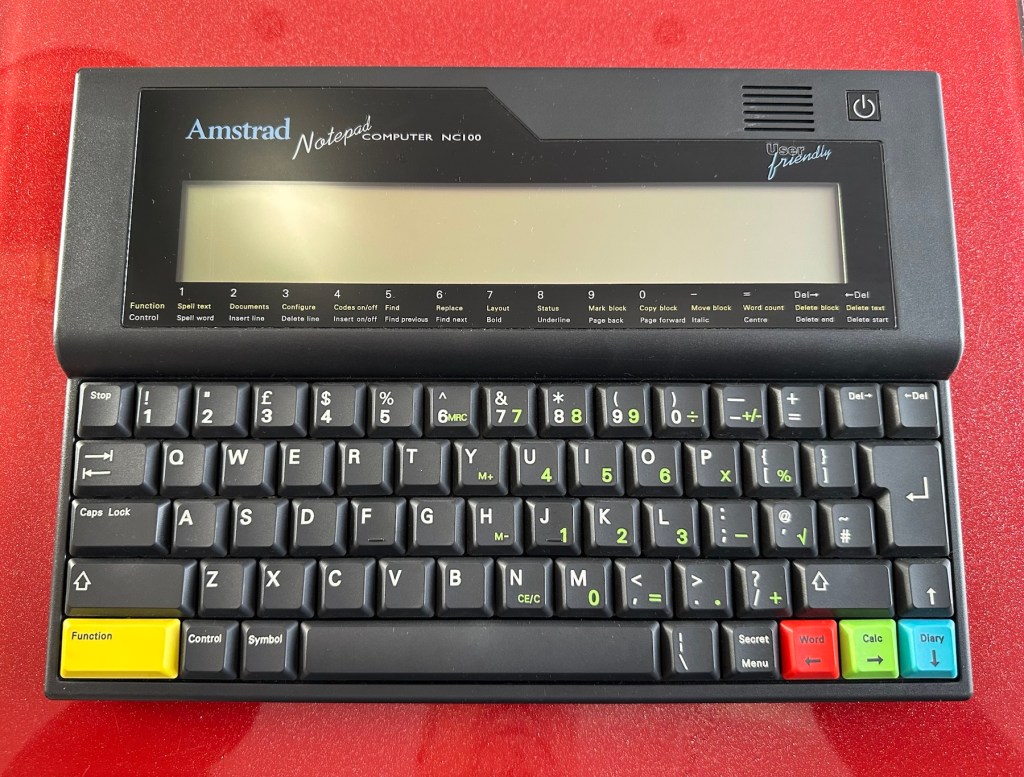
The unit has arrived and cosmetically it is in very good condition apart from the peeling plastic screen cover. A little bit of dust and grime, all keys in good order and no dinks or dents. the vinyl bag is a little tatty but that’s not a problem, it’s obviously done it’s job over the years due to the good condition of the unit.

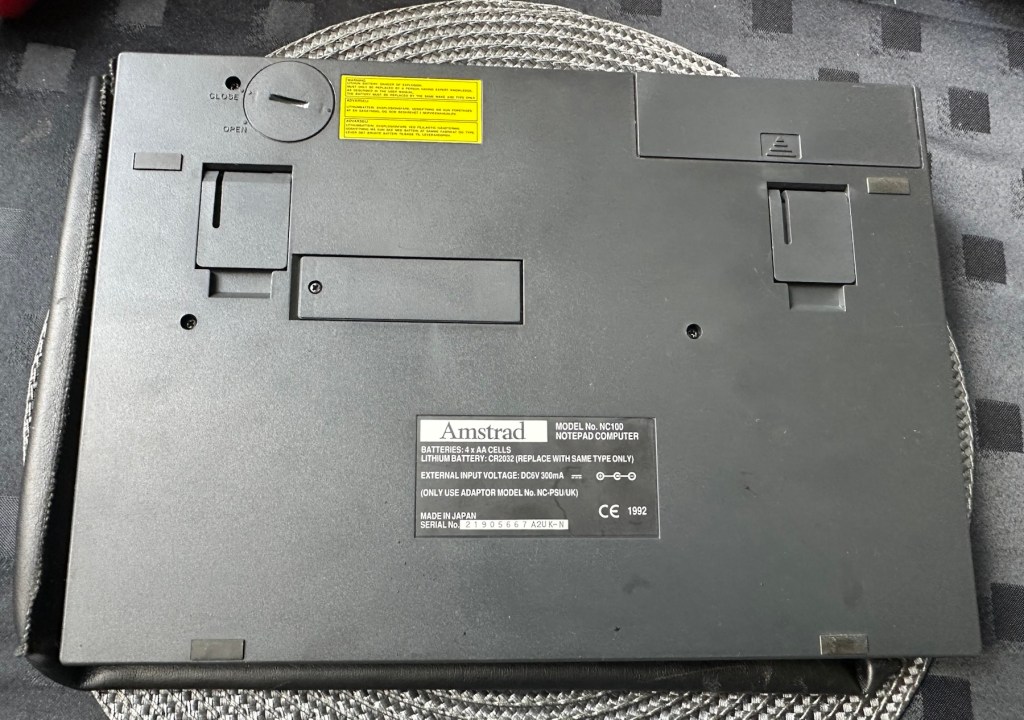
So down to testing. First thing I’ve done is check the power supply is giving a 6.5 v output and this is ok.

Power supply doing what it should.

Secondly I’ve put 4 AA batteries in place and turned the unit on but then it abruptly stops, displaying a lithium battery issue.
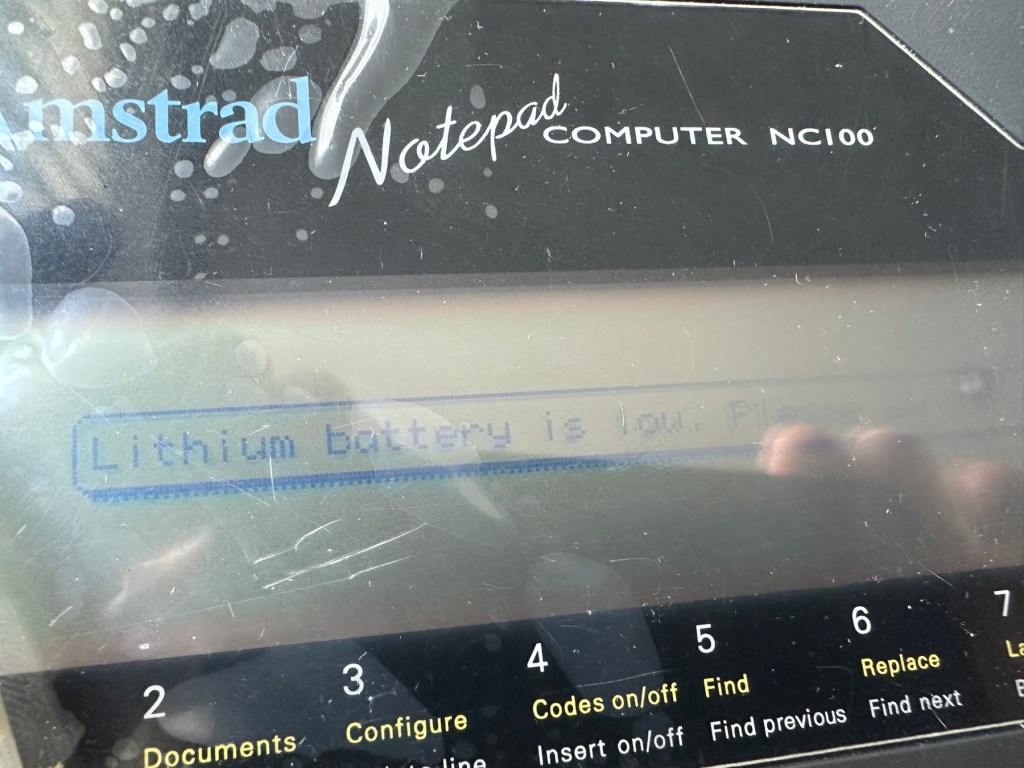
Lithium battery warning

The lithium battery is an old CMOS type battery, a CR2032 coin battery. This is the battery that keeps the info in the system when you turn it off. I thought I’d run this through the multimeter and was surprised with the voltage I saw, the battery seemed fine to me at 2.8v, so I replaced it with a new one measuring 3.4v. And the issue came up again…..head scratching time!

Looking on line it seems there is an issue with the lithium cell battery contacts on these units when they are being resurrected to modern day usage, time has not been good to them. The coin contacts have now been cleaned and slightly bent to ensure a better contact and hey presto it’s operational with no further issues.
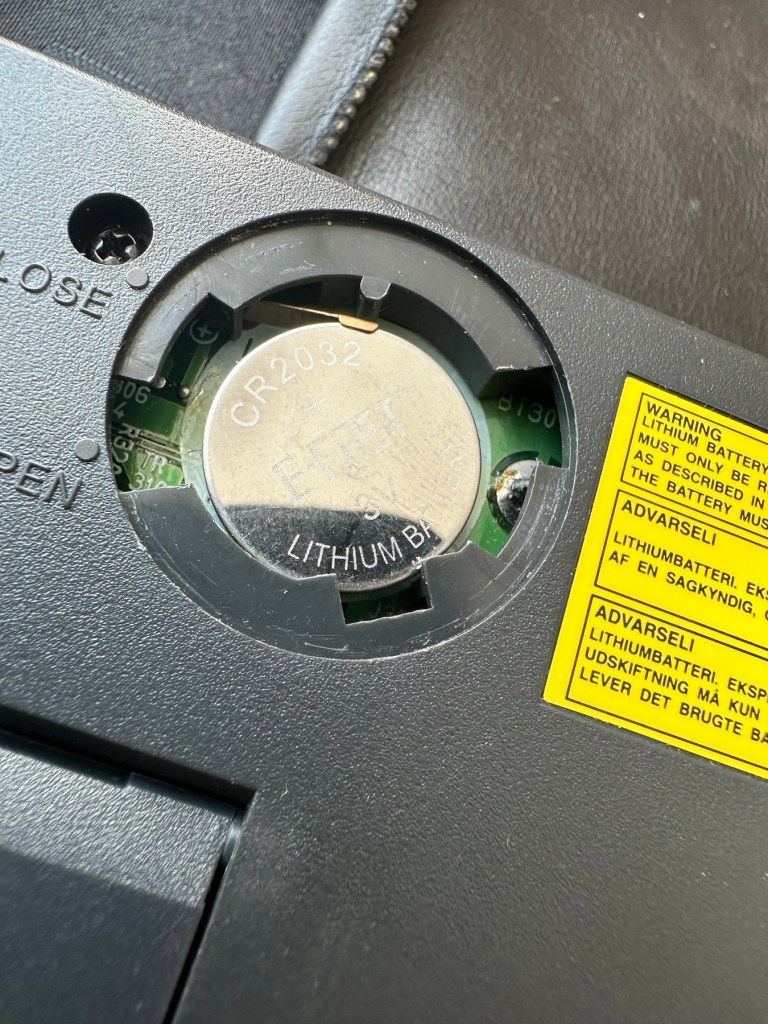
Battery contacts needed cleaning and repositioning

The main AA battery contacts are fine and the external supply is doing what it should. Now let’s look at sorting that screen issue.

Quite simply there were two options, use a bit of heat to try and stick the plastic down, but I decided against this as it would not lay flat, it had too many kinks in it. So the only other option was to remove it and this is what I did, it peeled off with no issues. In time I will see if I can get a suitable replacement but to be honest it isn’t really required as I’m not going to be using it that often.

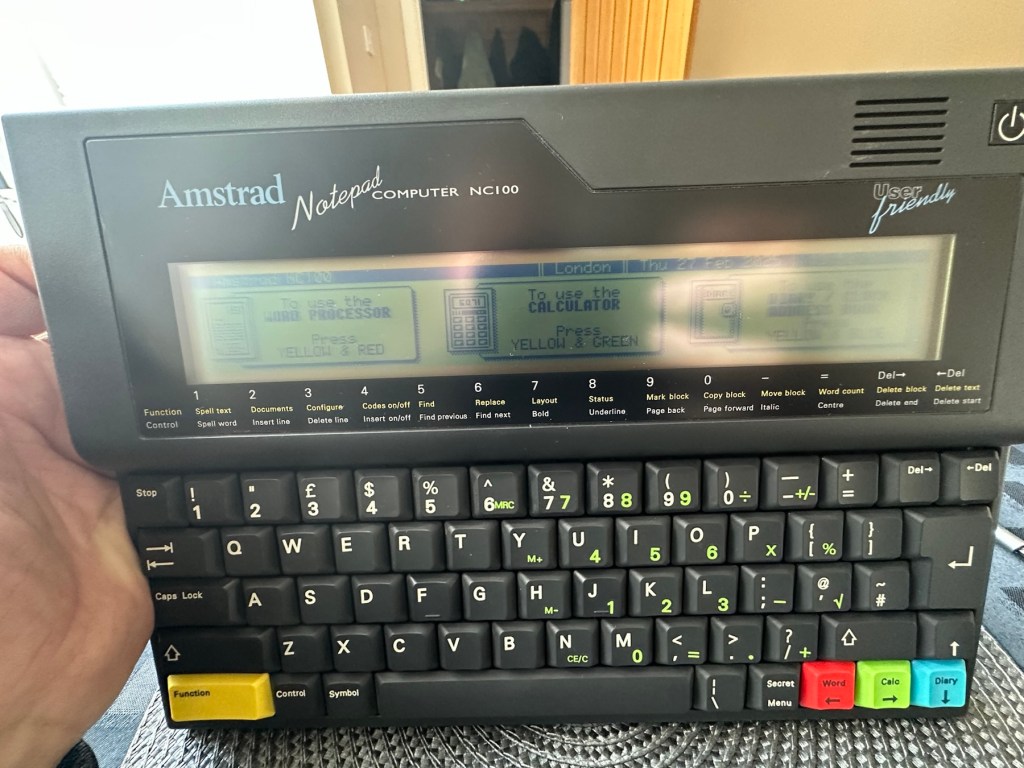
Let’s get that screen cover off

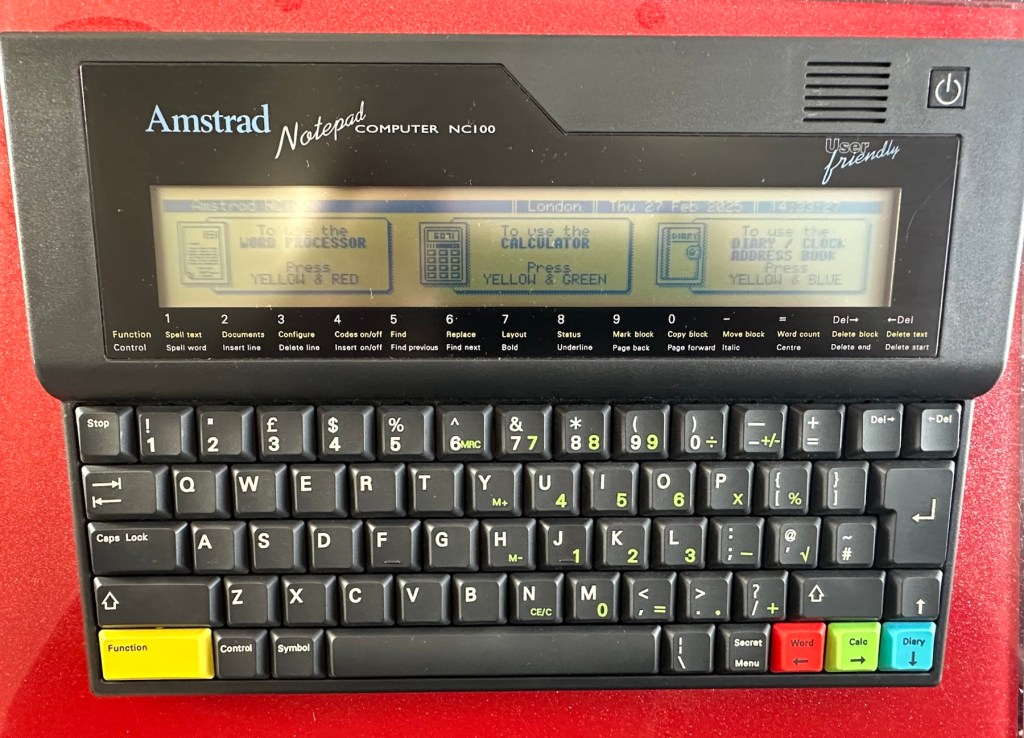
I’ve tried every function and keystroke of the board and all is good there are no issues and I now have a perfectly acceptable unit for my collection. It looks like i have had a second win against the “Untested” brigade who sell on EBay. This was the simplest of repairs and the issues are readily available to research on line. There is no excuse for not looking into the issues, when a good unit like this can now sell for up to three times the amount that I paid for it.

Your loss my win. Another one kept from landfill.

I’ve given the unit a good polish and I think you’ll agree that the project has come up good.

Now to just go and read the user manual on line to see if I’ve missed anything. Thanks for passing by, as always it’s most appreciated.
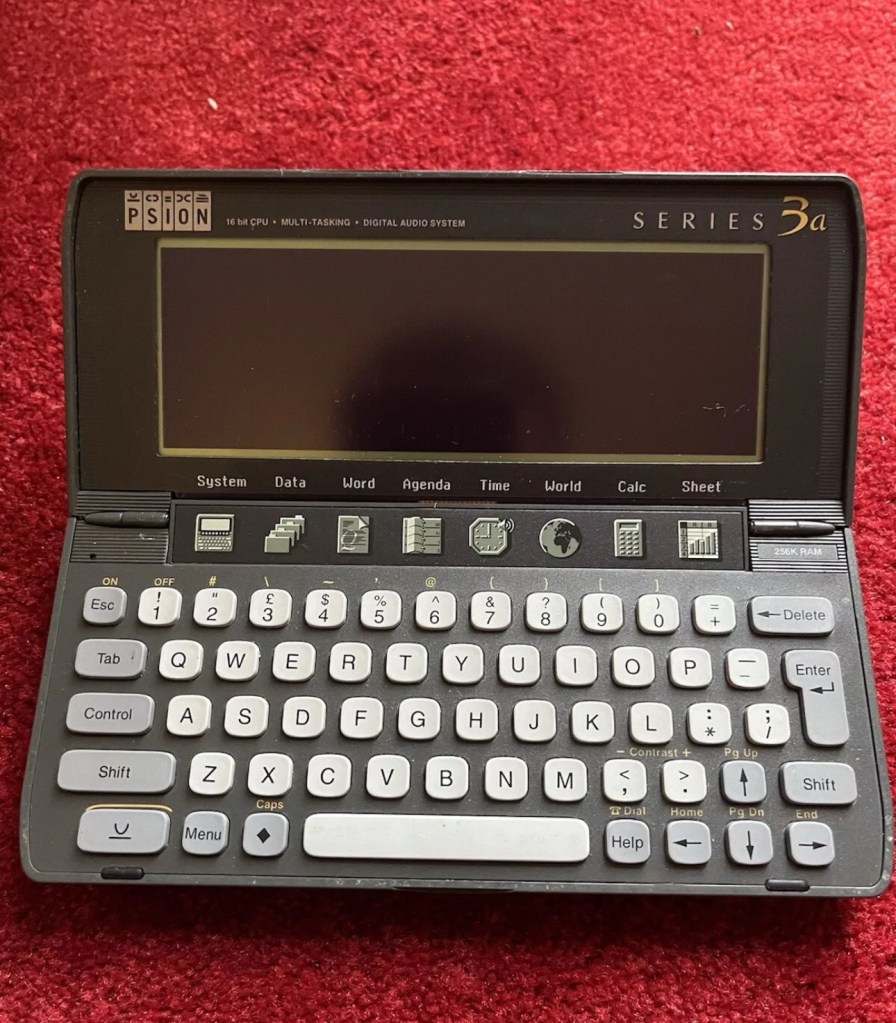
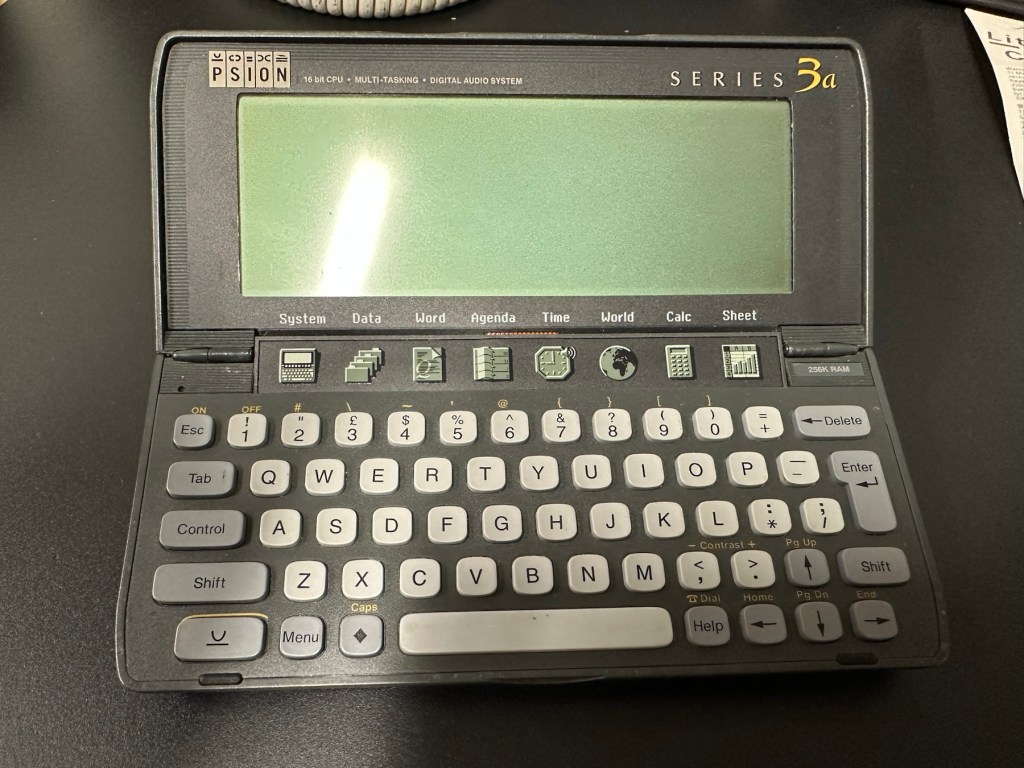
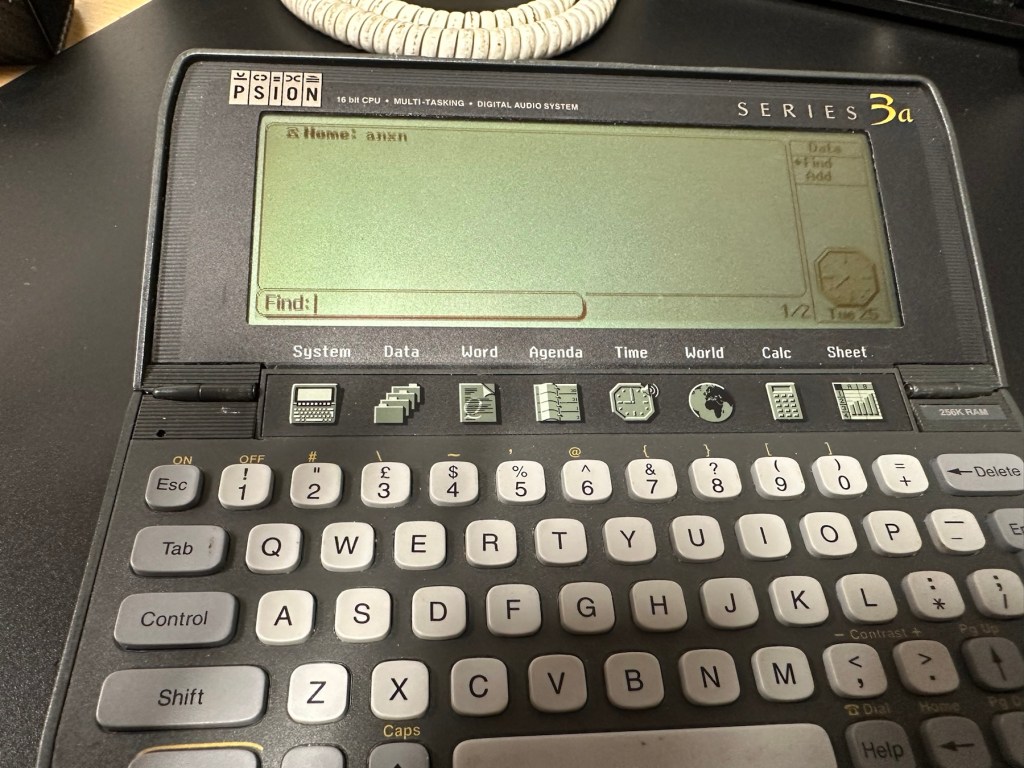
Psion organiser series 3a

What the listing stated:

It fires up and turns on, then get a black screen. Every time I press a key on the keyboard it makes a beeping sound, so it is registering something.

EBay

From a distance, and in my opinion, the fault could be a simple one such as adjusting the contrast by using the Psion key and either of the <> keys. This was often an issue when first turning on the Psion II, you had to turn the contrast wheel. However it could be a terminal one requiring a donor unit. In layman’s terms it could be knackered, (to coin a phrase). But hey, what do I know 🤦‍♂️

Psion 3a – Faulty

Fingers crossed 🤞 as usual.

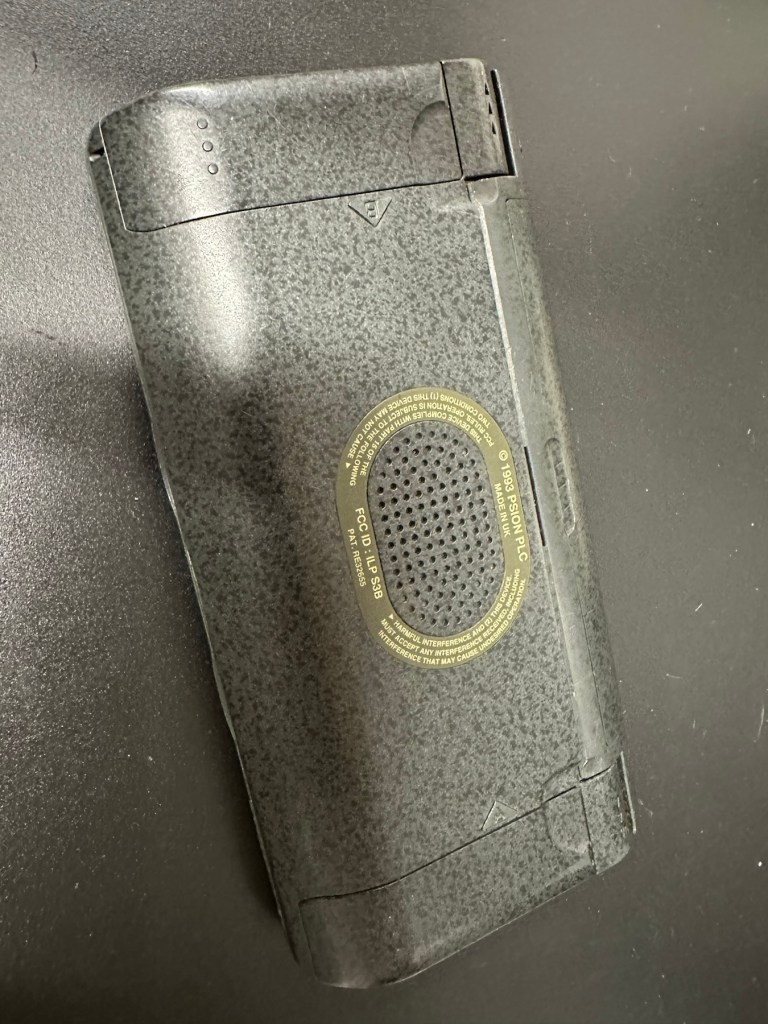
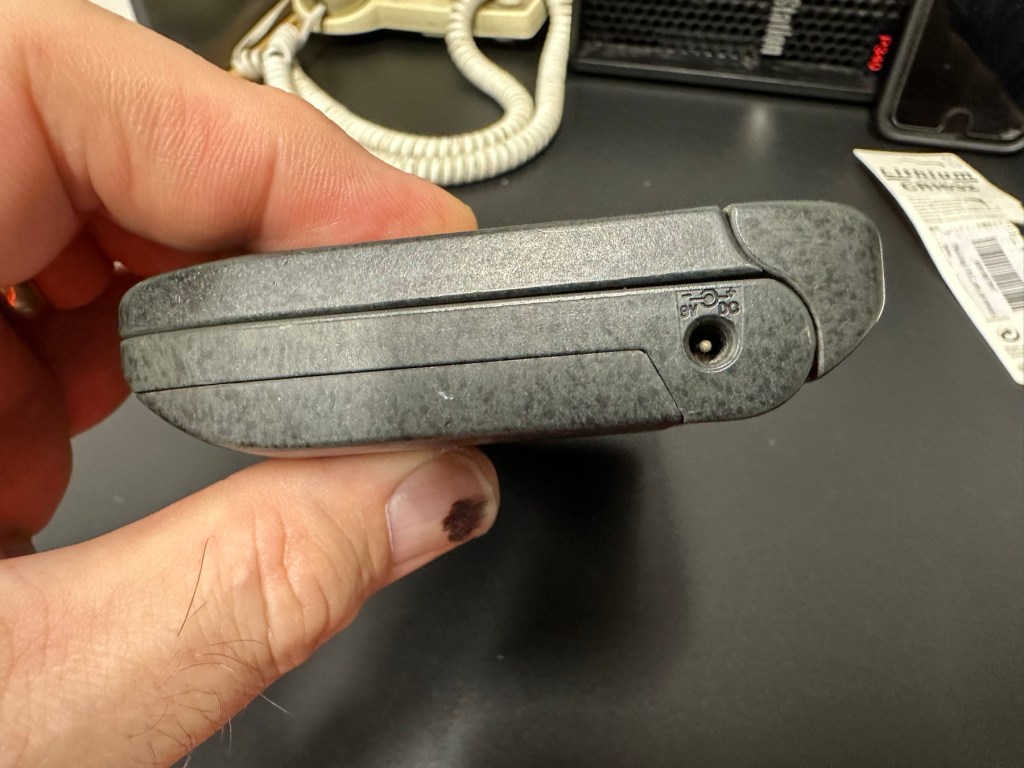
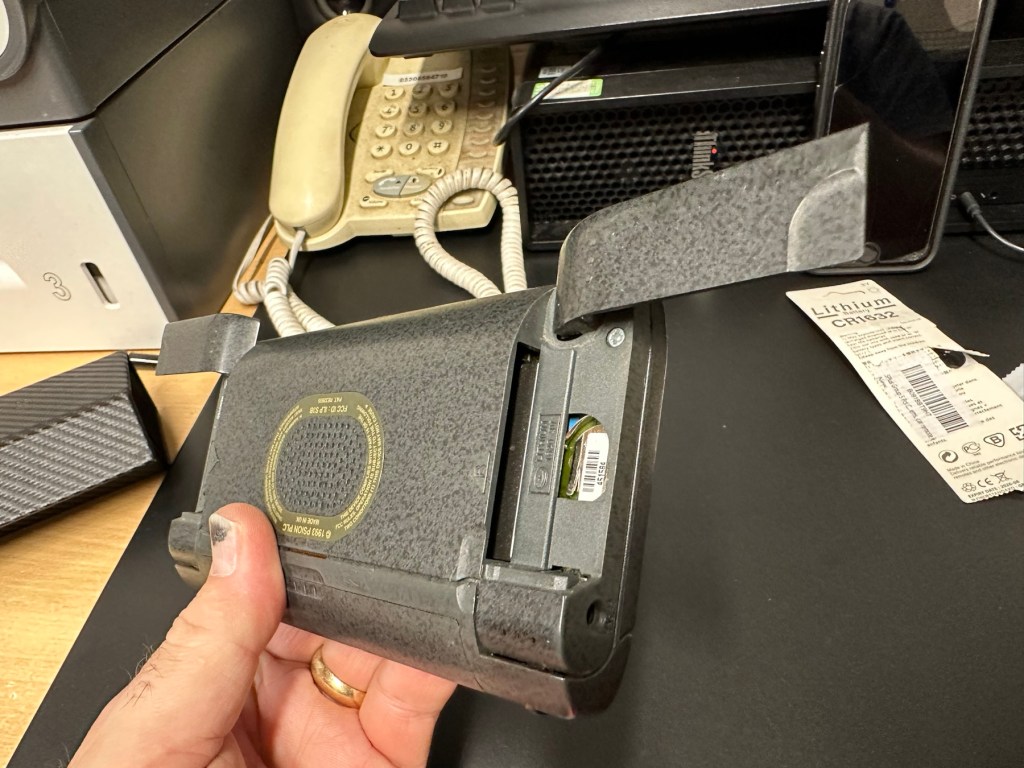
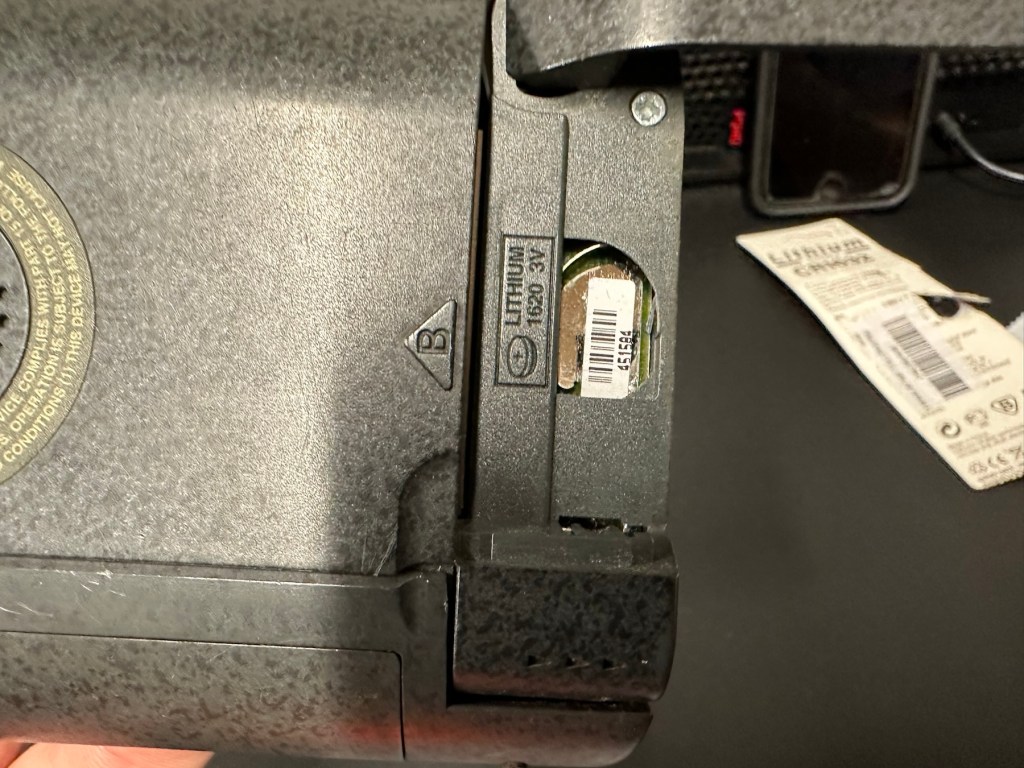
I have a what looks like a nice tidy little unit here obtained for a very reasonable price £17:69Gbp including postage. These units retailed between £179-£249 when they first appeared back in 1993. However, there is only the one picture in the advert so the rear, sides and hinges could be wrecked. “Caveat emptor” as they say. It does have a problem that will need some investigation. It runs off of two AA batteries and a CR1620 coin battery as a backup, and these will be the first items to be changed, I’ll also check the voltage of that coin battery and replace that if necessary. This is an early version with 256KB of internal Ram. 3a versions from 1995 either had 1Mb or 2Mb of ram. You can also use an external power supply if required, but the batteries in these units have an excellent long life span, so external power is rarely necessary. I’m looking forward to this project. I’ll make a more detailed analysis when the unit arrives shortly.

The Psion Series 3 range of personal digital assistants were made by Psion PLC. The four main variants are the Psion Series 3 (1991), the Psion Series 3a (1993), the Psion Series 3c (1996), and the Psion Series 3mx (1998), all sized 165 by 85 by 22 millimetres (6.50 in × 3.35 in × 0.87 in). Further, a Psion Series 3a variant with factory installed software for the Russian language was called a Psion Series 3aR, and Acorn Computers sold renamed versions of the Psion Series 3 and 3a marketed as the Acorn Pocket Book and Acorn Pocket Book II.

Wikipedia

A little history:

This particular unit dates from 1993 and was the next in the series of Psion organisers that succeeded the extremely successful Series 2 models. It was a massive step forward in design as the whole PDA market was kicking in big time in the early to mid nineties. More info regarding the series 3 organisers can be found here: Psion series 3

And the strange fact for today is this:

Manufacture of Psion 3s was discontinued in 1998 shortly after the launch of the Psion Series 5 (a Psion Series 4 does not exist, due to Psion’s concern of Tetraphobia in their Asian markets)

Wikipedia

What is Tetraphobia?

The fear of the number four: Tetraphobia is mainly suffered in China, Vietnam, Korea, Japan, because the word for the number four is similar to the word for death in their languages. Tetraphobia results in many people avoiding referring to 4 in phone numbers and so on.

Cambridge dictionary

There you go, question answered and that was why there was no Psion 4.

Onwards…

What has arrived, and what’s the diagnosis?

The unit has arrived and despite my suspicions it is in an excellent cosmetic condition. Just some very light signs of usage, needs a light clean, all hinges are in place and solid. Everything is as it was all those years ago and all the warranty labels are in place, this unit has never been opened.

I placed the new AA batteries in and it came up with the black screen as the seller had stated. Using the contrast adjustment at this stage had no effect but the buttons were sounding so something was happening. Whilst looking in the memory card doors I could see one glaring issue, there was no backup CR1620 battery, so I dropped one in place . When I started the unit up again the screen went from black to clear, over a few seconds and then I operated the contrast buttons, and hey presto it worked. Watch this little video to see what happens.

We have life

I can only surmise that not having the correct batteries in for god knows how long, and then livening up the circuitry must just be like giving Frankenstein a fresh transfusion of blood. “It’s alive!” Well, that’s all I can think it would be.

I’ve run every function on the unit and it all works fine apart from the voice recorder function that seems to have a lot of feedback on the recording. I suspect this might be as I’m using the already full internal memory. It’s not a real problem, I’m just going to have to read up on it, as I could be doing it all wrong. (I have since done a hard reset and deleted old files from the system and this has cured the feedback issue, the voice recorder works fine). However it would still probably work better using an additional drive in the unit, and not the low internal memory.

Just as you could on the Psion II you can write your own programs using OPL language. And it is a lot easier on this unit as you have a full Qwerty keyboard and a much bigger display. There are more applications on this unit than the series II, including word, spreadsheets, DTMF dialler, calculator and others that can be purchased as plug in additions.

I’m really happy with this, if the seller would have just taken a little time to run the unit and have some patience he’d have realised there really is nothing wrong with this unit. Big negative for him, big bonus for me. He could have charged more than double the price for this item, or more, considering current prices on the selling platforms.

Another strange thing i have noticed is that when I’ve left it overnight and started it up the following day it takes a minute or so for the screen icons to appear, just like putting on an old valve radio. So it maybe that a repair is necessary, I’ll have to ask around and see if any else has had this issue.

Valve powered Psion3A

Edit: A few days later and I’ve looked into this a little more. For some unknown reason, probably my rank stupidity, I’ve checked the coin battery and I’ve installed a CR2032 instead of the required CR1620 and have tonight corrected this and installed the CR1620 coin battery. I don’t know if, or why this would have an effect, but after putting the correct battery in place the unit started up in a couple of seconds even after sitting unused for at least a couple of days, instead of the usual 2 minutes as per the video. I can only think it must be something more related to the capacity rather than the size, unless for some reason the contacts were not sitting true. (There is a slight difference of 4mm in width) I remain puzzled as I thought the battery was just for backup purposes, maybe it does perform more as a computer CMOS battery does, but I’m pleased it’s now operating as it should. I can now stop monitoring the sale sites for units to use as spares.

Sometimes your suspicions pay off, and on this occasion I was spot on. EBay untested items can swing either way and most of the time the sellers use it as an easy get out for not accepting any responsibility. But this time I win, and that makes me happy as I have a very good item for my retro collection.

Thanks for passing by.

Old iPad To New Screen

This is a great blog from Hackaday that shows how old iPads that are no longer usable can have their screens used as standalone monitors. Since Apple are openly criticised for their throw away culture it’s a reasonable way of keeping these old units out of landfill, and saving you some money as well. I love the example of using an old screen as an additional screen for an iMac.

Turning surplus LCD panels into stand-alone monitors with the help of a driver board is an established hack, and a search of eBay or AliExpress will …

Old iPad To New Screen

Formatting the Psion II Datapack

The Psion II range was well ahead of its time when it came to saving data on its machines, however there was an element of strangeness in its design and usability.

You have to realise we are talking early eighties technology and to be totally honest it was the infancy of computing, or hand held computing to be precise. There are three drives on this range of handhelds, they are A:, B: and C:

A: is the internal memory of the unit and it is RAM memory and ranges from 8KB in the CM model, to 16KB in the XP model right through to 32 or 64KB in the LZ/LZ64 models.

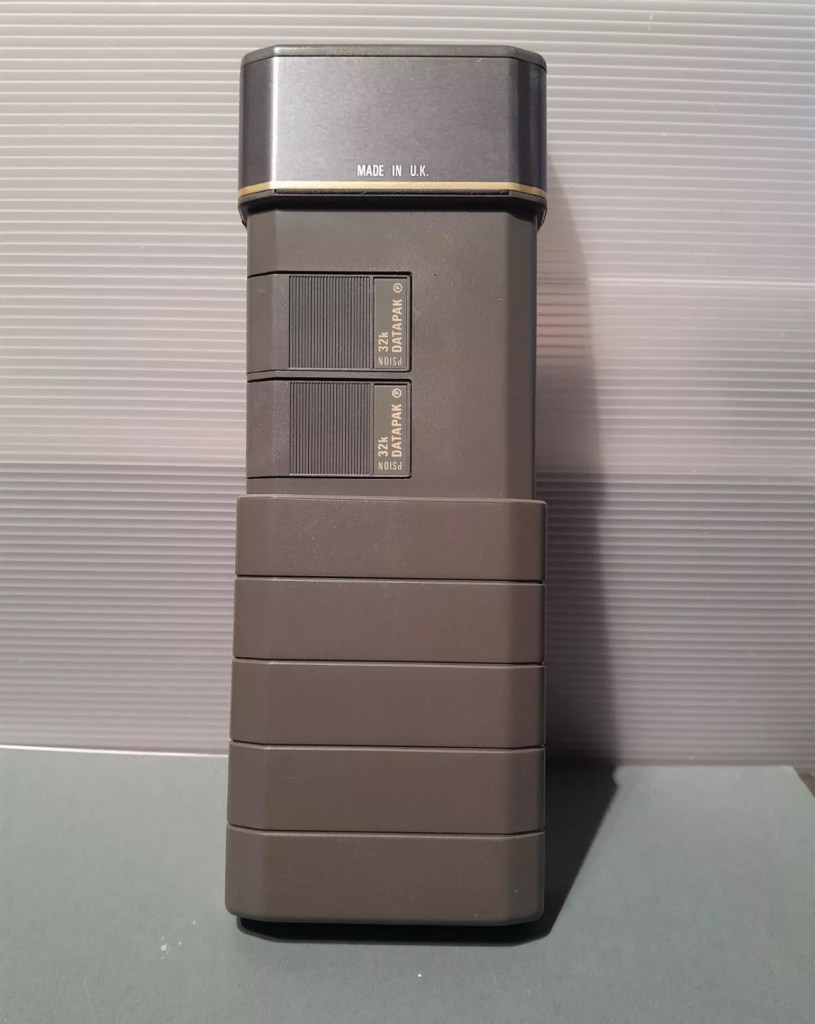
Datapaks on a Psion II unit

B: and C: drives are found on the rear of the unit. Into these slots you can place memory modules that are the equivalent of disk drives you’d find on a computer, however they are pretty much early solid state in design as they have no moving parts. These modules can come in sizes between 8-128Kb in size. B: is always the top slot closer to the screen, C: is the bottom slot closer to the battery compartment.

Types of memory

Rampaks are as it says on the label – Ram based plug in memory modules. When you store something in the units internal memory or on a Rampak, and then you later erase it, it really is erased in its entirety and space on the unit or Rampak is freed up, ready to be used again. Rampaks will have their own small “Coin” type battery as part of the module, this allows the unit to allow the constant input and deletion cycles. They use very little power and are probably the best medium for writing programs.

Datapaks are a different beast. They are known as EPROM (Erasable Programmable read only memory) Erasing a record is comparable to crossing out a piece of work written on paper, it has now been deleted but will always remain on the paper, just crossed out. It’s exactly the same on the Datapak. Hence in time the memory space will dwindle due to the deleted files that remain still occupying dead space. The benefit of the Datapak is that they are more secure and are not affected at all when battery power runs low.

With a Datapak there will come a time when the available memory space remaining is insufficient for what you are trying to achieve. At this point you need to format the drive and this is a particular problem if you don’t have the access to equipment to carry out this task. Here’s why…. They need exposure to Ultraviolet light to erase the memory.

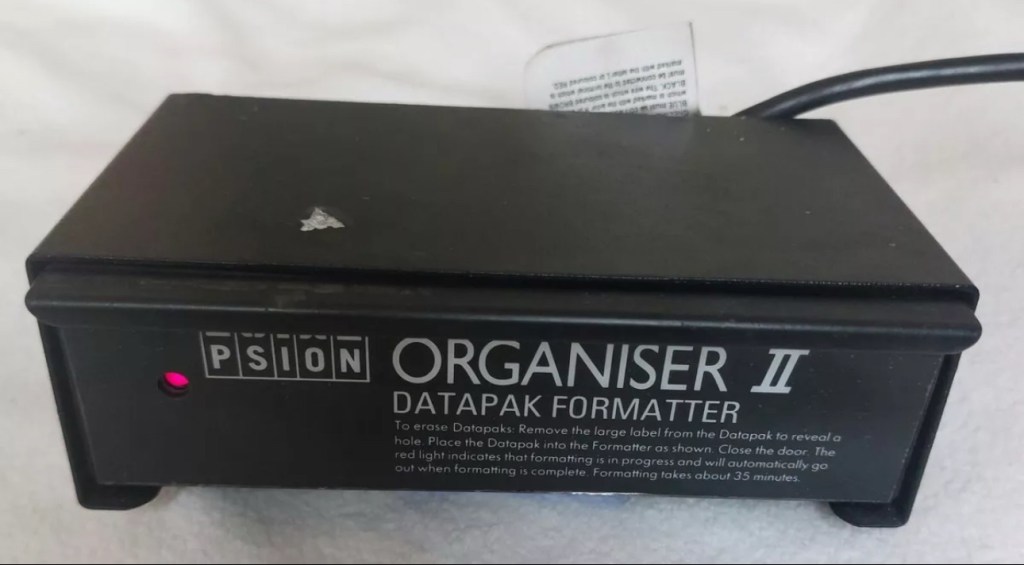
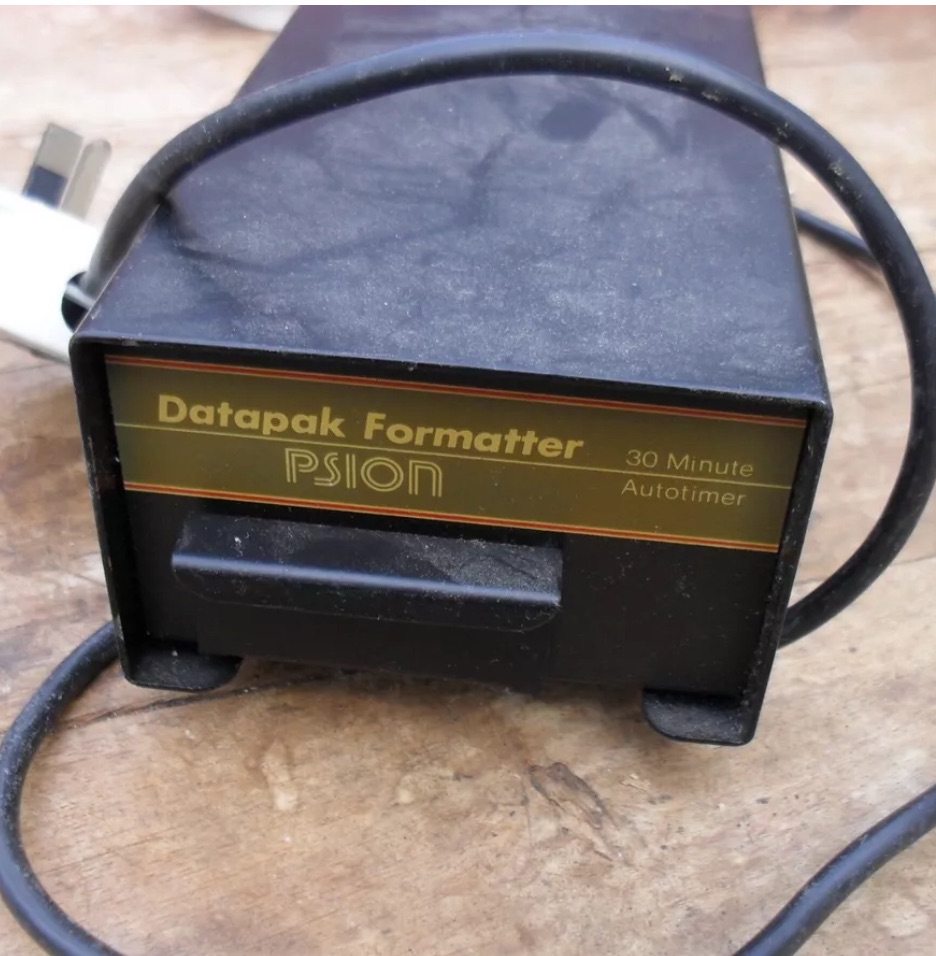
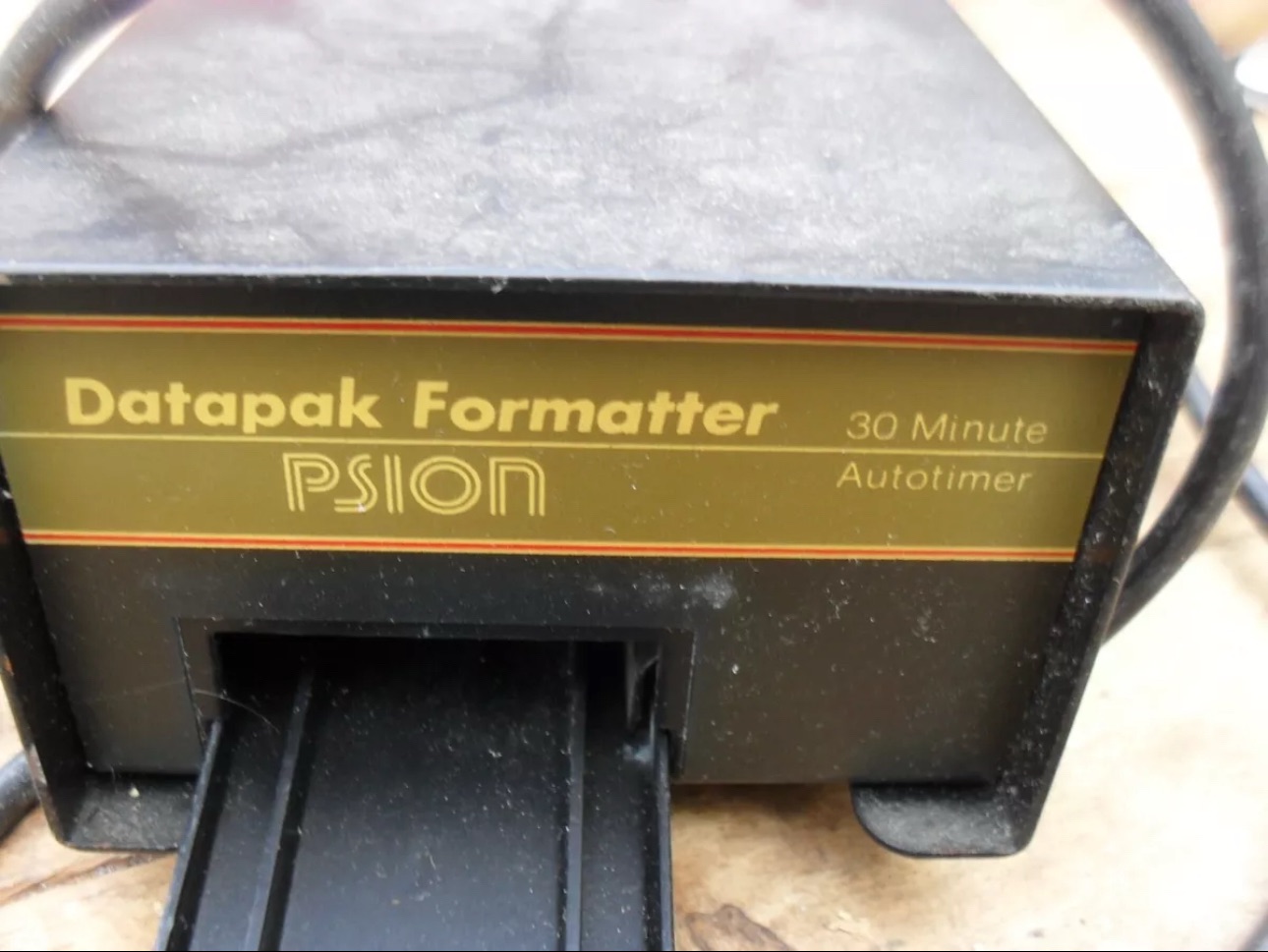
Mk2 version of a Datapak formatter

You need one of these, a Datapak, Ultraviolet formatter. Quite a rare beast to be honest, there’s not many on sale at the moment, specific to the Psion. However there are other systems available for EPROMs used in other branches of electronics. The Datapak has to have its label removed to expose the crystal glass below on the EPROM in preparation for being placed inside the formatter. In theory it is just like an oven that exposes the EPROM for around 30 Minutes, the door is closed prior to formatting to keep the light source from damaging the users vision, as the light is in the UV wavelength spectrum likely to cause some quite serious damage or long term conditions.

Here you can see a Datapak that i have taken the lid off of. On the circuit board you can see a piece of crystal glass with a silicon die below, this is the component that will need approx 30 mins of Ultraviolet exposure to format its contents.

The crystal that the UV light needs focusing on

The formatting process

Erasure of the EPROM begins to occur with wavelengths shorter than 400nm. Exposure to sunlight for one week or to Fluorescent indoor lighting for three years could cause erasure, this is why the Datapak has a label covering the crystal portion of the EPROM. The recommended procedure is to expose the EPROM to a UV light source at a wavelength at or close to 253.7nm that usually achieves the format process within 20-30 minutes, with the lamp at a distance from the glass lens of around 2.5cm.

Then how do I achieve a format of a Datapak without this equipment?

There was always the option of trying a standard UV bulb or torch. However the UV wavelength on these items for public safety is usually in the 395nm wavelength spectrum. There really is very little available to the general public that is as strong as the bulbs required in the 253nm range to complete this task, as they are a serious danger to health if you are exposed to it for any length of time. This then was not an option i was able to pursue.

I now have a few options available to me if i wish to get these Datapaks formatted.

Purchase a cheap Chinese manufactured unit with a European plug. They seem to work and do the job, however you will be lucky if you get a couple of uses from it.

Trawl EBay. As i write there are two working ones including this MK2 version listed at a reasonable asking price that have a lot of people watching them, so I expect the price to rise accordingly as it gets towards the close of the auction.

EBay spares or repair. There is one unit, a Mk1 version that has a buy now price and it seems to have been hanging about in someone’s junk box for a few years and could possibly need repair. This is a tempting option however if the UV light inside is damaged then i have to look for a suitable replacement, and to be honest there are not a lot of compatible low pressure mercury discharge tubes of these sizes available now. You may have to look for suitable alternatives and I’m not sure i want all that messing around. Do i take the risk and go for one that may need repair? A guy called Dave Curran has combined this drive with one of the Chinese low cost options to create this hybrid eraser: Eprom eraser/upgrade

Get someone else to do it. There is this option and a service is available on line that allows you to send your Datapaks off for someone else to format for you. But do you want to entrust data to a third party? For me it’s not really a problem as none of my units have any of my data on them, but it is something to take into consideration. Whilst I’m searching for a suitable unit this may be a route i consider.

So these are my options. I’ve an idea what I’m going to explore, so im just going to take a little time to look into it all.

My decision

EBay spares and repair – seeing that this is a site where i like to purchase and repair items, i have gone for this option and purchased a used and typically untested Mk1 Psion Datapak formatter from EBay. I have had some good dialogue with the seller and i am confident that this unit can be made good with only a small amount of intervention. The UV tube inside is potentially 40yrs old now, i’ve secured it at a very reasonable price as i got in there and was able to complete the deal relatively quickly.

My plan is to get this unit opened, check its mechanical and electrical stability, get it cleaned, reassembled and then Pat tested. Only then can i look at attempting a full format on it for the first time. And for that i will put together another post incorporating the repair of the unit and the formatting of the Datapak.

Here is my restoration of this unit: Psion datapak formatter

Thanks for passing by.

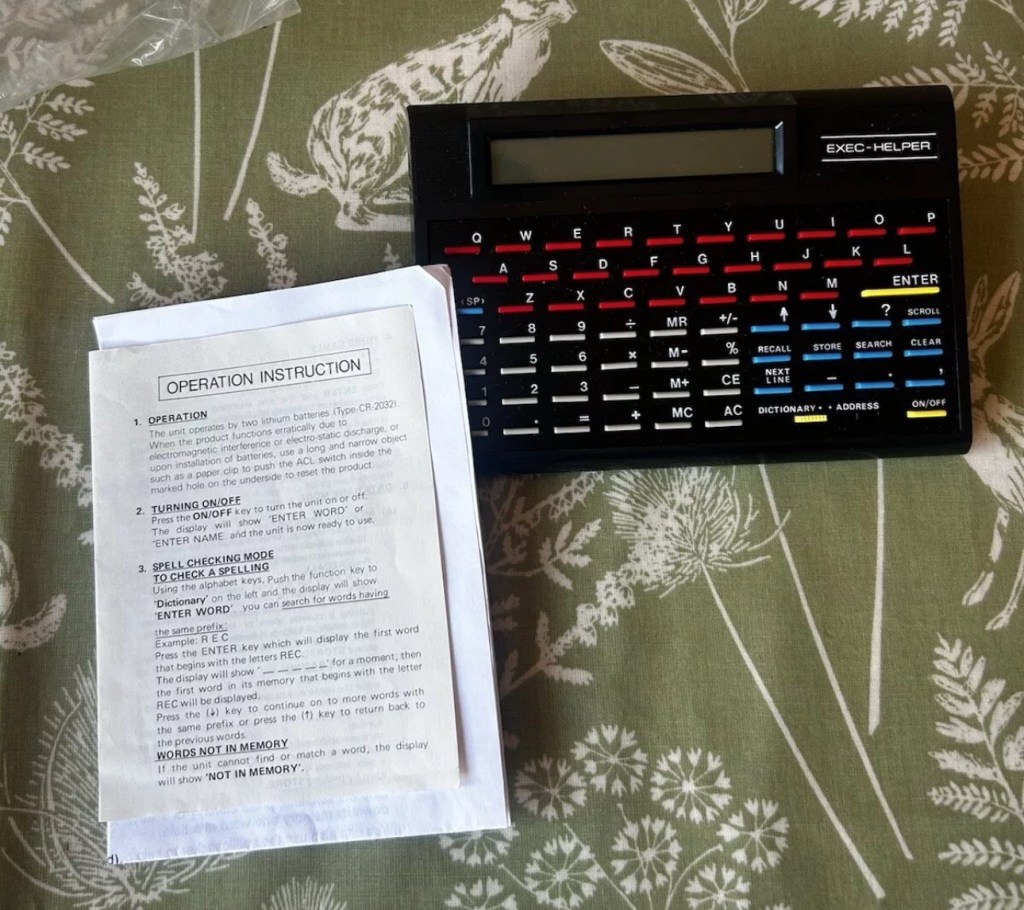
Exec Helper 8200 electronic organiser

What the listing stated:

Good condition – with instructions and original box

EBay

No beating about the bush, straight to the point. No messing. Cost me the grand total including postage of £9.94Gbp

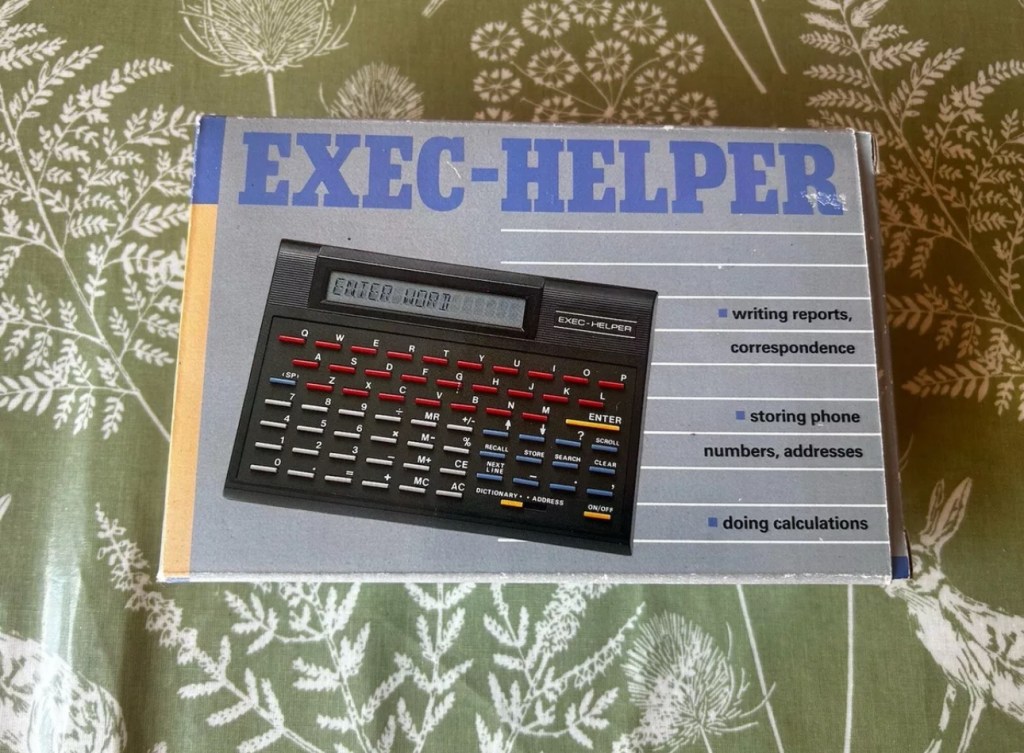
What? You’ve never heard of it? Have a google and I think you will agree there is very little information anywhere regarding this unit. There may be a few items on eBay, where you will see a couple on sale (normally faulty) for a very reasonable price, however all are missing two very important items, a box and instructions, the latter being as rare as hens teeth.

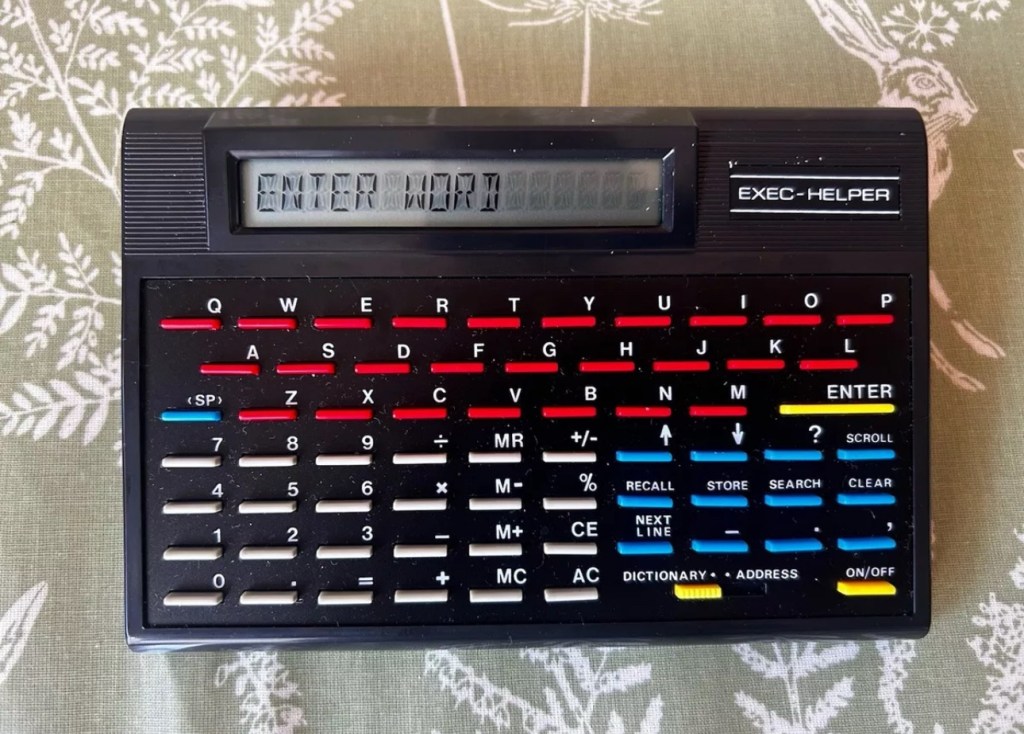
I’m fortunate to have an excellent example now, with both with only one polystyrene insert and not two, a box and instructions. They call it an organiser, that really is an overstatement, because if you read below you will see it is a really difficult unit to get to grips with. However it can be done, it just takes patience. The unit has three functions that are: Dictionary, Address book and Calculator.

This isn’t a repair video. As there is not a thing wrong with it, it’s absolutely cosmetically perfect. It just requires you to read thoroughly through the instructions, if you are fortunate enough to have some that is, and in this instance I can be very smug. I do have those original instructions, and there are probably more copies of the Magna Carta out there than there are instructions for this unit, or so it seems.

This video was from a chap, who posted it on YouTube a couple of years back. In the video the presenter had no instructions to follow. He also knew nothing at all about this unit. Its origin, age and use was a mystery. Using the Exec Helper 8200 can be both perplexing and frustrating.

Exec Helper 8200

What it does

  • Dictionary

One of the main features of this unit is its dictionary function. Users can Type in a word and press enter to retrieve its confirmation as a valid word. However, the device does not provide definitions or additional information beyond confirming the existence of the entered word. While it does allow scrolling through words, the lack of comprehensive definitions limits its utility as a traditional dictionary. Additionally, any misspelled words will not be recognized, resulting in a “not in memory” message.

  • Address book

The address book feature of the unit offers the potential to store and search for contact information. However, the functionality of this feature is somewhat confusing and not user-friendly. Users are prompted to enter a name, but pressing enter does not submit the entry. Instead, a separate search button needs to be pressed. The device’s scrolling and next line buttons suggest the ability to store multiple addresses, but the precise method of doing so remains unclear. Overall, the address book feature of the unit lacks intuitive design and may frustrate users attempting to utilise it effectively.

  • Calculator

In addition to its dictionary and address book capabilities, the unit functions as a calculator. When numbers are entered, the device immediately switches to calculator mode, allowing for basic mathematical operations. The calculator feature includes memory recall, addition, subtraction, percentages, and other commonly used functions. Unlike the address book and dictionary functions, the calculator feature of the unit appear to be straightforward and functional.

Date of manufacture?

The exact release date and availability of this unit remains uncertain. Judging from its design and styling, it is likely that the device originated from the late 80s or early 90s. However, due to its scarcity, finding a working unit or acquiring one in boxed condition can be challenging. I struck lucky with this one.

That said it probably was once a mass produced piece of tat that failed so miserably, that everyone who owned one threw them away, before they could ever be associated with owning one. They were that bad….or were they? I don’t know, there is so little out there about them that you can’t really make a reasonable judgement or gain constructive feedback regarding them.

It was probably a unit that was killed off in its infancy by one of the bigger names that were starting out around the mid 80’s that had a better, product and presence at this particular time. (Psion for example) A simple case of being in the right place at the right time.

Or is that the right place at the wrong time?

Edit: I have done some digging around and it seems to be that these units were sold via the UK newspaper “The Daily Mail” as a reader offer. I even have the original return form for it however there is no sign of a date. The only thing that ties it to the 90s is that refunds can go either to “Access or Visa. The Access “ Your flexible friend” card ceased in 1991 when the banks involved started doing their own card transactions. So it was definitely very early 90s maybe even late 80s. I’ll update this post if I uncover anything further.

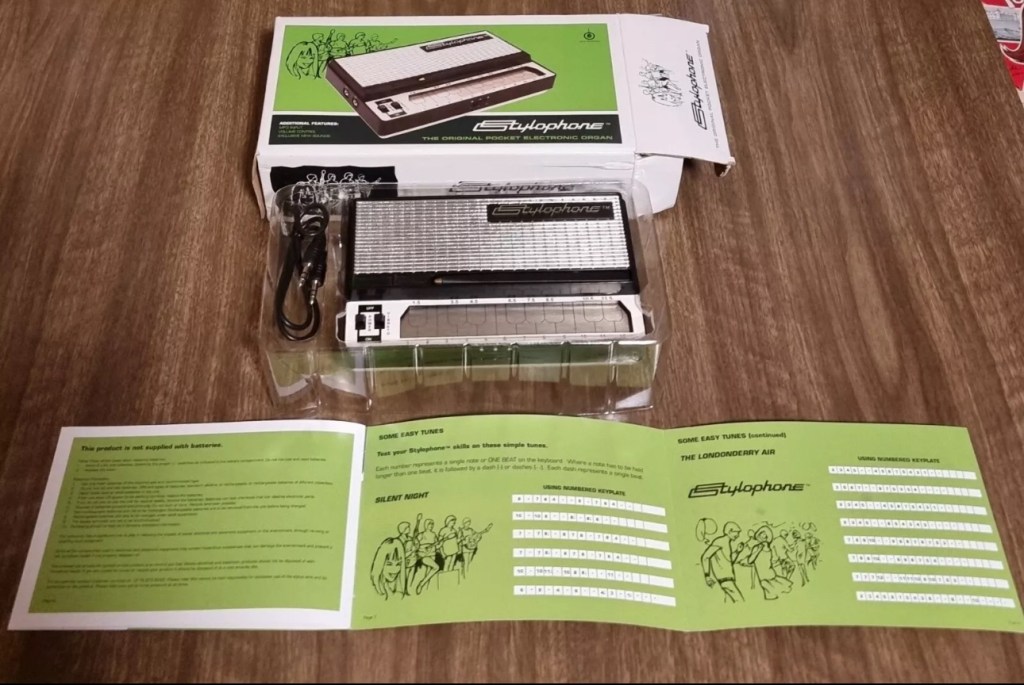
Stylophone portable organ – you were warned

Earlier in January I posted that I’d brought this retro pocket organ from EBay. Stylophone pocket organ It has now arrived and wow, it is in near perfect condition, the seller did not lie when stating it hadn’t been used since 2008. It is almost mint.

Mint condition

Anyway not being a person to disappoint anyone, I did promise that I’d video myself learning to play the unit. I wanted to prove that anyone can play these “Toys” that were hugely popular over the last 40 years. You lucky people. Here’s the video below.

Enjoy.

You were warned

Sinclair ZX81

Write about your first computer.

Now this is a prompt that excites me as it is a nod in the direction of all that i really like, retro.

I started my first full time job in about 1982. The ZX81 came out in 1981, and I used my first months pay to purchase one, it cost around £70Gbp if my memory serves me well.

Sinclair ZX81

My first real surprise when I opened it was that it wouldn’t do a thing unless you actually programmed it, I really hadn’t done my homework and what followed was a crash course in BASIC programming to get it to do something, but I loved it.

Looking back the best thing about this product was that it got you learning stuff, and I have no doubt that items such as this started many people off on the road of computer technology employment, computing was now available at a good price to everyone, and we youngsters really took to this unit en mass as 1.5 million units were sold prior to it being discontinued two years later in 1984.

I moved on fairly quickly to the Vic20, Spectrum, Amstrad CPC464 and then the traditional home computer and as they say the rest is history. They were fantastic times back in the early days, and I cherish them immensely. In fact I’ve never fallen out of love with this technology and I will soon write a more in depth piece about the ZX81 as I am looking at purchasing another one for my retro collection.

Have a wonderful weekend.

Stylophone pocket organ

What the listing stated:

A BRILLIANT RE-pro of an iconic Stylophone Pocket Organ from 1968.

Bought for me as a birthday present back in 2008. I packed it away and placed it in my loft.

I’ve just found it again and have added 3 Duracell Plus AA batteries to test it for the first time. (Included in sale)

All works extremely well.

The unit is as new, the box has very minor wear.

EBay

We will just have to wait for delivery to see just how true this listing is… however I have spoken with the seller today, he’s a lovely chap and my mind is at ease that this is a genuine good purchase.

Anyone that pays the slightest bit of interest to my blog will know I love retro electronic equipment, especially if at sometime in my life it has meant something to me. Well, the Stylophone was a very basic synthesiser/toy that popped its head above the parapet originally in the late 60s, but was super popular in the mid 70s and that was when I first got my hands on one. It was a cousins unit, not mine as my parents wouldn’t pay out for toys like that as they were just a fad. (How wrong were they?). So envy struck once again as I was never able to have one…..now fast forward 50 years and I’ve now purchased a good example of one.

The Stylophone is a miniature analog electronic keyboard musical instrument played with a stylus. Invented in 1967 by Brian Jarvis, it entered production in 1968, manufactured by Dubreq.

Some three million Stylophones were sold, mostly as children’s toys, but they were occasionally used by professional musicians such as John Lennon, Kraftwerk and David Bowie.

Wikipedia

Back in the day a chap called Rolf Harris was constantly on the TV advertising or playing these units, however the less time talking about this fellah the better, he was a right wrong ‘un.

This particular unit is not an original, I’m still after one of those. This unit was a reissue in 2008 so it’s about 17 years old now. But I’m happy with that. And it works, and for me that’s unusual as I normally only buy broken ones to repair, maybe the original one I’m after will fit the bill, if I can find one that is not completely overpriced. The original unit ran off a single PP9 9v battery, these newer units have improved circuitry and operate off 3x AA type batteries using half the original power. I’ve said before retro electronics are rapidly become the antiques of tomorrow, and people are out of their heads with the prices they are demanding even for something that is completely wrecked. They all need a reality check for the prices they are demanding. The total I have paid for this one is £20:00 GBP and that includes the postage and batteries, so in all I think I’ve got a bargain if it matches the actual listing.

I’m actual going to record a video of learning how to play this unit, just to see how easy or hard it is, and this creation will also be the subject of a later post, Here: You were warned

In the meantime prepare your ears for an assault to the auditory system as someone with no ability to hold a tune tries to play a toy/instrument from the 1970’s, you are truly blessed 😂

You lucky people 😂

Release Your Inner Ansel Adams With The Shitty Camera Challenge

Loved this post regarding the reuse and repurposing of old cameras. I know its social media based, but you can’t have it all your own way. I’ve got about 70 candidates that could quite easily be adapted for this purpose…

Social media microblogging has brought us many annoying things, but some of the good things that have come to us through its seductive scrolling are …

Release Your Inner Ansel Adams With The Shitty Camera Challenge

Wot? No 4K

What TV shows did you watch as a kid?

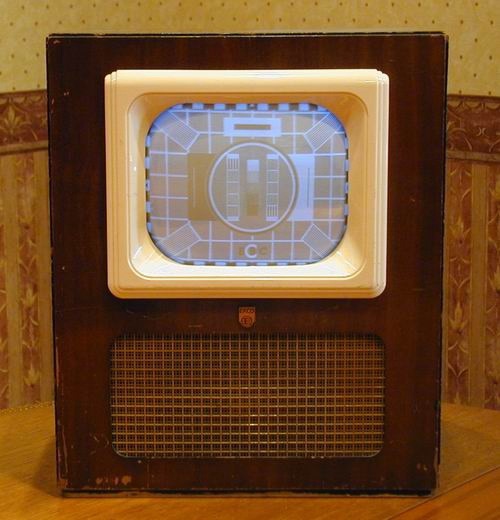
I was a product of the 60s and the only choice we had back in my childhood was 405 or 625 lines B/W Tv. Once turned on you had to give all the valves good time to warm up until a picture appeared, in truth you could probably go into the kitchen and make a snack before the ghosting even started to appear on the screen.

An old 405 lines tv

Back then we only had two channels, BBC and ATV, that was the forerunner of ITV.

No Adverts and only a few hours scheduling a day meant that you were more likely to see the test card transmission than any real TV program.

To be honest I probably listened more to my little transistor radio, or tranny as it was known then, nowadays I’d probably be pulled up by the PC brigade for even saying that.

We spent most of our days outside playing and exploring so TV never really factored into my formative years, I can’t really pinpoint specific programs I did watch however one really stuck in my mind as a funny moment. That used to be when we would watch a program called “Pot Black” it was a snooker program. However it was hard to determine colours of the balls on a black and white screen. It was funny when the commentators mentioned a coloured ball that they would refer to as “the grey looking one in the top corner” In fact they all had this colour as they were all just shades.

Aye, what with all your 1080, ultra HD 4K super duper vision you have now, you’ve never had it so good. But back in the day when it was a new technology it was truly ground breaking. I remember my old man saying “it’ll never take off”, how wrong was he?

Have a great day all. Peace.